

VMware vCenter Converter
298 visualizações
 25.02.2025
  Cloud / VMware
VMware vCenter Converter is a tool to convert a physical or virtual machine to a cloud infrastructure, in this case a P2V (Physical to Virtual) or V2V (Virtual to Virtual).
This application is only compatible with Windows.
We will perform a cold migration (VM turned off) of a virtual machine from one Private Cloud to another, in this case a V2V (Virtual To Virtual) migration. The action will be carried out from a third-party Windows VM on the source infrastructure.
This is the home page for VMware Converter.
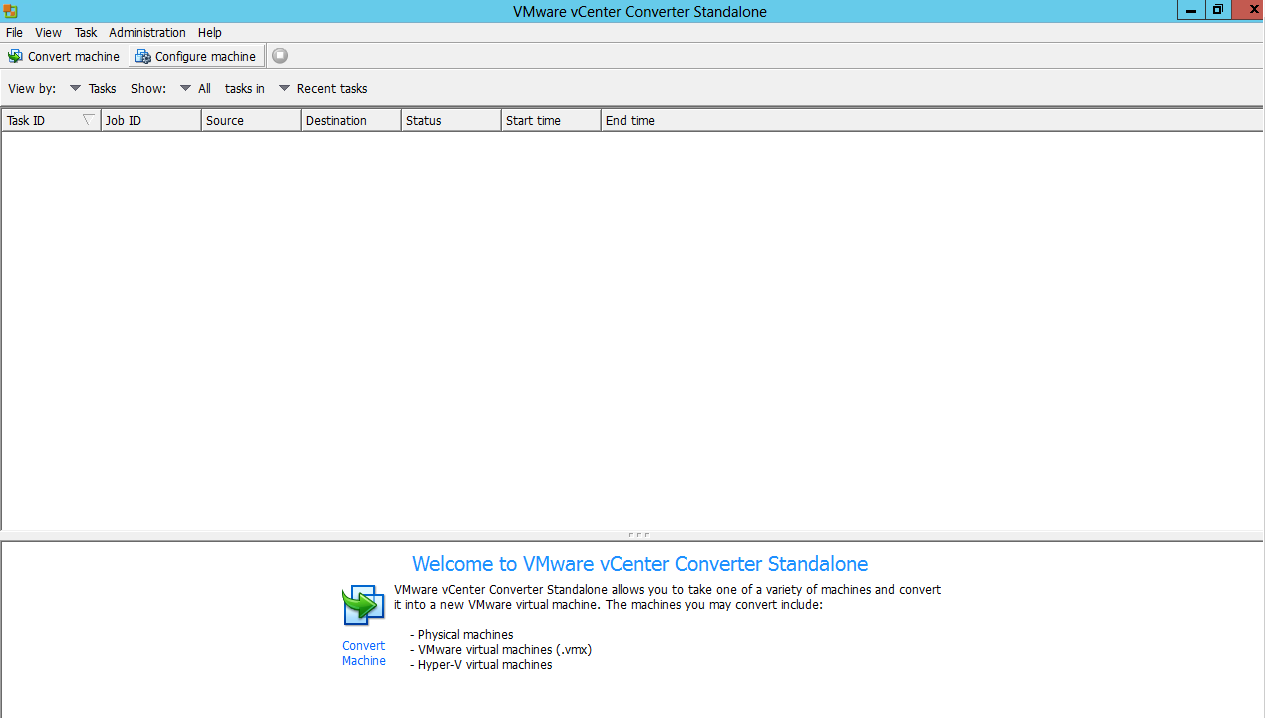
You can launch the conversion task via the "Convert machine" button in the top left-hand corner of the Start screen.

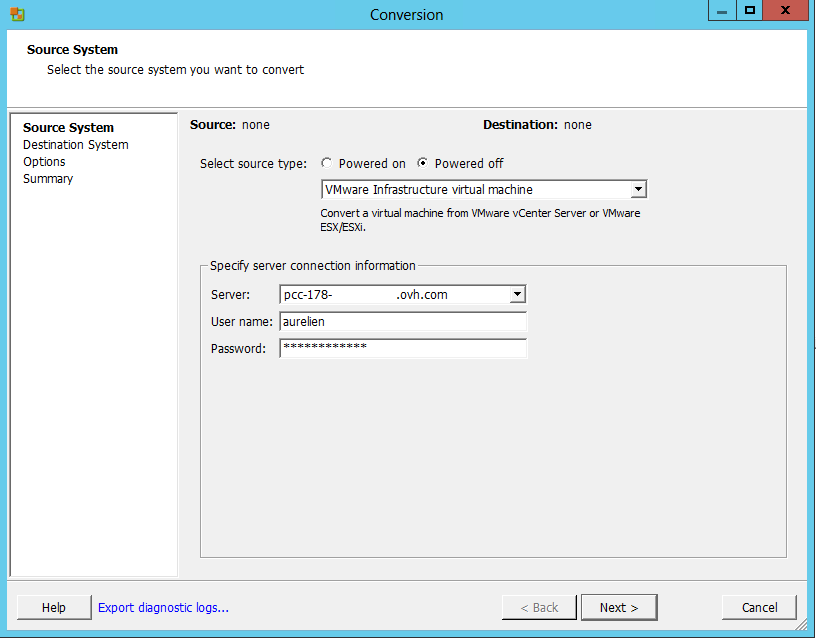
In the dropdown menu, select "VMware Infrastructure.." and enter the name of your source (in this case, our Private Cloud), as well as your user name and password.
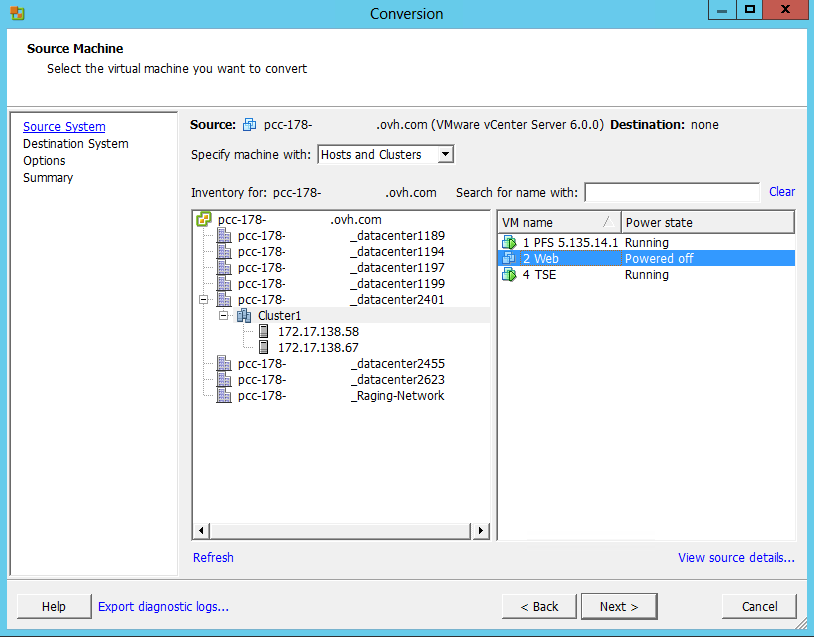
Choose the virtual machine you want to convert (must be turned off in our case). Here we take the example of the VM "2 Web".
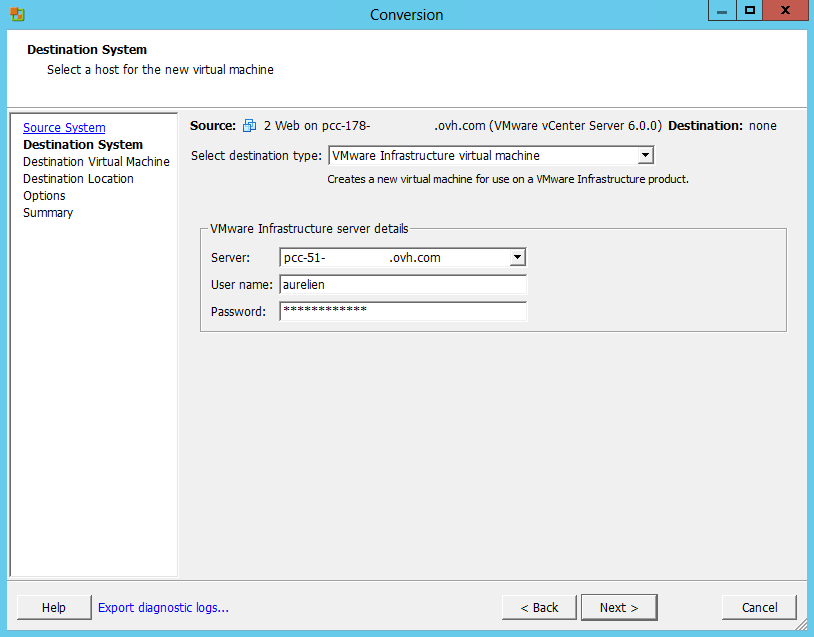
As before for the source, enter the information for the destination infrastructure.
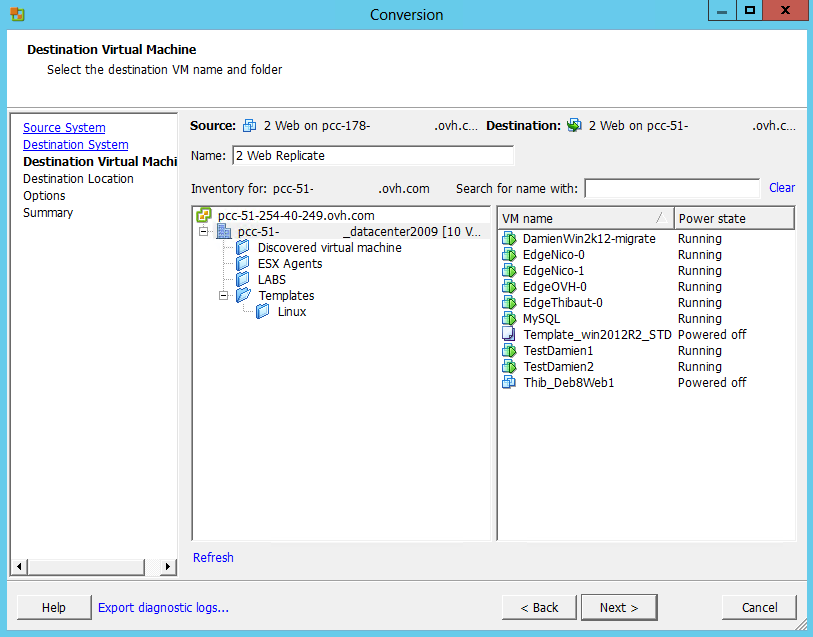
You can then rename the VM that will be created by conversion, and choose a directory.
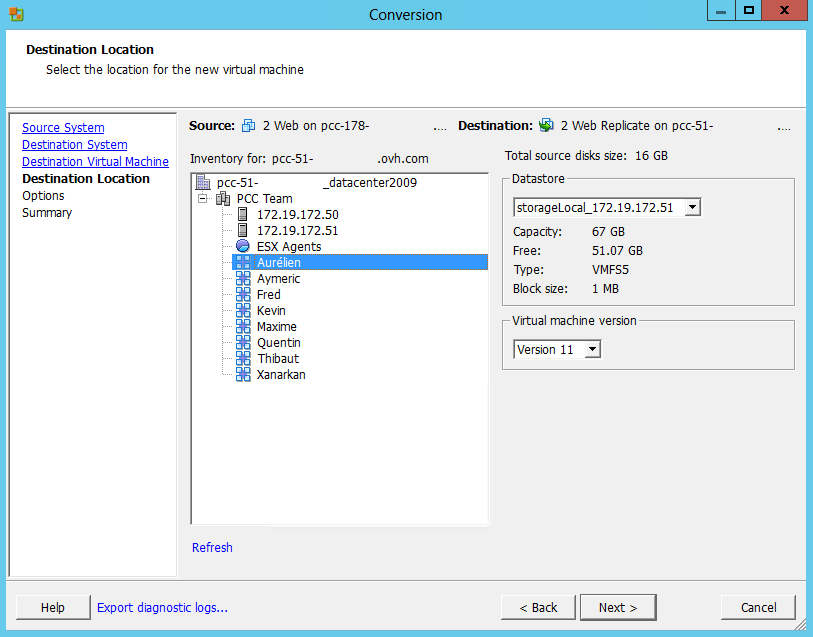
You can choose your Cluster1 as well as the data store. The DRS feature takes care of assigning it the destination host if DRS is in automatic mode on this cluster.
Regarding the choice of the version of the virtual machine to be converted: When using vSphere it is preferable not to convert it to version 10 due to a configuration mismatch on the vSphere Client.
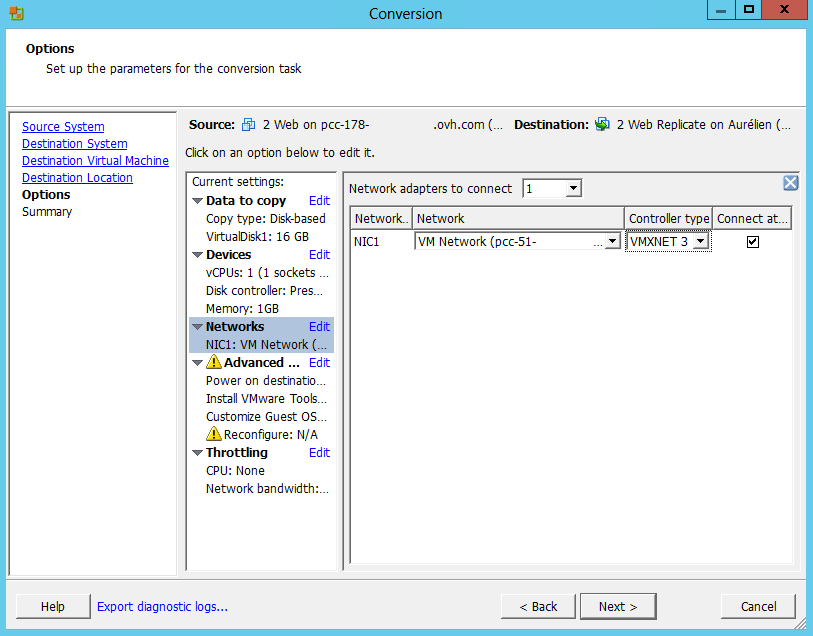
You can then modify the settings of the destination VM if necessary, for example if a network is different.
In the conversion options, choose the Network "VM Network", otherwise you will get a permission error on the Network "Local PortGroup".
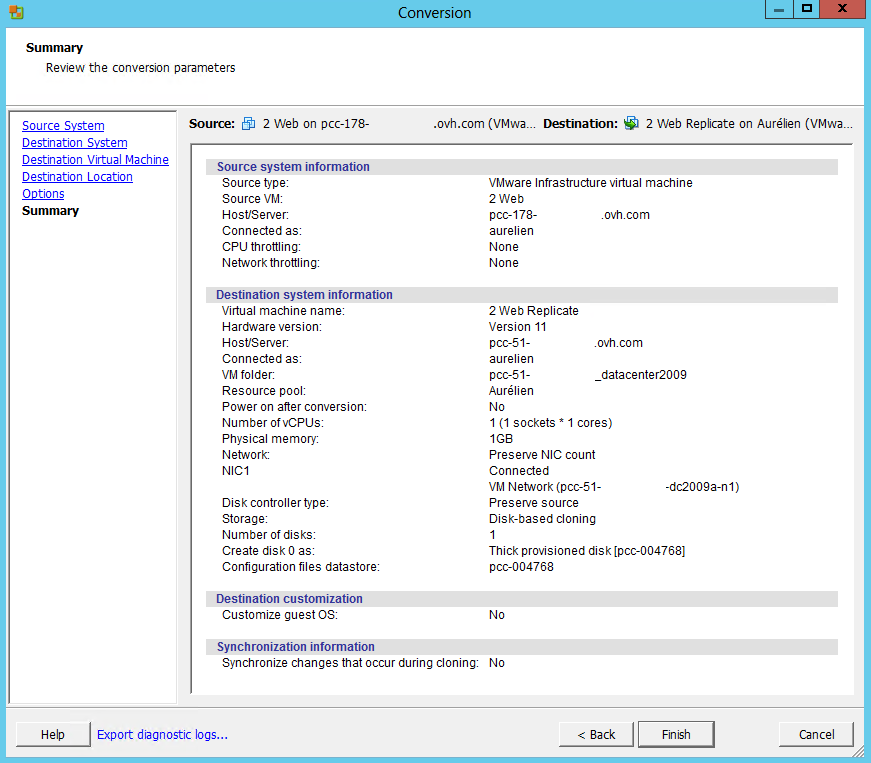
You will then see a summary of your conversion, summarizing the choices you have made previously.
The status of the conversion is displayed on the homepage along with the estimated duration of the remaining time.

Finally, you can see if the task completed successfully.

Join our community of users.


 Clonar uma VM (EN)
 298
298