

W jaki sposób dodać przestrzeń dyskową? (EN)
289 wyśw.
 01.02.2022
  Cloud / VMware
Objective
Within your OVHcloud environment, you can add a new dedicated datastore in just a few minutes.
Learn how to add storage to your infrastructure.
Requirements
- Being an administrative contact of your Hosted Private Cloud infrastructure to receive login credentials
- A user account with access to vSphere (created in the OVHcloud Control Panel)
Instructions
Adding resources through vSphere adds them as hourly resources for billing purposes. If you wish to switch them to monthly resources, it can be changed in the OVHcloud Control Panel. For more info on this, check out our Introduction to the Hosted Private Cloud Control Panel
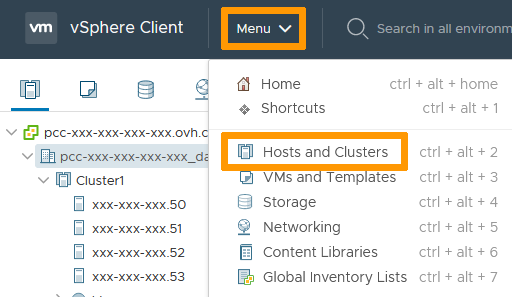
In the vSphere interface menu, go to the Hosts and Clusters dashboard.
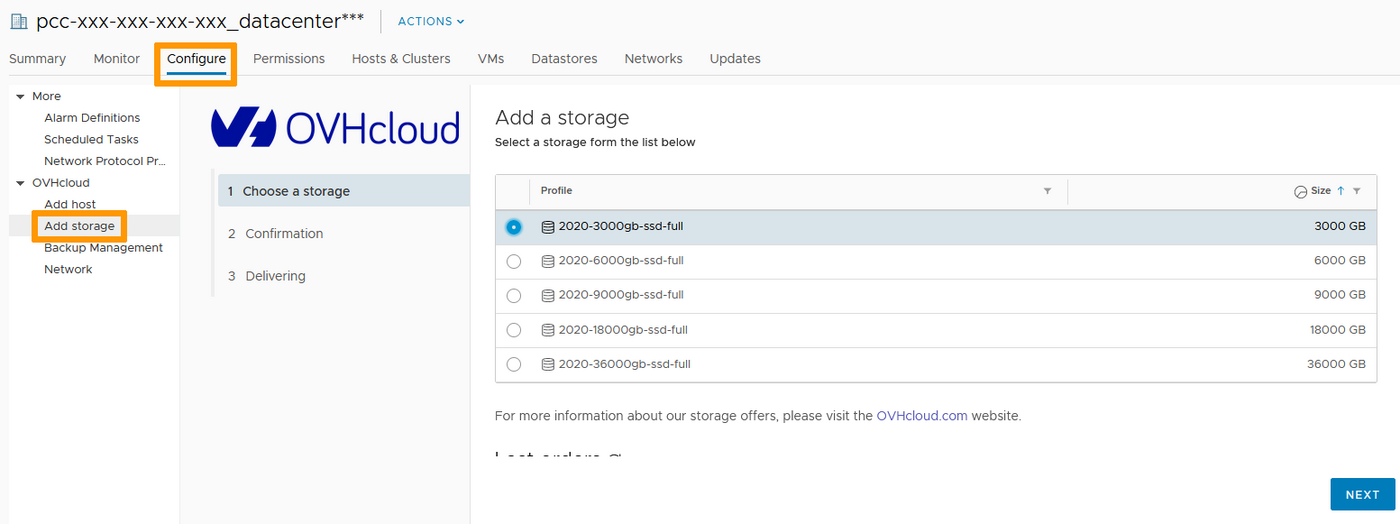
The Configure tab gives you access to the OVHcloud plugin.
in the Add Storage menu, choose the type of storage you would like to add and click Next.
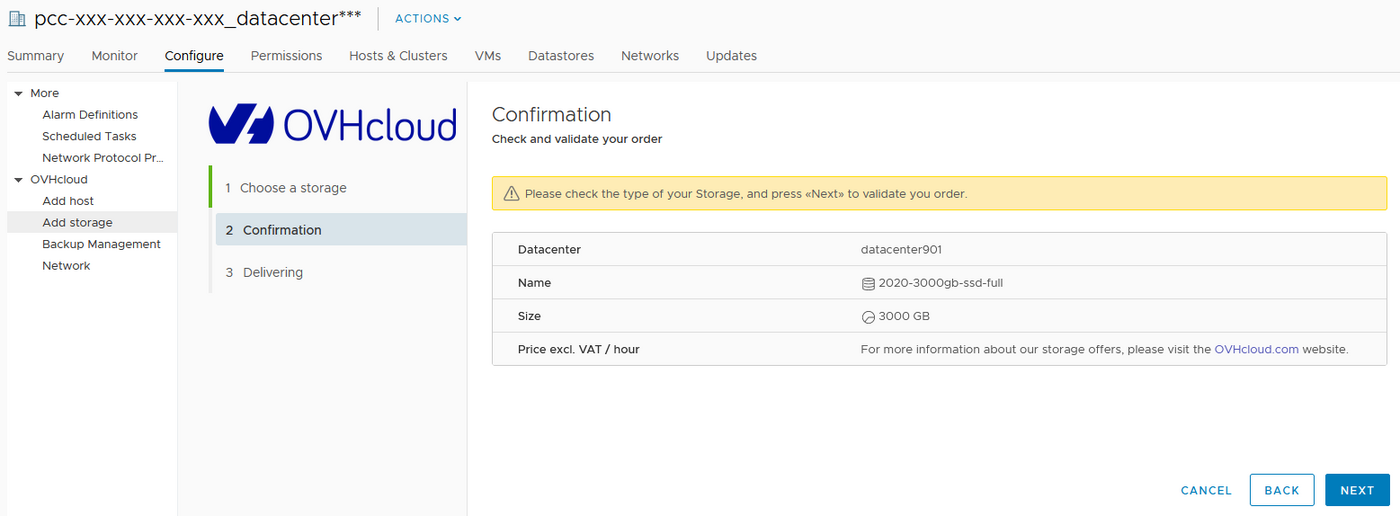
Verify your order and confirm by clicking Next.
Your order is confirmed. The progression of the delivery is showing with an estimated time of availability.
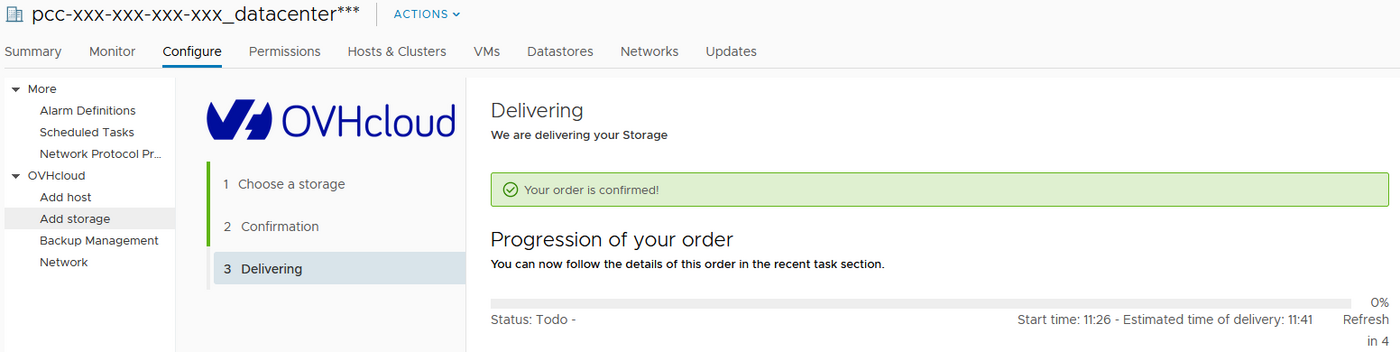
Once done, a new datastore is showing in your datacenter and is ready for use.
Go further
Join our community of users on https://community.ovh.com/en/.


 Usuwanie serwera hosta
 754
754