

ETCD Quotas, usage, troubleshooting and error
1146 vues
 15.10.2024
  Cloud / Managed Kubernetes Service
Objective
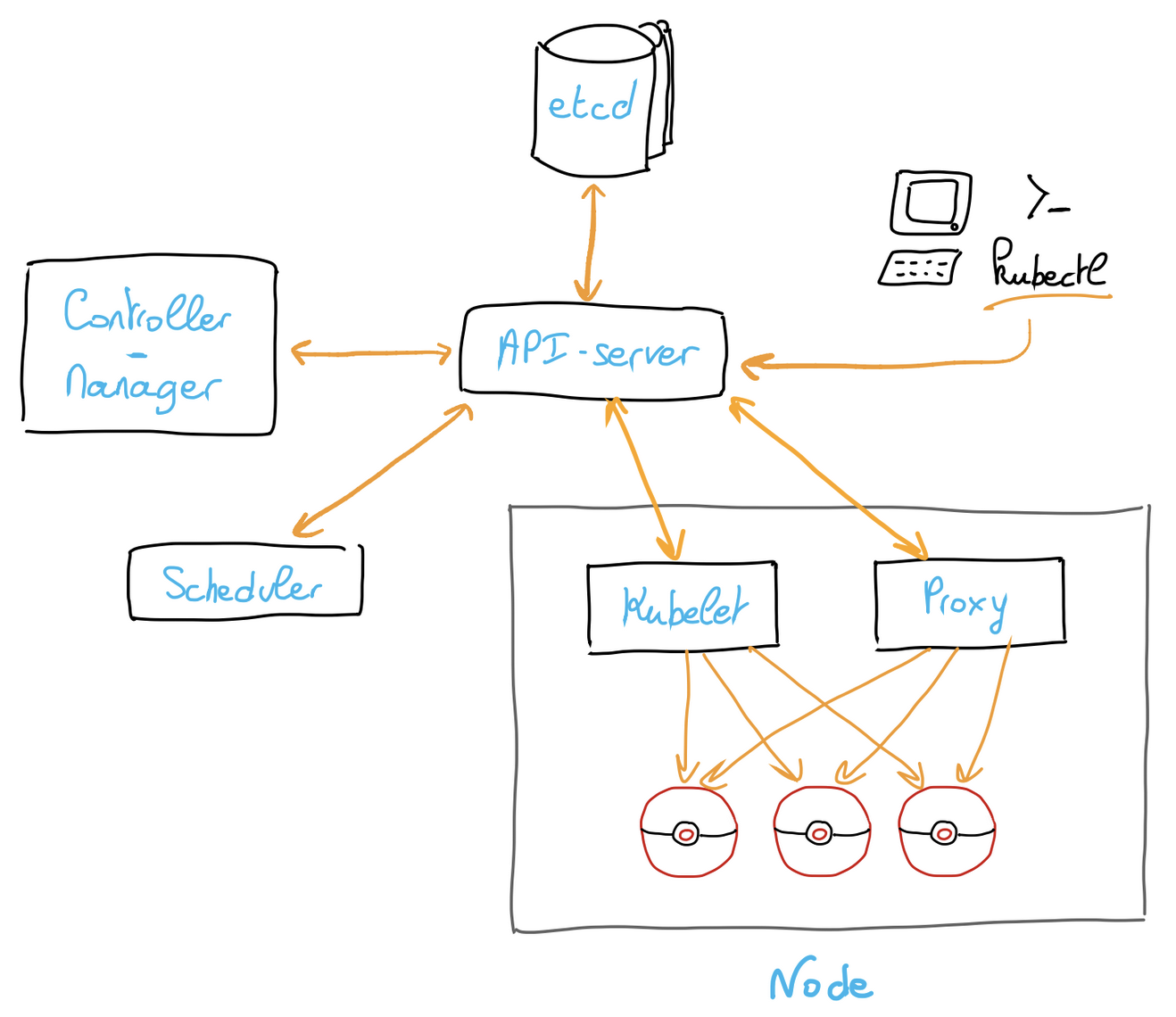
ETCD is one of the major components of a Kubernetes cluster. It's a distributed key-value database that allows to store and replicate cluster state.
At some point during the life of your Managed Kubernetes cluster, you may encounter one of the following errors which prevent you from altering resources:
This guide will show you how to view your usage and quota, troubleshoot and resolve this situation.
Requirements
- An OVHcloud Managed Kubernetes cluster
- The kubectl command-line tool installed
Instructions
Background
Each Kubernetes cluster has a dedicated quota on ETCD storage usage, calculated through the following formula:
Quota = 10MB + (25MB per node)* (capped to 400MB)For example, a cluster with 3 b2-7 servers has a quota of 85 MB.
In order to check your current ETCD quota and usage, you can query the OVHcloud API.
Result:
ETCD quota and usage result are in bytes.
Using this API endpoint, you can view the ETCD usage and quota and anticipate a possible issue.
The quota can thus be increased by adding nodes, but will never be decreased (even if all nodes are removed) to prevent data loss.
The error mentioned above states that the cluster's ETCD storage usage has exceeded the quota.
To resolve the situation, you need to delete resources created in excess.
Most common case: misconfigured cert-manager
Most users install cert-manager through Helm, and then move on a bit hastily.
The most common cases of ETCD quota issues come from a bad configuration of cert-manager, making it continuously create certificaterequest resources.
This behaviour will fill the ETCD with resources until the quota is reached.
To verify if you are in this situation, you can get the number of certificaterequest and order.acme resources:
If you have a huge number (hundreds or more) of those resources requests, you have found the root cause.
To resolve the situation, we propose the following method:
- Stopping cert-manager
- Flushing all
certificaterequestandorder.acmeresources
- Updating cert-manager
There is no generic way to do this, but if you use Helm we recommend you to use it for the update: Cert Manager official documentation
- Fixing the issue
We recommend you to take the following steps to troubleshoot your cert-manager, and to ensure that everything is correctly configured: Acme troubleshoot
- Starting cert-manager
Other cases
If cert-manager is not the root cause, you should turn to the other running operators which create Kubernetes resources.
We have found that the following resources can sometimes be generated continuously by existing operators:
backups.velero.io
podvolumebackups.velero.io
ingress.networking.k8s.io
ingress.extensions
authrequests.dex.coreos.com
reportchangerequest.kyverno.io
vulnerabilityreports.aquasecurity.github.io
configauditreport.aquasecurity.github.io
clusterrbacassessmentreport.aquasecurity.github.io
If that still does not cover your case, you can use a tool like ketall to easily list and count resources in your cluster.
Then you should delete the resources in excess and fix the process responsible for their creation.
Counting all resources
If you still need to check all resources as you do not know what consumes etcd quotas, you can run this snippet.
You will need the count plugin for kubectl. See installation instructions.
Running the command may take several seconds, depending on your Kubernetes cluster usage.
Go further
To learn more about using your Kubernetes cluster the practical way, we invite you to look at our OVHcloud Managed Kubernetes doc site.
-
If you need training or technical assistance to implement our solutions, contact your sales representative or click on this link to get a quote and ask our Professional Services experts for assisting you on your specific use case of your project.
-
Join our community of users.


 Troubleshooting permission errors when enabling persistence
 571
571