

Add IP restrictions on an OVHcloud Managed Kubernetes cluster
737 vues
 28.07.2022
  Cloud / Managed Kubernetes Service
Objective
The OVHcloud Managed Kubernetes service provides you Kubernetes clusters without the hassle of installing or operating them.
This guide will cover the feature that allows you to manage access to the API server of your OVHcloud Managed Kubernetes cluster. Thanks to that you can add IP restrictions in a cluster.
Requirements
- A Public Cloud project in your OVHcloud account
- An OVHcloud Managed Kubernetes cluster
OVHcloud Control Panel Access
- Direct link: Public Cloud Projects
- Navigation path:
Public Cloud> Select your project
Instructions
Add IP restrictions through the OVHcloud Control Panel
Access the administration UI for your OVHcloud Managed Kubernetes clusters by clicking on Managed Kubernetes Service in the left-hand menu.
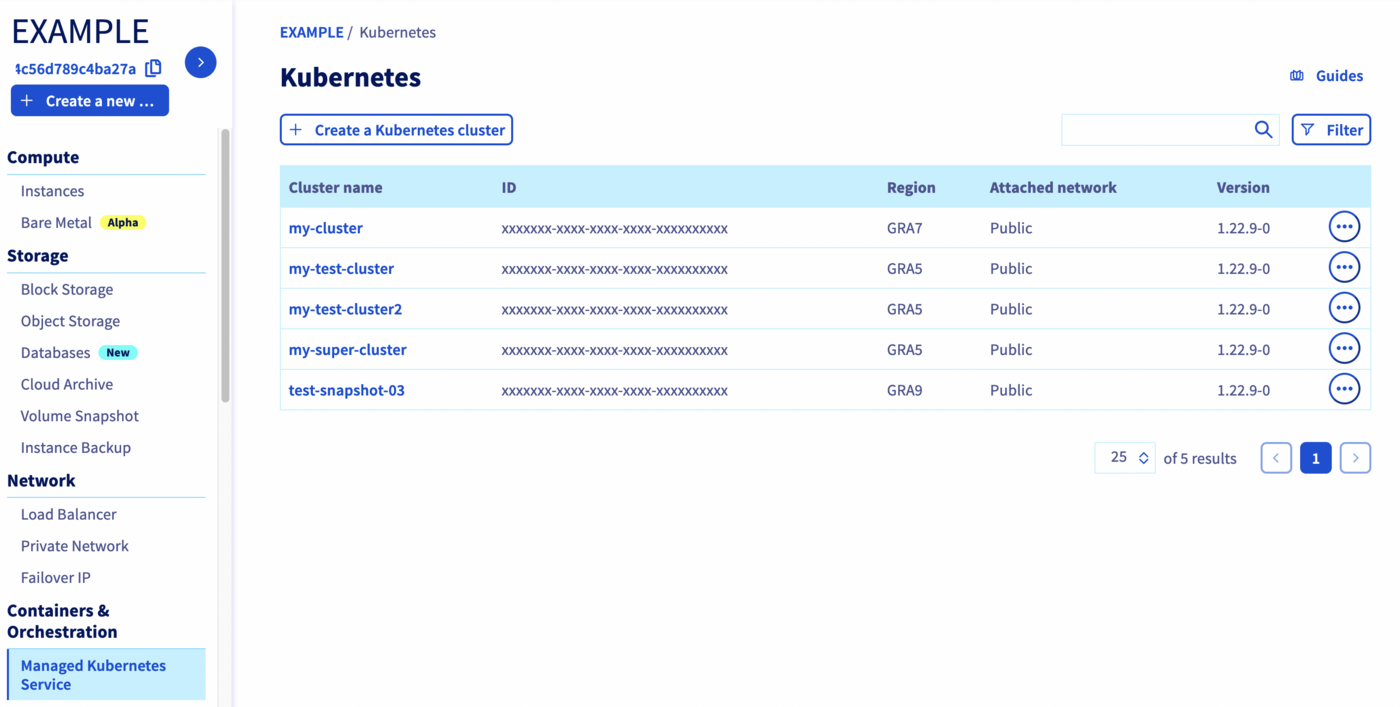
Click on your Kubernetes cluster.
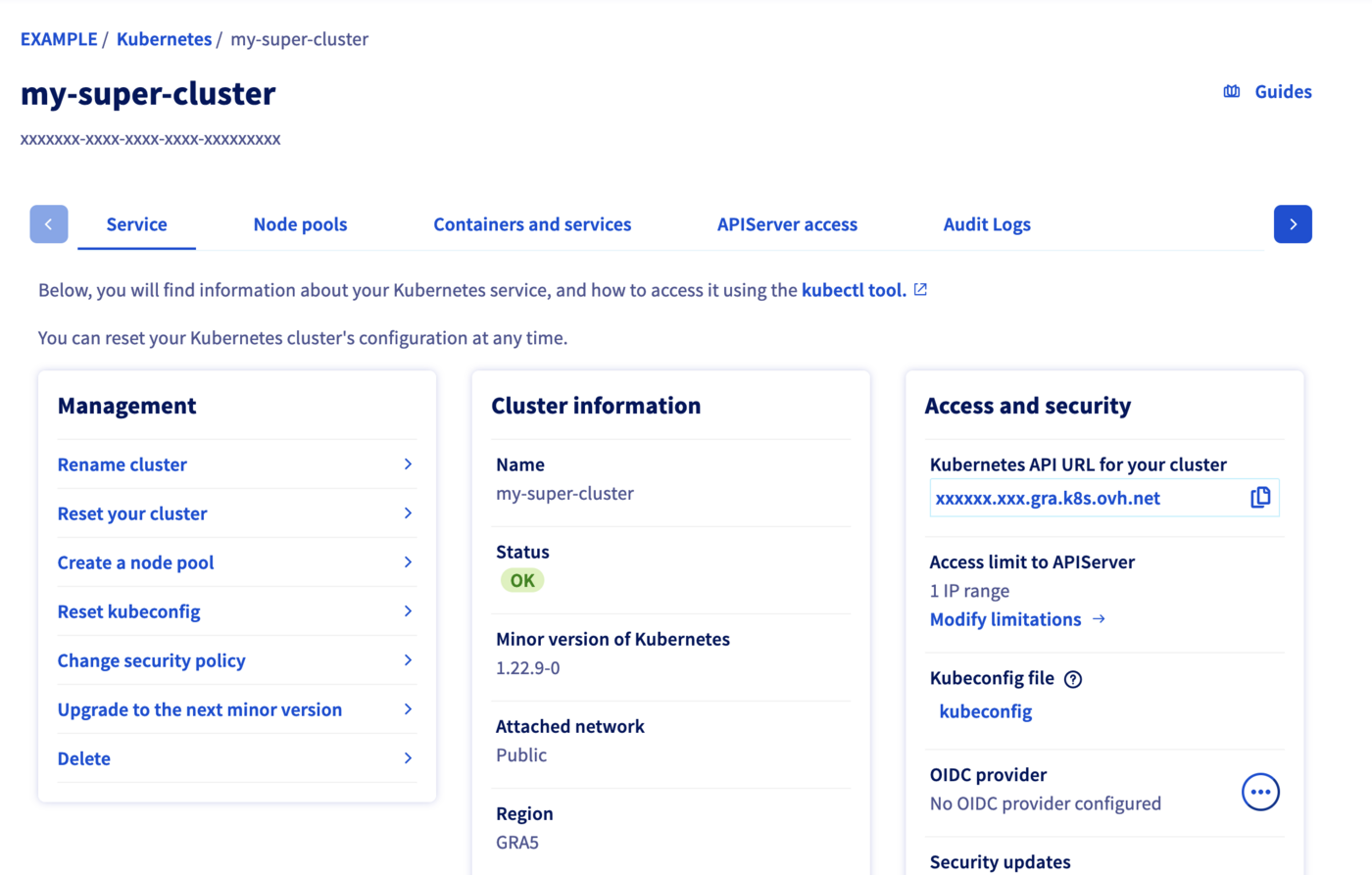
Click the APIServer access tab or the Modify limitations link.
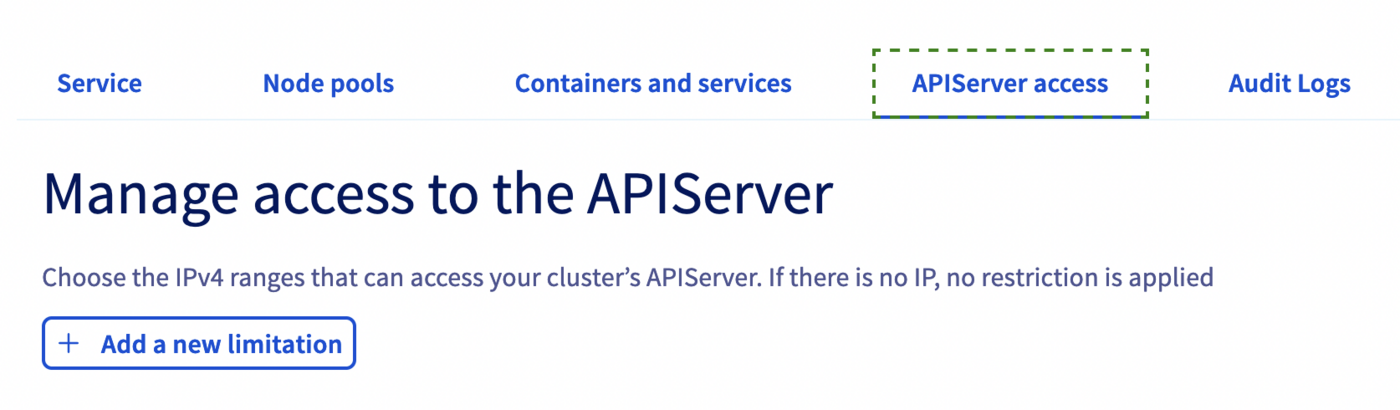
Click the + Add a new limitation button.
Enter an IPv4 range in the Authorised clients input field and then click the ✔️ button.
You can add one or several IP ranges.
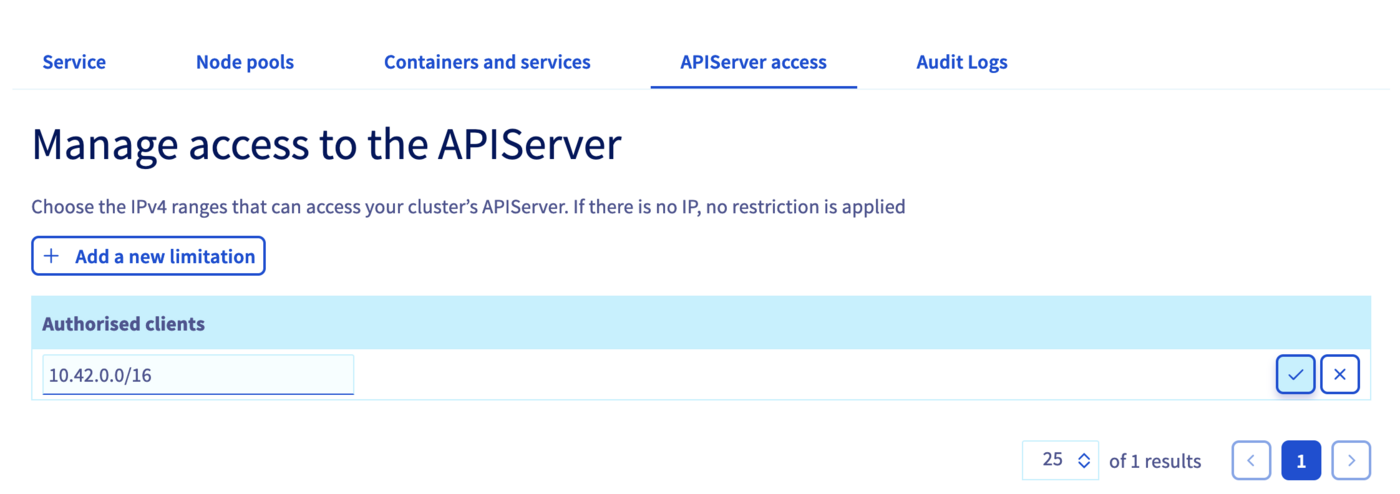
If there are no Authorised clients IPs, it means that no restriction is applied.
Add IP restrictions through Terraform
Since the version 0.19+ of our OVH Terraform provider you can add IP restrictions also through Terraform.
Getting your cluster/API tokens information
The "OVH provider" needs to be configured with a set of credentials:
- an
application_key - an
application_secret - a
consumer_key
Why?
Because, behind the scenes, the "OVH Terraform provider" is doing requests to OVHcloud APIs.
In order to retrieve this necessary information, please follow our First steps with the OVHcloud APIs tutorial.
Specifically, you have to generate these credentials via the OVHcloud token generation page with the following rights:
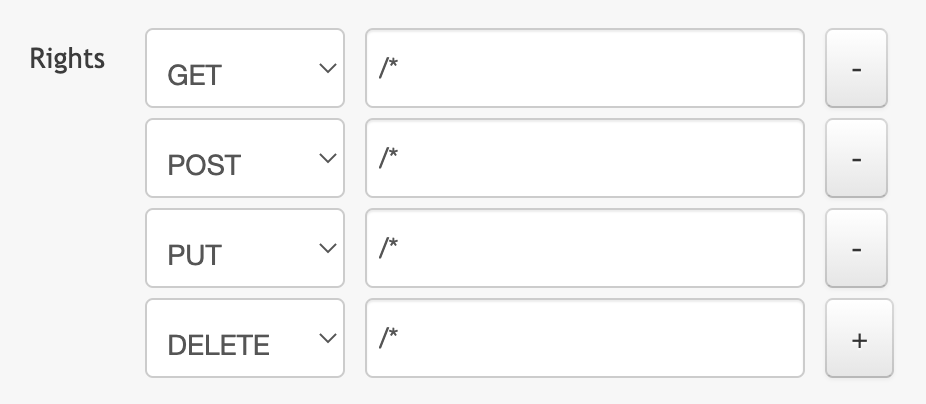
When you have successfully generated your OVHcloud tokens, please save them as you will have to use them very soon.
The last needed information is the service_name: it is the ID of your Public Cloud project.
How to get it?
In the Public Cloud section, you can retrieve your service name ID thanks to the Copy to clipboard button.
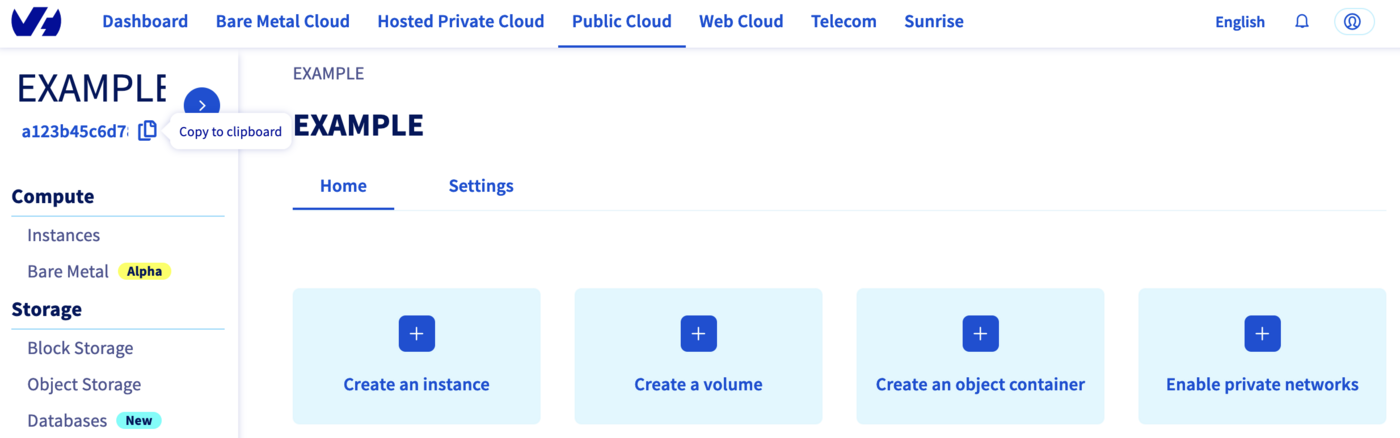
You will also use this information in Terraform resources definition files.
Terraform instructions
First, create a provider.tf file with the minimum version, european endpoint ("ovh-eu") and the keys previously retrieved in this guide.
Terraform 0.13 and later:
Terraform 0.12 and earlier:
Alternatively the secret keys can be retrieved from your environment.
OVH_ENDPOINTOVH_APPLICATION_KEYOVH_APPLICATION_SECRETOVH_CONSUMER_KEY
This later method (or a similar alternative) is recommended to avoid storing secret data in a source repository.
Here, we defined the ovh-eu endpoint because we want to call the OVHcloud Europe API, but other endpoints exist, depending on your needs:
ovh-eufor OVHcloud Europe APIovh-usfor OVHcloud US APIovh-cafor OVHcloud North-America API
Then, define the resources you want to create in a new file called ovh_kube_cluster_iprestrictions.tf:
Don't forget to replace <service_name>, <cluster_id> and <your_IP_range> by the real data.
In this resources configuration, we ask Terraform to add an IP restriction to your Kubernetes cluster.
Now we need to initialise Terraform, generate a plan, and apply it.
The init command will initialize your working directory which contains .tf configuration files.
It’s the first command to execute for a new configuration, or after doing a checkout of an existing configuration in a given git repository for example.
The init command will:
- Download and install Terraform providers/plugins
- Initialise backend (if defined)
- Download and install modules (if defined)
Now, we can generate our plan:
Thanks to the plan command, we can check what Terraform wants to create, modify or remove.
The plan is OK for us, so let's apply it:
Destroy
If you want to delete the IP restrictions you added it through Terraform, have to execute terraform destroy command:
Go further
To have an overview of OVHcloud Managed Kubernetes service, you can go to the OVHcloud Managed Kubernetes page.
-
If you need training or technical assistance to implement our solutions, contact your sales representative or click on this link to get a quote and ask our Professional Services experts for assisting you on your specific use case of your project.
-
Join our community of users.


 Configuring kubectl on an OVHcloud Managed Kubernetes cluster
 2601
2601