

Se connecter depuis RedisInsight au service Public Cloud Databases pour Valkey (EN)
585 vues
 12.06.2024
  Valkey
Objective
Public Cloud Databases allow you to focus on building and deploying cloud applications while OVHcloud takes care of the database infrastructure and maintenance in operational conditions.
This guide explains how to connect to a Valkey service with the free GUI: RedisInsight.
Requirements
- Access to the OVHcloud Control Panel
- A Valkey service project in your OVHcloud account
- A Valkey service running on your OVHcloud Public Cloud Databases (this guide can help you to meet this requirement)
- Configure your Valkey service to accept incoming connections
- A RedisInsight stable version installed and public network connectivity (Internet). This guide was made in RedisInsight 1.11.1
Concept
A Valkey service can be managed through multiple ways. One of the easiest, yet powerful, is to use a Command Line Interface (CLI), as shown in our guide: Connect with CLI or by using programming languages, such as PHP.
Another way is to interact directly using the GUI: RedisInsight.
In order to do so, we will need to install RedisInsight, then configure our Public Cloud Databases for Valkey services to accept incoming connections, and finally configure RedisInsight.
Instructions
Installation
To interact with your Valkey service with RedisInsight you need to install it.
Please follow the official RedisInsight to get the latest information.
We are now ready to learn how to connect to our Valkey service.
Connect with RedisInsight
Collect required informations
Select the General information tab to find the required login information:
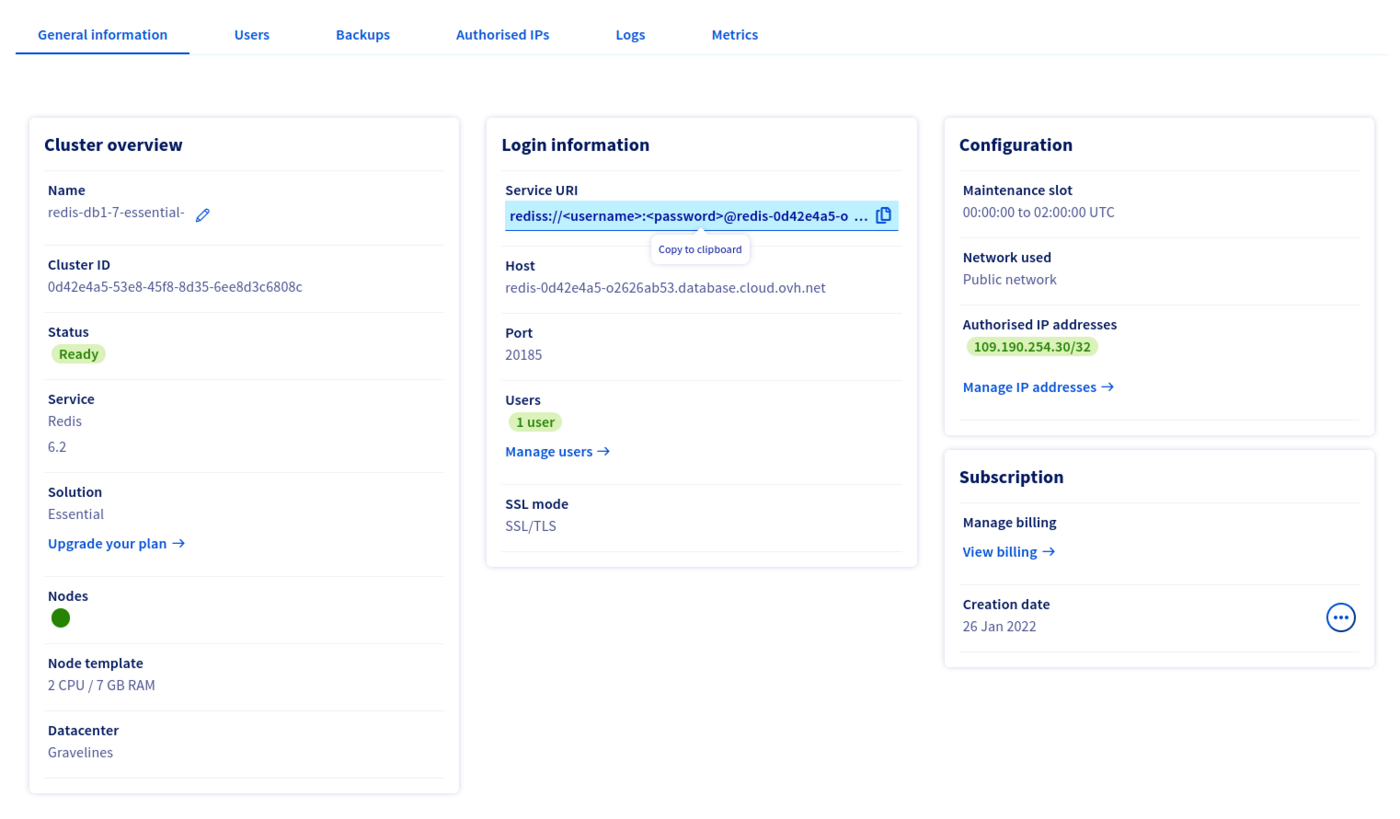
Configuration
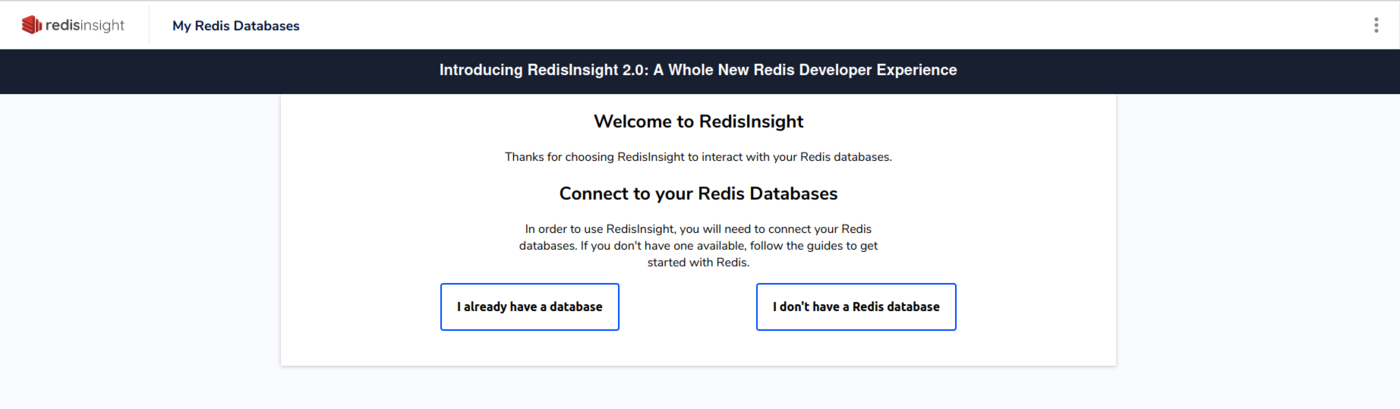
Once connected to the RedisInsight interface, click on the I already have a database link:
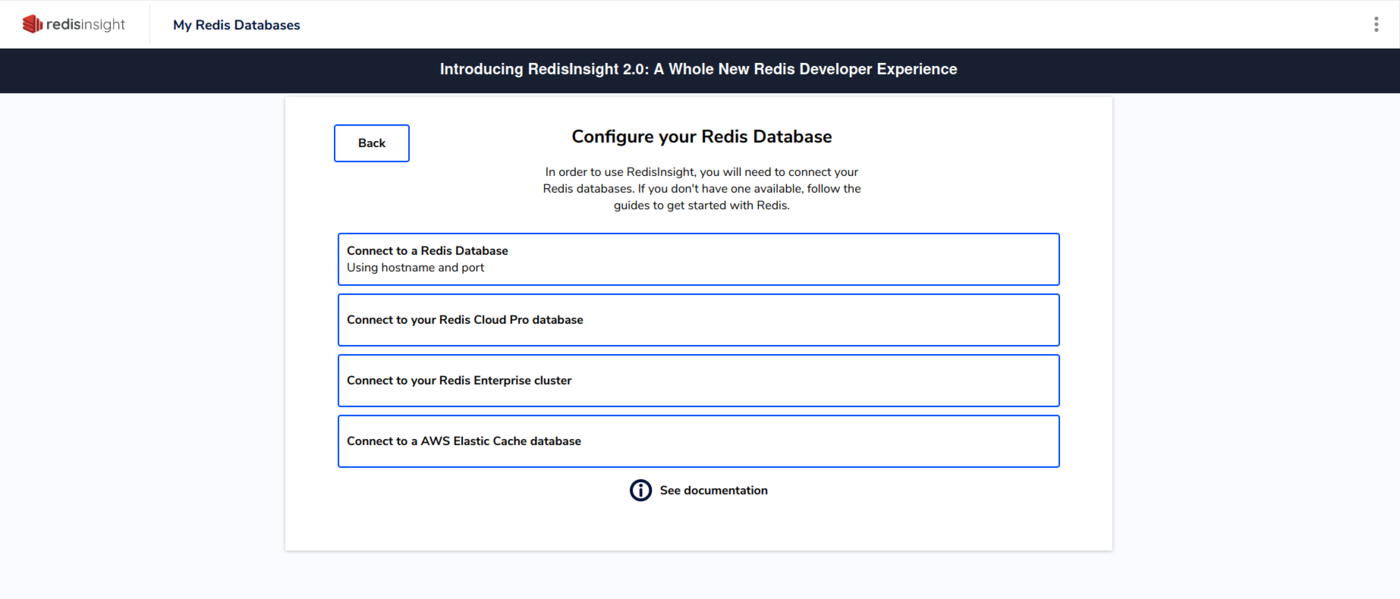
Then on Connect to a Valkey service :
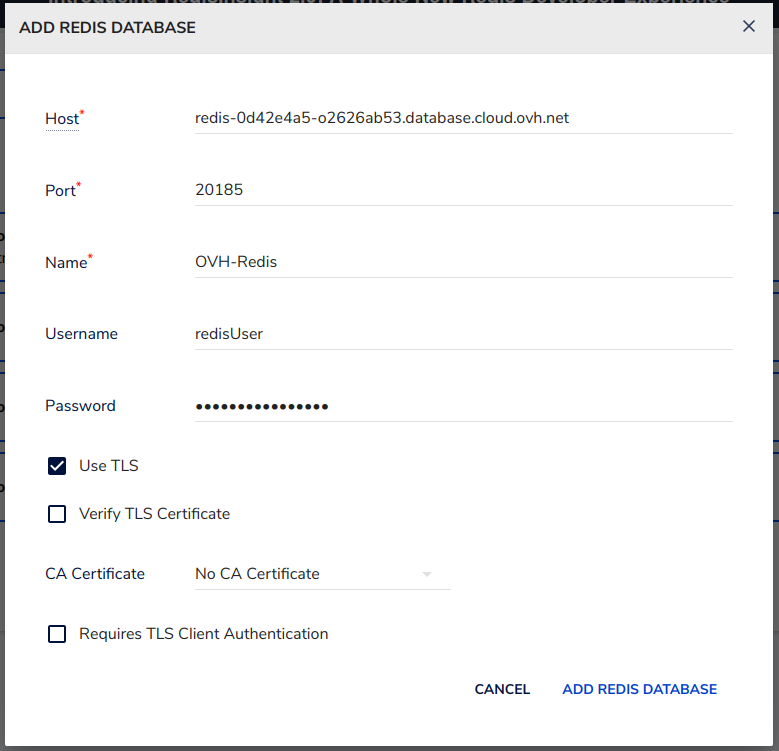
Fill in the form with the previously collected credentials. Check the Use TLS check box and uncheck the Verify TLS Certificate check box. Then click on ADD REDIS DATABASE :
Finally, select your Valkey service:
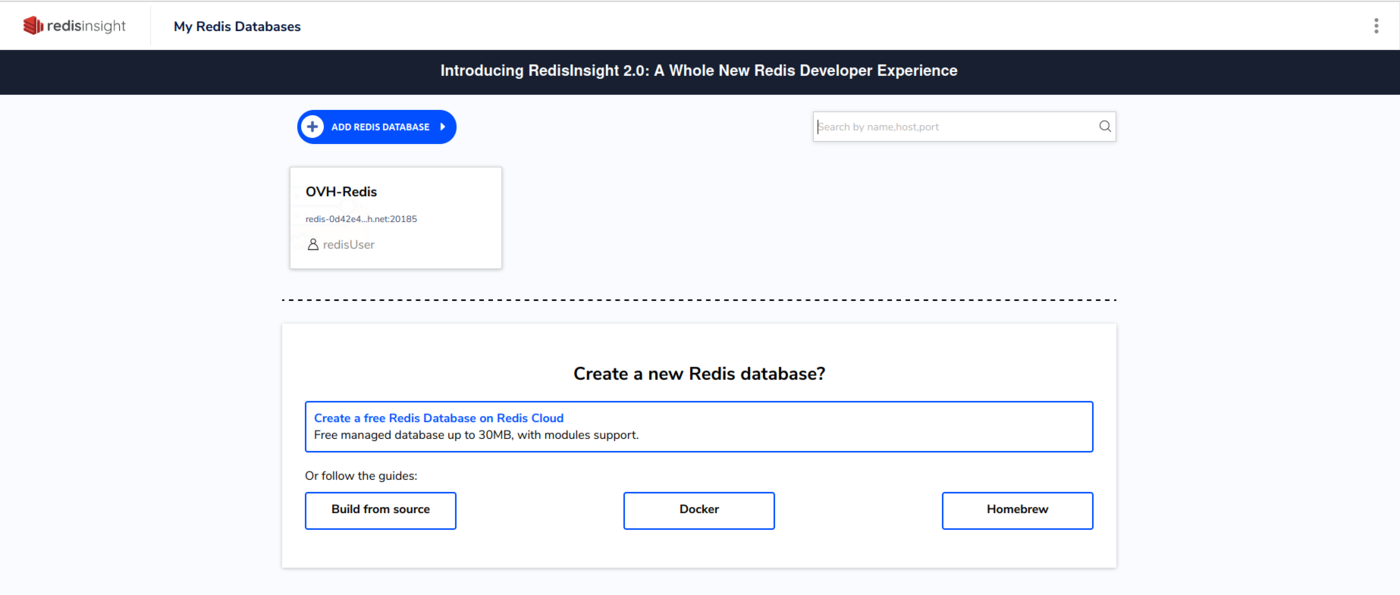
Congratulations! You are now connected to your Valkey instance!
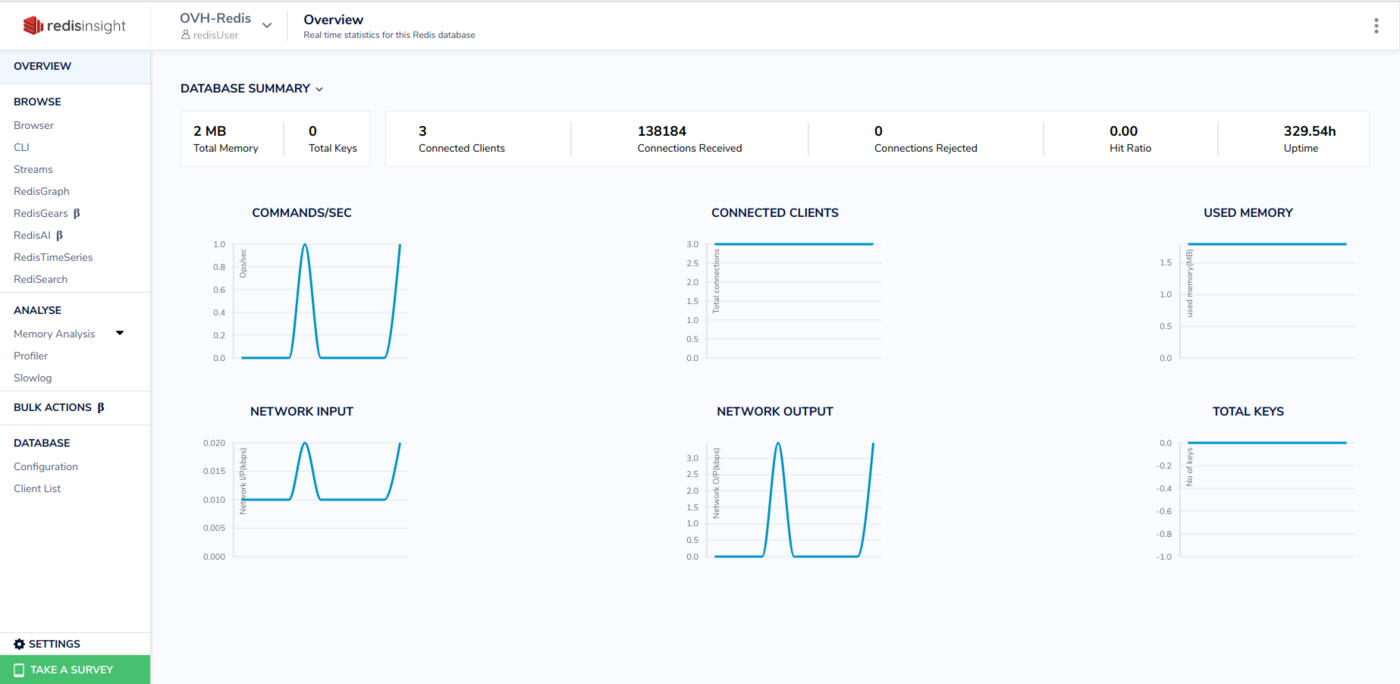
RedisInsight has useful features. Learn more about them here.
Go further
Visit our dedicated Discord channel: https://discord.gg/ovhcloud. Ask questions, provide feedback and interact directly with the team that builds our databases services.
If you need training or technical assistance to implement our solutions, contact your sales representative or click on this link to get a quote and ask our Professional Services experts for a custom analysis of your project.
Join our community of users on https://community.ovh.com/en/.


 Configurez les connexions entrantes d'un service Public Cloud Databases pour Valkey (EN)
 1486
1486