Installer Ghost sur votre hébergement web POWER

Base de connaissances

Installer Ghost sur votre hébergement web POWER


Icons/System/eye-open Created with Sketch. 820 vues 04.02.2021 POWER Web Hosting

Objectif

Vous avez souscrit à un hébergement web POWER Node.js et vous souhaitez y déployer une plateforme de blog Ghost.

Découvrez comment installer Ghost sur votre hébergement web POWER

Prérequis

Si vous n'êtes pas encore familier avec l'utilisation de votre hébergement web POWER, nous vous conseillons de consulter notre guide « Premiers pas avec un hébergement web POWER » avant de poursuivre la lecture de ce guide.

En pratique

Supposons que vous avez la configuration normale pour un hébergement web POWER :

  • Moteur : nodejs 14
  • Point d'entrée : index.js
  • Dossier racine : www

Vous pouvez appeler l'API OVHcloud pour visualiser la configuration active.

Accédez via SSH à votre hébergement web POWER.

Définissez le nom de domaine dans une variable DOMAIN :

echo "Enter your domain (my-domain.ovh for example):"
read DOMAIN

Installez Ghost dans votre répertoire principal (pas dans www) avec npm :

cd $HOME
npm install ghost-cli@latest
export PATH=$HOME/node_modules/.bin:$PATH
rm -rf www
# Install Ghost
ghost install local --development --dir www --no-setup --no-start --no-enable
# Setup configuration
cd www
cat << EOF > config.${OVH_ENVIRONMENT}.json
{
  "url": "https://${DOMAIN}",
  "paths": {
    "contentPath": "content"
  },
  "database": {
    "client": "sqlite3",
    "connection": {
      "filename": "content/data/ghost-development.db"
    },
    "useNullAsDefault": true,
    "debug": false
  }
}

EOF
# Symlink index.js entrypoint
VERSION=$(ghost --version | sed -n 's/Ghost version: \([0-9.]*\).*/\1/p')
ln -fs versions/${VERSION}/index.js index.js

Redémarrez votre instance, votre plateforme Ghost sera alors en ligne.
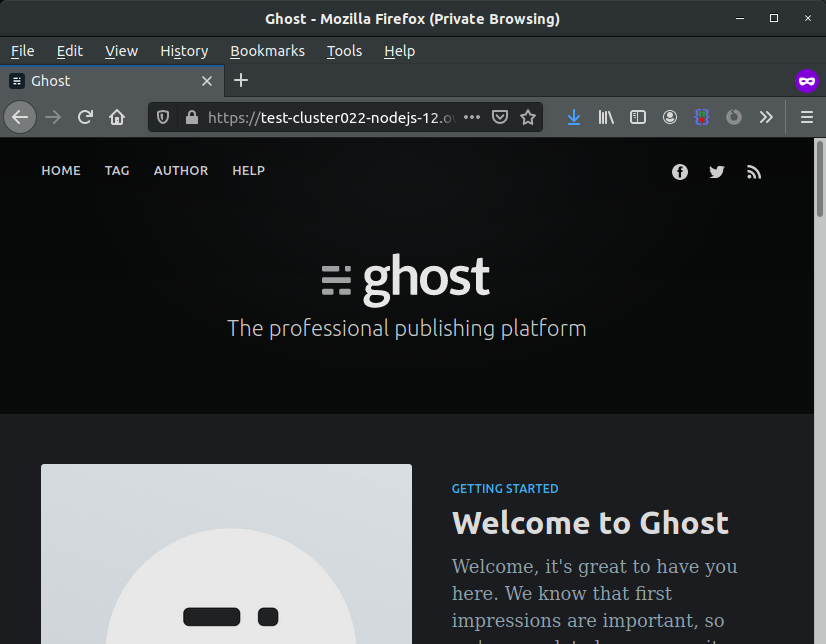
Ghost

Sortie du terminal:

 $ echo "Enter your domain (my-domain.ovh for example):"
Enter your domain (my-domain.ovh for example):

~/www $ read DOMAIN
power.lostinbrittany.dev

~/www $ cd $HOME
~ $ npm install ghost-cli@latest
> yarn@1.22.10 preinstall /home/powerlp/node_modules/yarn
> :; (node ./preinstall.js > /dev/null 2>&1 || true)
[...]
+ ghost-cli@1.15.3
added 420 packages from 208 contributors and audited 420 packages in 20.791s
[...]
`npm audit fix` to fix them, or `npm audit` for details

~ $ export PATH=$HOME/node_modules/.bin:$PATH

~ $ rm -rf www

~ $ ghost install local --development --dir www --no-setup --no-start --no-enable
✔ Checking system Node.js version
✔ Checking current folder permissions
✔ Checking memory availability
✔ Checking free space
✔ Checking for latest Ghost version
✔ Setting up install directory
✔ Downloading and installing Ghost v3.41.3
✔ Finishing install process

~ $ cd www

~/www $ cat << EOF > config.${OVH_ENVIRONMENT}.json
> {
>   "url": "https://${DOMAIN}",
>   "paths": {
>     "contentPath": "content"
>   },
>   "database": {
>     "client": "sqlite3",
>     "connection": {
>       "filename": "content/data/ghost-development.db"
>     },
>     "useNullAsDefault": true,
>     "debug": false
>   }
> }
>
> EOF

~/www $ VERSION=$(ghost --version | sed -n 's/Ghost version: \([0-9.]*\).*/\1/p')

~/www $ ln -fs versions/${VERSION}/index.js index.js

~/www $ mkdir -p tmp

~/www $ touch tmp/restart.txt

Aller plus loin

Échangez avec notre communauté d'utilisateurs.

Venez sur Discord sur notre room web-hosting-power pour discuter avec les autres utilisateurs du lab et avec l'équipe POWER Web Hosting.

Articles associés