

Installer Etherpad sur votre hébergement web POWER
604 vues
 27.04.2023
  POWER Web Hosting
Objectif
Vous avez souscrit à un hébergement web POWER Node.js et vous souhaitez y installer un outil de production de texte collaboratif en ligne. Etherpad est l'outil idéal.
Découvrez comment installer Etherpad sur votre hébergement web POWER
Prérequis
- Disposer de l'offre d'hébergement web POWER Node.js.
- Être connecté à votre espace client OVHcloud.
Si vous n'êtes pas encore familier avec l'utilisation de votre hébergement web POWER, nous vous conseillons de consulter notre guide « Premiers pas avec un hébergement web POWER » avant de poursuivre la lecture de ce guide.
En pratique
Supposons que vous avez la configuration normale pour un hébergement web POWER :
- Moteur : nodejs 14
- Point d'entrée : index.js
- Dossier racine : www
Vous pouvez appeler l'API OVHcloud pour visualiser la configuration active.
Accédez via SSH à votre hébergement web POWER et récupérez les sources d'Etherpad dans le répertoire www :
Etherpad 1.8.7 n'est pas compatible avec l'hébergement web POWER car nous ne supportons actuellement pas l'option "experimental-worker".
Installez les dépendances d'Etherpad et configurez le point d'entrée :
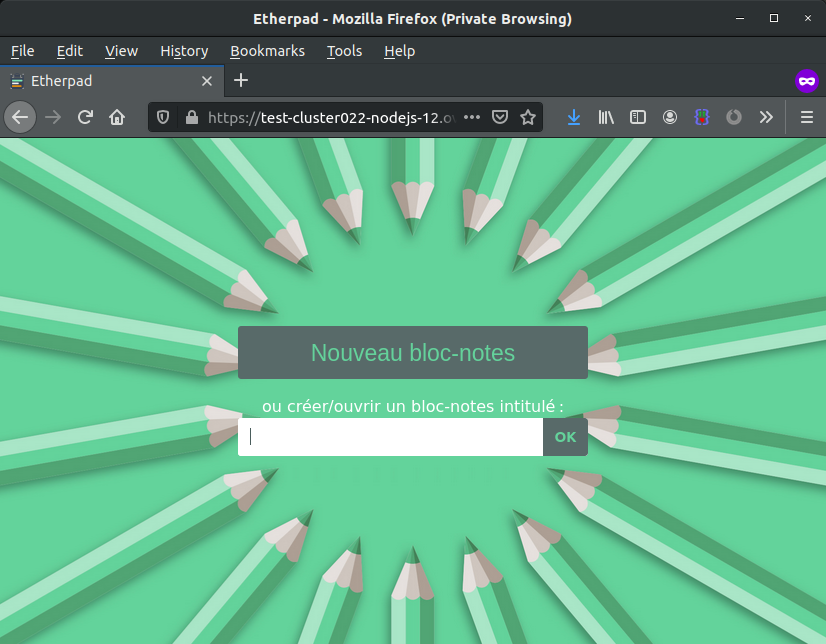
Redémarrez votre instance, votre Etherpad sera alors en ligne.
Sortie du terminal :
Aller plus loin
Échangez avec notre communauté d'utilisateurs.
Venez sur Discord sur notre room web-hosting-power pour discuter avec les autres utilisateurs du lab et avec l'équipe POWER Web Hosting.


 Installer Strapi sur votre hébergement web POWER
 3075
3075