

Pushing logs with a forwarder - Filebeat (Linux)
2264 vues
 16.10.2025
  Cloud / Logs Data Platform
Objective
Filebeat is an open source file harvester, used to fetch logs files and can be easily setup to feed them into Logs Data Platform.
The main benefits of Filebeat are its resilient protocol to send logs, and a variety of ready-to-use modules for most of the common applications.
This guide will describe how to setup Filebeat OSS on your system for forwarding your logs on Logs Data Platform. It will also present you with some configuration setup useful to further structure your logs.
Requirements
Note that in order to complete this tutorial, you should have at least:
Instructions
Setup Filebeat OSS 7.X in your system
Filebeat supports many platforms as listed here https://www.elastic.co/downloads/beats/filebeat
You can decide to setup Filebeat OSS from a package or to compile it from source (you will need the latest go compiler to compile it) or just download the binary to start immediately.
For this part, head to Filebeat OSS download website to download the best version for your distribution.
The following configuration files have been tested on the latest version of Filebeat OSS compatible with OpenSearch (7.12.1).
The package will install the config file in the following directory: /etc/filebeat/filebeat.yml.
Do not use a version superior than the 7.12 version. They are currently not compatible with OpenSearch. More information in the matrix compatibility documentation.
Configure Filebeat OSS 7.X on your system
In the following example we will enable Apache and Syslog support, but you can easily prospect anything else.
Filebeat expects a configuration file named filebeat.yml .
- For the configuration to work, it is mandatory to replace hosts: ["
<your_cluster>.logs.ovh.com:5044"] with the hostname given by Logs Data Platform. - You should also ensure to specify the
X-OVH-TOKENof the related stream.
Filebeat configuration
You can also use our OpenSearch endpoint to send your logs. This endpoint support ingest and then ensures a higher performance and a higher compatibility with the modules selected. For legal reasons, we do not support X-Pack modules on this endpoint but any OSS module is supported. To enable this endpoint, replace the Logstash Output configuration with the following snippet:
The headers section of the output configuration is mandatory to ensure compatibility with OpenSearch 2.X.
This configuration deactivates the template configuration (unneeded for our endpoint). You need to provide your IAM credentials pat_jwt_ and of your account. Like all Logs Data Platform backend APIs you can use IAM tokens. Don't change ldp-logs since it is our special destination index.
When you use our OpenSearch endpoint with filebeat, it will use the ingest module to parse and structure the logs.
Enable Apache Filebeat module
To enable the apache2 support on Filebeat, call the following command:
It will generate a new module file: /etc/filebeat/modules.d/apache.yml, please change it to include all your apache2 access/error path files:
Enable System Filebeat module
Syslog and authentication supports are part of the system Filebeat module, to enable it:
Once again, it will generate a file /etc/filebeat/modules.d/system.yml
Ensure both file path exists on your system.
Enable pipelines
If you use the "Elasticsearch output", be sure to setup the pipelines by using the following command:
Filebeat will then connect to OpenSearch and setup the pipelines needed by your modules.
Launch Filebeat
Launch the Filebeat binary or service to test your config file and head to your apache website for an example of how to send some logs. You will see this kind of log in Graylog:
or
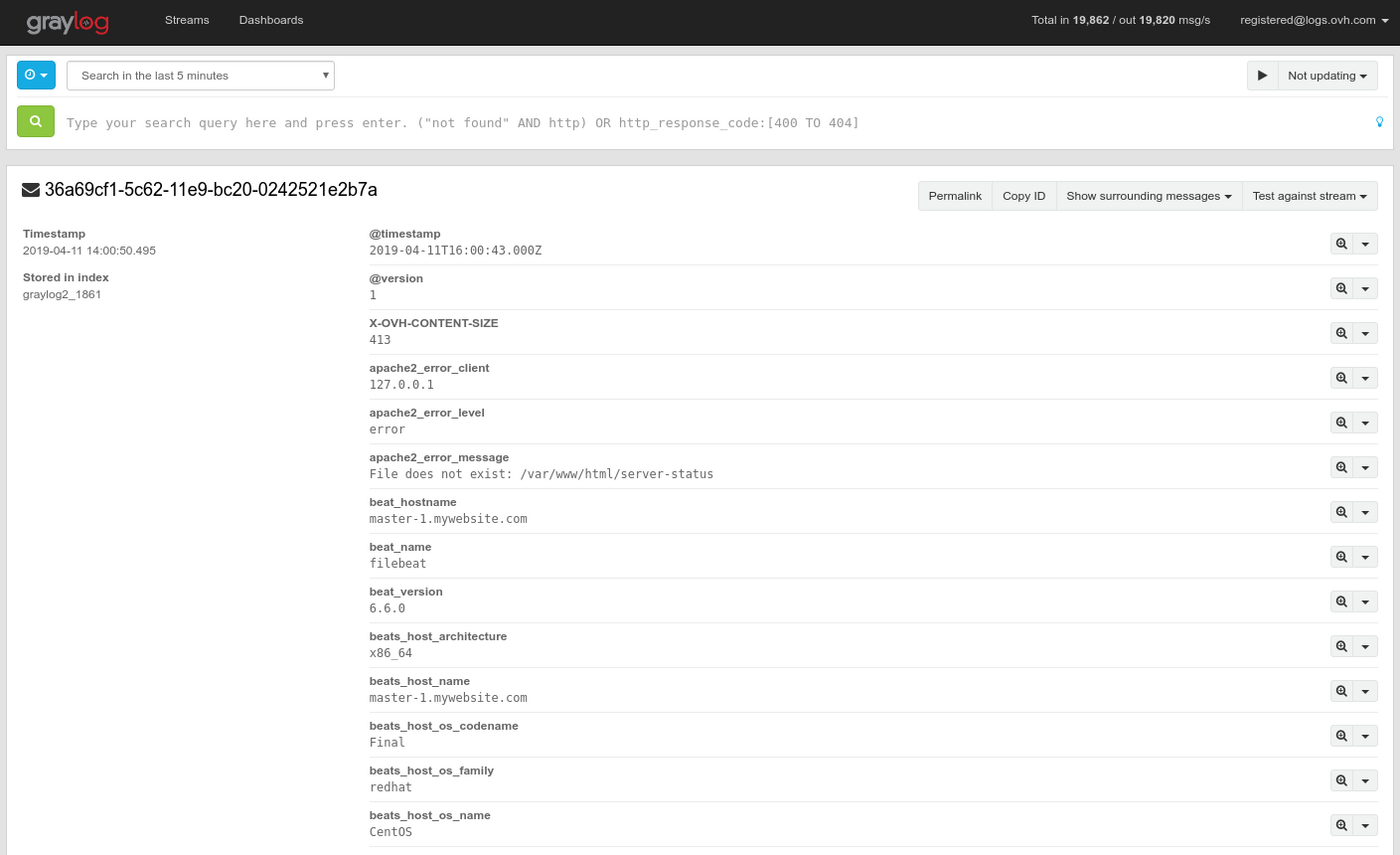
Note the type value (apache or syslog or apache-error) that indicates the source file of the log message. You can easily display only your apache access logs for example by typing in the search bar fileset_module:apache2.
Conclusion and useful resources
Filebeat is a handy tool to send the content of your current log files to Logs Data Platform. It offers a clean and easy way to send your logs without changing the configuration of your software. Don't hesitate to check the links below to master this tool.
- Getting started: https://www.elastic.co/guide/en/beats/filebeat/7.12/filebeat-overview.html
- Configuration's details: https://www.elastic.co/guide/en/beats/filebeat/7.12/configuring-howto-filebeat.html
- Learn how to configure Filebeat and Logstash to add your own extra filters: Dedicated input - Logstash
Going further
- Getting Started: Quick Start
- Documentation: Guides
- Community hub: https://community.ovh.com
- Create an account: Try it!


 Field naming convention
 2137
2137