Mettre à jour les propriétés d'un sous-réseau (EN)

Base de connaissances

Mettre à jour les propriétés d'un sous-réseau (EN)


Icons/System/eye-open Created with Sketch. 176 vues 22.01.2024 Cloud / Network Gateway for Public Cloud

Objective

This page explains how to update the properties of an existing subnet. This can be needed if you want to comply with the pre requisites to be able to use the Public Cloud Gateway : have a gateway IP defined in your subnet.

For this example, we will use a private network and a subnet with the following properties:

  • CIDR 10.1.0.0/16
  • DHCP enabled with allocation pool on the global range
  • No gateway IP

We will see how to update it to have a gateway IP set to 10.1.0.1 and remove that IP from the allocation pool.

Requirements

You must have created a private network and a subnet as explained in this guide.

Instructions

Using the OVHcloud Control Panel

It is currently not possible to update a subnet through this interface but you can use our Horizon interface instead (see the instructions below).

Using Horizon

Connect to Horizon & choose the region where the subnet is defined as explained in this guide.

Click on Project > Network > Networks. The page will display the list of networks available which contain an OVHcloud managed network for public connectivity (Ext-Net) as well as your network.
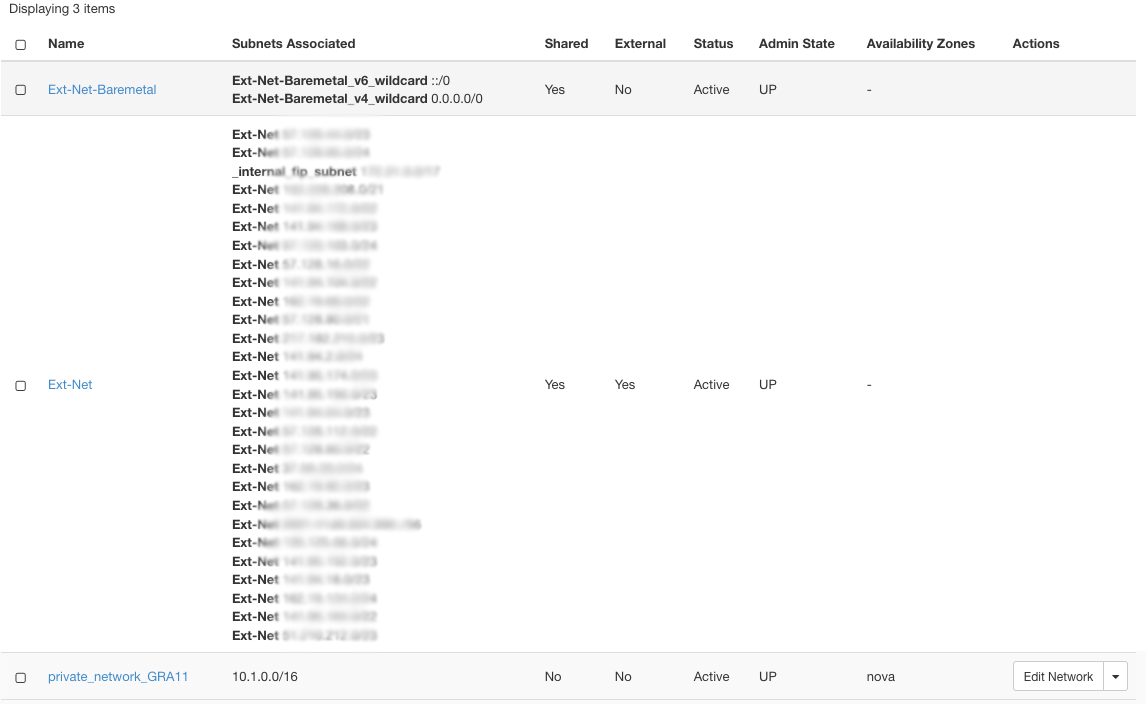
network list

In that list, click on your network name ("private_network_GRA11" in this example). The network detail page is then displayed.
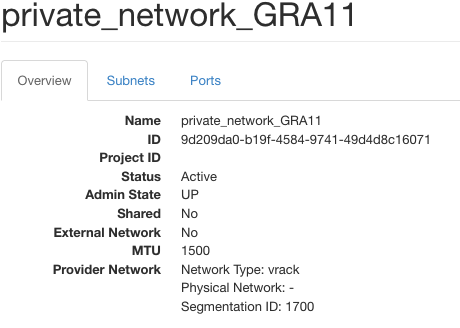
network details

Click the Subnets tab: the subnets from the private network are listed.
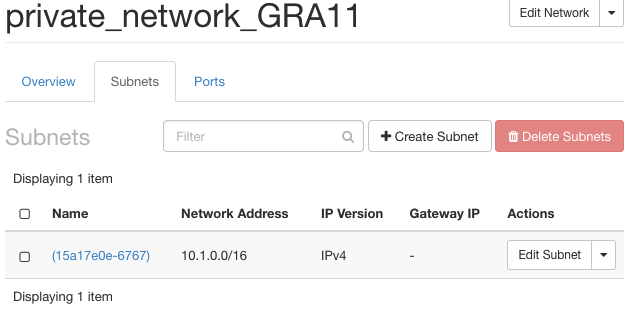
subnets list

Click on your Edit Subnet. For this guide, our target is to add a gateway IP:

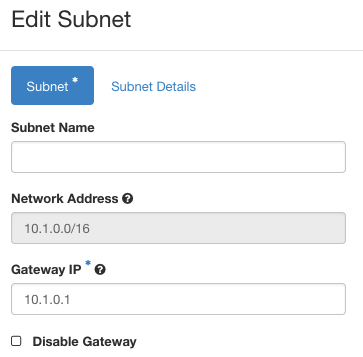
  • Click untick the Disable Gateway. The field Gateway IP will appear. Fill it in with an IP within your CIDR (usually the first IP of the range is used). In our case, 10.1.0.1.

gateway IP

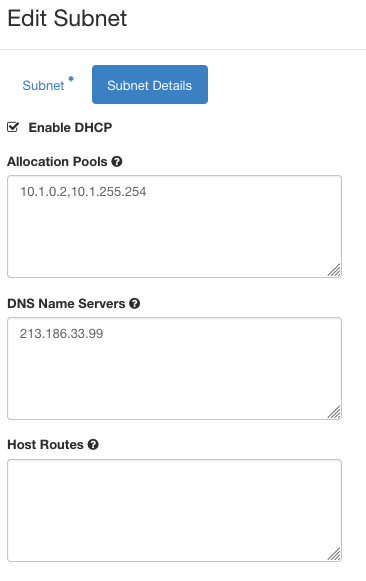
  • Click on Subnet Details. Update the Allocation Pools to remove the gateway IP that you entered in the previous step. In our case, we need to update from 10.1.0.1,10.1.255.254 to 10.1.0.2,10.1.255.254

subnet details

Click on Save and your subnet is updated with a gateway IP !

Using the OpenStack Command Line Interface

You need to have your CLI environment set up and your variables defined.

Run the following command (replace private_network_GRA11 by the name of your private network):

❯ openstack  network show private_network_GRA11
+---------------------------+--------------------------------------+
| Field                     | Value                                |
+---------------------------+--------------------------------------+
| admin_state_up            | UP                                   |
| availability_zone_hints   |                                      |
| availability_zones        |                                      |
| created_at                | 2024-01-19T10:44:33Z                 |
| description               |                                      |
| dns_domain                | None                                 |
| id                        | 6b1a7c0c-58c5-427b-a21e-ba6a1485ace7 |
| ipv4_address_scope        | None                                 |
| ipv6_address_scope        | None                                 |
| is_default                | None                                 |
| is_vlan_transparent       | None                                 |
| l2_adjacency              | True                                 |
| mtu                       | 1500                                 |
| name                      | private_network_GRA11                |
| port_security_enabled     | True                                 |
| project_id                | REDACTED     |
| provider:network_type     | vrack                                |
| provider:physical_network | None                                 |
| provider:segmentation_id  | 1700                                 |
| qos_policy_id             | None                                 |
| revision_number           | 3                                    |
| router:external           | Internal                             |
| segments                  | None                                 |
| shared                    | False                                |
| status                    | ACTIVE                               |
| subnets                   | 15a17e0e-6767-42ea-a345-3f65ee73b47c |
| tags                      |                                      |
| tenant_id                 | REDACTED     |
| updated_at                | 2024-01-19T10:44:33Z                 |
+---------------------------+--------------------------------------+

In this output, the subnets line provides the UID of your subnet. You can check your subnet detail by running the following command (update the UID according to your value !):

❯ openstack subnet show 15a17e0e-6767-42ea-a345-3f65ee73b47c
+----------------------+--------------------------------------+
| Field                | Value                                |
+----------------------+--------------------------------------+
| allocation_pools     | 10.1.0.1-10.1.255.254                |
| cidr                 | 10.1.0.0/16                          |
| created_at           | 2024-01-19T10:44:33Z                 |
| description          |                                      |
| dns_nameservers      | 213.186.33.99                        |
| dns_publish_fixed_ip | None                                 |
| enable_dhcp          | True                                 |
| gateway_ip           | None                                 |
| host_routes          |                                      |
| id                   | 15a17e0e-6767-42ea-a345-3f65ee73b47c |
| ip_version           | 4                                    |
| ipv6_address_mode    | None                                 |
| ipv6_ra_mode         | None                                 |
| name                 |                                      |
| network_id           | 6b1a7c0c-58c5-427b-a21e-ba6a1485ace7 |
| project_id           | REDACTED     |
| revision_number      | 0                                    |
| segment_id           | None                                 |
| service_types        |                                      |
| subnetpool_id        | None                                 |
| tags                 |                                      |
| updated_at           | 2024-01-19T10:44:33Z                 |
+----------------------+--------------------------------------+

Now let's update the gateway_ip and the allocation_pool:

❯ openstack subnet set  --gateway 10.1.0.1 --no-allocation-pool --allocation-pool start=10.1.0.2,end=10.1.255.254  15a17e0e-6767-42ea-a345-3f65ee73b47c

You can check that the subnet has been updated:

❯ openstack subnet show 15a17e0e-6767-42ea-a345-3f65ee73b47c
+----------------------+--------------------------------------+
| Field                | Value                                |
+----------------------+--------------------------------------+
| allocation_pools     | 10.1.0.2-10.1.255.254                |
| cidr                 | 10.1.0.0/16                          |
| created_at           | 2024-01-19T10:44:33Z                 |
| description          |                                      |
| dns_nameservers      | 213.186.33.99                        |
| dns_publish_fixed_ip | None                                 |
| enable_dhcp          | True                                 |
| gateway_ip           | 10.1.0.1                             |
| host_routes          |                                      |
| id                   | 15a17e0e-6767-42ea-a345-3f65ee73b47c |
| ip_version           | 4                                    |
| ipv6_address_mode    | None                                 |
| ipv6_ra_mode         | None                                 |
| name                 |                                      |
| network_id           | 6b1a7c0c-58c5-427b-a21e-ba6a1485ace7 |
| project_id           | REDACTED     |
| revision_number      | 1                                    |
| segment_id           | None                                 |
| service_types        |                                      |
| subnetpool_id        | None                                 |
| tags                 |                                      |
| updated_at           | 2024-01-19T14:45:11Z                 |
+----------------------+--------------------------------------+

Go further

If you need training or technical assistance to implement our solutions, contact your sales representative or click on this link to get a quote and ask our Professional Services experts for assisting you on your specific use case of your project.

Join our community of users.

Articles associés