

Benchmark Public Cloud Databases pour MongoDB (EN)
90 vues
 06.01.2025
  MongoDB
Objective
This guide aims at providing a detailed, step-by-step approach to benchmarking and sizing your OVHcloud MongoDB cluster based on specific loads. It covers estimating resource requirements, configuring the cluster, and using tools like YCSB and SimRunner for performance testing. By following this guide, you will be able to measure throughput, latency, and make informed decisions about the appropriate OVHcloud plan to meet your application's needs, ensuring optimal performance and scalability.
Setting Up Benchmarking Tools
YCSB (Yahoo! Cloud Serving Benchmark)
YCSB is a framework for benchmarking and comparing the performance of various databases. It supports a wide range of workloads and provides a standardized way to measure throughput and latency.
- Go through the README to install YCSB.
- Refer to the MongoDB README to run YCSB on MongoDB.
SimRunner
SimRunner is a tool that binds:
- a powerful data generator for MongoDB.
- a declarative and highly scalable workload generator.
Install SimRunner and configure it to simulate the load based on your current database metrics, and then create a configuration file for SimRunner that mimics your current workload.
Benchmark Process with YCSB and SimRunner
With YCSB version 0.17.0, make sure you have Python 2 installed, as YCSB will encounter errors if Python 3 is used.
Step 1: Set up an OVHcloud MongoDB Cluster
- Set up the OVHcloud MongoDB cluster. Make sure to select a plan with similar hardware specifications compared to the other databases with which you would like to benchmark.
Step 2: Determine The Primary Node of MongoDB Cluster
- Connect to the MongoDB cluster with the mongoshell, and then issue the command
rs.status(). - Find the element with
members.stateStr: 'PRIMARY'. - Take note of the value of the
members.namefield for that element. eg.name: 'node2-0b70a1b78fff6c0e-admin.database.cloud.ovh.net:27017'. You will use it in STEP 4 to load and run YCSB.
Step 3: Configure The YCSB Workload
YCSB provides pre-configured workloads under the ycsb-0.17.0 > workloads folder. You can set up your own workload based on the behavior of your application.
See YCSB Core Properties for the list of available workload properties.
Here is an example of a workload:
Step 4: Load Data into MongoDB with YCSB - Example Loading the Provided workloada
For more details on how to run a workload, see YCSB Run a Workload.
While located in the ycsb-0.17.0 directory, execute the following command with the provided workloada to load data into MongoDB.
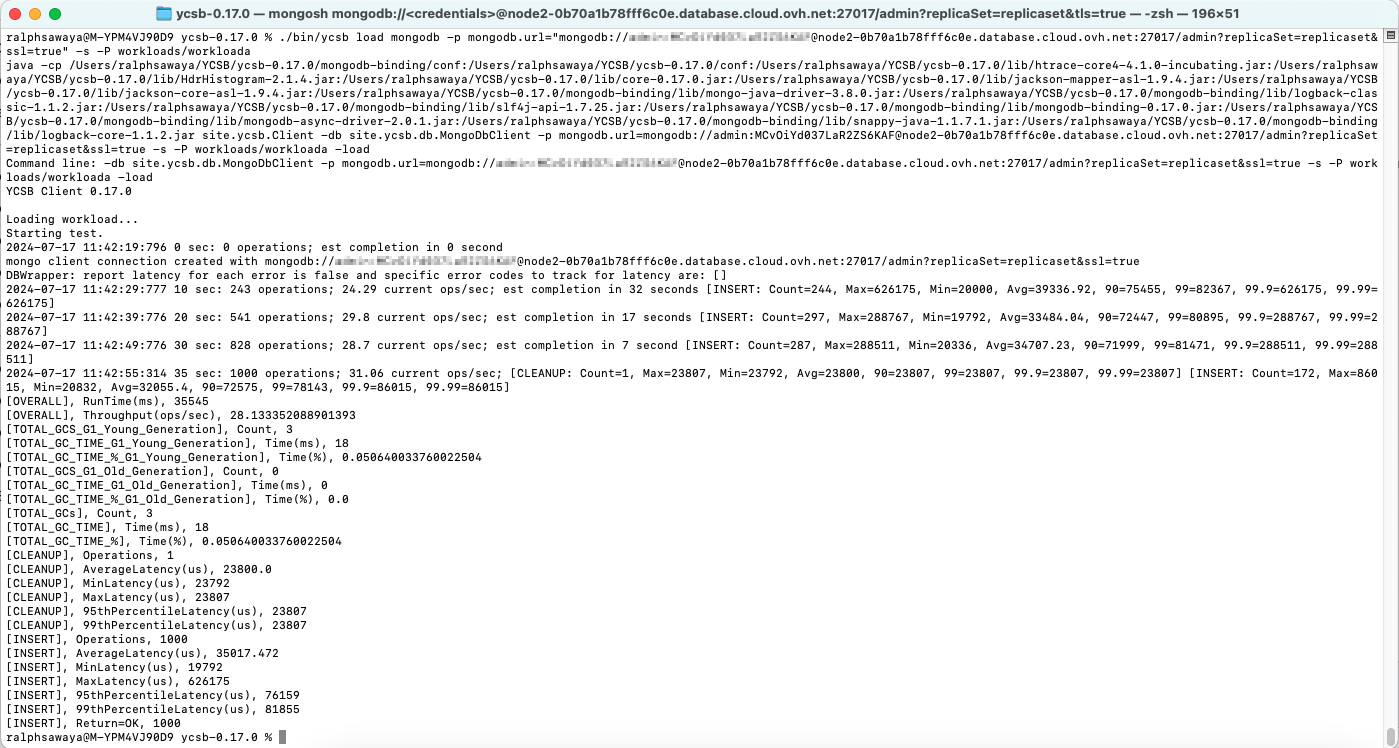
Verify that the database ycsb and collection usertable got created and loaded with data.
Step 5: Run The YCSB Workload - Example Running the Provided workloada
While located in the YCSB > ycsb-0.17.0 directory, execute the following command with the provided workloada to run the workload.
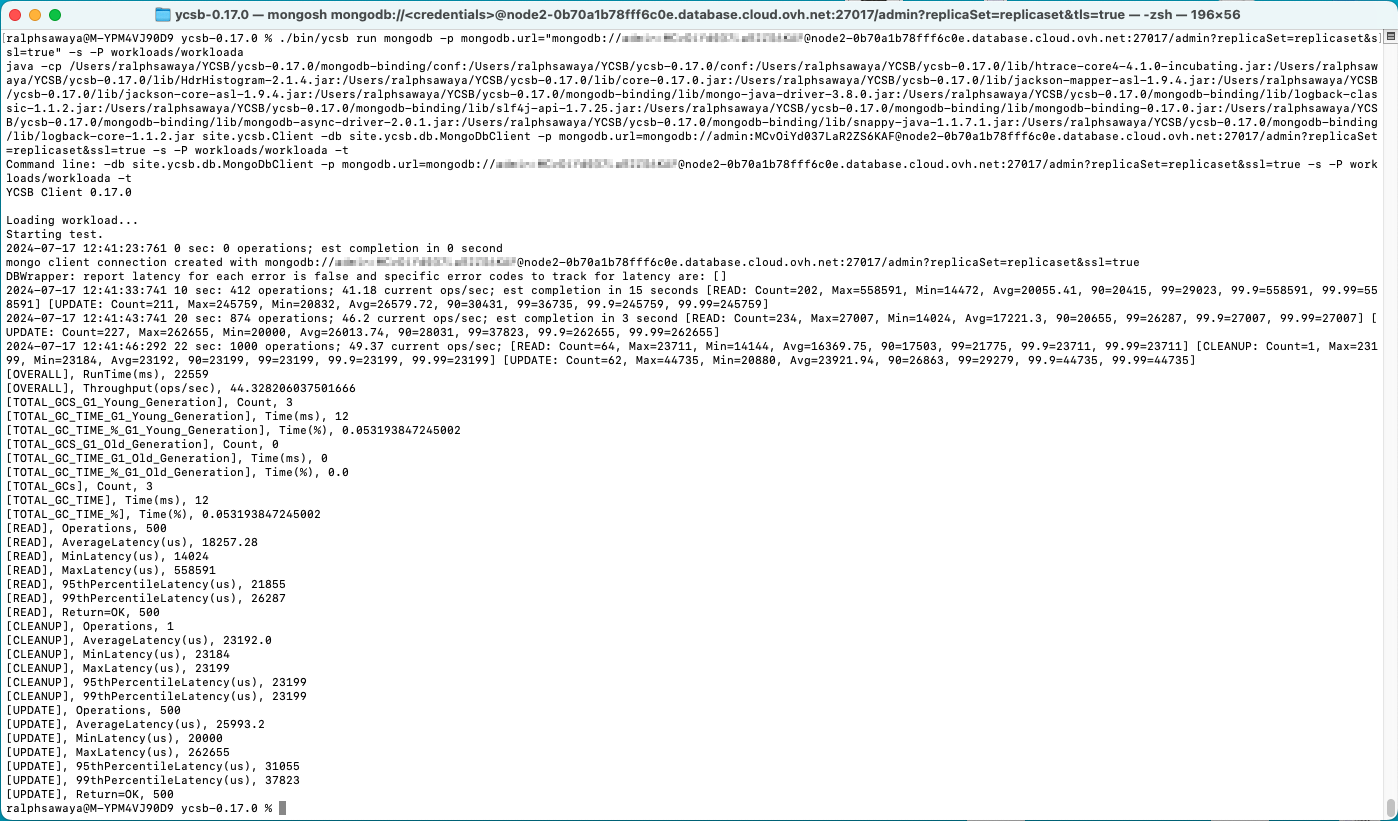
Step 6: Analyze and Benchmark the YCSB Output Metrics
Take note of the run command output in Step 5, and benchmark it with other databases.
Performance Testing With SimRunner
Step 1: Select OVHcloud Plan
Now that you have selected MongoDB as your database, it is time to setup the appropriate cluster.
- Based on the metrics collected (CPU, RAM, Disk IOPS, Disk Space, etc.), choose an OVHcloud plan that meets the requirements of your application.
- Consider future growth and scalability needs. You might want to consider how to size a MongoDB cluster.
Step 2: Setup OVHcloud Cluster
Step 3: Performance Testing With SimRunner
- Go through the README to install and run SimRunner.
- Run performance tests using SimRunner on your MongoDB cluster:
java -jar SimRunner.jar <config file>. Here is an example of a configuration file:
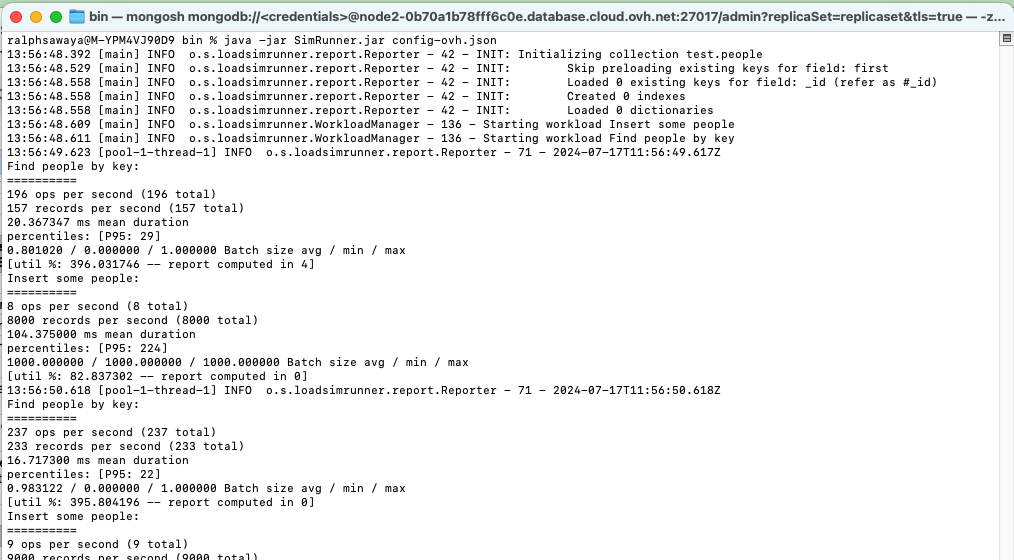
- The report output,
mongoReporter, of the execution was set to be stored on the locally running MongoDB:"connectionString": "mongodb://localhost:27017"
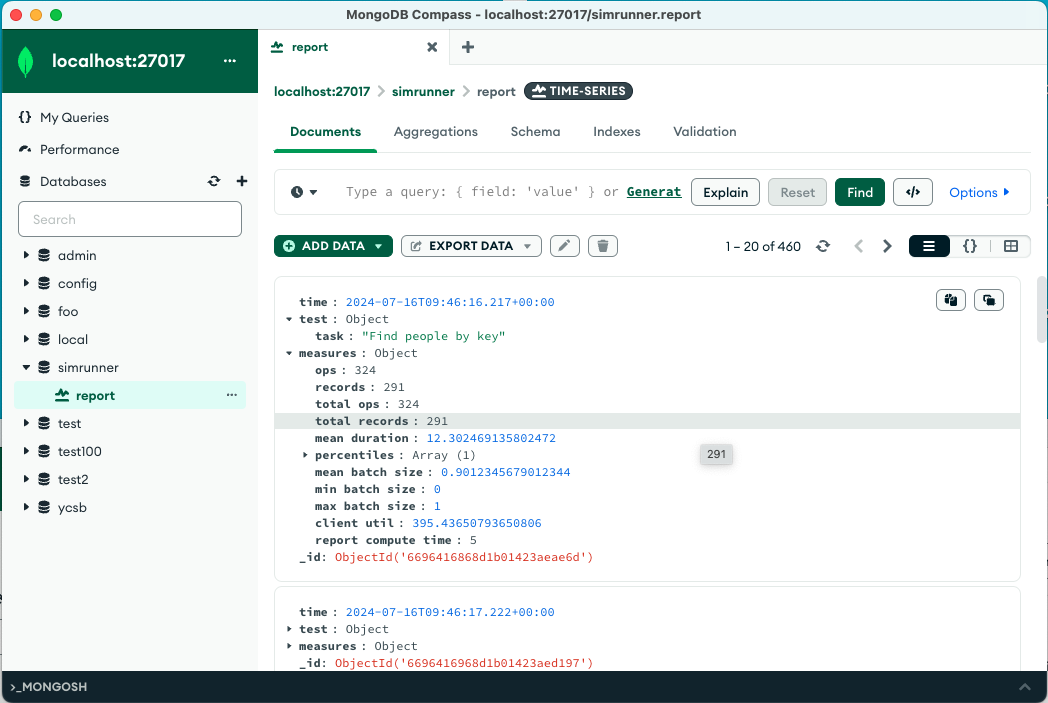
Step 4: Validation
- Monitor the performance and adjust the cluster size and configurations as required by the application.
- Validate that your application performs as expected with MongoDB.
We want your feedback!
We would love to help answer questions and appreciate any feedback you may have.
If you need training or technical assistance to implement our solutions, contact your sales representative or click on this link to get a quote and ask our Professional Services experts for a custom analysis of your project.
Join our community of users.
Are you on Discord? Connect to our channel at https://discord.gg/ovhcloud and interact directly with the team that builds our databases service!


 Configurer un nœud Analytics pour Public Cloud Databases pour MongoDB (EN)
 259
259