

Creating a Kubernetes cluster with existing nodes (Generic) in MRS
119 visualizaciones
 11.09.2024
  Managed Rancher Service (MRS)
Objective
Managed Rancher Service by OVHcloud provides a powerful platform for orchestrating Kubernetes clusters seamlessly. You can use Rancher to deploy a Kubernetes cluster on any platform and location including:
- Hosted Kubernetes provider (e.g. OVHcloud Managed Kubernetes Service, AWS EKS, GCP GKE, etc).
- Infrastructure Provider - Public Cloud or Private Cloud (vSphere, Nutanix, etc).
- Bare-metal servers, cloud hosted or on premise.
- Virtual machines, cloud hosted or on premise
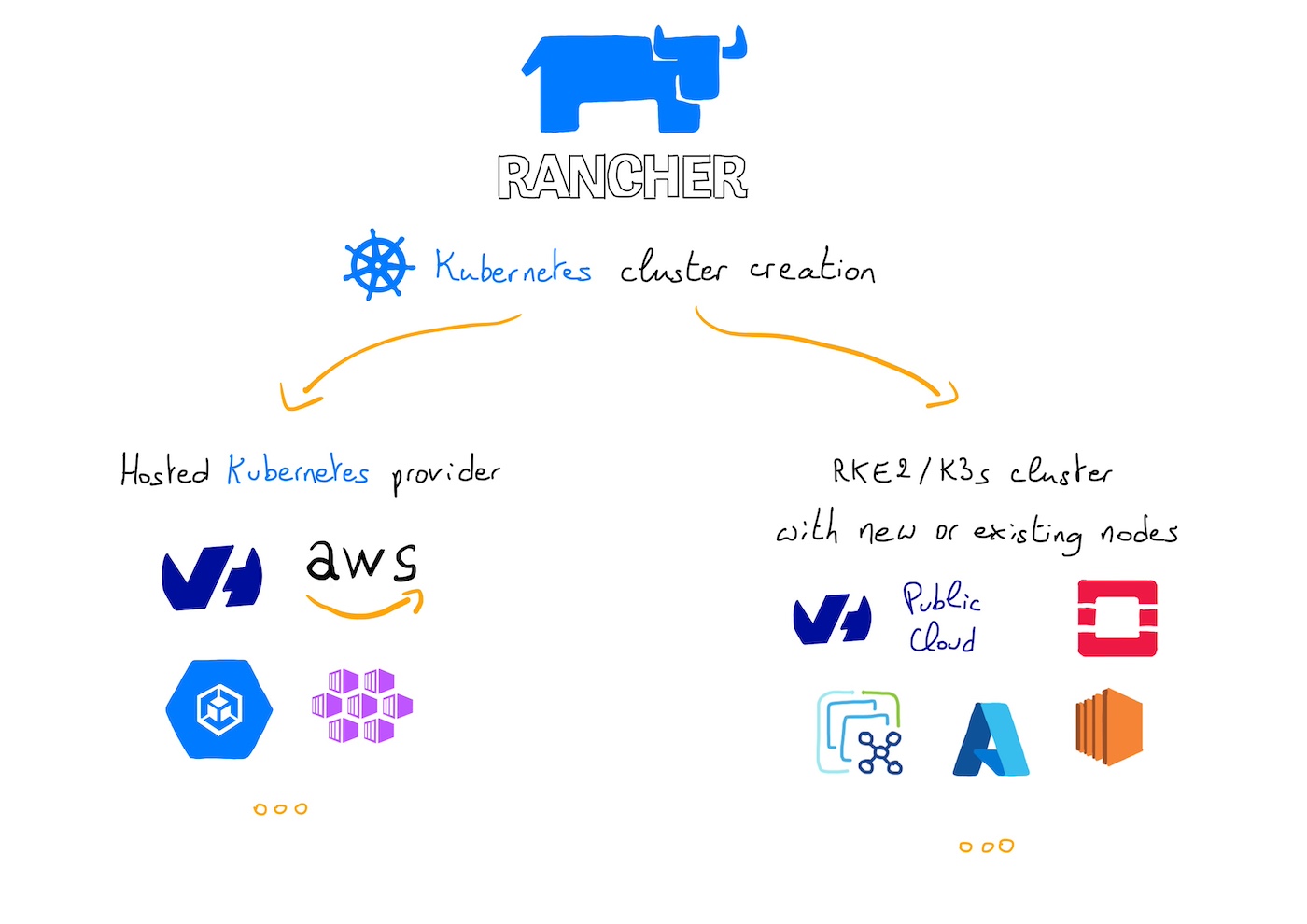
In this guide we will explore how to create a RKE2 or K3s Kubernetes cluster using existing nodes through the Custom driver.
Requirements
- A Public Cloud project in your OVHcloud account
- An OVHcloud Managed Rancher Service (see the creating a Managed Rancher Service guide for more information)
- An access to the Rancher UI to operate it (see the connecting to the Rancher UI guide for more information)
- Existing machines accessible through SSH
Instructions
You should have existing machines (virtual or physical) accessible through SSH.
Follow this guide if you want to create OVHcloud Compute Instances.
Creating a Kubernetes cluster with existing nodes
Log in to your Managed Rancher Service UI.
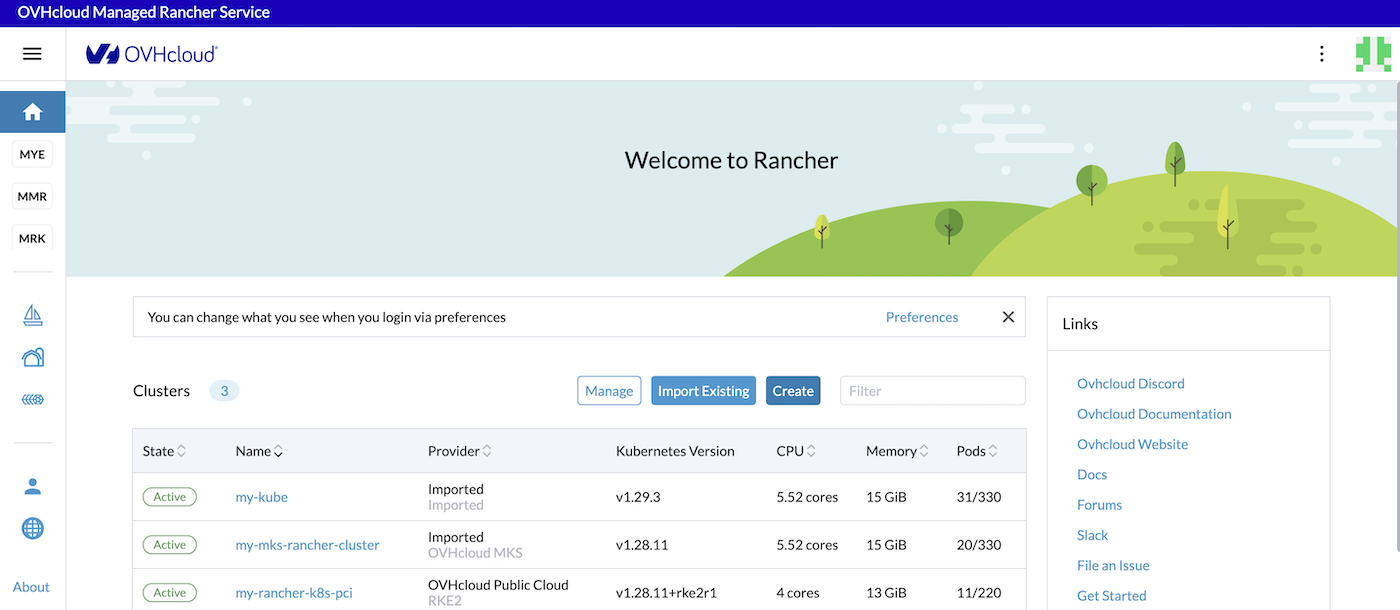
Click the Create button.
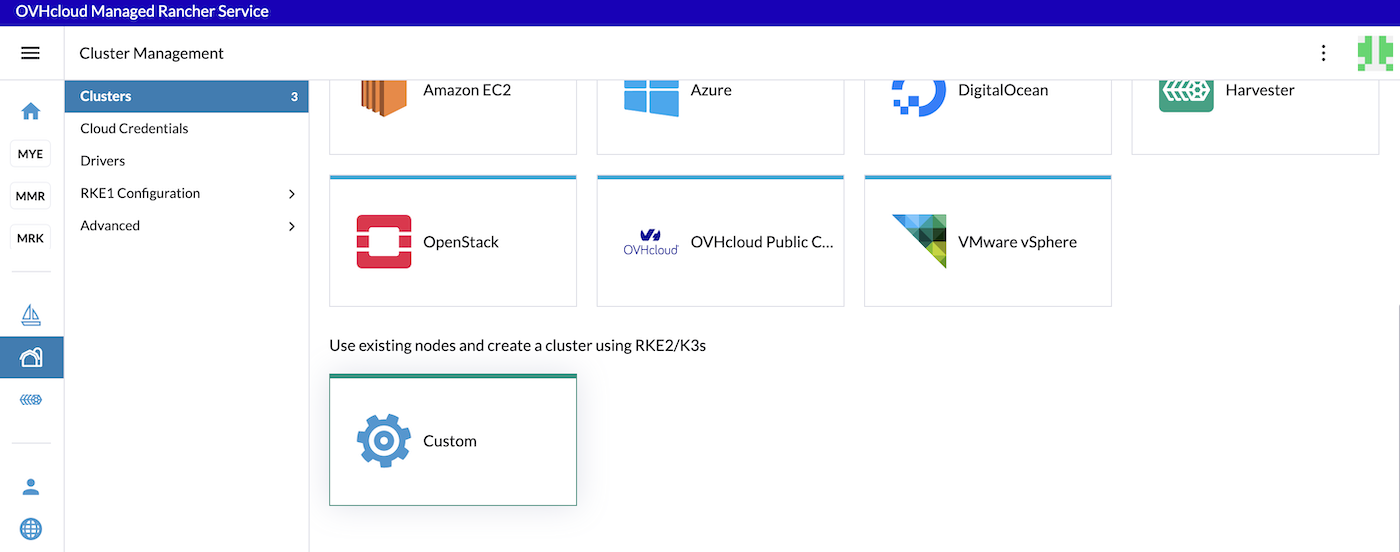
Click on the Custom driver.
Fill in a cluster name (custom-kube-cluster for example).
In the Kubernetes version list, choose the latest version of the wanted OS. You can choose between K3s and RKE2. For production needs we recommend RKE2.
Choose the container network (calico by default).
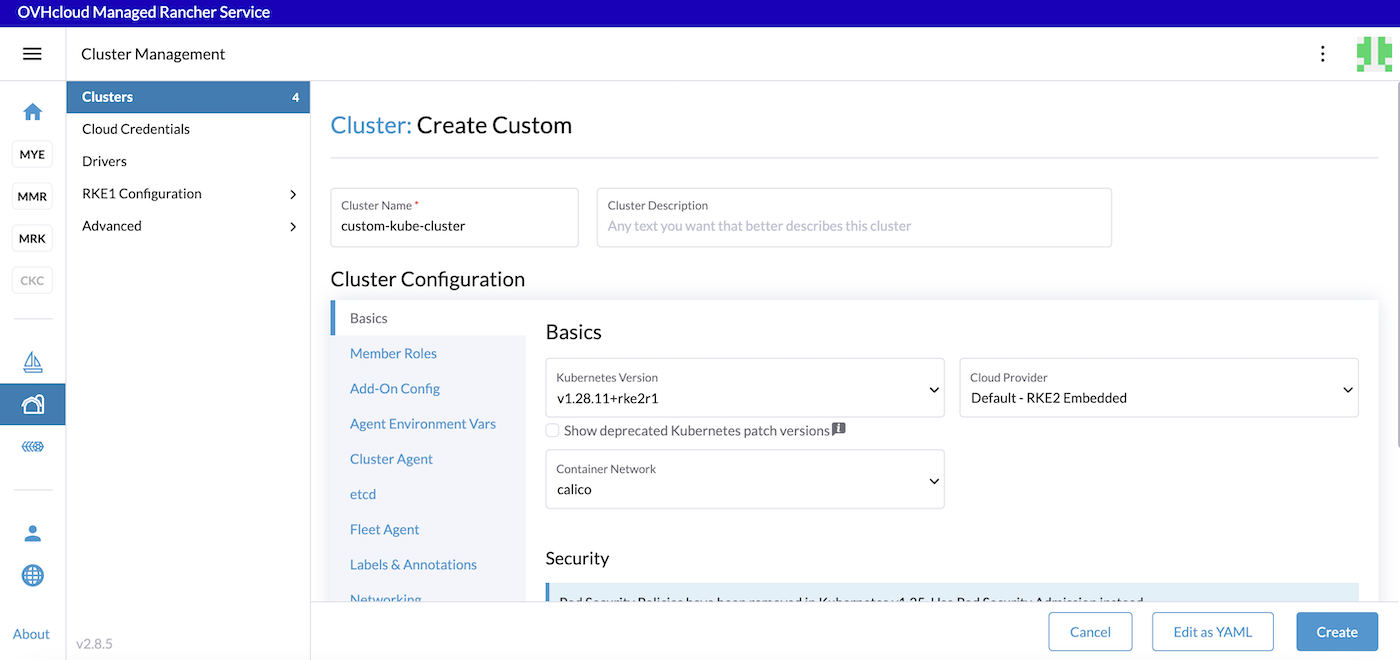
Click on the different tabs to configure your cluster depending on your needs.
Click the Create button.
Configuring a Kubernetes cluster with existing nodes
When you configure a node in Rancher, there are three roles that can be assigned to nodes: etcd, Control Plane and Worker.
There are some good practices:
- At least 3 nodes with the role
etcdare needed to survive a loss of 1 node and have a minimum high availability configuration foretcd. 3etcdnodes are generally sufficient for smaller and medium clusters, and 5etcdnodes for large clusters. - At least 2 nodes with the role
Control Planefor master component high availability. - You can set both the
etcdandControl Planeroles for one instance. - The
Workerrole should not be used or added to nodes with theetcdorcontrolplanerole. - At least 2 nodes with the role
Workerfor workload rescheduling upon node failure.
For the configuration of our etcd + Control Plane nodes, check only the etcd and Control Plane Nodes Roles:
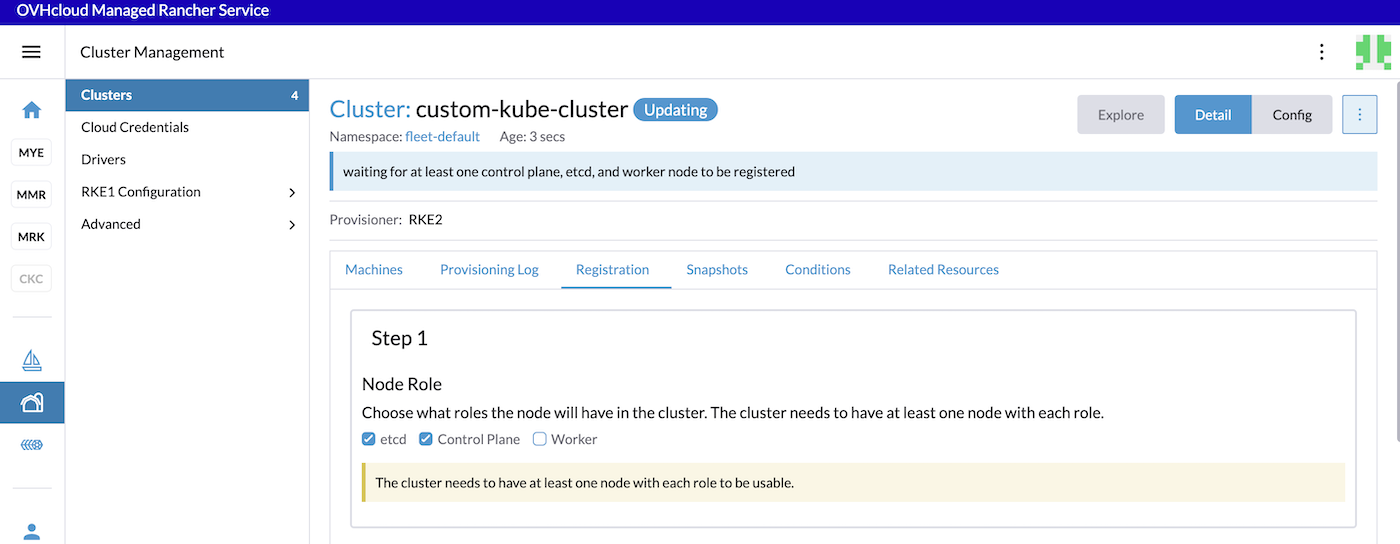
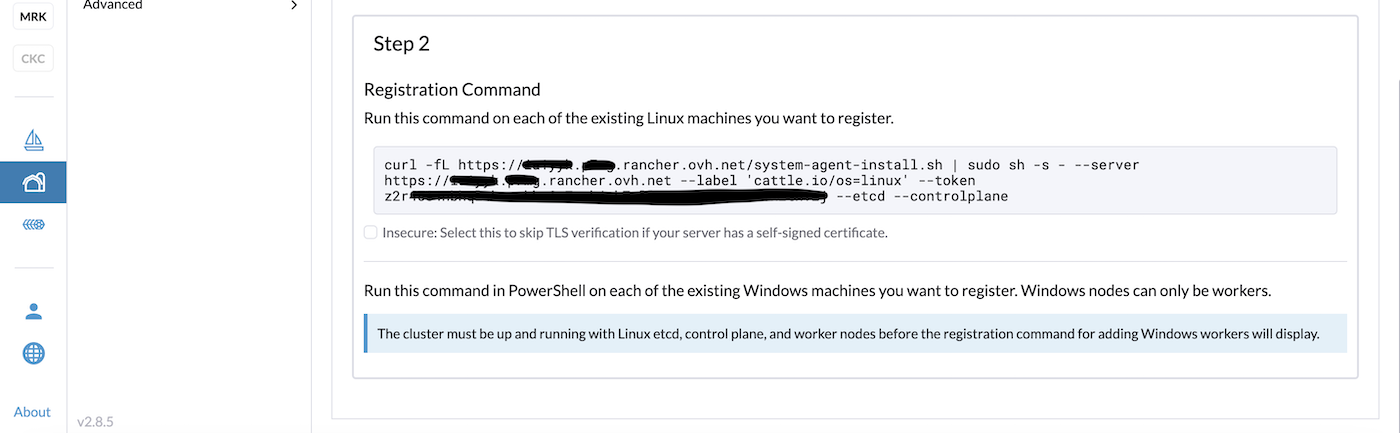
SSH to your machines/nodes you created for etcd and Control Plane and copy/paste the registration command.
For the configuration of our Worker nodes, uncheck the checkboxes and check only the Worker checkbox:
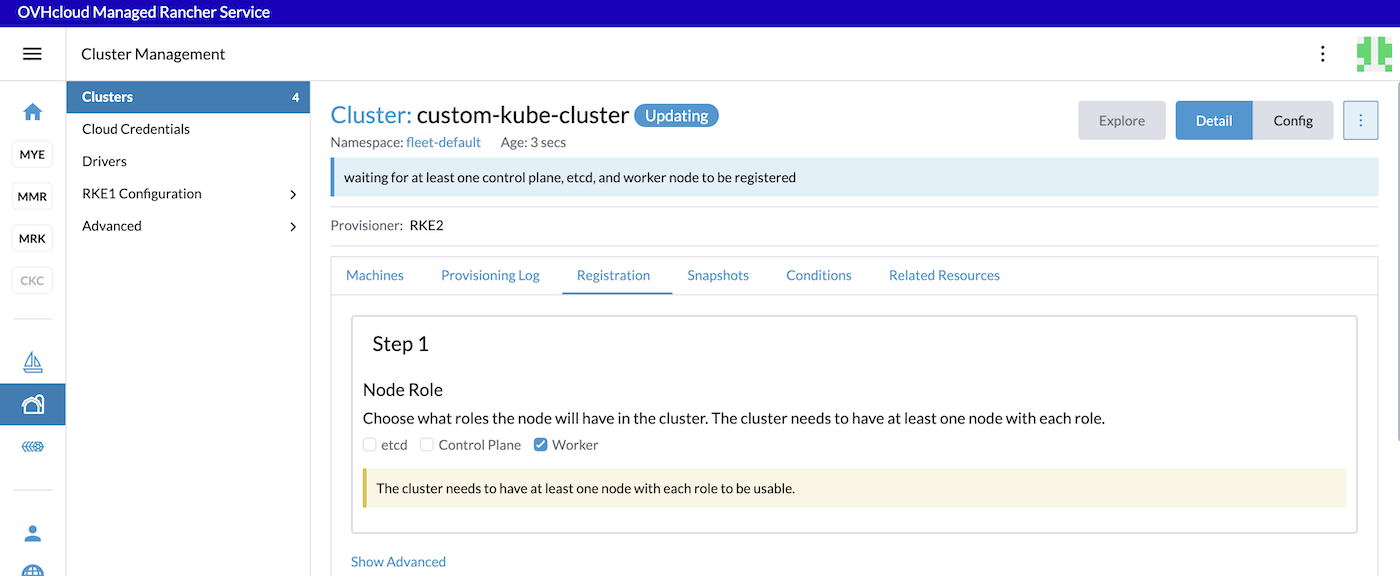
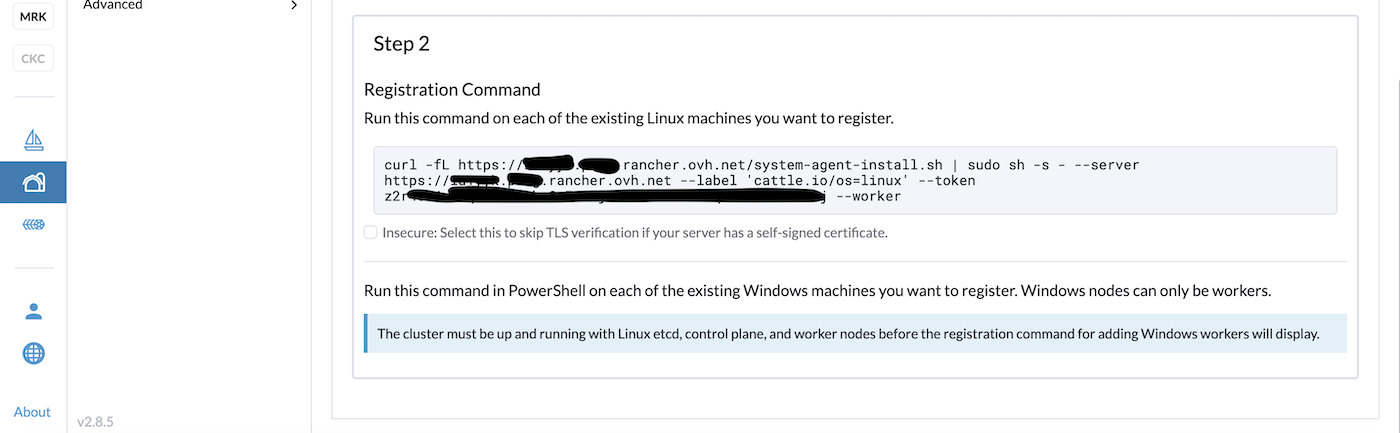
SSH to your machines/nodes you created for etcd and controlpane and copy/paste the registration command.
After executing these commands to the machines/nodes, wait until the cluster is in Active state in the Rancher UI.
Go further
-
To have an overview of OVHcloud Managed Rancher Service, you can go to the OVHcloud Managed Rancher Service page.
-
If you need training or technical assistance to implement our solutions, contact your sales representative or click on this link to get a quote and ask our Professional Services experts for assisting you on your specific use case of your project.
-
Our team remains available on our dedicated Discord Channel, do not hesitate to join and reach us : https://discord.gg/ovhcloud. Ask questions, provide feedback and interact directly with the team that builds our Container and Orchestration services.
-
Join our community of users.


 Getting Started with Managed Rancher Service
 284
284