

KMS configuration with Nutanix on OVHcloud
72 visualizaciones
 14.02.2025
  Cloud / Nutanix on OVHcloud
Objective
This guide explains how to configure the OVHcloud Key Management System (KMS) with Nutanix on OVHcloud.
Nutanix provides two options for securing data at rest:
- Self-Encrypted Drives (SEDs)
- Software-only encryption which offers key-based access management through either the cluster's native key manager or an external key management system (KMS).
By following this guide, you will learn how to leverage Nutanix's data-at-rest encryption capabilities using the OVHcloud KMS.
Requirements
- A valid OVHcloud KMS key in your OVHcloud account.
- Find more information in our guide Getting started with OVHcloud Key Management Service (KMS)
- A Nutanix on OVHcloud cluster in your OVHcloud account.
- The cluster must be compatible with Data-At-Rest Encryption. Please confirm this with your OVHcloud sales representative or with the support teams.
- A Nutanix license that supports the Data-At-Rest Encryption feature.
- Access to the Nutanix cluster via Prism Central/Prism Element.
- Compliance with Nutanix’s feature guidelines:
Instructions
Step 1 - Access Prism Central and Prism Element
1. Log in to Prism Central.
2. Navigate to Prism Element.
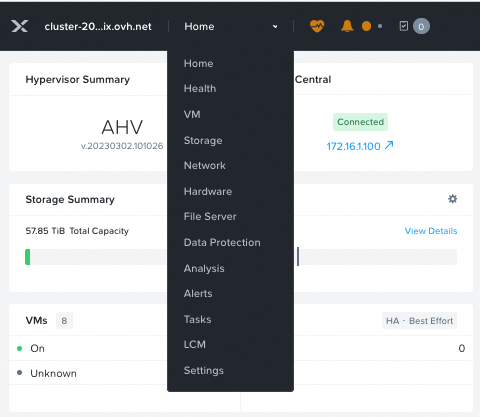
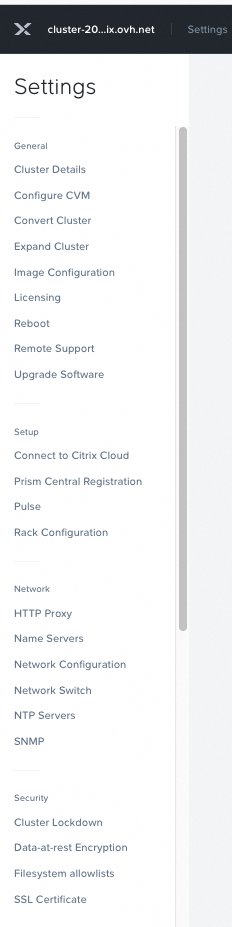
3. Go to Settings.
Step 2 - Configure Data-at-Rest Encryption
1. Scroll to Data-at-Rest Encryption in the settings menu.
2. Click on Edit Configuration.
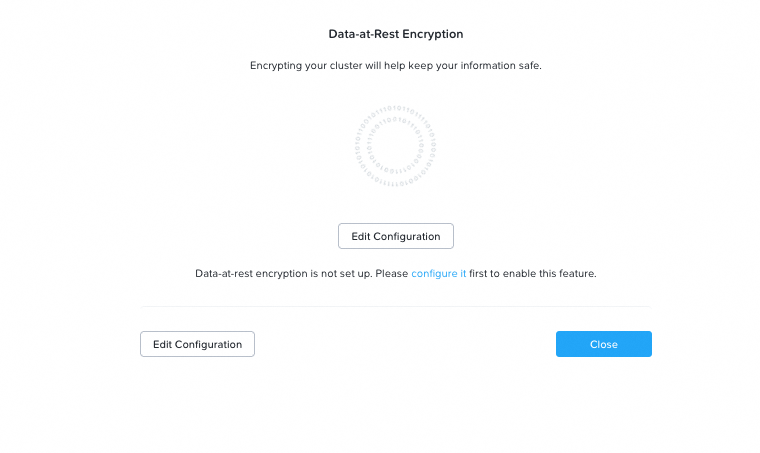
3. Select the Encryption Type and KMS Type.

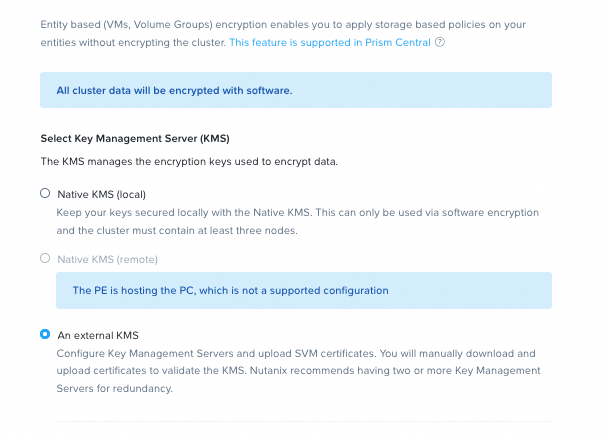
4. Enter your configuration details to generate the Certificate Signing Request (CSR).
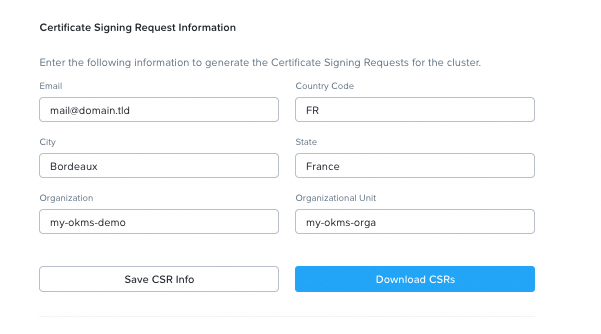
Step 3 - Add and manage Certificates
1. Add your Key Management Server (KMS).
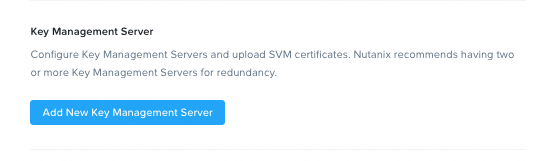
2. Click on Manage Certificates.
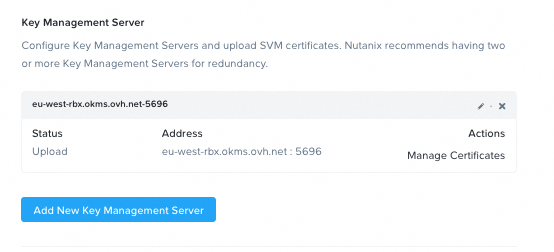
3. Upload your Certificate Authority (CA).
4. Once the CA is uploaded, go back to Key Management Server and click Manage Certificates.
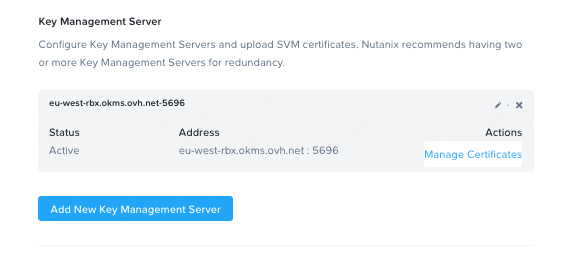
Step 4 - Test and Enable Encryption
1. Test all nodes in the cluster.
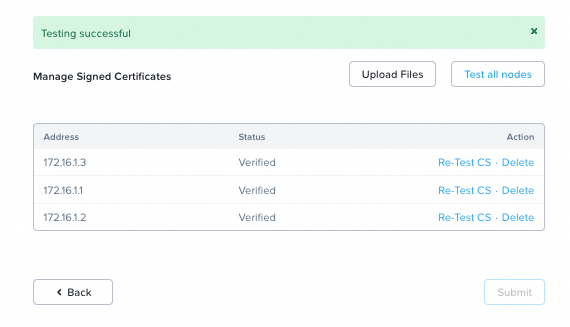
2. If the test is successful, you can now enable encryption for your Nutanix cluster.
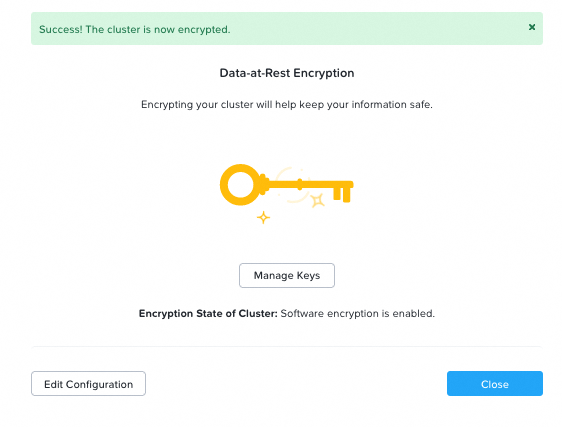
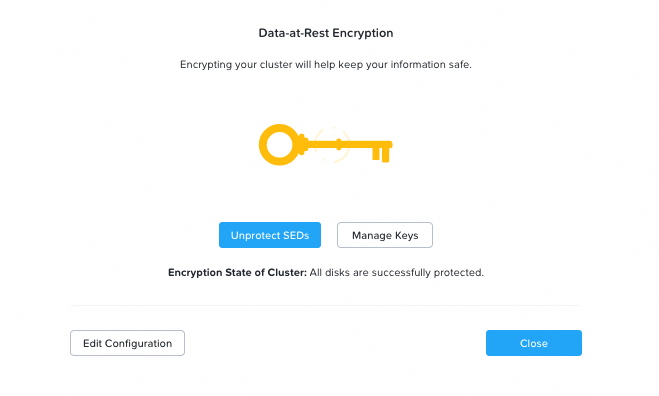
3. You can enable both software encryption and Self-Encrypting Drives (SEDs).
Go Further
- Nutanix Security Guide for Data-at-Rest Encryption
- Getting started with OVHcloud Key Management Service (KMS)
- Nutanix Compatibility Matrix
If you need training or technical assistance to implement our solutions, contact your sales representative or click on this link to get a quote and ask our Professional Services experts for assisting you on your specific use case of your project.
Join our community of users.


 Configurar HYCU Backup (EN)
 387
387