

Actualizar el formato de disco de vSAN (EN)
341 visualizaciones
 19.01.2023
  Cloud / VMware
Objective
vSAN disks are regularly upgraded with new versions. You need to update the vSAN disk format version to have new features or to maintain compatibility with the versions of your VMware cluster, as described in this article: Understanding vSAN on-disk format versions and compatibility (2148493).
This guide explains how to update the format of your vSAN disks.
Requirements
- Being an administrative contact of your Hosted Private Cloud infrastructure to receive login credentials
- A user account with access to vSphere as well as the specific rights for NSX (created in the OVHcloud Control Panel)
- A deployed vSan cluster
Instructions
Log in to your vSphere interface using this guide.
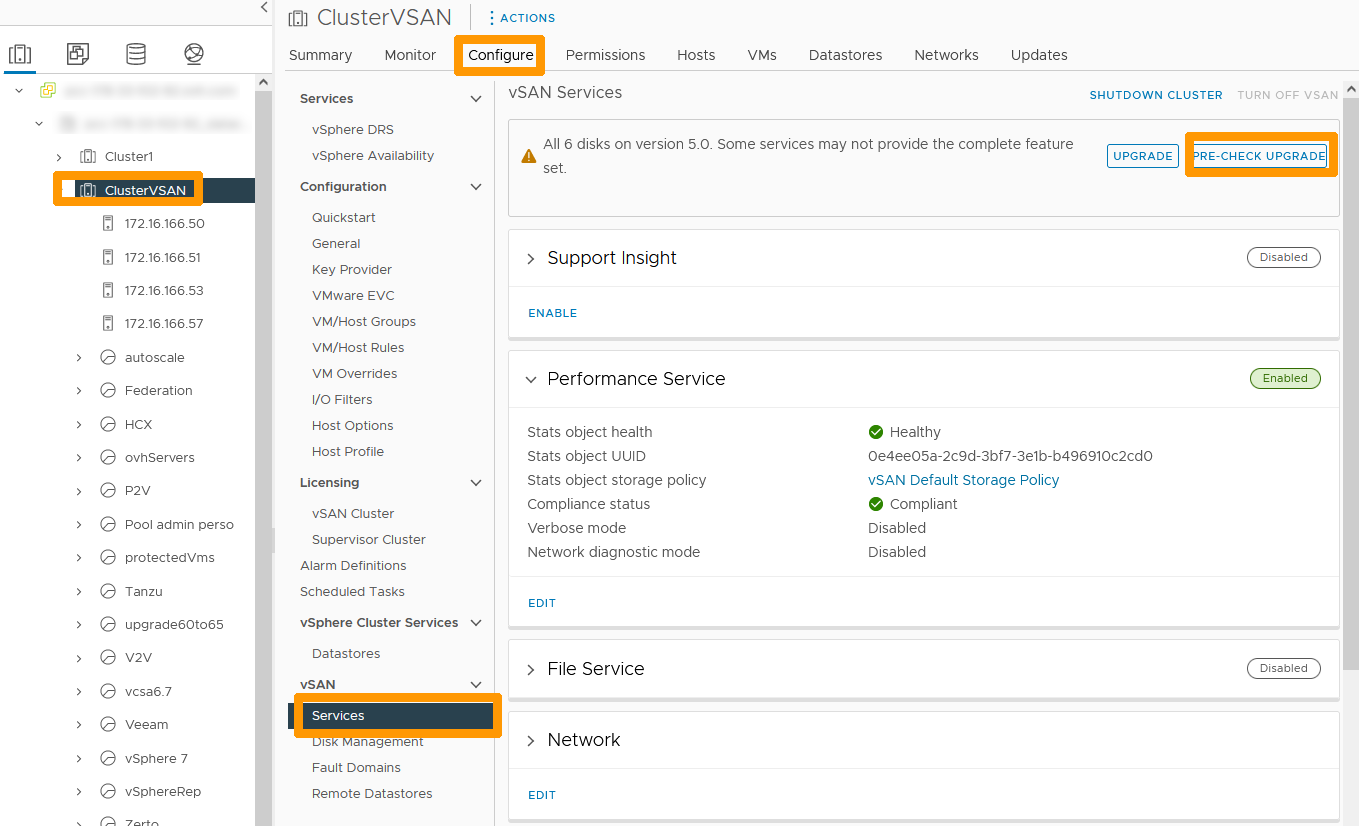
In the vSphere interface, click on your Cluster to the left, go to the Configure tab, choose Services in the vSAN section and click PRE-CHECK UPGRADE.
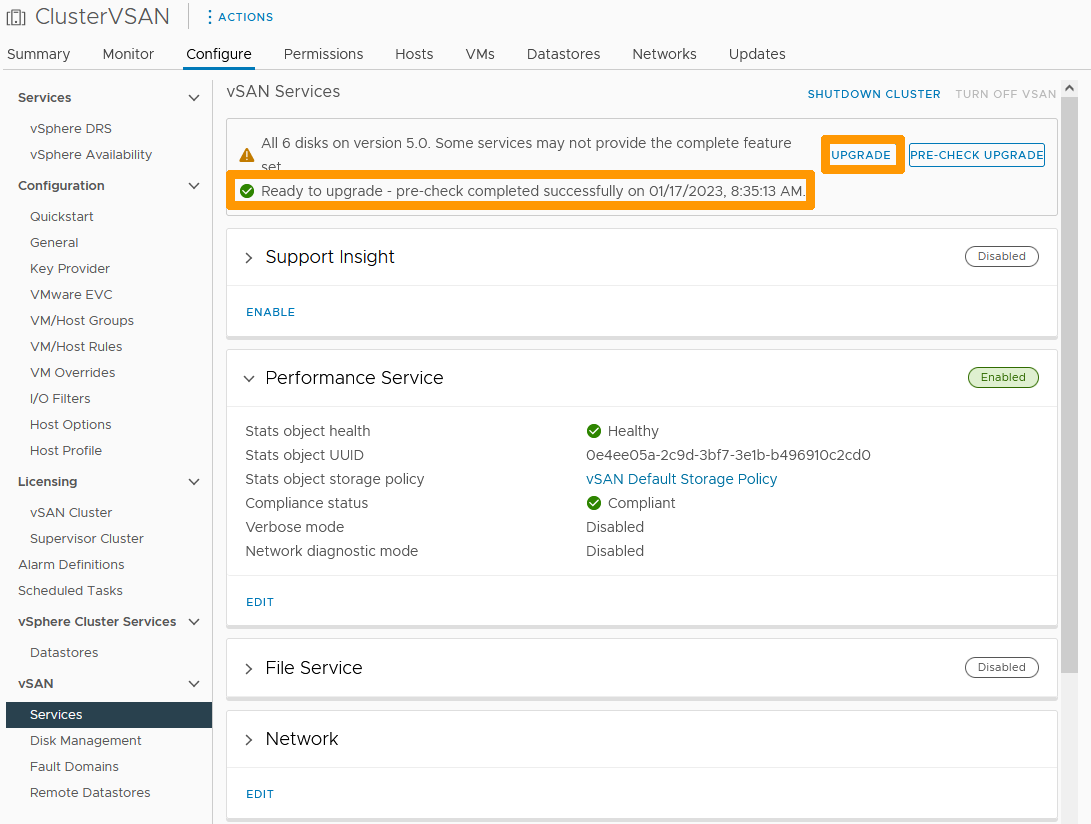
The check result informs you that everything is in order to perform the upgrade.
Click on UPGRADE.
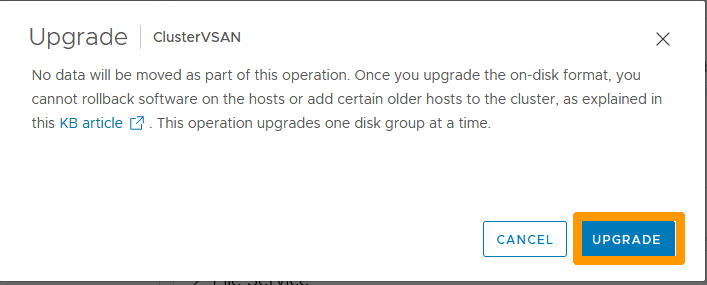
In the new window, click UPGRADE to confirm the operation.
The upgrade will take a few moments.

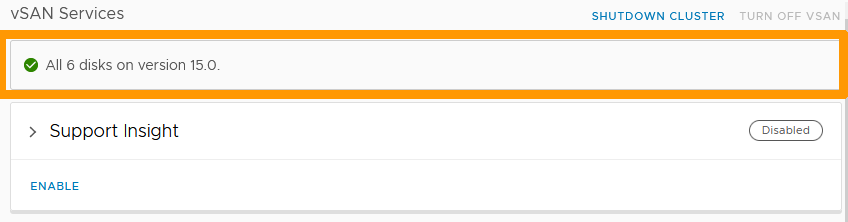
As soon as the upgrade is complete, you will receive a success message indicating the new vSAN disk format version number.
Go further
Upgrading vSAN disk format with vSphere web client
Join our community of users on https://community.ovh.com/en/.


 VMware DRS (Distributed Resource Scheduler)
 1801
1801