

KB0045650
How to disconnect an ISO image from a VM (EN)
264 visualizaciones
 27.04.2022
  Cloud / VMware
Objective
If an ISO is connected to a VM, the VM cannot be migrated, either manually or automatically. This can prevent DRS from working properly, and the host to be put in maintenance mode.
Requirements
- You must be an administrative contact for the Hosted Private Cloud infrastructure to receive login credentials.
- An active username (created in the OVHcloud Control Panel)
Instructions
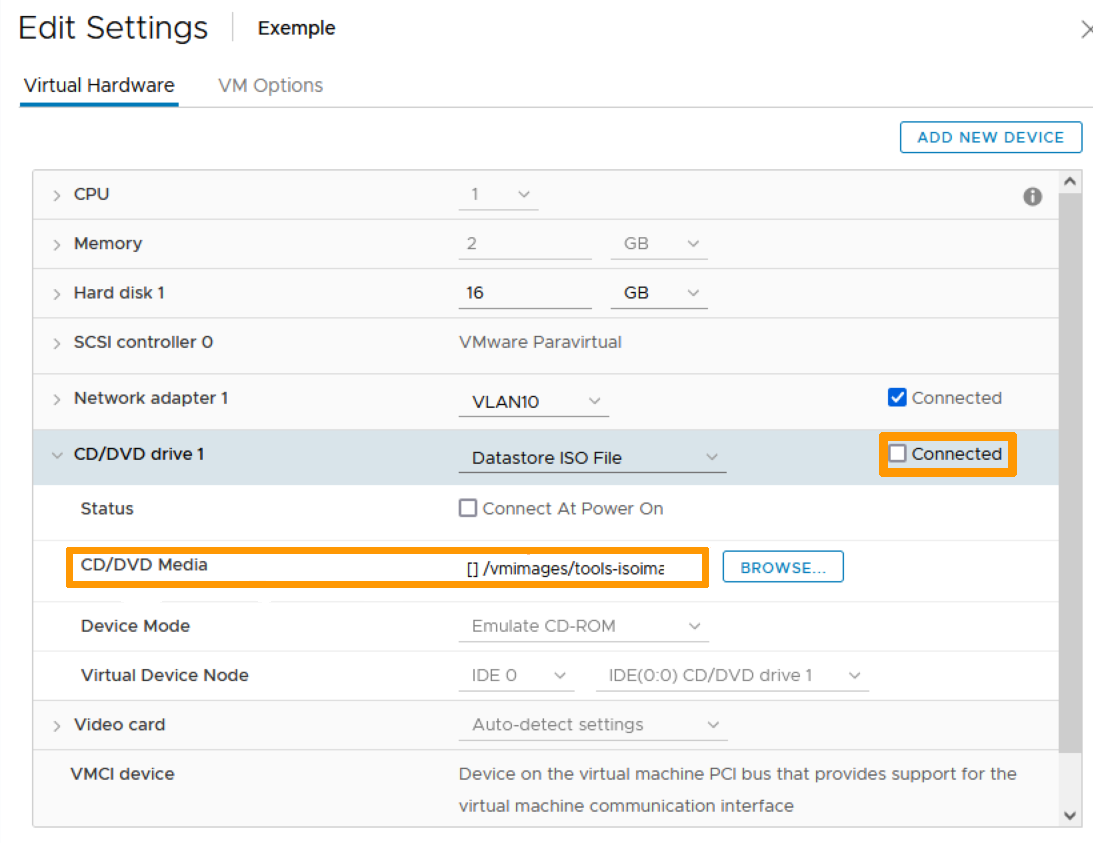
If you simply untick the Connected checkbox in the ISO File datastore, the VM is still linked to the ISO:
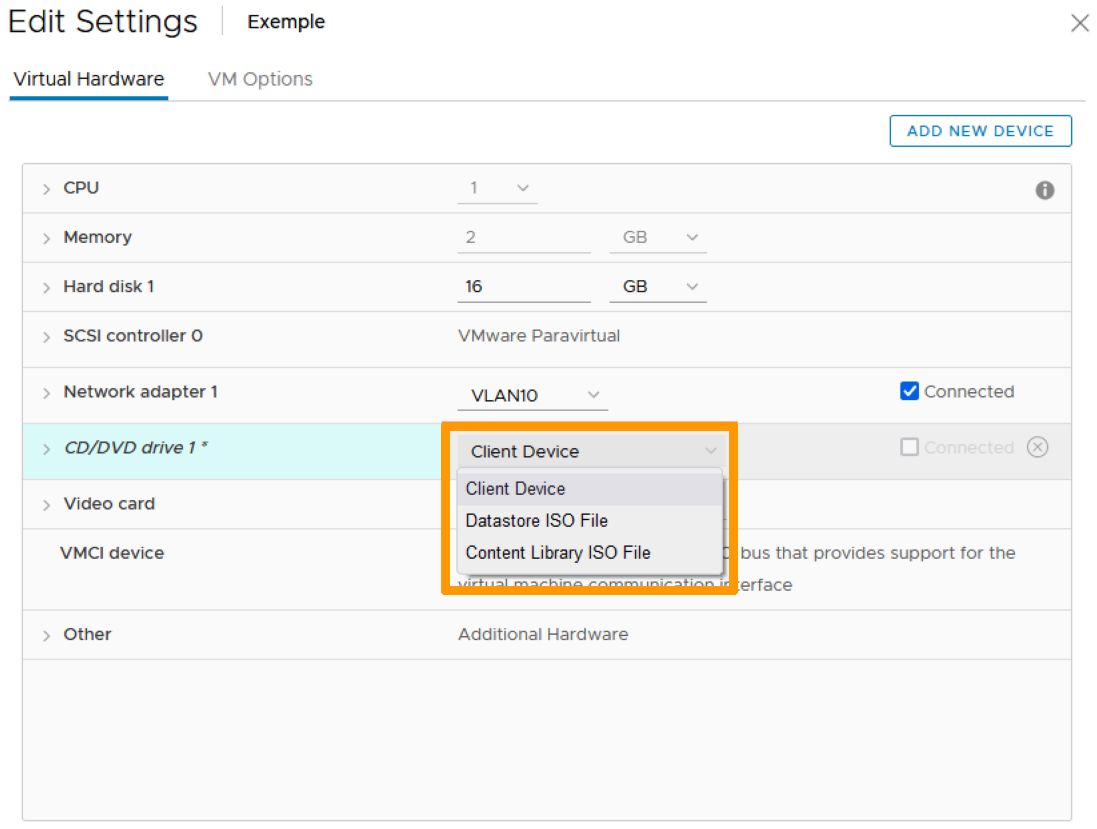
To disconnect the ISO from the VM, first click the dropdown arrow next to CD/DVD drive 1 and select Client Device.
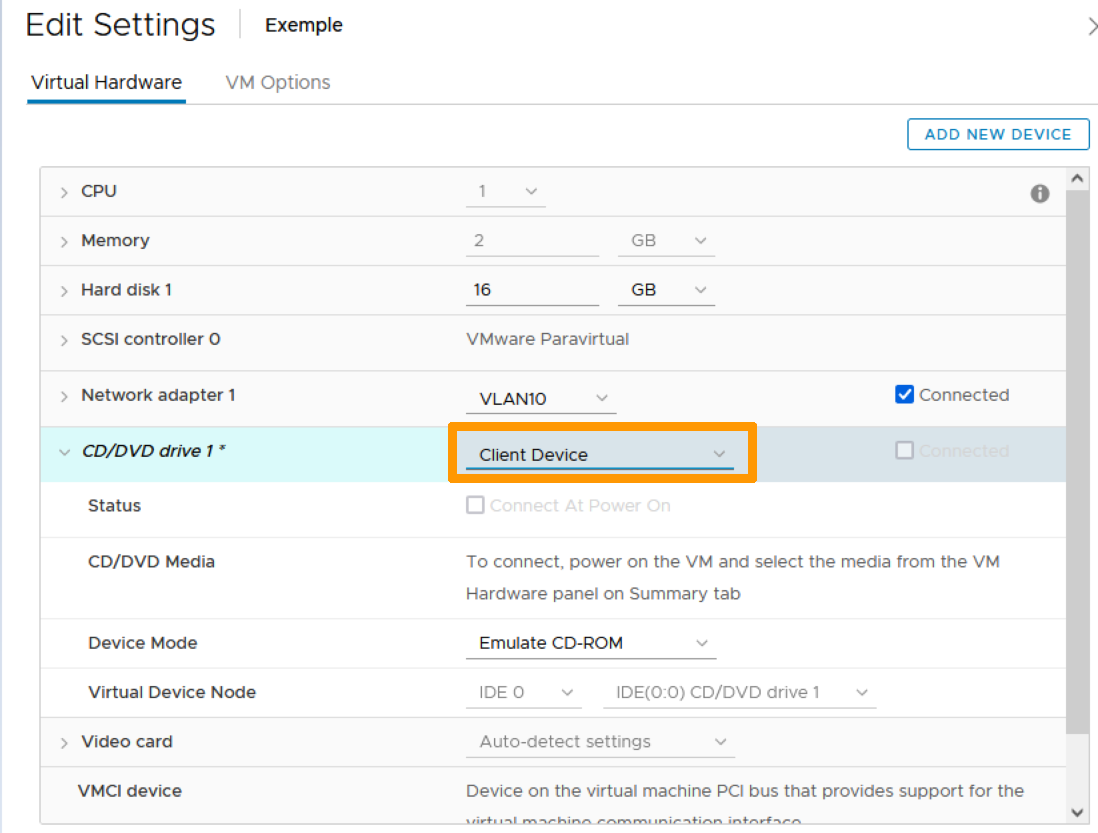
The ISO is now disconnected:
Go further
Join our community of users on https://community.ovh.com/en/.
-
Secure Shell (SSH) : un protocole de réseau sécurisé utilisé pour établir des connexions entre un client et un serveur. Il permet d'exécuter des commandes à distance de manière sécurisée. ↩


 Configurar una IP en una máquina virtual (EN)
 1905
1905