

How to increase Public Cloud quotas for a Startup Program member
25 visualizaciones
 14.10.2025
  Startup Program
Objective
This guide explains the steps to request a quota increase on your Cloud account when using our services. If you are part of the Startup Program, it is important to consider certain limitations, especially regarding the use of credits provided by the program when increasing your quota.
Key Points
- Startup credits usage: It is not possible to request a quota increase using credits provided by the Startup Program. If you still wish to increase the quota, you must follow the steps outlined below.
- Personal payment: If you are a Startup Program member and choose to pay with your own funds to increase your quota, the amount paid can be credited (upon request) to your customer account as Cloud credit. This credit will be used first for future payments, before your Startup Program credits.
- Preparation: Before requesting a quota increase, you must add a valid payment method to your customer account and ensure that your account is registered as a company.
Requirements
- You are a member of the Startup Program.
- Your OVHcloud account has a valid payment method. Refer to this guide to add a valid payment method.
- Your account is registered under the
Companystatus. Refer to this guide to update your information.
OVHcloud Control Panel Access
- Direct link: Public Cloud Projects
- Navigation path:
Public Cloud> Select your project
Instructions
This procedure allows you to manually request a quota increase and validate it via an initial payment (Public Cloud credit).
Step 1 - Create a support ticket to request a quota increase
After fulfilling the prerequisites above, create a support ticket by following these steps:
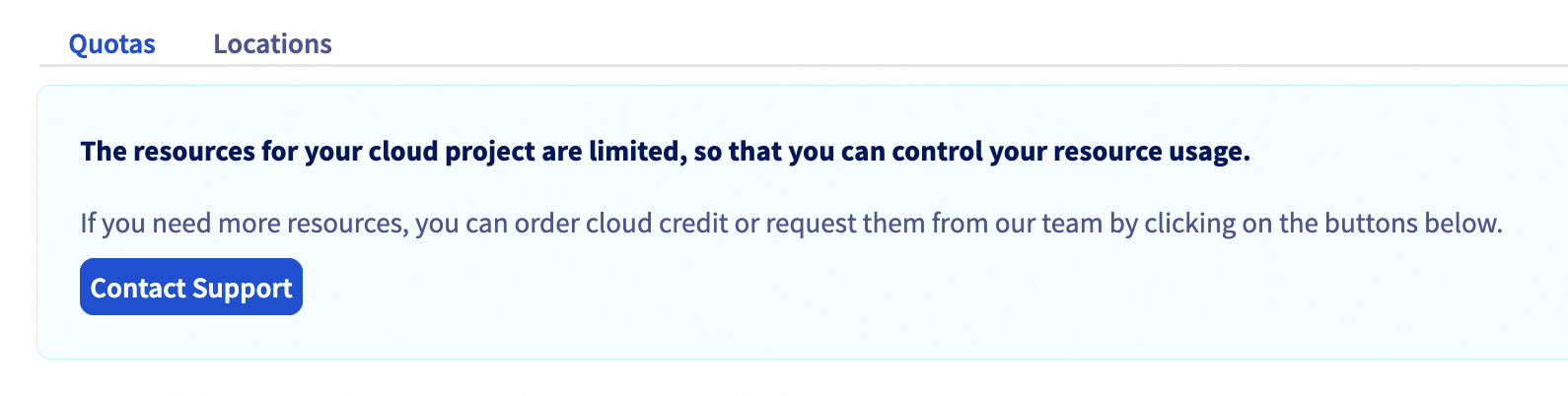
In your Public Cloud project, go to the Project Management section and click on Quota & Regions. Click on Contact Support.
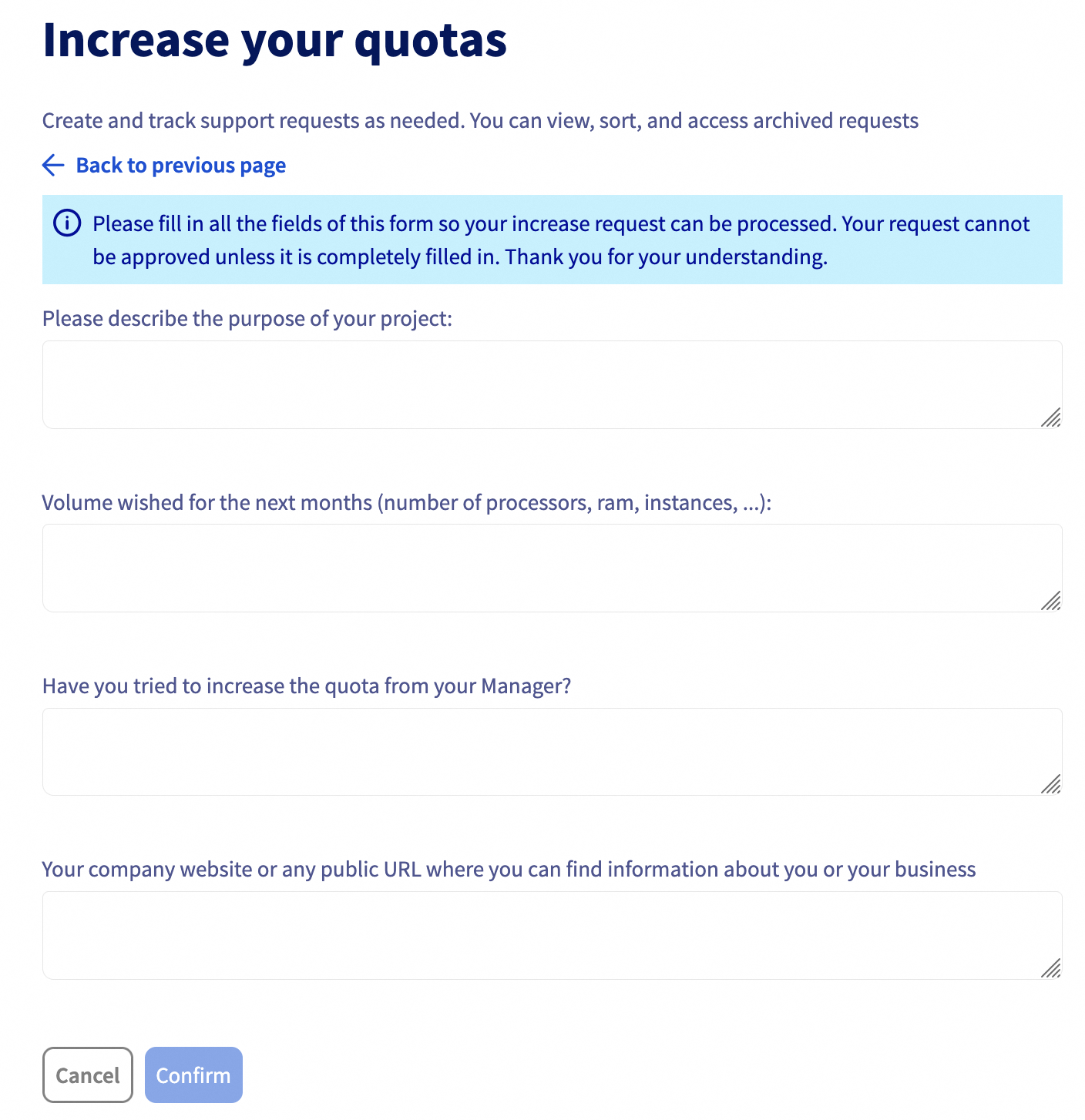
Justify your quota increase request by specifying your participation in the OVHcloud Startup Program, stating your technical needs, and providing the name of your Startup Program Manager responsible for overseeing your participation (consult the list of Startup Program Managers here).
Step 2 - Contact your Startup Program Manager
After submitting your quota increase request, it is recommended to contact your regional Startup Program Manager to ensure your ticket is tracked and to receive prompt assistance.
Find the list of Startup Program Managers here.
Conclusion
Requesting a quota increase may be necessary to adapt your Cloud resources to your growing needs. However, it is important to understand the payment terms and credit priority to avoid unexpected charges from your own funds. If in doubt, don't hesitate to reach out to your Startup Program Manager for guidance through every step of the process.

