

Set up a Kafka integration for Public Cloud Databases for MongoDB
99 visualizaciones
 06.01.2025
  MongoDB
Introduction
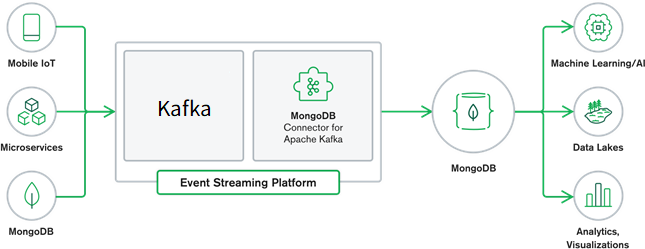
The MongoDB Kafka Connector is an integration tool that bridges MongoDB with Apache Kafka, enabling real-time data synchronization and streaming between the two platforms. This connector facilitates the seamless transfer of data, allowing MongoDB to be used both as a source and a sink within a Kafka ecosystem. By leveraging this connector, developers can build robust data pipelines, ensuring efficient and reliable data flow across their applications.
Quick Start Guide
Learn how to get started with the MongoDB Kafka Connector and begin working with data in the Kafka Connector Quick Start section.
Tutorials
Follow tutorials to learn how to set up the MongoDB Kafka Connector to read and write data for several use cases.
Key Components
- Source Connector: Captures changes from MongoDB and streams them into Kafka topics. It uses MongoDB’s Change Streams to monitor changes in collections and databases.
- Sink Connector: Reads data from Kafka topics and writes it into MongoDB collections. This component ensures that data from various Kafka topics can be persisted in MongoDB for further processing or querying.
Setup Kafka Sink and Source Connectors
Step 1: Create KafkaConnect and Kafka services
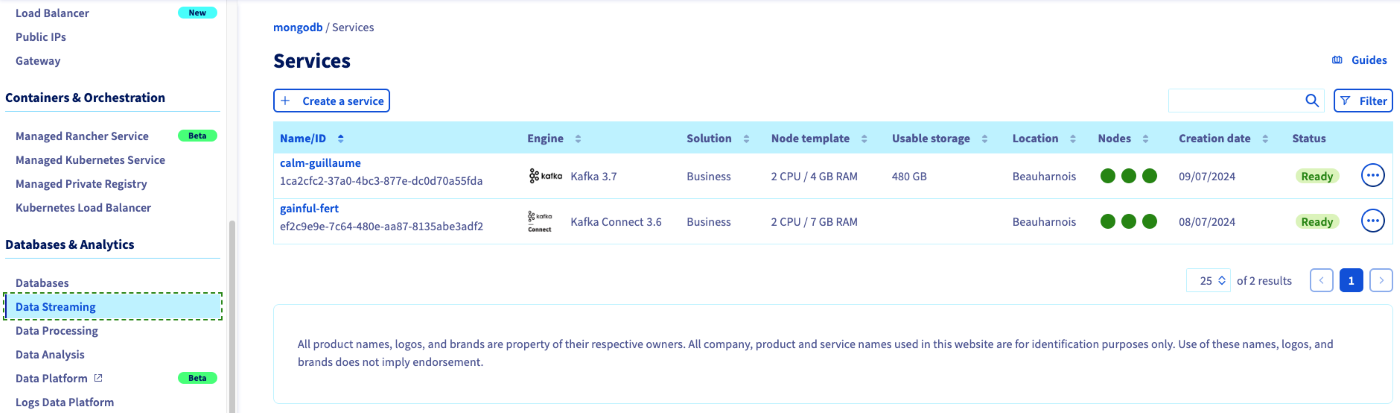
Under Data Streaming create KafkaConnect and Kafka services.
Step 2: Integrate the Kafka service to KafkaConnect
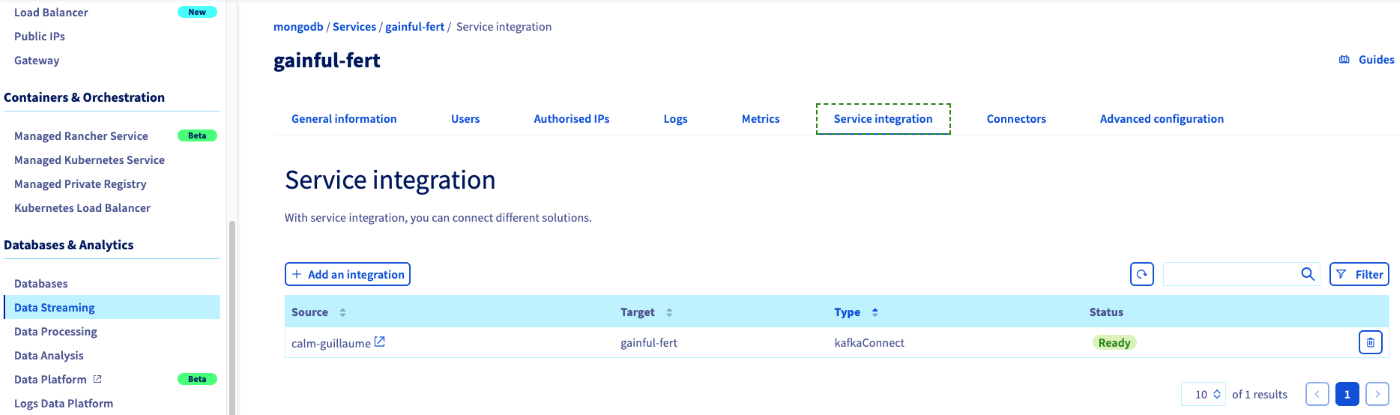
Select the Kafka Connect service and under Service Integration, click the + Add an Integration button and select KafkaConnect as integration type, an then add the Kafka service.
Step 3: Add the Connector
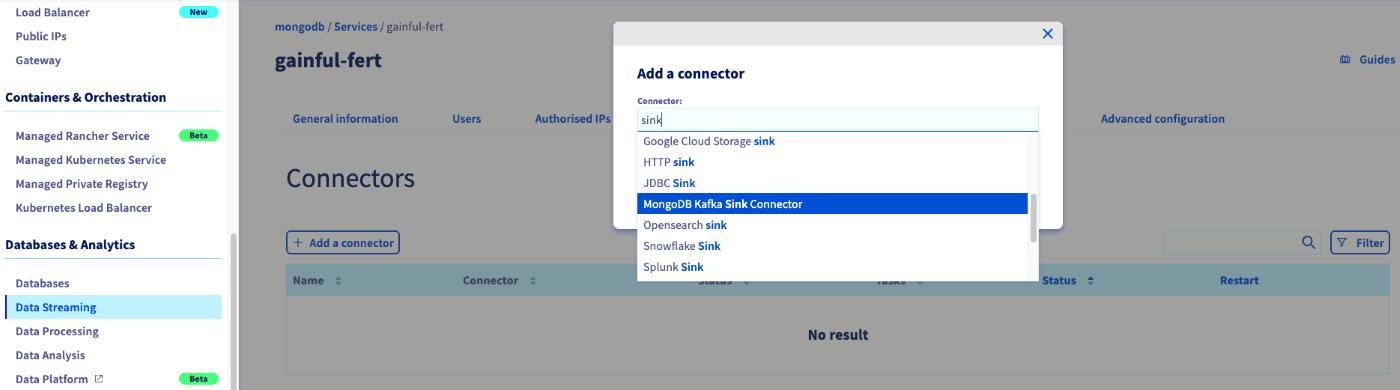
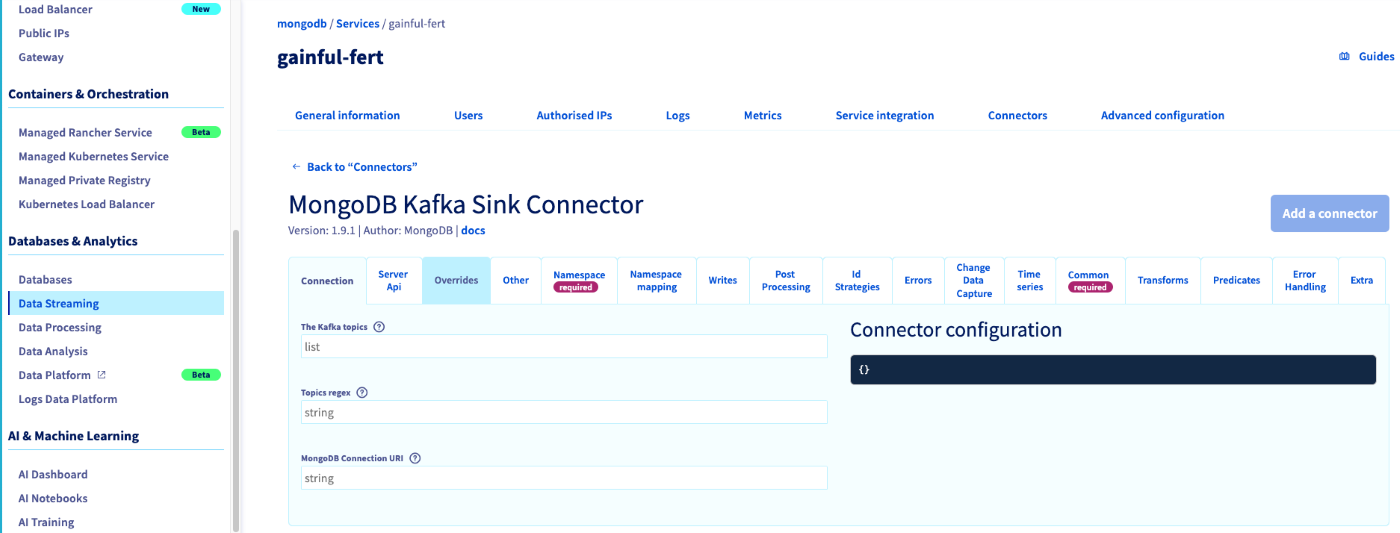
Under Connectors tab in KafkaConnect, click the + Add a Connector and then select either MongoDB Kafka Sink Connector or MongoDB Kafka Source Connector.
Step 4: Configure the Connector
You can refer to Sink Connector Configuration Properties and Source Connector Configuration Properties to complete the setup.
Monitoring
Learn how to monitor your MongoDB Kafka source and sink connectors in the Monitoring section.
Troubleshooting
Learn how to resolve issues you may encounter while running the MongoDB Kafka Connector in the Troubleshooting section.
Use Cases
- Data Streaming: Real-time data streaming from MongoDB to Kafka for analytics and monitoring.
- ETL Pipelines: Using Kafka as a central hub for ETL processes, with MongoDB serving as a source or sink.
- Microservices Integration: Synchronizing data across microservices architectures, ensuring consistent data states.
- Event-Driven Architectures: Building event-driven systems where MongoDB and Kafka work together to handle events and triggers efficiently.
We want your feedback!
We would love to help answer questions and appreciate any feedback you may have.
If you need training or technical assistance to implement our solutions, contact your sales representative or click on this link to get a quote and ask our Professional Services experts for a custom analysis of your project.
Join our community of users.
Are you on Discord? Connect to our channel at https://discord.gg/ovhcloud and interact directly with the team that builds our databases service!


 Configure an Analytics node for Public Databases for MongoDB
 255
255