

Anti-Hack information - Dedicated Server and VPS
2 visualizaciones
 29.04.2026
  Cloud / Servidor dedicado (bare metal)
Learn what happens when OVHcloud's Anti-Hack protection activates on your Dedicated Server or VPS.
Requirements
- a Dedicated Server or VPS that has been hacked
- access to the OVHcloud Control Panel
Anti-Hack information
Dedicated Server
When Anti-Hack protection is triggered on your Dedicated Server, you will see a message in the OVHcloud Control Panel: "Your server has been hacked. Please contact our support team for instructions on what to do next."
Depending on the criticity of the Anti-Hack protection triggered by OVHcloud, the following actions will be allowed/required in order to recover the full service on the server.
| Status | Expected actions |
|---|---|
| Hacked | Restart the server or ask OVHcloud to reinstall the server |
| HackedBlocked | Collect data through FTP on server booted in FTP rescue system |
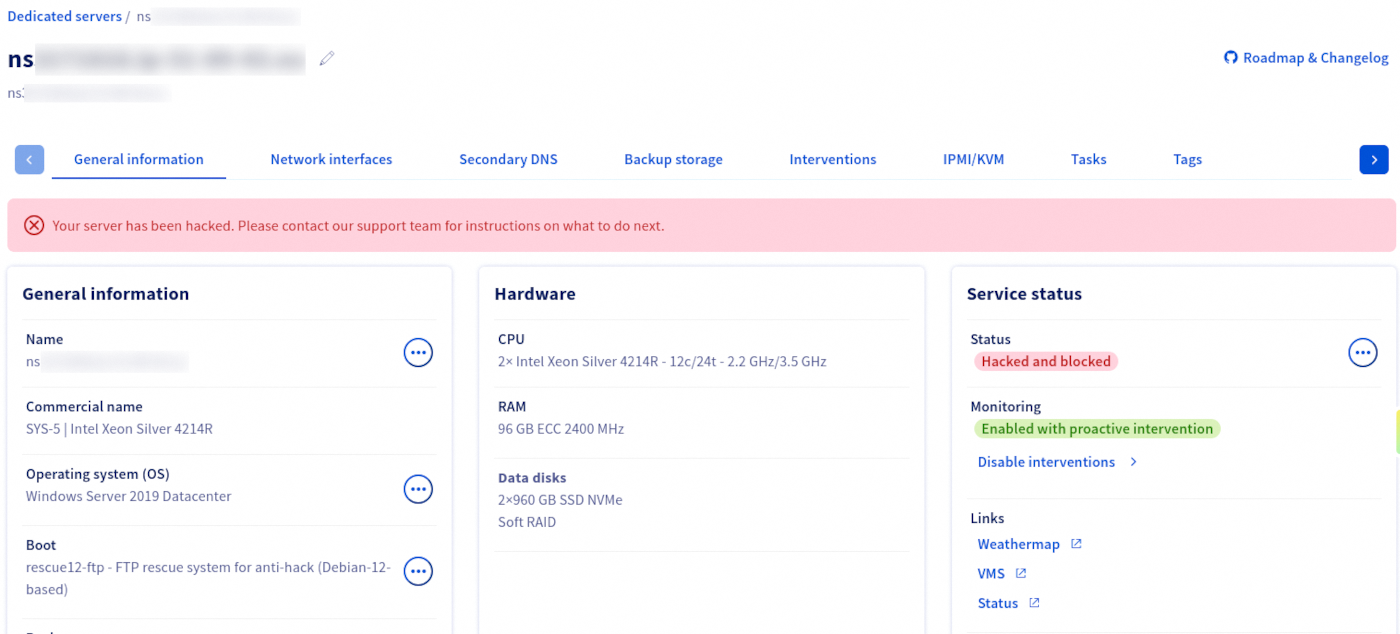
In the case your server is placed in rescue FTP mode, OVHcloud will also open a support ticket on your behalf containing the following:
Dear Customer,
As your server nsXXXXXXX.ip-XXX-XXX-XXX.eu is presenting too great a threat to our network, we had no choice but to place it in 'rescue FTP' mode. An email containing a username and password has been sent to you so that you can easily retrieve any data still located in the storage space.
Please do not hesitate to contact our technical support so that this situation does not become critical.
You can find the logs brought up by our system below which led to this alert.
- START OF ADDITIONAL INFORMATION -
- END OF ADDITIONAL INFORMATION -
Kind regards,
OVHcloud Customer Support The OVHcloud Team
VPS
When Anti-Hack protection is triggered on your VPS, it may be placed in rescue mode depending on the severity of the threat detected.
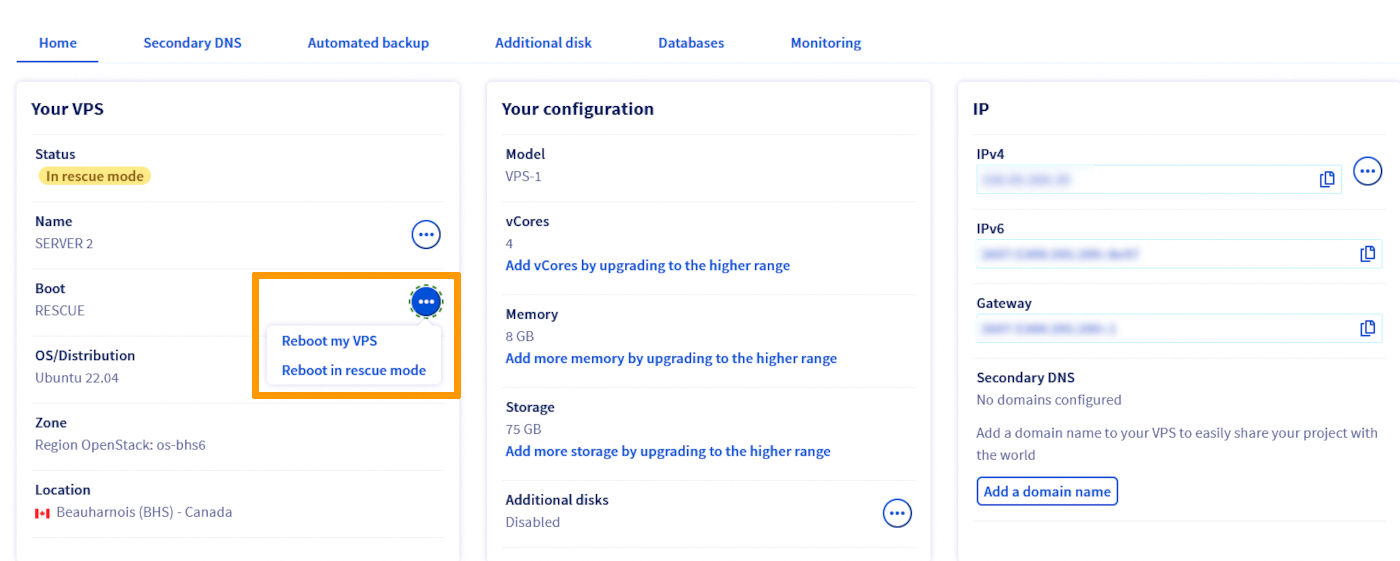
In the case your VPS is placed in rescue mode, OVHcloud will also open a support ticket on your behalf containing the following:
Dear Customer,
Abnormal activity has been detected on your VPS vps-XXXXXXXX.vps.ovh.net.
Your VPS has been placed in rescue mode. This is so that you can intervene on your VPS to resolve the issues flagged up. An email containing information on rescue mode has been sent to you.
Actions can no longer be carried out on your VPS via your Manager/API. Only the following actions are possible:
- Reinstallation of your VPS.
- Use of rescue mode to resolve the problems flagged.
Once the issues have been resolved, please contact our technical support to get it restored to normal mode.
Please do not hesitate to contact our technical support team so that this situation does not become critical.
You will find the logs brought up by our system below, which led to this alert.
Please take note of the bottom part of the message stating: "Once the issues have been resolved, please contact our technical support to get it restored to normal mode. Please do not hesitate to contact our technical support team so that this situation does not become critical."
Go further
Join our community of users.


 Proteger un servidor dedicado
 7144
7144