

Maintenance operations for Analytics
84 visualizaciones
 03.02.2025
  Common
Objective
OVHcloud Analytics services allow you to focus on building and deploying cloud applications while OVHcloud takes care of the infrastructure and maintenance.
This guide explains how your analytics service schedules and performs maintenance operations.
Why maintenance operations?
Sometimes during a cluster lifecycle, it may happen that some action is required to keep it running smoothly. For example, a new patch version of some underlying OS package might get released to provide some fixes.
How are those operations carried out?
- At some point, the system finds out that a maintenance operation becomes necessary. For example, a new version of some package participating in the service installation may become available.
- It then exposes a new maintenance operation for your service, with a description showing what needs to be done, a status (
SCHEDULED,APPLYING,APPLIED) and a scheduled date. That date is computed using the "maintenance time" property of your service. - The operation is triggered when the scheduled date is reached.
What is the expected impact on the service?
The underlying VM often needs to be rebuilt, or the service needs to restart.
For single node services, that means there is a short period of time when your service becomes unavailable.
For multi-node services, per-engine resiliency mechanisms ensure the service remains available when a node gets operated on. If the application handles such cases gracefully (for example, reconnects and retries properly on failure) then the impact should be minimal or even non-existent.
How can I monitor the planned maintenances?
You can get a list of maintenances for a service through the dedicated API endpoint for each engine:
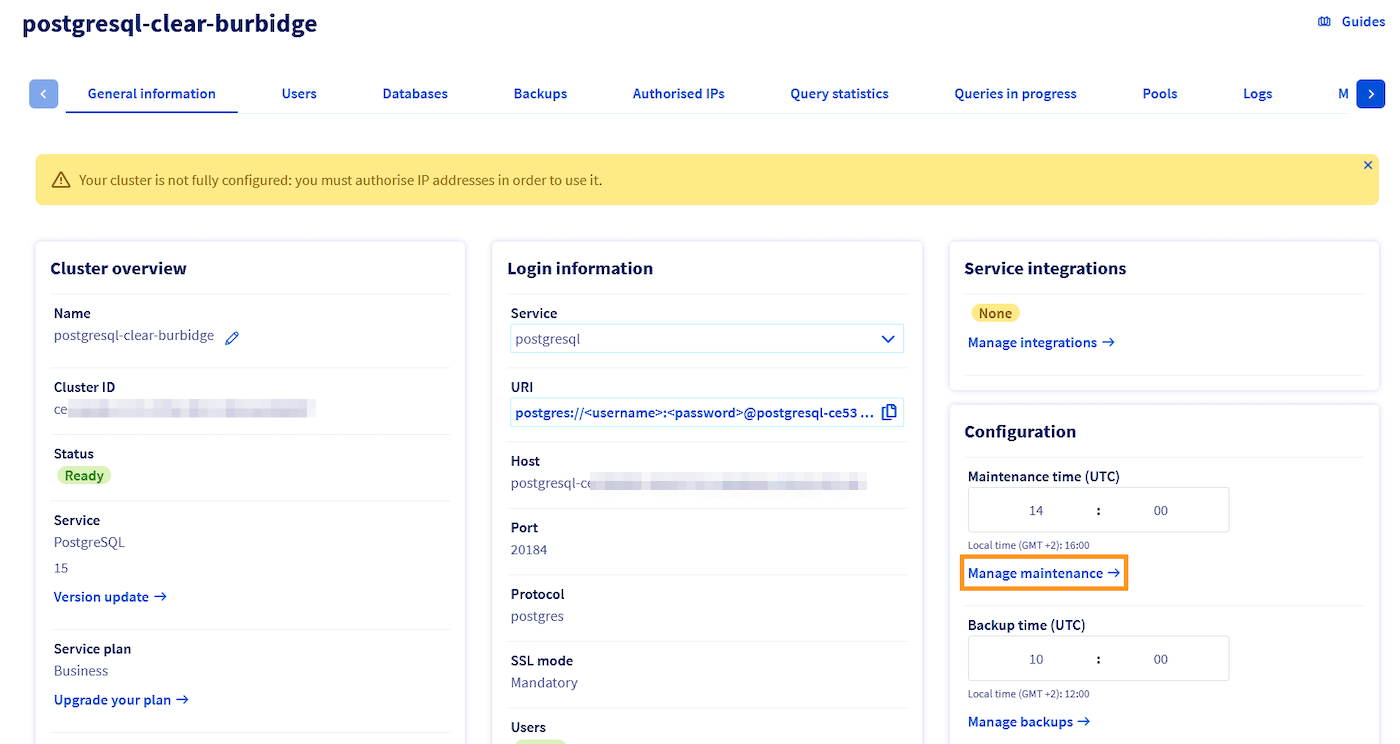
If you are not familiar with using the OVHcloud API, please refer to our guide on Getting started with the OVHcloud API.
How can I control the scheduling?
You can change the maintenance schedule for your service to a slot that suits you better. For example, if your application is less busy at night, you can target that timeframe. Be aware that this only affects future maintenance operation scheduling, it won't reschedule already existing operations.
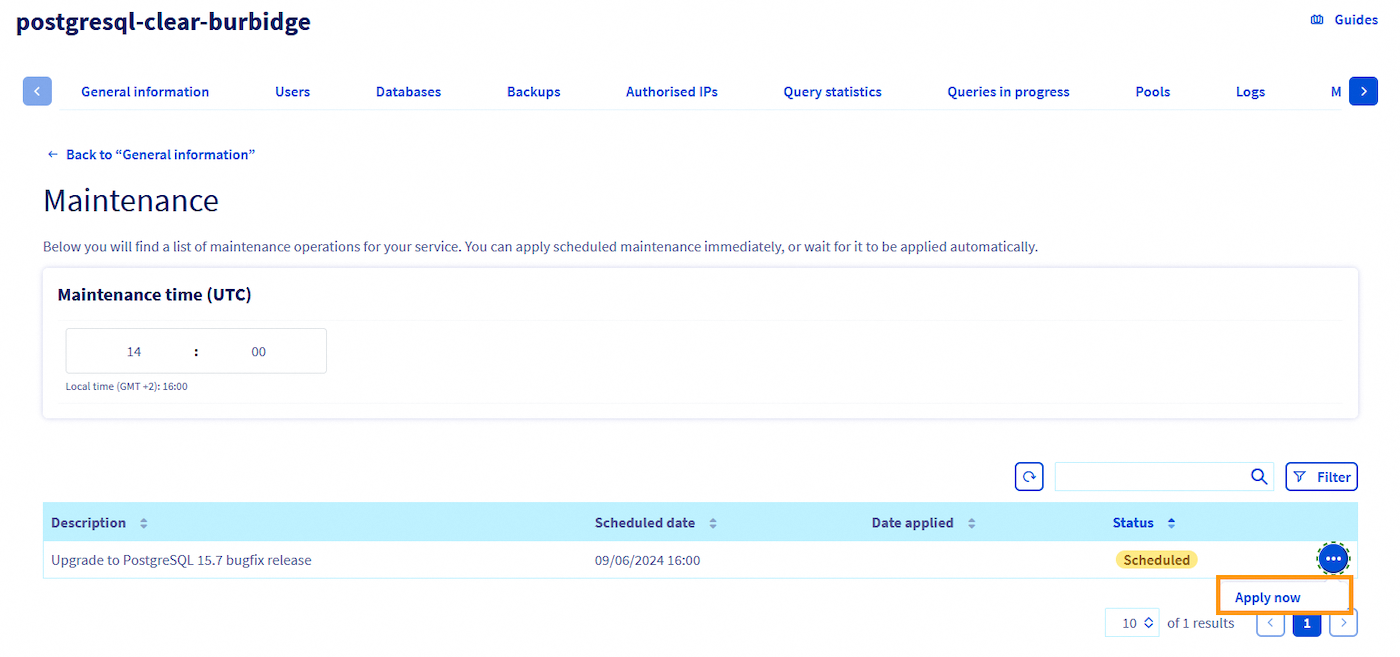
You can also decide to preemptively apply some operations, using this API endpoint:
This might be a good idea if e.g. you want to prepare for a busy period and thus want to avoid disturbances during that time.
We want your feedback!
We would love to help answer questions and appreciate any feedback you may have.
If you need training or technical assistance to implement our solutions, contact your sales representative or click on this link to get a quote and ask our Professional Services experts for a custom analysis of your project.
Are you on Discord? Connect to our channel at https://discord.gg/ovhcloud and interact directly with the team that builds our analytics service!
Join our community of users.


 Configure the advanced parameters for Analytics
 93
93