

Troubleshooting an "Index of" page
5121 Views
 28.10.2025
  Web / Web Hosting
Objective
An "Index of" page appears in at least one of the following cases:
- The configuration of your domain name with your website is not correctly set to your target directory.
- The target folder to which your domain name points does not contain index.html or index.php files.
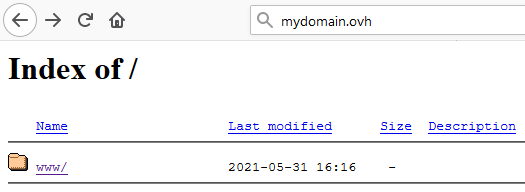
This guide explains how to troubleshoot the display of an "Index of" page.
OVHcloud is providing you with services for which you are responsible, with regard to their configuration and management. You are therefore responsible for ensuring they function correctly.
This guide is designed to assist you in common tasks as much as possible. Nevertheless, we recommend that you contact a specialist service provider and/or discuss the issue with our community on if you have difficulties or doubts. You can find more information in the Go further section of this guide.
Requirements
OVHcloud Control Panel Access
- Direct link: Web hosting
- Navigation path:
Web Cloud>Hosting plans> Select your web hosting plan
Instructions
Understanding the origin of the "Index of" page
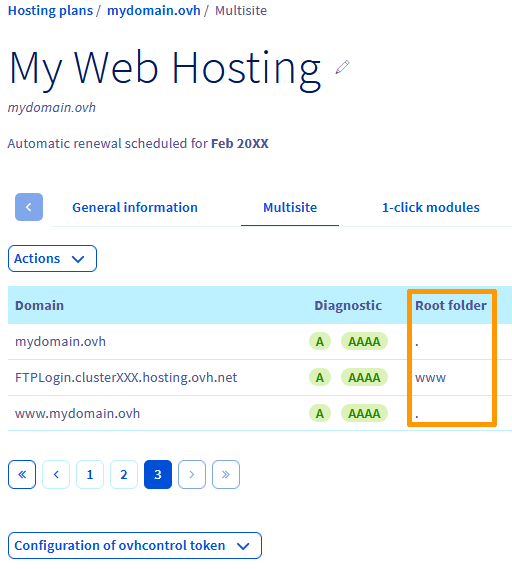
Your domain name is declared to access a target directory (a Root Folder) on the server FTP of your web hosting plan. You can do this via the Multisite tab in your web hosting plan, in your OVHcloud Control Panel.
The "Index of" page indicates that the target directory does not contain a index.php or index.html file. A file of this type is the entry point for your website. This file name is standardised.
To view your website, you will need to link your domain to the Root folder containing this file index.php or index.html to view it from the Multisite section of your hosting plan.
If you want to temporarily link your domain to a Root folder that does not contain an index.php or index.html file, you can prevent the list of folders from being displayed on your site by following this tutorial. You can also protect access to your folders with a password.
We recommend that you contact a specialist provider if you have difficulties setting up this configuration. Indeed, our support teams will not be able to assist you with any changes to the internal programming of your website.
Resolving the most common cause of an "Index of" page
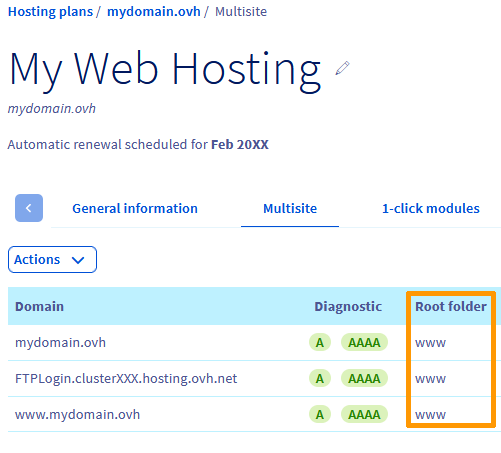
You have imported the files of your site mydomain.ovh into the www folder of your hosting. However, your domain name is not linked to this folder in the Root folder column of your website.
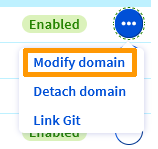
Modify the Root folder by clicking on the ... button in the row of the domain name concerned, then Modify domain:
In the window that opens:
- Select the
Also modify the www.mydomain.ovh sub-domain(1) box. - Specify the directory containing your site's index.php or index.html file as
Root folder(2). - Click on
Next(3).
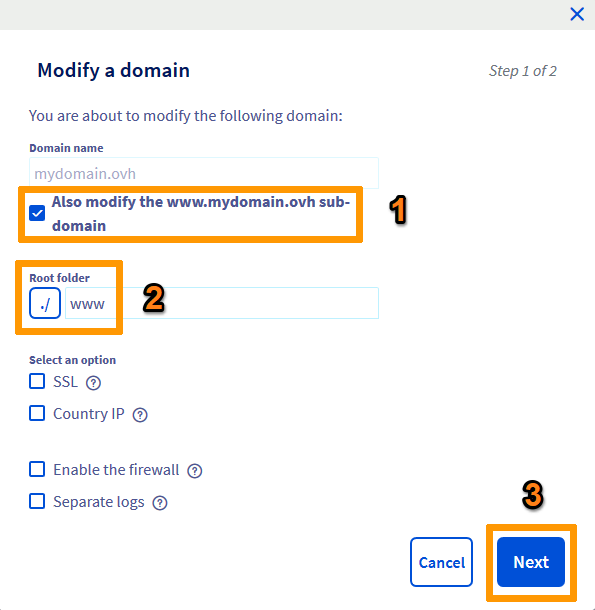
It is not mandatory to use the www directory as Root folder. You can install your website in another folder on your FTP server.
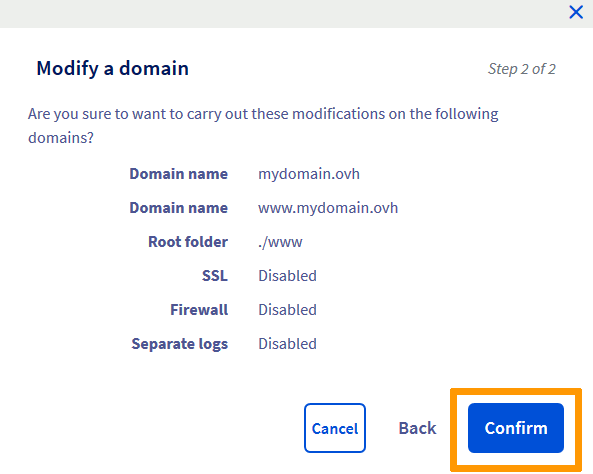
In the next window, click on Confirm.
In a few minutes (remember to refresh your browser), you will see the following result:
Finally, check that your website appears correctly. Otherwise, reboot your device and clear your browser cache if necessary.
Also make sure that a index.php or index.html file is present in your target directory.
Go further
Resolve the most common 1-click module errors
Resolve the "Website not installed" error
Hosting multiple websites on your Web Hosting plan
For specialised services (SEO, development, etc.), contact OVHcloud partners.
If you would like assistance using and configuring your OVHcloud solutions, please refer to our support offers.
Join our community of users.


 Resolving a “Site not installed” error
 7871
7871