

NSX-T: retrieving logs
3502 Ansichten
 20.10.2023
  Cloud / VMware
Objective
NSX is a Software-Defined Networking (SDN) solution provided by VMware. OVHcloud is offering this service in place of NSX-V in its VMware on OVHcloud solution.
At the moment (18th September 2023), due to the implementation by OVHcloud, it is not possible to export the logs of an NSX-T via a syslog server. To remedy this, you can retrieve a few logs via API calls.
Find out how to get NSX node logs using the dedicated API.
Requirements
For the current version of NSX to work, two hosts are deployed with a dedicated virtual machine for NSX on each host, allowing redundancy in the event of one of the hosts failing.
Moreover, the following prerequisites are required:
- NSX hosts are deployed.
- A user with NSX access rights.
- You need to verify that the node is enabled.
Instructions
Gather the logs with API
Before logs can be retrieved, you will need to enable the logging option on the corresponding rule.
Warning: by default, logs are not enabled on rules!
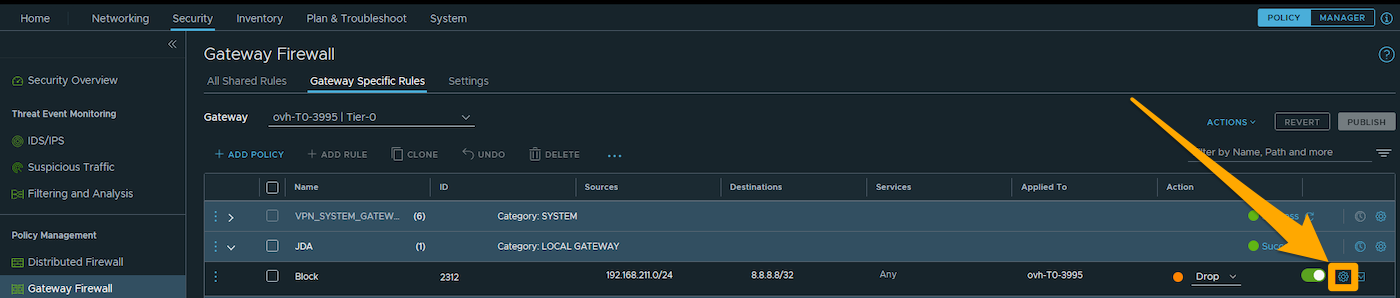
For example, consider a rule that blocks all IP addresses between 192.168.211.0/24 and 8.8.8.8/32.
To access the configuration of a rule, click the settings button (in the form of a cogwheel) to the right of the rule you have chosen.
The rule settings are then available. Enable the logging option that should switch to green.
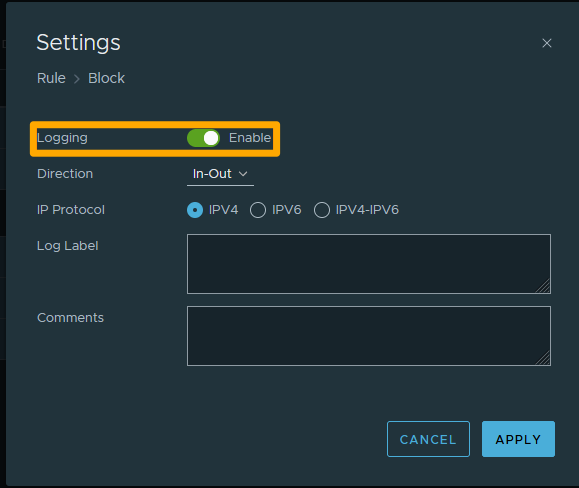
Make sure to apply the new configuration and publish it.
Gather the logs
- To have access to the logs, you must identify the Edge NSX ID. To do this, use this first API call:
- This API call returns the two IDs of your two Edge nodes:
- Once you have retrieved the ID of your Edge node, make an API call to get the logs for your Edge node:
- The call then returns the logs associated with your rule:
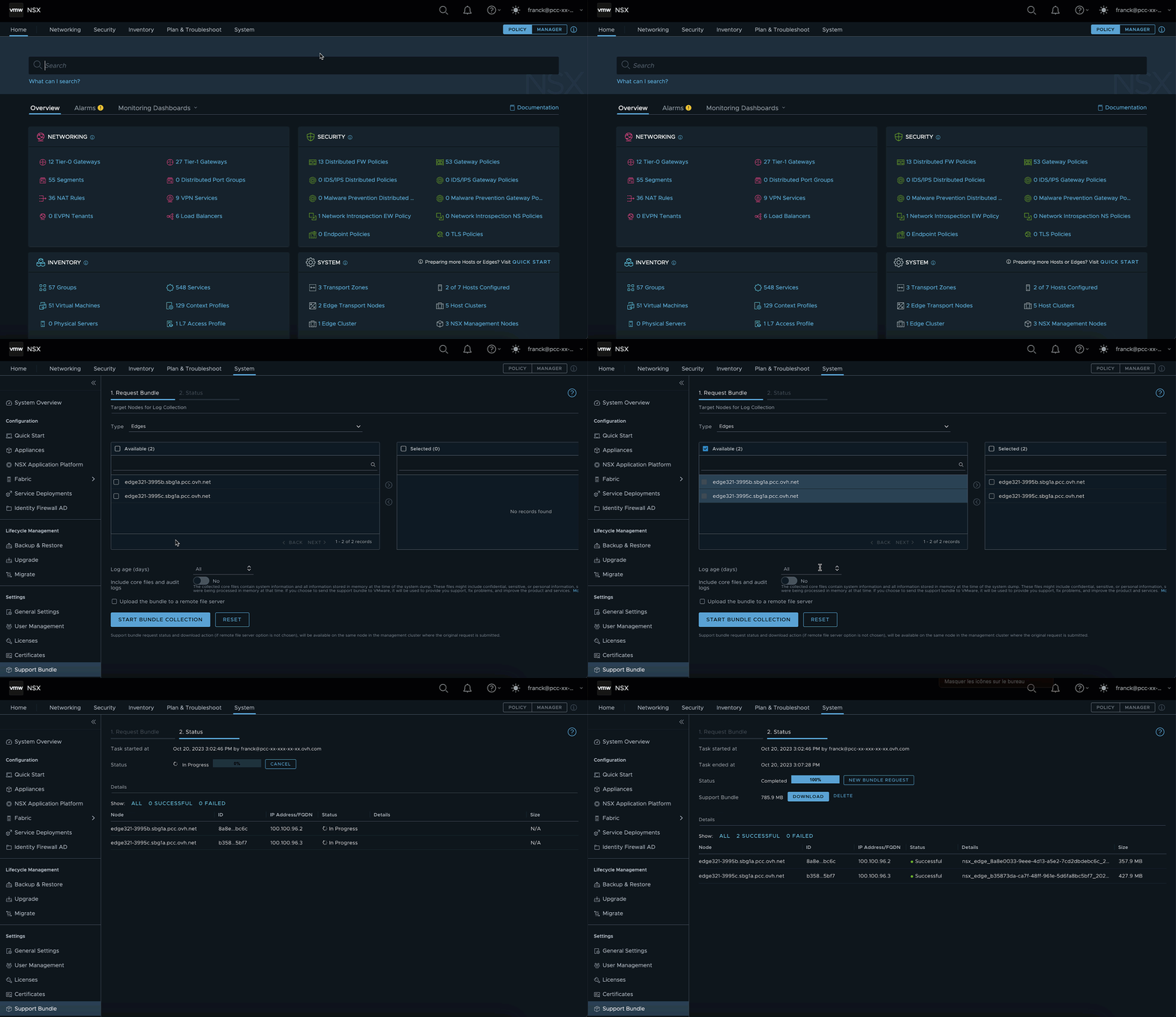
Retrieving logs with bundle
To download the bundle support for your nodes or cluster to your file server/machine, follow the official VMware documentation
Go further
NSX-T Datacenter Rest API documentation
Join our community of users on https://community.ovh.com/en/.


 NSX-T: retrieving logs (EN)
 222
222