

What should I do if the page “Your IP has been banned” appears?
58 Views
 11.07.2025
  Web / Web Hosting
Objective
The shared infrastructure where OVHcloud web hosting plans are located has several security systems.
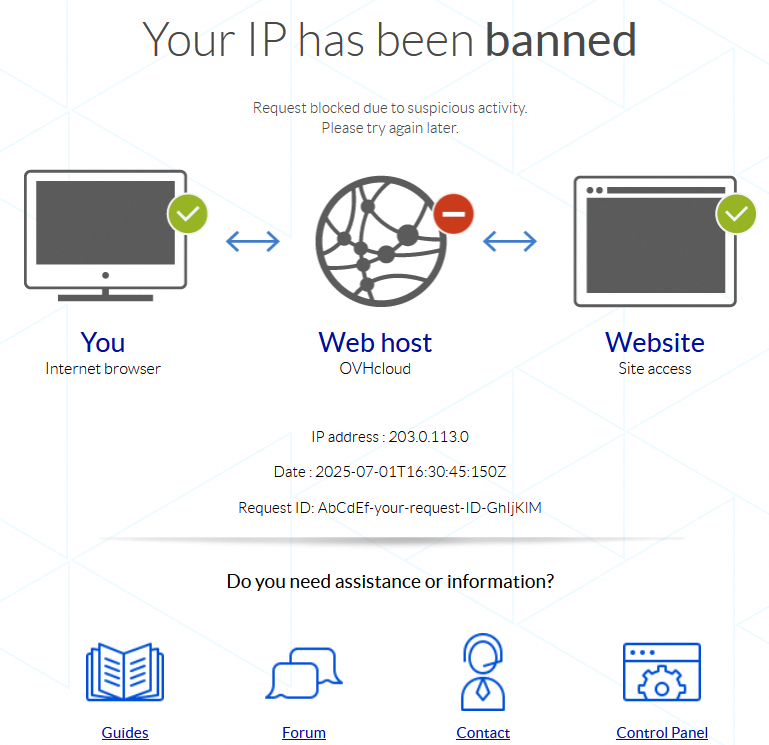
If your website displays a “Your IP has been banned” page, this means that the IP address from which you are trying to access your website has been temporarily blocked by our security systems.
Find out how to unblock your IP address if your website displays a “Your IP has been banned” page.
Requirements
- An OVHcloud web hosting plan
- The login details to access your web hosting plan’s FTP storage space
Instructions
The “Your IP has been banned” page may appear for a number of reasons (non-exhaustive list):
- A very large number of requests, similar or not, are made in an extremely short time from the same IP address.
- Requests made from the IP address in question are suspicious.
1 - Retrieve the information on the page “Your IP has been banned”
First, retrieve the information below that appears on the “Your IP has been banned” page:
IP address(e.g.: 203.0.113.0)Date(for example: 2025-07-01T16:30:45:150Z)Request ID(for example: AbCdEf-your-request-ID-GhIjKlM)
2 - Contact support
Once this data is collected, create a support ticket from the OVHcloud Help Center, specifying:
- The message found on the page (“Your IP has been banned”).
- The three elements retrieved earlier (
IP address,DateandRequest ID). - The URL from which the page is displayed (for example:
https://www.domain.tld/index.php). - The Internet browser used.
The support team will get back to you as soon as possible to confirm the origin of this blockage.
Go further
Use cases - What to do if your Website is hacked
For specialised services (SEO, development, etc.), contact OVHcloud partners.
If you would like assistance using and configuring your OVHcloud solutions, please refer to our support offers.
Join our community of users.


 Fixing the 500 Internal Server Error
 572
572