

Configuring NTP on the Private Gateway
2 Views
 23.04.2026
  Configuration
Objective
The private gateway allows you to use an NTP server.
This guide explains how to configure the NTP service on the private gateway of your Hosted Private Cloud infrastructure.
Requirements
- A Hosted Private Cloud solution.
- Access to the vSphere management interface.
- Having enabled the private gateway.
- Having created your OVHcloud API credentials and being connected to the OVHcloud API.
Instructions
Architecture
The private gateway is not routed by default. Only machines on the same subnet can access the NTP server directly. For access from another network, a source NAT must be configured.
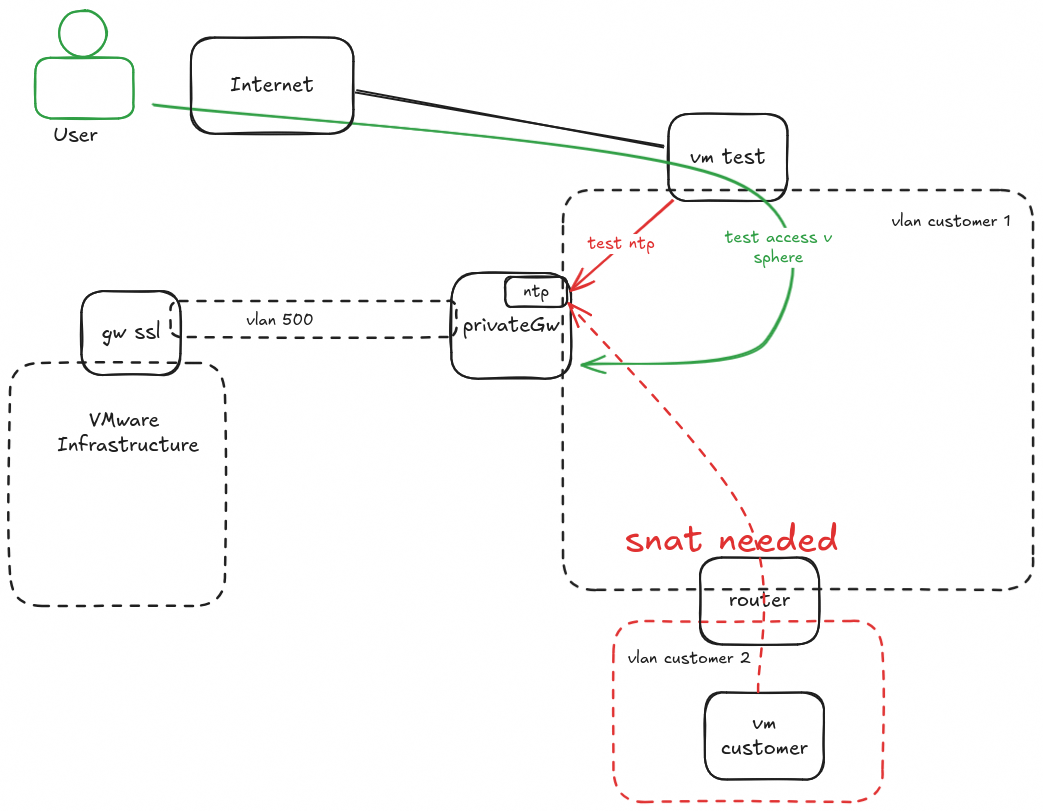
Configuring NTP on the private gateway
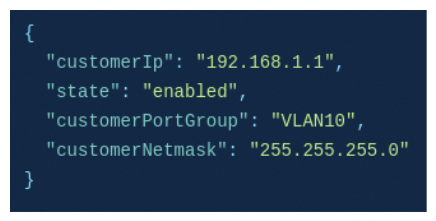
Retrieve the private gateway IP address
Make the following API call to retrieve the private gateway information and get the value of customerIp:
Install chrony
On the relevant VM, run the following command:
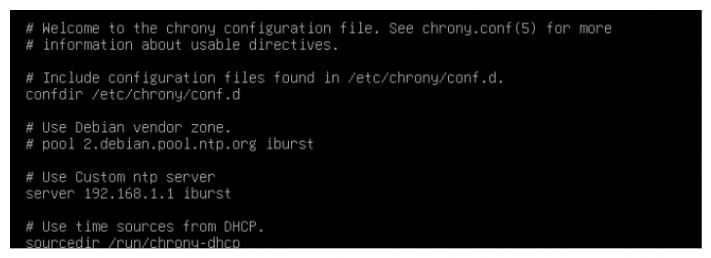
Configure chrony
Edit the /etc/chrony.conf file by adding the private gateway server IP address and removing the default configuration.
Restart chrony
Restart the chrony service:
Check the client
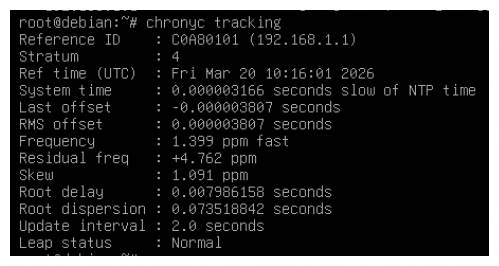
Verify that the VM is correctly connecting to the server:

Verify that the synchronization is working:
Go further
Join our community of users.


 Segment management in NSX
 299
299