

Securing Prism Central Web access
84 Views
 11.01.2022
  Cloud / Nutanix on OVHcloud
Objective
After delivery, Prism Central is accessible on the public Internet. Access restriction to one or more IP addresses can be achieved through the OVHcloud Load Balancer.
This guide explains how to secure access to Prism Central.
OVHcloud is providing you with services for which you are responsible, with regard to their configuration and management. You are therefore responsible for ensuring they function correctly.
This guide is designed to assist you in common tasks as much as possible. Nevertheless, we recommend that you contact the OVHcloud Professional Services team or a specialist service provider if you have difficulties or doubts concerning the administration, usage or implementation of services on a server.
Requirements
- A Nutanix cluster in your OVHcloud account
OVHcloud Control Panel Access
- Direct link: Nutanix
- Navigation path:
Hosted Private Cloud>Nutanix> Select your cluster
Instructions
Step 1: Find the relevant Load Balancer
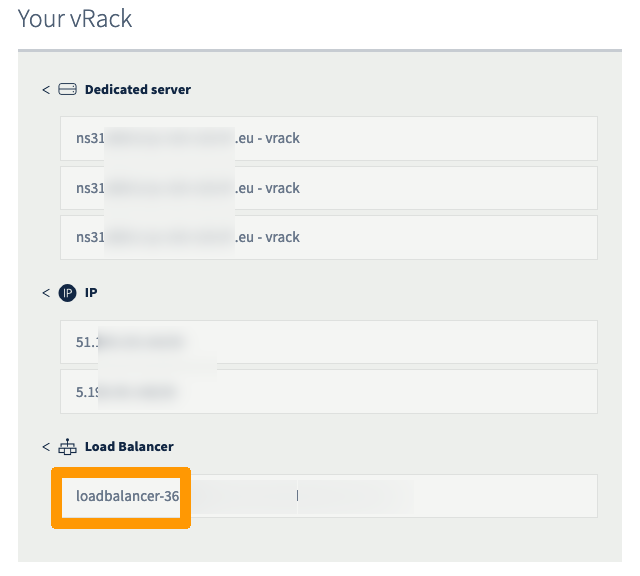
Open the Nutanix cluster vRack configuration page.
Identify the name of your Load Balancer.
Step 2: Access your Load Balancer front-ends
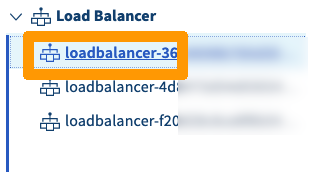
Select your Load Balancer identified in the previous step.
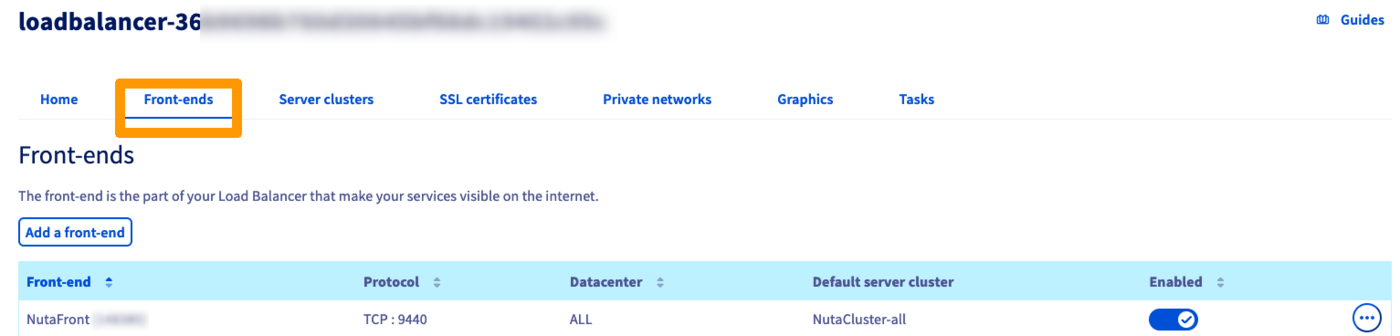
Open the Front-ends tab.
Step 3: Edit the Prism Central front-end
Click on the ... button in the table and select Edit.

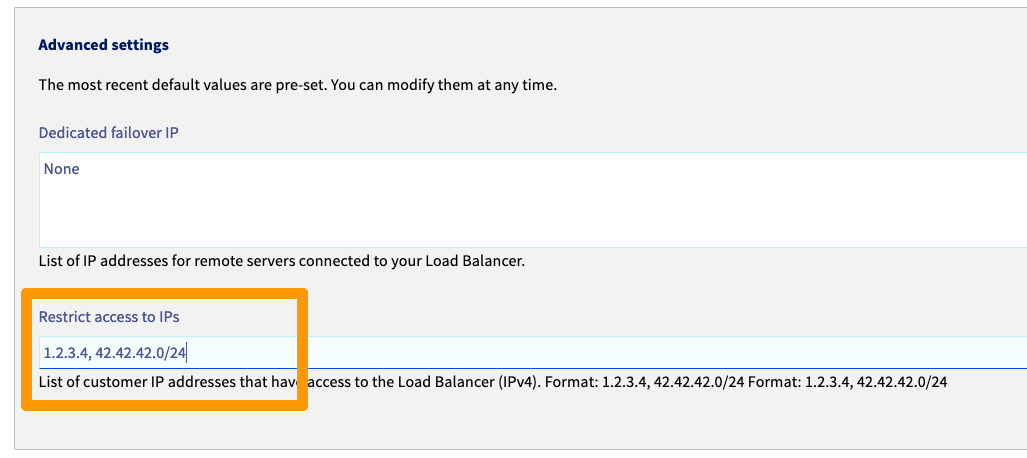
Step 4: Add the authorised IPs
In the advanced settings, you can now add your public ISP IP address or any IP addresses from which acesss should be granted to Prism Central Web.
Go further
If you need training or technical assistance to implement our solutions, contact your sales representative or click on this link to get a quote and ask our Professional Services experts for assisting you on your specific use case of your project.
Join our community of users on https://community.ovh.com/en/.


 IPsec interconnection between two sites
 67
67