

Object Storage Swift - Synchronise Synology NAS with Object Storage
3468 Views
 22.05.2023
  Cloud / Object Storage S3
Objective
Synology DiskStation Manager 7.0 provides a tool for synchronisation with different cloud solutions.
It is compatible with the OVHcloud Public Cloud Object Storage and lets you back up your data and access it from any location. This guide explains how to configure DiskStation Manager 7.0 so that you can synchronise your NAS files and your Object Storage.
DiskStation Manager 6 is not compatible with OVHcloud Public Cloud Object Storage.
Requirements
Instructions
DiskStation Manager 7.0 configuration
Synology solutions such as DiskStation or Hyperbackup are not compatible with the Public Cloud Archive solution.
Retrieve your OpenStack credentials
To sync your NAS Synology, you need your OpenStack credentials.
You can retrieve them by downloading the OpenRC file using the first part of the following guide:
Setting OpenStack environment variables
Configuring the synchronisation point with Cloud Sync
Once you have your credentials, you can log in to your NAS and take the following steps:
-
Launch the Cloud Sync application
-
Select OpenStack Swift as a Cloud Provider
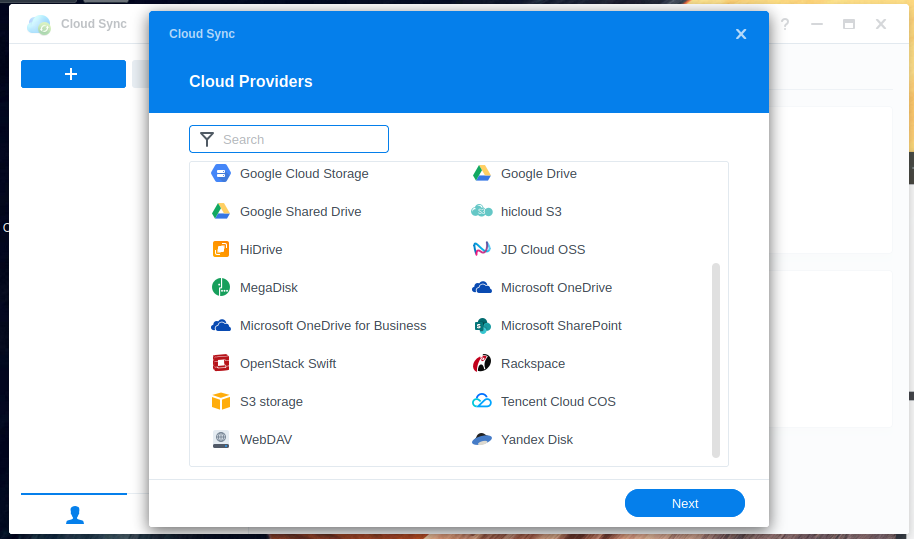
- Enter your OpenStack credentials:
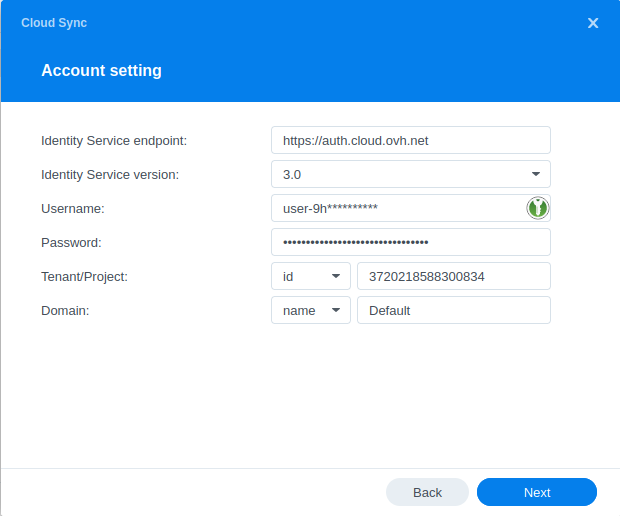
You can find this information in the OpenRC file which you downloaded in the previous step.
- Select the container's location and name:
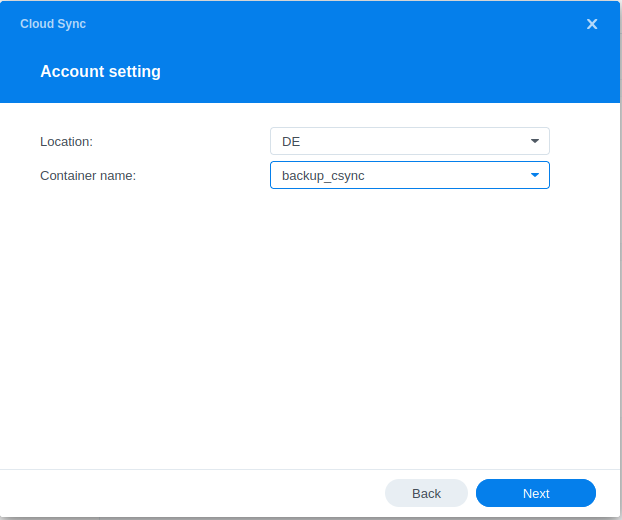
- Configure the folder to synchronise:
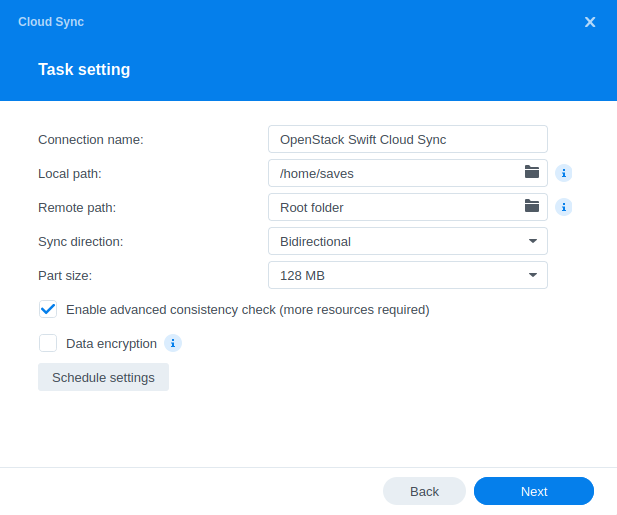
Go further
If you need training or technical assistance to implement our solutions, contact your sales representative or click on [this link]((https://www.ovhcloud.com/en/professional-services/) to get a quote and ask our Professional Services experts for assisting you on your specific use case of your project.
Join our community of users.


 Cloud Archive Swift - Managing your archives with Rsync
 795
795