

MX Plan - Delegating the management of your email accounts to another person
226 Views
 28.04.2025
  Web / MX Plan Email (legacy infrastructure)
Objective
By creating a delegation, you can enable an email account user to manage their own features (e.g. changing passwords). These features depend on the type of delegation set up:
-
Delegate all of your email accounts to one or more OVHcloud accounts. This type of delegation allows beneficiary customer accounts to manage filters, email auto-replies, redirections/aliases, and mailing lists.
-
Delegate one or more email accounts and their filters to a single OVHcloud account. This type of delegation does not allow recipients to manage email auto-replies, redirections, or mailing lists. It also does not allow recipients to delete the relevant email account(s), import emails from another account or manage delegations.
This guide explains how to delegate email accounts for your MX Plan solution.
Requirements
- an MX Plan solution, available as part of our Web Hosting plans, the 100M free hosting, or ordered separately as a standalone solution
OVHcloud Control Panel Access
- Direct link: MX Plan
- Navigation path:
Web Cloud>MX Plan> Select your MX Plan service
The following instructions are only eligible for the legacy MX Plan solution. For our current solution, there are no delegations. You can manage your password, filters and auto-replies for an email account directly via OWA (Outlook Web App). You can identify which version you are using with the table below.
| MX Plan legacy version | MX Plan new version |
|---|---|
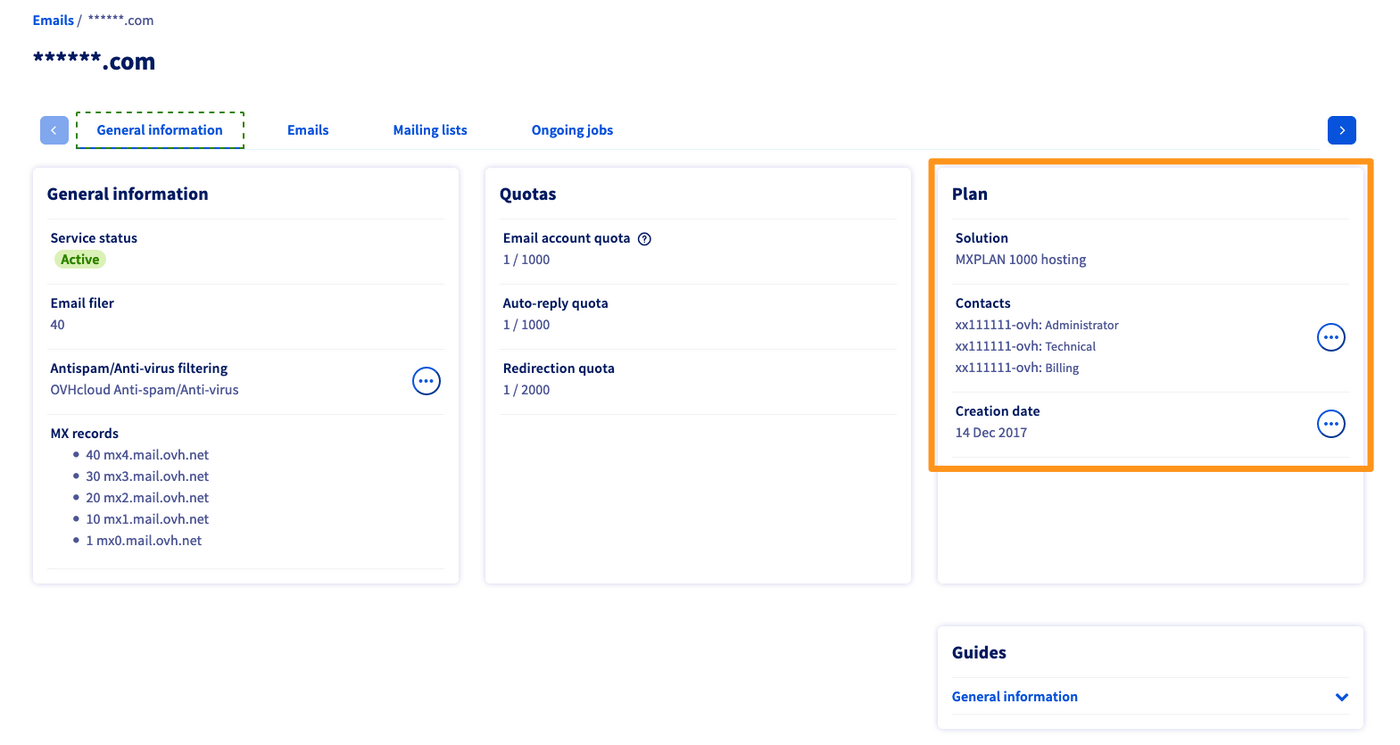 Find the solution in the section "Plan". | 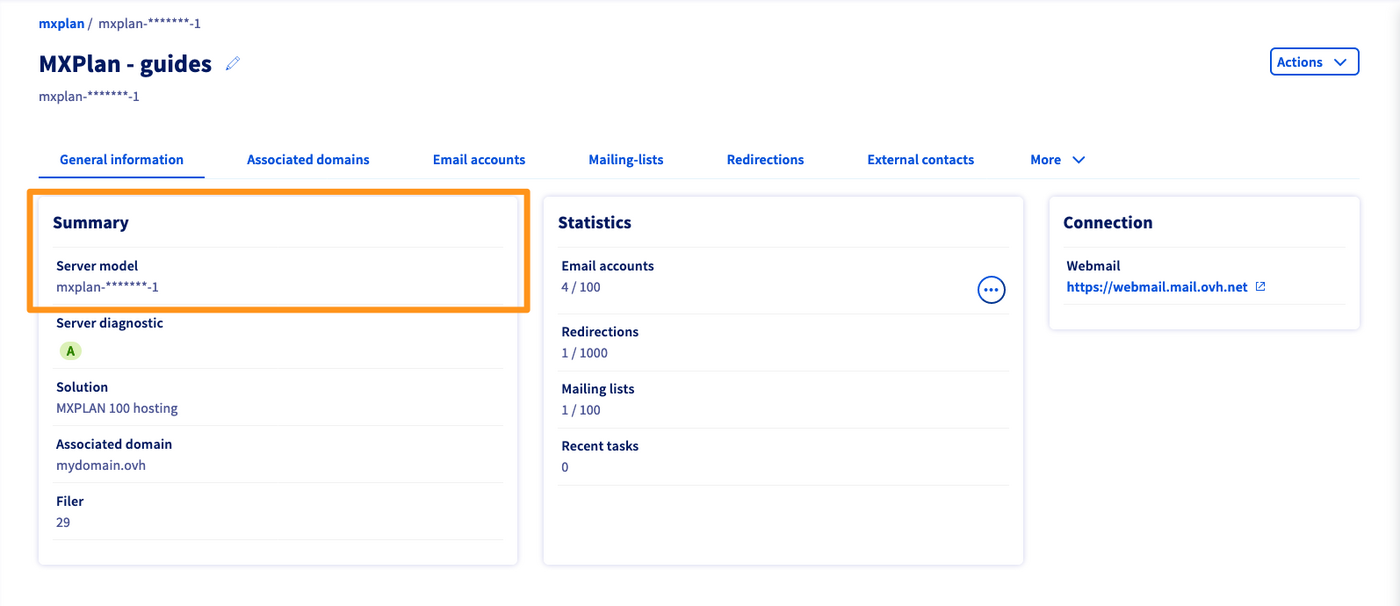 Locate the Server model in the section "Summary". |
| Continue reading this guide in the Instructions section below. | Continue with our guide on Accessing your email account with OWA. |
Instructions
When you set up a delegation on an email account, it will appear in the relevant Control Panel. However, only the modifications listed in the Objective section of this guide will be possible in this situation.
Switch to the tab Emails to view the list of email accounts in your MX Plan solution.
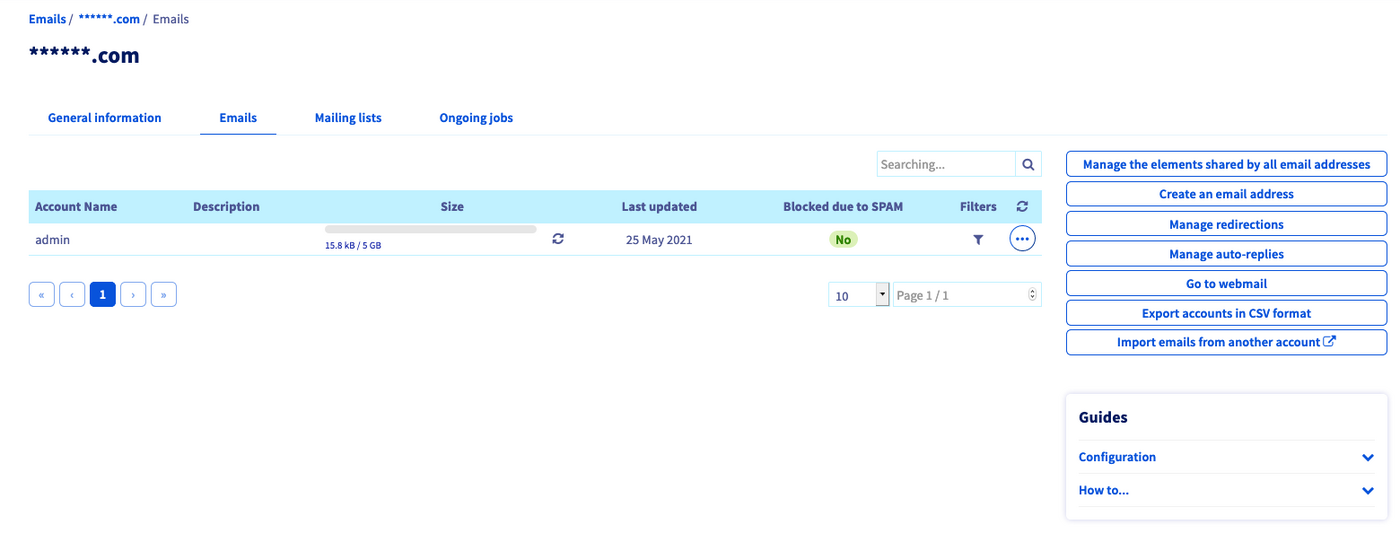
Delegating all of your email accounts to one or more OVHcloud accounts
This type of delegation allows its recipient to manage passwords, filters, email auto-replies, redirections/aliases, and mailing lists.
Click the button Manage the elements shared by all email addresses.
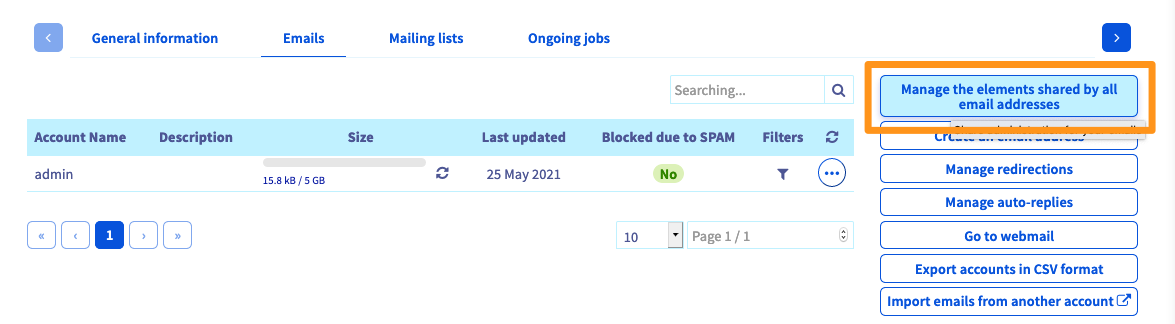
This opens a new section. Click the + button to the right of Add a username. Enter the OVHcloud NIC handle that will take advantage of this delegation, and confirm your choice.
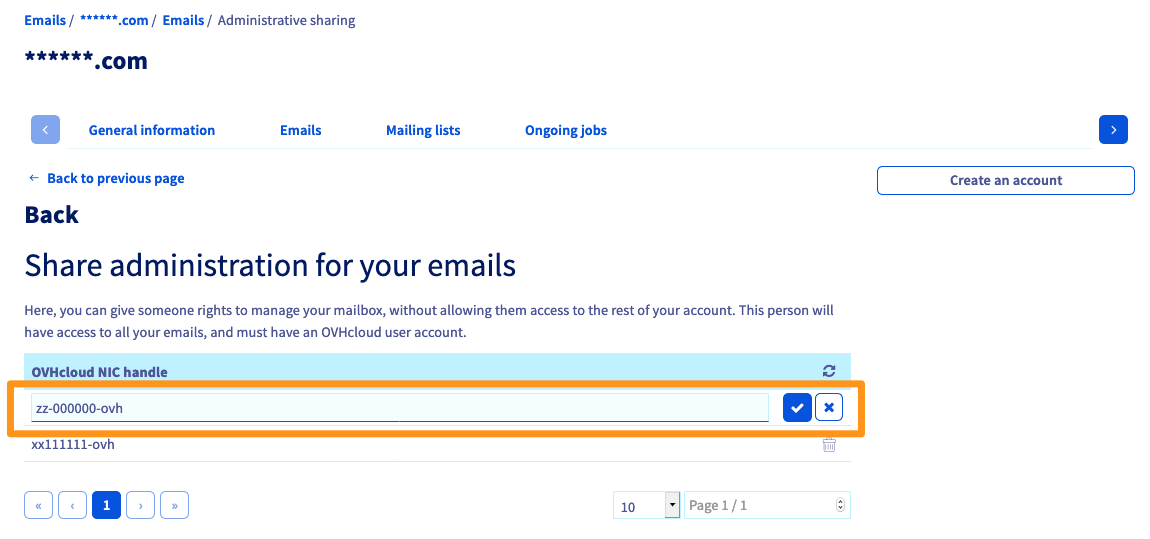
You can delegate the management of your MX Plan service to multiple OVHcloud customer accounts.
Delegating one or more email accounts to a user
With this delegation, the user can change the password for the email account concerned, and manage its filters.
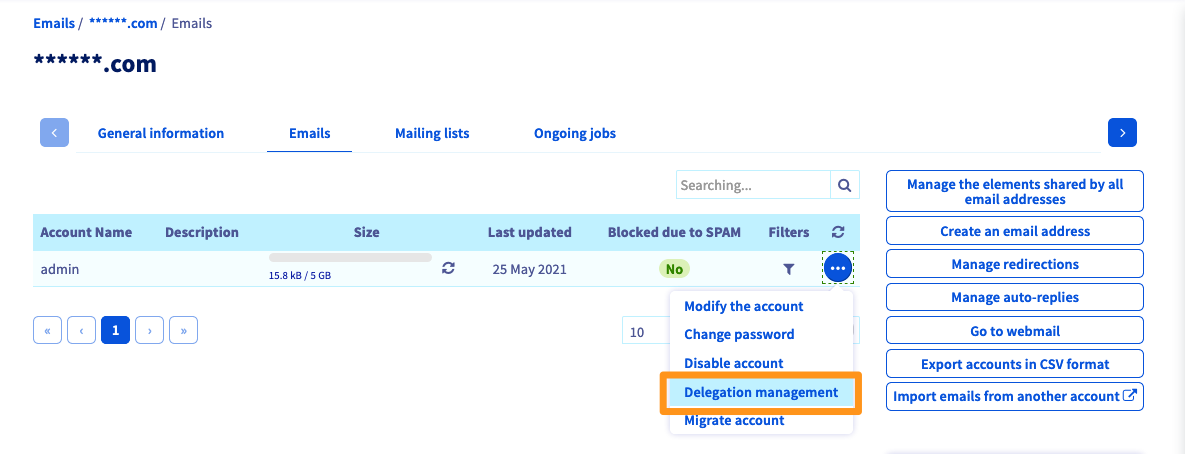
To the right of the email account you want to delegate, click on the ... button, then Delegation management.
Enter the OVHcloud NIC handle that will benefit from this delegation, and confirm your choice.
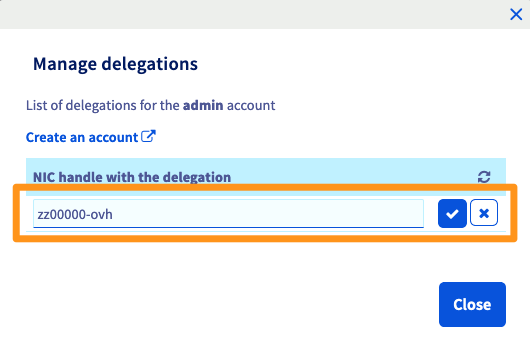
You can add multiple OVHcloud customer accounts to manage each email address.
Go further
Getting started with the MX Plan solution
Join our community of users.


 Creating filters for your email addresses
 2312
2312