

Mutualized input - OpenSearch API
1378 Views
 16.10.2025
  Cloud / Logs Data Platform
Overview
OpenSearch is the star component of our platform, making it possible to use OpenSearch indexes to store your documents. The OpenSearch indexes are quite flexible, but they are not part of the log pipeline. If you want to also use the Websocket live-tail, or the Alerting system or the Cold Storage feature, and have automatic retention management, then you will need to use the log pipeline. Thanks to our OpenSearch log endpoint, it shall enable you to send logs using the HTTP OpenSearch API. Moreover, the endpoint supports also OpenSearch Ingest, meaning you can use advanced processing on your logs before they are sent in the pipeline. There is no additional cost for this feature, all you need is a stream.
OpenSearch endpoint
The OpenSearch endpoint is a dedicated index where you can send a JSON document. The port used is the 9200, the same HTTP port used for all other OpenSearch APIs of Logs Data Platform. The request must include the X‑OVH‑TOKEN field, which is a token used by the logging pipeline, and any additional custom fields. Authentication for the endpoint is performed via basic username/password (or a legacy token) for non‑IAM users, or via an IAM Bearer token when IAM is enabled. Don't hesitate to go to the Quick Start documentation if you are not familiar with this notion. This document log will be transformed into a valid GELF log and any missing field will be filled automatically. In order to respect the GELF convention, you can also use all the GELF format reserved fields. Here is one example of the minimal message you can send:
or with IAM enabled
Replace the <user>, <password> and <ldp-cluster> with your Logs Data Platform username, password and cluster. You can also use tokens in place of your credentials. Sending this payload will result in this log:
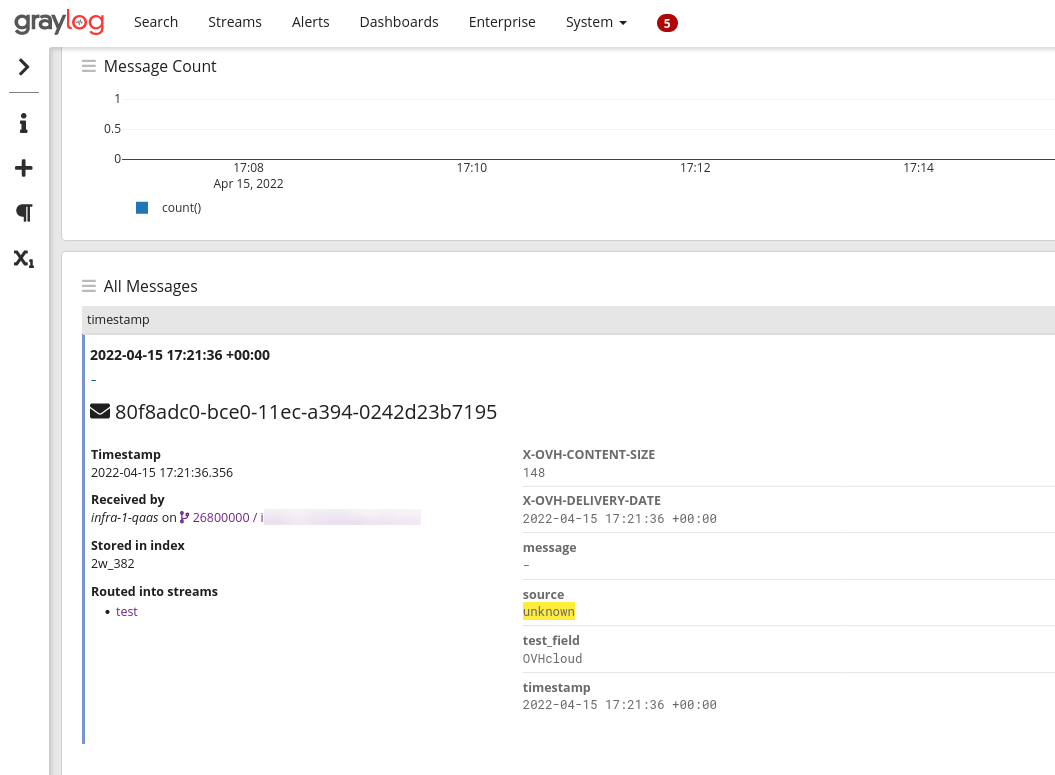
The system automatically set the timestamp at the date when the log was received and added the field test_field to the log message. Source was set to unknown and the message to -.
Note that the payload follows the JSON specification (and not the GELF one). The system will still recognize any reserved field used by the GELF specification. Here is another example:
This will create the following log:
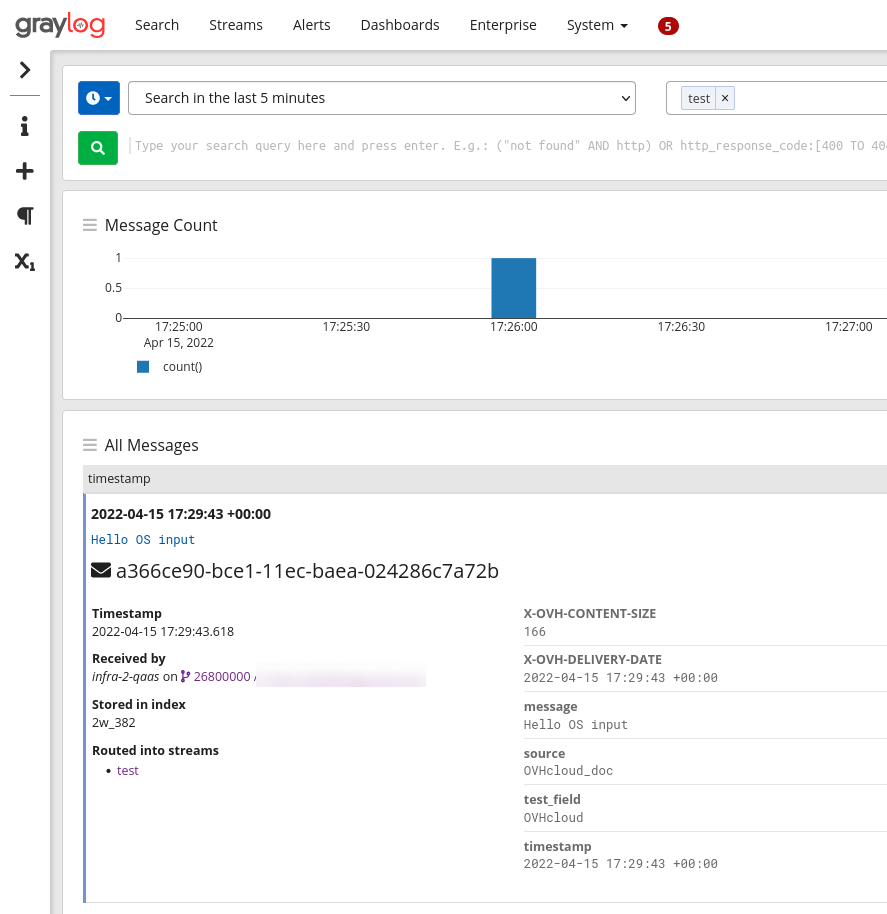
The system used the reserved fields associated with GELF to create the message and the source fields.
Logs Data Platform will also detect any typed field in the original data and convert them accordingly to our field naming convention. This last example illustrates it:
The numeric field numeric_field will be detected as a number and will be suffixed to follow our naming conventions.
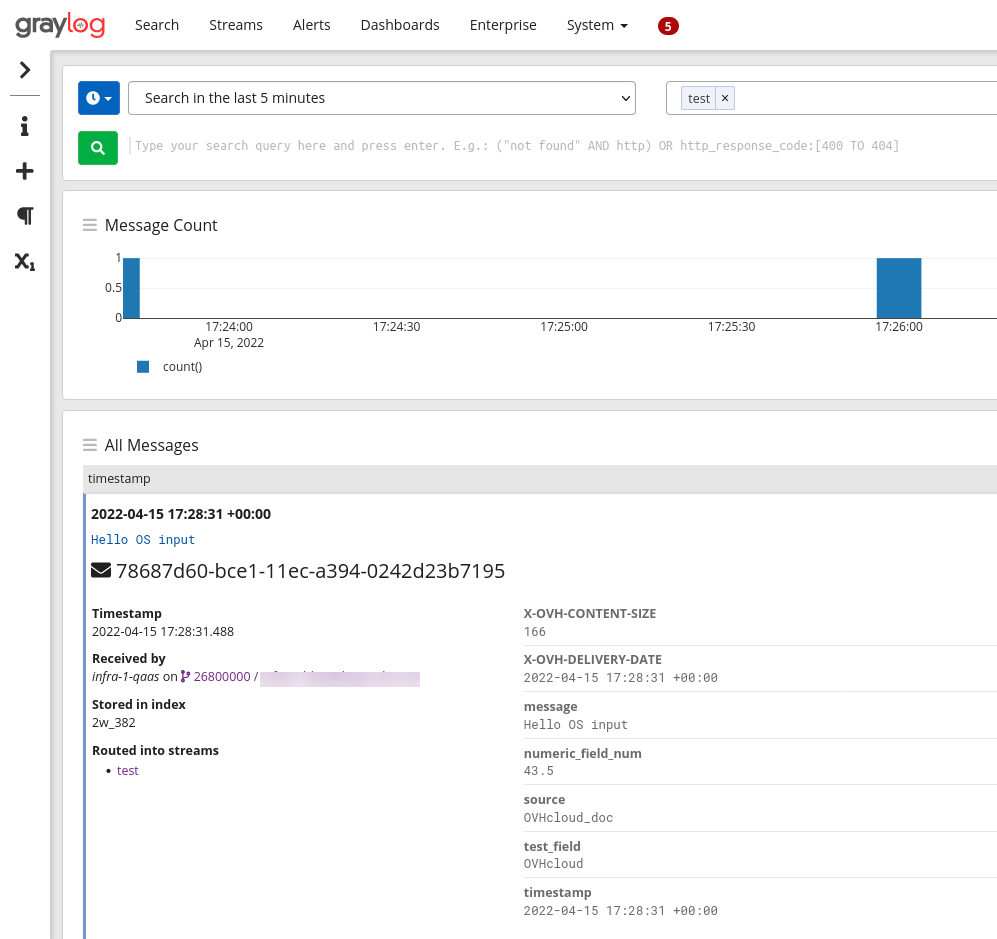
The OpenSearch input will also flatten any sub-object or array sent through it and also supports ingest pipelines that are used, for example, with Filebeat integrations.
Using the OpenSearch API with IAM enabled
When IAM is enabled for your Logs Data Platform service, the authentication method for the OpenSearch API changes:
- Legacy (non‑IAM) authentication uses basic username/password (or a legacy token) as described in the existing examples.
- IAM authentication uses a Bearer token obtained from OVHcloud IAM (Personal Access Token or Service Account token).
How to obtain a Bearer token – you can generate one via a service account or a local user:
For a service account:
- Create a service account and assign the required IAM policies (see the IAM access management guide).
- Retrieve an API token using the OAuth2 client‑credentials flow as described in the service‑account authentication guide. The request looks like:
bash
   curl --request POST \
        --url 'https://www.ovh.com/auth/oauth2/token' \
        --header 'content-type: application/x-www-form-urlencoded' \
        --data grant_type=client_credentials \
        --data client_id=<service_account_id \
        --data client_secret=<service_account_secret> \
        --data scope=all
The response contains an access_token field – this is the Bearer token to use.
For a local user:
- You can create a local user by following the dedicated section on the Identities management guide.
- You can generate a Personal Access Token via the IAM API. See the FAQ documentation or use the call:
Replace {user} with your OVHcloud local user. The response also returns an access_token that can be used as a Bearer token.
New request format
Notes:
- The index/alias prefix is now the service name (e.g. ldp-ab-56945) instead of the username. You can find the service name on the Logs Data Platform home page or in the service URN (urn:v1:eu:resource:ldp:<service-name>).
- The same Bearer token can be used for querying the OpenSearch backend:
Hybrid authentication (Bearer token with Basic scheme)
For clients that do not support the Authorization: Bearer header, you can use the Bearer token value with a Basic authentication scheme by prefixing it by pat_jwt_ as follows:
Replace <your_value> with any ASCII value to identify your Personal Access Token (PAT) and <bearer_token_value> with the token obtained as described above. This allows the request to be accepted by the OpenSearch endpoint with a user/password couple while using the same token.
All existing examples that use basic credentials remain valid for customers who have not enabled IAM.
Use case: Vector
Vector is a fast and lightweight log forwarder written in Rust. This software is quite similar to Logstash or Fluent Bit. It takes logs from a source, transforms them and sends them in a format compatible with the configured output module.
The vector integrations are numerous with more than 20 sources supported, more than 25 transforms and 30 sinks supported. It supports OpenSearch as a sink thanks to its Elasticsearch compatibility. We will use the simplest configuration to make it work from a journald source to our OpenSearch endpoint. Don't hesitate to check the documentation to explore all the possibilities.
Here is the explanation of this configuration.
The source part of the TOML configuration file configure the journald source. By default this source will use the /var/lib/vector directory to store its data. You can configure this directory with the global option data_dir.
The transform configuration part relates to the remap transform. This transform named here token has for unique goal to add the token stream value. It takes logs from the inputs named journald and adds a X-OVH-TOKEN value. This token value can be found on the ... stream menu on the stream page in the Logs Data Platform manager. Replace with the token value of your stream.
The final part is the Elasticsearch sink. It takes data from the previous inputs token and sets up several config points:
- gzip is supported on our endpoint, so it's activated with the compression configuration.
- healthcheck is also supported and allows you to be sure that the platform is alive and well
- the endpoint configuration must be replaced with your assigned cluster
- the bulk.index must be set to "ldp-logs", our special OpenSearch logs index
- the auth.strategy must be set to "basic".
- auth.user and auth.password must be set to the username of the Logs Data Platform account and its associated password. Note that you can use IAM tokens in place of your credentials.
Once configured and launched you will immediately see this type of logs in Graylog:
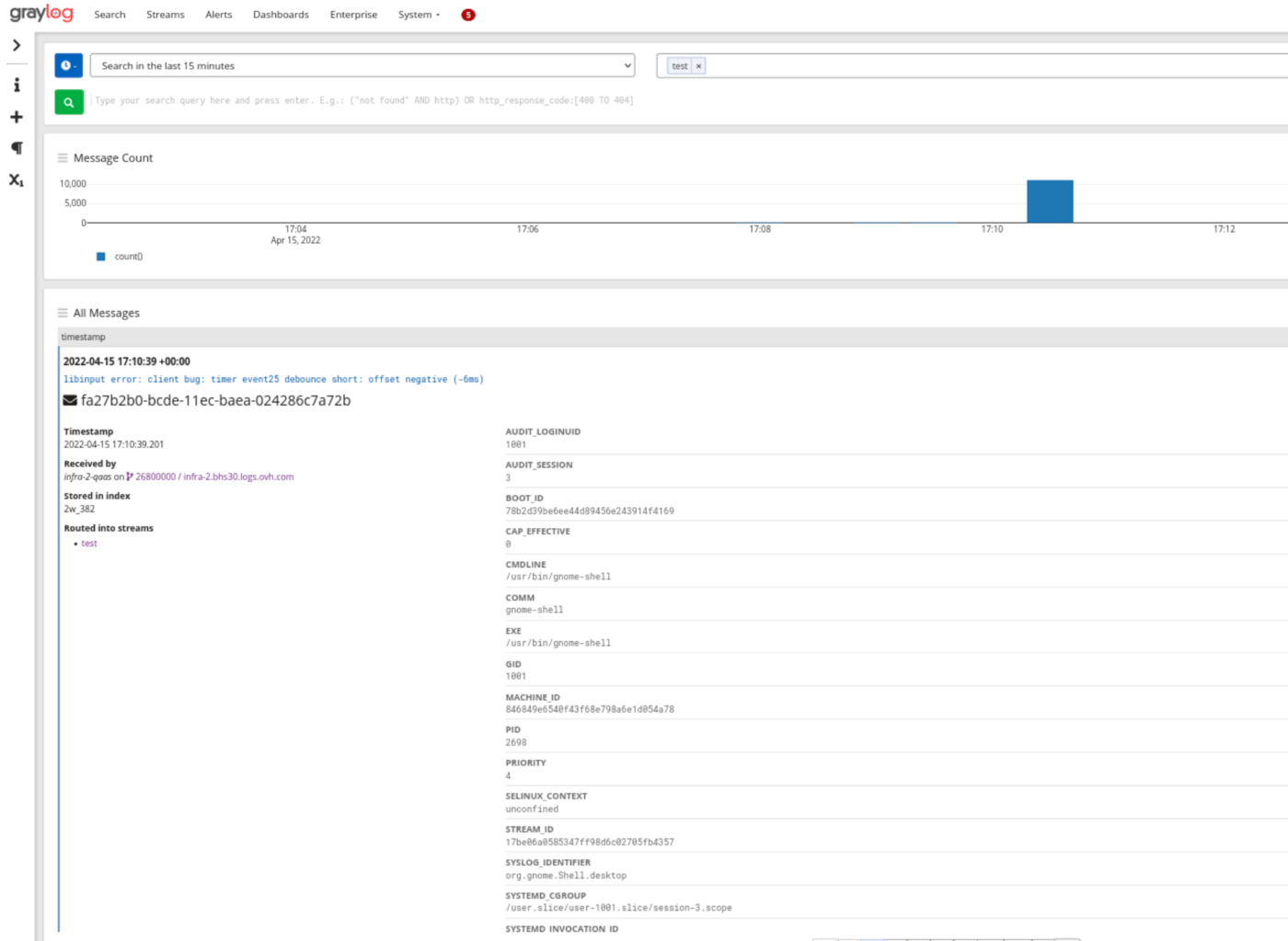
The logs from journald arrived fully parsed and ready to be explored. Use different sources and transforms to send your application logs to Logs Data Platform.
Go further
- Getting Started: Quick Start
- Documentation: Guides
- Community hub: https://community.ovh.com
- Create an account: Try it!


 Dedicated input - Logstash
 844
844