

Delegating projects
87 Views
 28.04.2025
  Configuration
Objective
Depending on your use case, you may need to grant other users access to your project, without giving them full access to your services. To this end, you can delegate read-only or read/write permissions for your projects to other OVHcloud customer accounts.
This guide explains how to delegate access rights for a Public Cloud project in the OVHcloud Control Panel.
Requirements
- A Public Cloud project in your OVHcloud account
Instructions
OVHcloud Control Panel Access
- Direct link: Public Cloud Projects
- Navigation path:
Public Cloud> Select your project
Click on Contacts & Rights in the left-hand menu under Settings.
On this page you can see the contacts associated with your project.
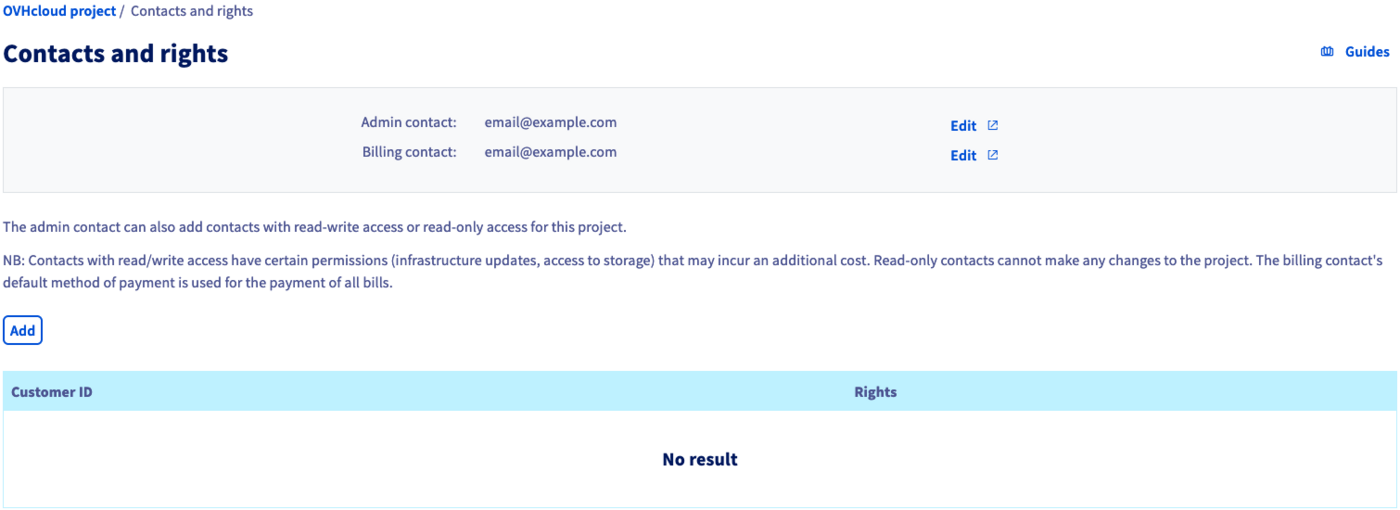
You can click on the Edit buttons to change the current contacts. Follow the instructions in our guide Changing project contacts to complete this process.
Adding contacts and permissions
Click on the Add button in order to add a user and assign permissions. In the popup window, enter the NIC handle of the user (email@example.com), then select Read-only or Read/Write from the menu.
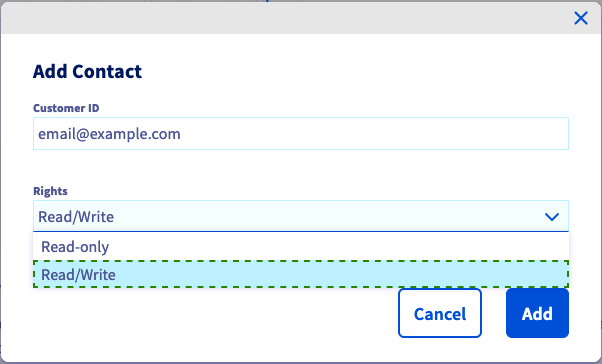
Note that Read/Write permissions will allow changes to the project that might affect future billing.
Click on Add to confirm the access delegation. A confirmation email will be sent to you and the new user who will now be able to open the project in the Public Cloud section of their OVHcloud Control Panel.
Once the page has reloaded, the added OVHcloud customer accounts and their respective permissions are listed in the table.

To revoke an access, click on the ... button and then select Delete.
Go further
Getting started with a Public Cloud Instance
Information regarding Public Cloud billing options
Access and Security in Horizon
If you need training or technical assistance to implement our solutions, contact your sales representative or click on this link to get a quote and ask our Professional Services experts for assisting you on your specific use case of your project.
Join our community of users.


 Best Practices for securing & structuring OVHcloud Public Cloud Projects
 82
82