

AI Endpoints - Create a Streaming Chatbot with LangChain4j and Quarkus
72 Views
 19.12.2025
  AI Endpoints
AI Endpoints is covered by the OVHcloud AI Endpoints Conditions and the OVHcloud Public Cloud Special Conditions.
Introduction
After exploring how to use AI Endpoints with LangChain4j, it's time to level up and build a chatbot that supports real-time streaming responses.
In this tutorial, you'll learn how to use LangChain4j with Quarkus to create a chatbot that streams LLM-generated responses using AI Endpoints.
Objective
This tutorial demonstrates how to:
- Set up a Quarkus project with quarkus-langchain4j
- Use OVHcloud AI Endpoints to access Mistral AI models
- Stream responses from the LLM using a reactive REST API
Definitions
- Streaming LLM Response: Instead of waiting for a full response from the model, streaming allows the application to start processing output tokens as they’re generated. This creates a smoother, faster user experience—especially useful for chatbots.
- LangChain4j: Java-based framework inspired by LangChain, designed to simplify the integration of LLMs (Large Language Models) into applications. It offers abstractions and annotations for building intelligent agents and chatbots. Note that LangChain4j is not officially maintained by the LangChain team, despite the similar name.
- Quarkus: A Kubernetes-native Java framework designed to optimize Java applications for containers and the cloud. In this tutorial we will use the quarkus-langchain4j extension.
- AI Endpoints: A serverless platform by OVHcloud providing easy access to a variety of world-renowned AI models including Mistral, LLaMA, and more. This platform is designed to be simple, secure, and intuitive, with data privacy as a top priority.
Requirements
- A Public Cloud project in your OVHcloud account
- An access token for OVHcloud AI Endpoints. To create an API token, follow the instructions in the AI Endpoints - Getting Started guide.
- Quarkus CLI installed
Instructions
Create a Quarkus project
Generate your Quarkus project using the CLI with the LangChain4j Mistral AI extension:
AI service creation
Let’s code our service to create a chatbot, using an annotation:
Now add system and user prompts to your service:
💡 For more details about @SystemMessage and @UserMessage, refer to the Quarkus LangChain4j extension documentation.
Configure AI Endpoints access
Adapt and add the following configuration to your application.properties, to enable AI Endpoints access:
Make sure to replace the token value (OVH_AI_ENDPOINTS_ACCESS_TOKEN) by yours. If you do not have one yet, follow the instructions in the AI Endpoints - Getting Started guide.
You will also have to replace two other environments variables, related to the model you want to use. You can find these model-specific values in the documentation tab of each model. For example, if you want to add the Mistral-7B-Instruct-v0.3 model, the expected environment variables will be:
OVH_AI_ENDPOINTS_MODEL_NAME: Mistral-7B-Instruct-v0.3OVH_AI_ENDPOINTS_URL: https://oai.endpoints.kepler.ai.cloud.ovh.net/v1
Build a REST API to interact with the chatbot
First, install the Quarkus REST extension:
Then create a REST endpoint:
Run and test
Now it is time to test the AI chatbot API!
To start your application and run your API, just use the Quarkus dev mode, by executing quarkus dev:
Then, use cURL to interact with your API:
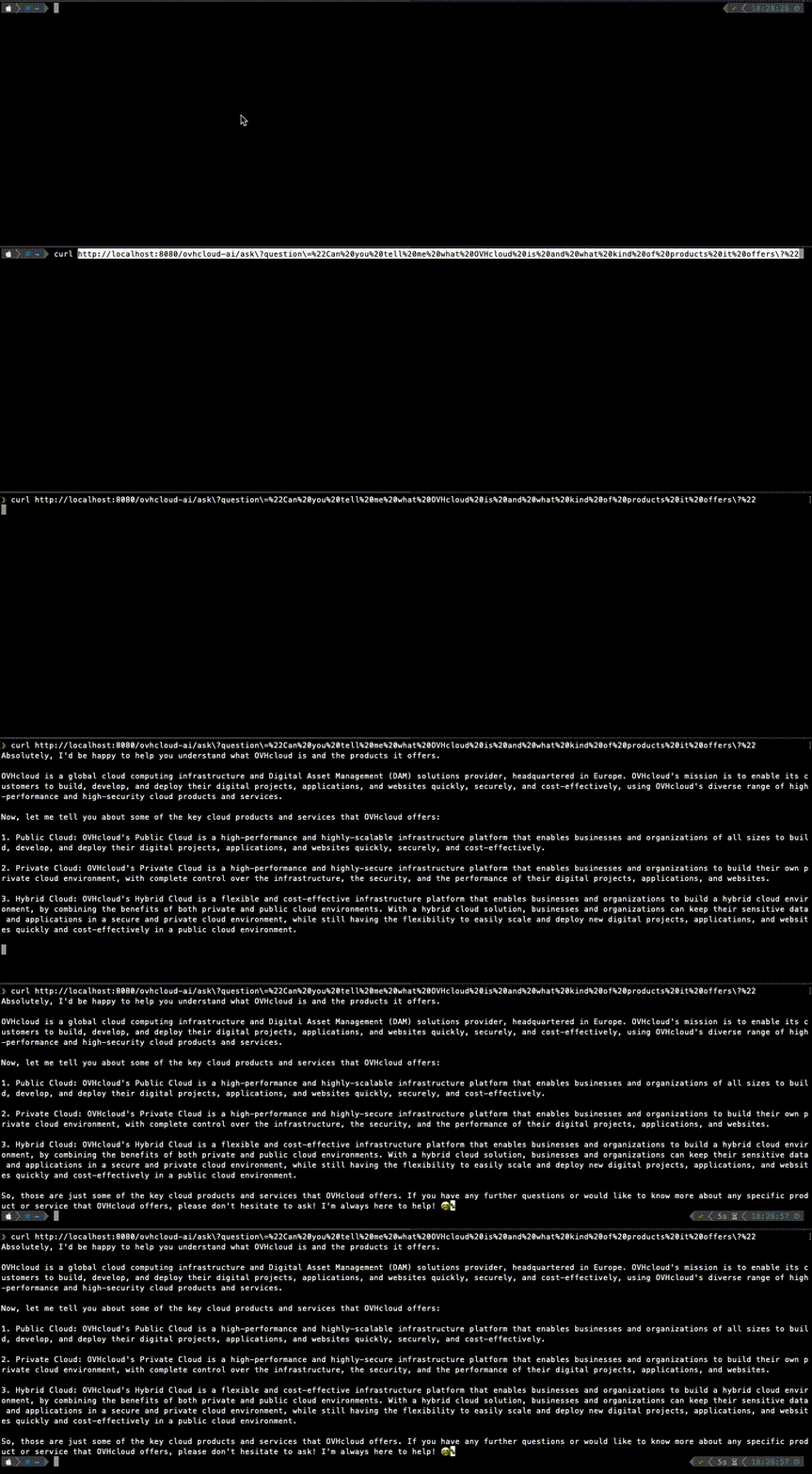
You’ll see the response streamed directly from the AI model, token by token! 🧠⚡
Conclusion
In just a few steps, you have created your own streaming AI chatbot powered by LangChain4j, Quarkus, and OVHcloud AI Endpoints.
This approach unlocks real-time user interactions, perfect for embedding in chat UIs or customer support tools.
Going further
Feel free to take it further and build a web frontend for an even more interactive experience! 😄💬 You can then deploy this web app in the cloud, making your interface accessible to everyone. To do so, refer to the following articles and tutorials:
- AI Deploy – Tutorial – Build & use a custom Docker image
- AI Deploy – Tutorial – Deploy a Gradio app for sketch recognition
If you need training or technical assistance to implement our solutions, contact your sales representative or click on this link to get a quote and ask our Professional Services experts for a custom analysis of your project.
Feedback
Please feel free to send us your questions, feedback, and suggestions regarding AI Endpoints and its features:
- In the #ai-endpoints channel of the OVHcloud Discord server, where you can engage with the community and OVHcloud team members.


 AI Endpoints - Create a code assistant with Continue
 84
84