

Setting up Multicloud Snapshot Technology (MST) on a Nutanix on OVHcloud infrastructure
40 Views
 31.03.2026
  Cloud / Nutanix on OVHcloud
Objective
Find out how to deploy and configure Multicloud Snapshot Technology (MST) on a Nutanix on OVHcloud infrastructure with OVHcloud object storage.
With MST, you can replicate snapshots (UVM/Volume Groups) to S3-compatible storage to optimize TCO, improve data mobility, and simplify disaster recovery (DR.) using a zero-compute model.
Overview & advantages
Main features:
- Periodic replication of snapshots to S31 buckets (typical RPO: 1 hour via the Nutanix DR. infrastructure).
- Model Zero-Compute: No need to maintain compute standby nodes.
- Store recent snapshots on the main cluster; offload older snapshots to object storage.
- Restore anywhere Nutanix Cloud Platform (NCP): cloud, edge, on-prem.
- Native integration with Prism Central and existing DR. workflows.
Benefits:
- Reduced TCO (reduced/no standby compute, less expensive object storage).
- Mobility: Retrieve workloads on different NCP environments.
- Manageability via Prism.
Requirements
Nutanix Cluster
- AOS 7.5.1 minimum
- Prism Central 7.5.1 minimum
Network
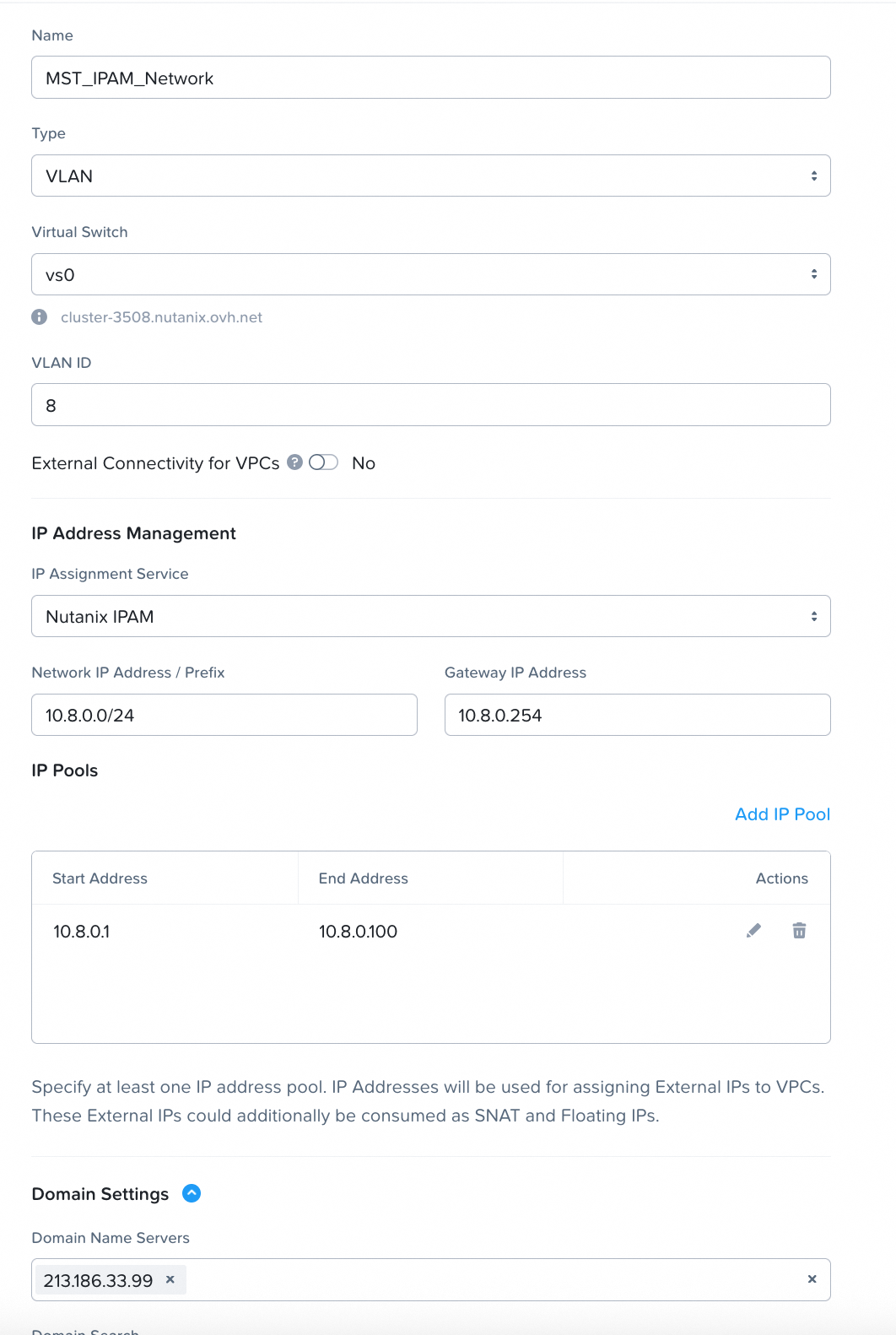
- Create an MST dedicated subnet in Prism Element (internal network).
- 3 static IP addresses reserved (outside the DHCP range of the subnet MST).
- 4 IP addresses from the DHCP range of the MST subnet (consumed by the 4 MST VMs).
VM resources (typical — Instance Small)
- 3 × MSP Controller VMs: 10 vCPU / 24 GiB RAM each.
- 1 × MSP Load Balancer VM: 2 vCPU / 4 GiB RAM.
- Total: 32 vCPU and 76 GiB RAM.
Accounts/Access
- admin Prism Central account (only an admin can deploy an MST).
- API/credentials access for the S3 bucket with write/list/delete permissions.
Functional limits (Instance Small)
- Up to 2000 protected entities.
- 75 Recovery Points per entity.
- 300 TB of supported active data.
Instructions
Prepare the environment
Create the Object Storage container (Bucket)
To create the container, you first need to create a project: Create your first Public Cloud project - OVHcloud.
In the Public Cloud universe:
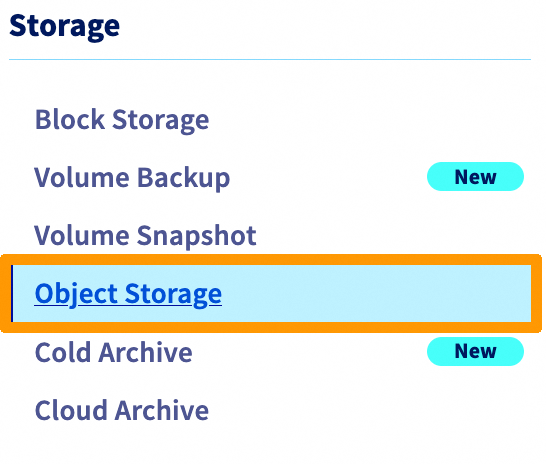
Create a user, for example admin-mst-gra:
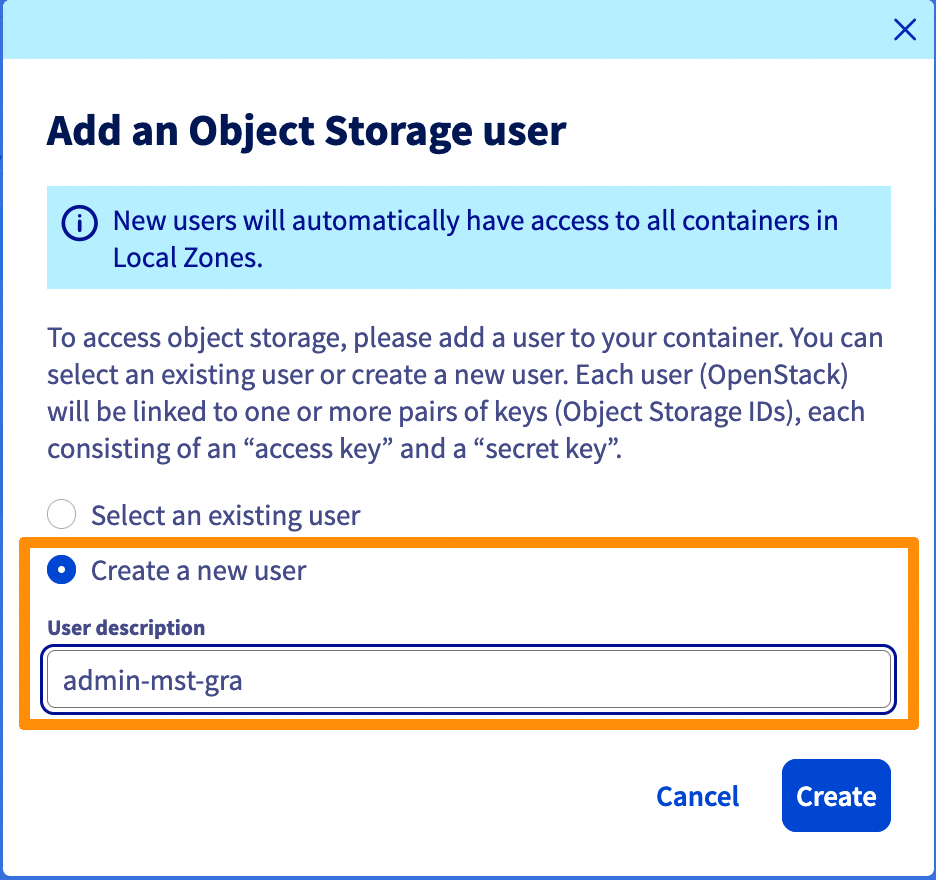
Please note the following information:

Then create a container (bucket): Object Storage - Getting started with Object Storage - OVHcloud.
In this example, I chose to create a container named mst-dr-gra in Gravelines, since my cluster is Roubaix. This improves data resilience.
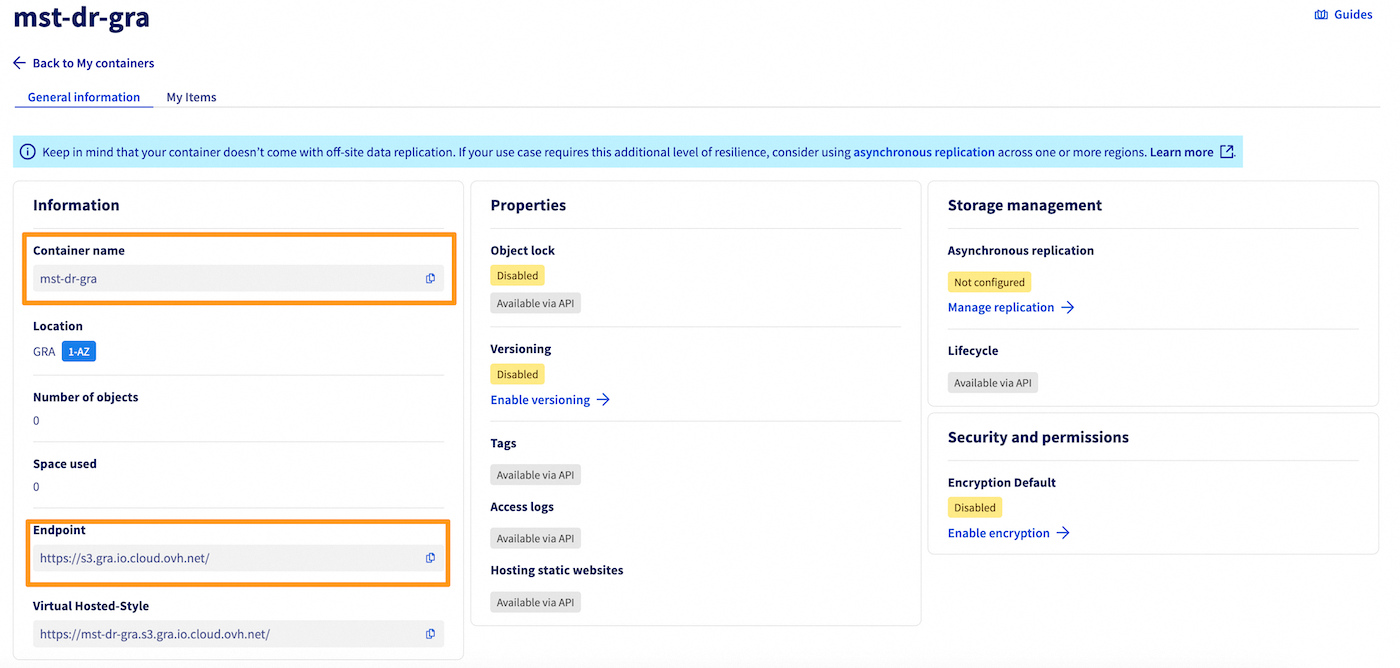
Once you have created the container and the user, you will need to have several pieces of information that are important for continuation:
- The name of your container: in our example, mst-dr-gra
- The URL of the container endpoint: https://s3.gra.io.cloud.ovh.net/
- The access key
- The secret key
Activate the Market Place
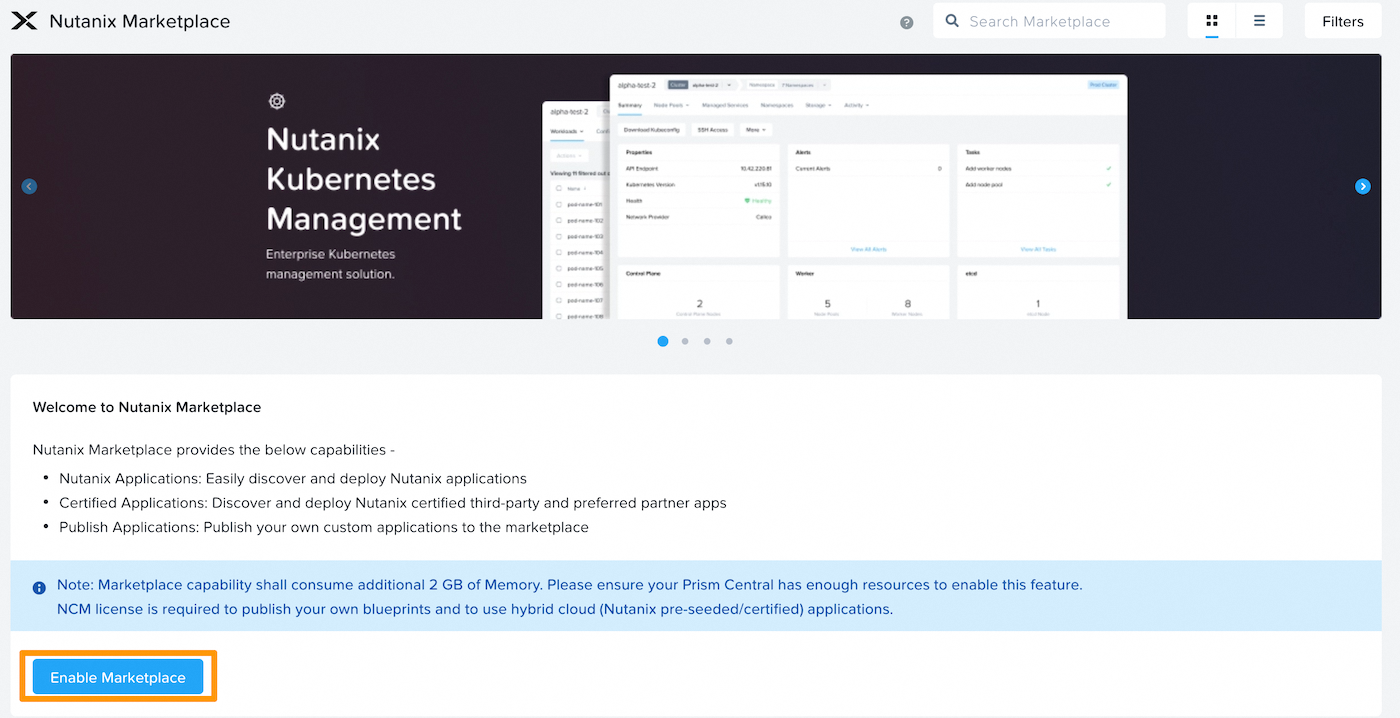
Log in to Prism Central, go to the admin center, then click Enable Marketplace.
Enable Network Controller
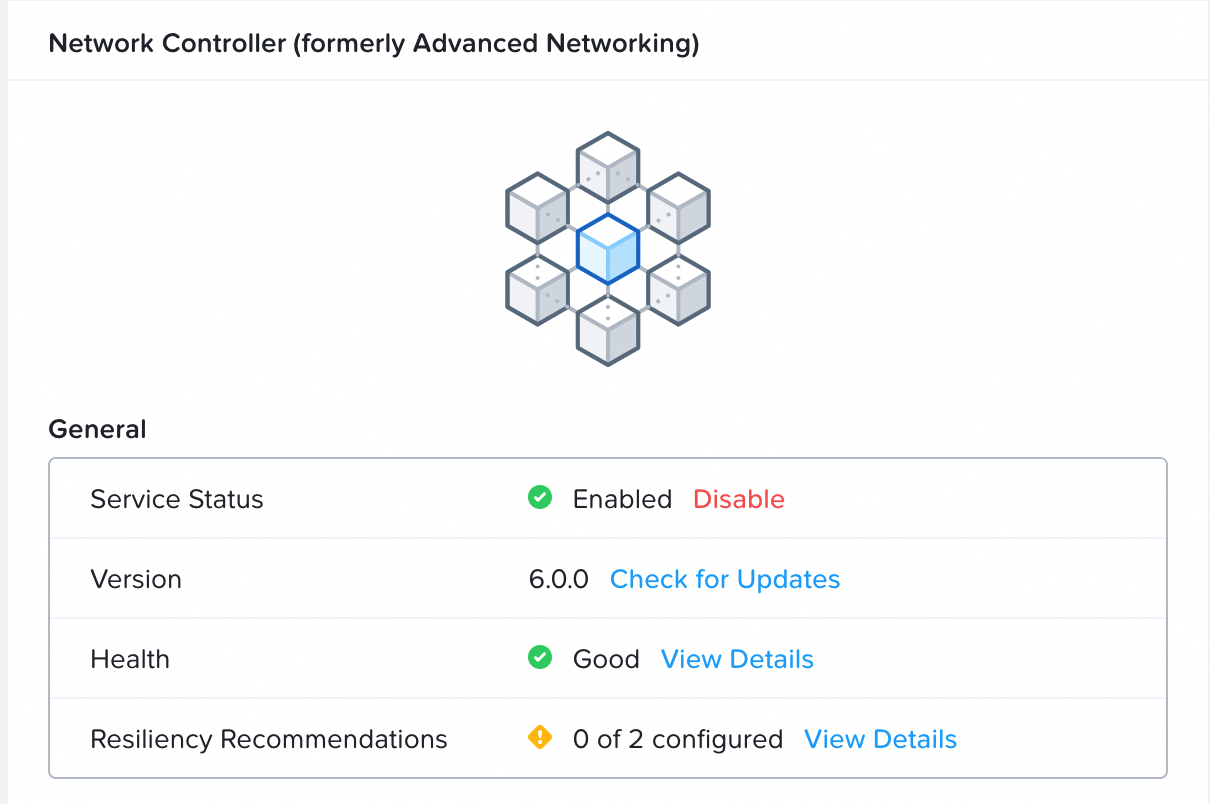
In Infrastructure go to Prism Central Settings, click Network Controller then Enable.
Create a Subnet dedicated to MST
We will create an IPAM subnet with a DHCP for using MST.
Reconfigure the Gateway
You will need to reconfigure the gateway with the new network.
Add a NIC to your VM:
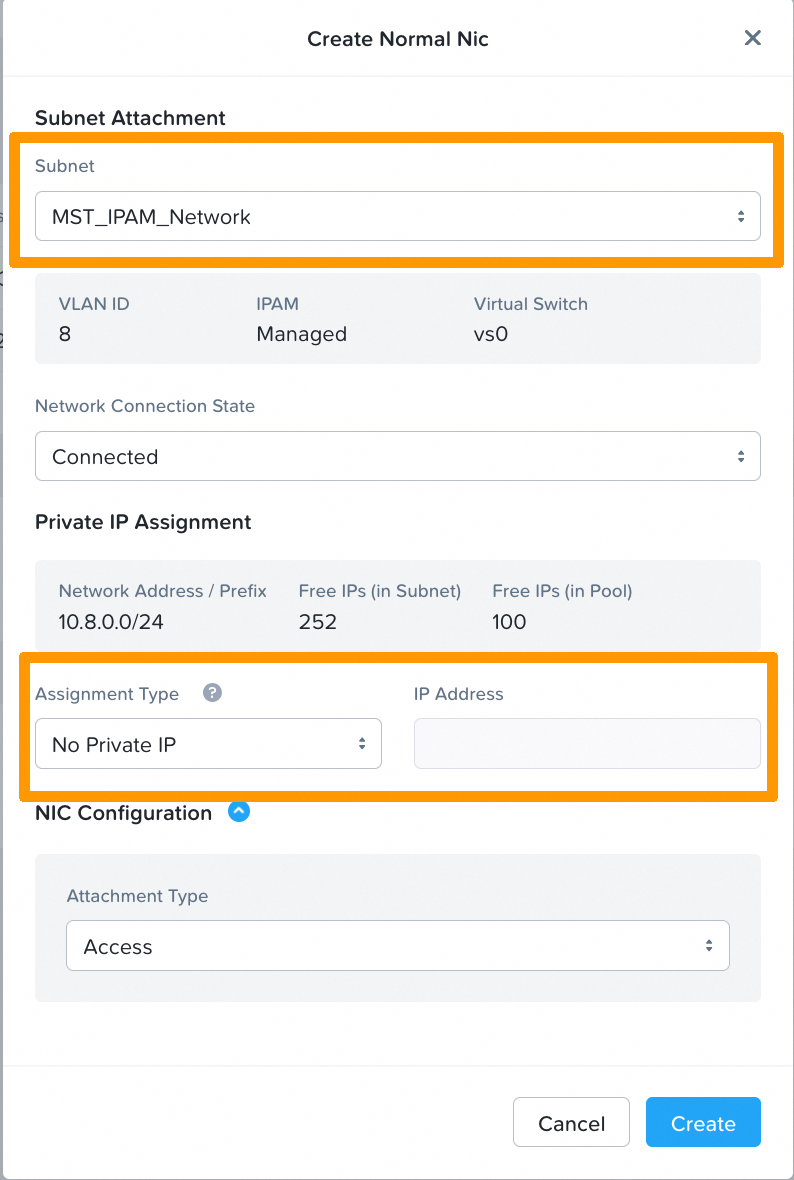
Then reconfigure your gateway with the IP defined in the IPAM network creation.
For example on an Alpine VM:

We would add:
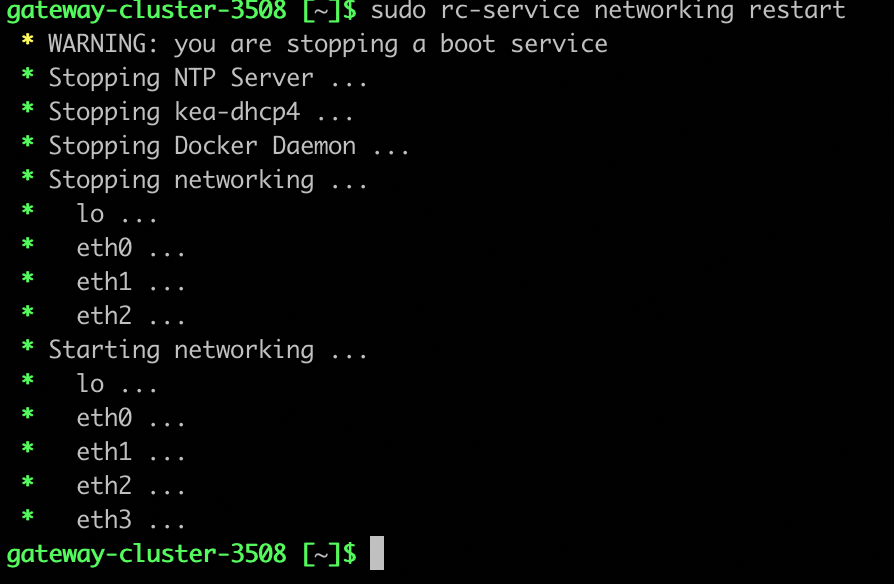
Restarting network services:
Deploy Multicloud Snapshot Technology
- Log in to Prism Central as an administrator.
- Go to Admin Center → Marketplace.
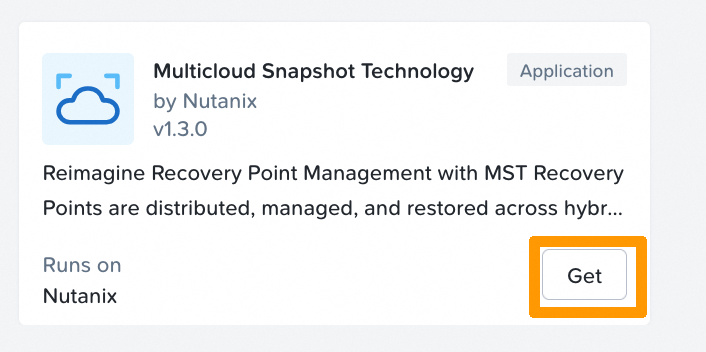
- In Nutanix Apps, click
Getfor Multicloud Snapshot Technology.
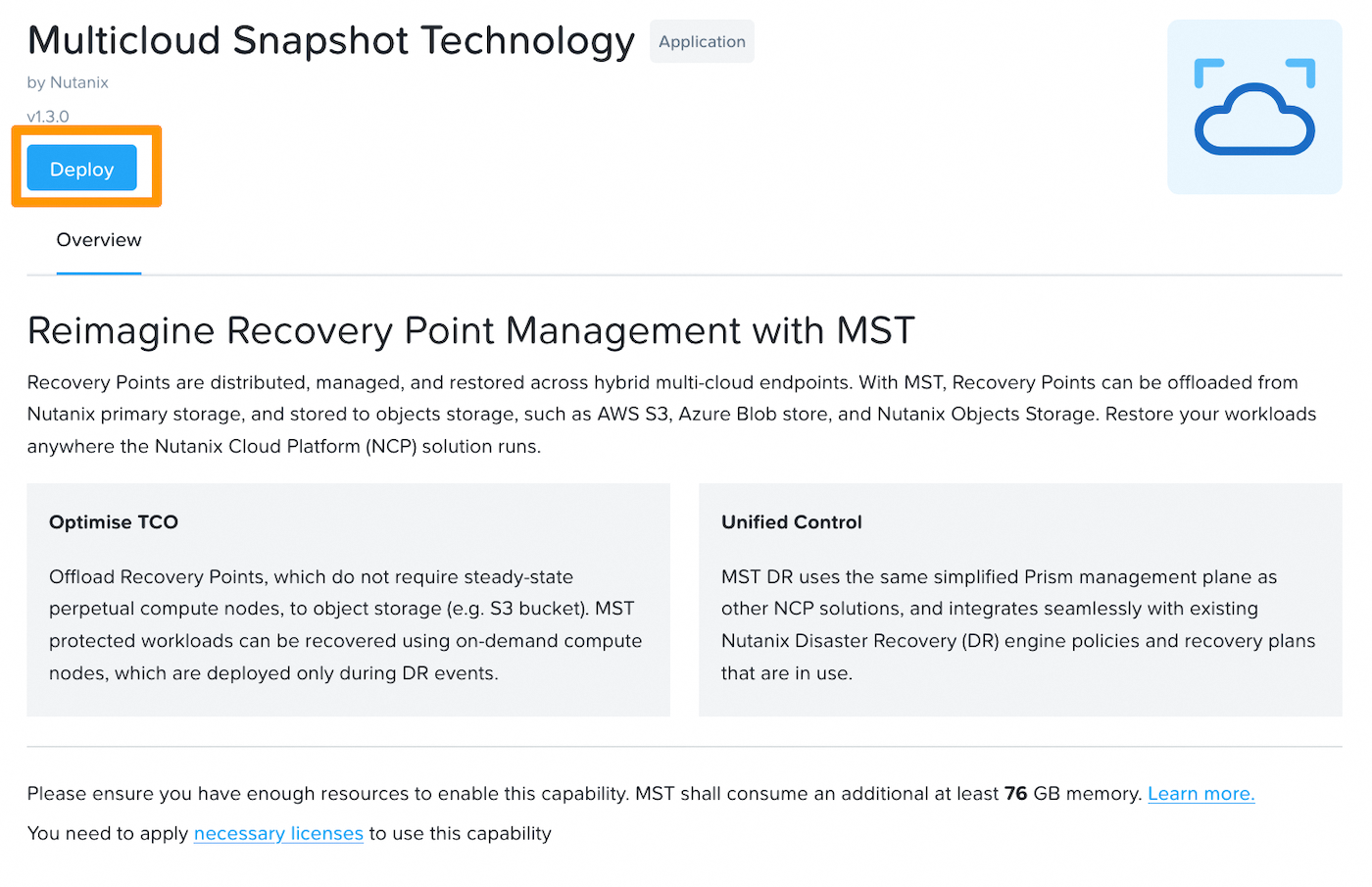
On the introduction page, click Deploy.
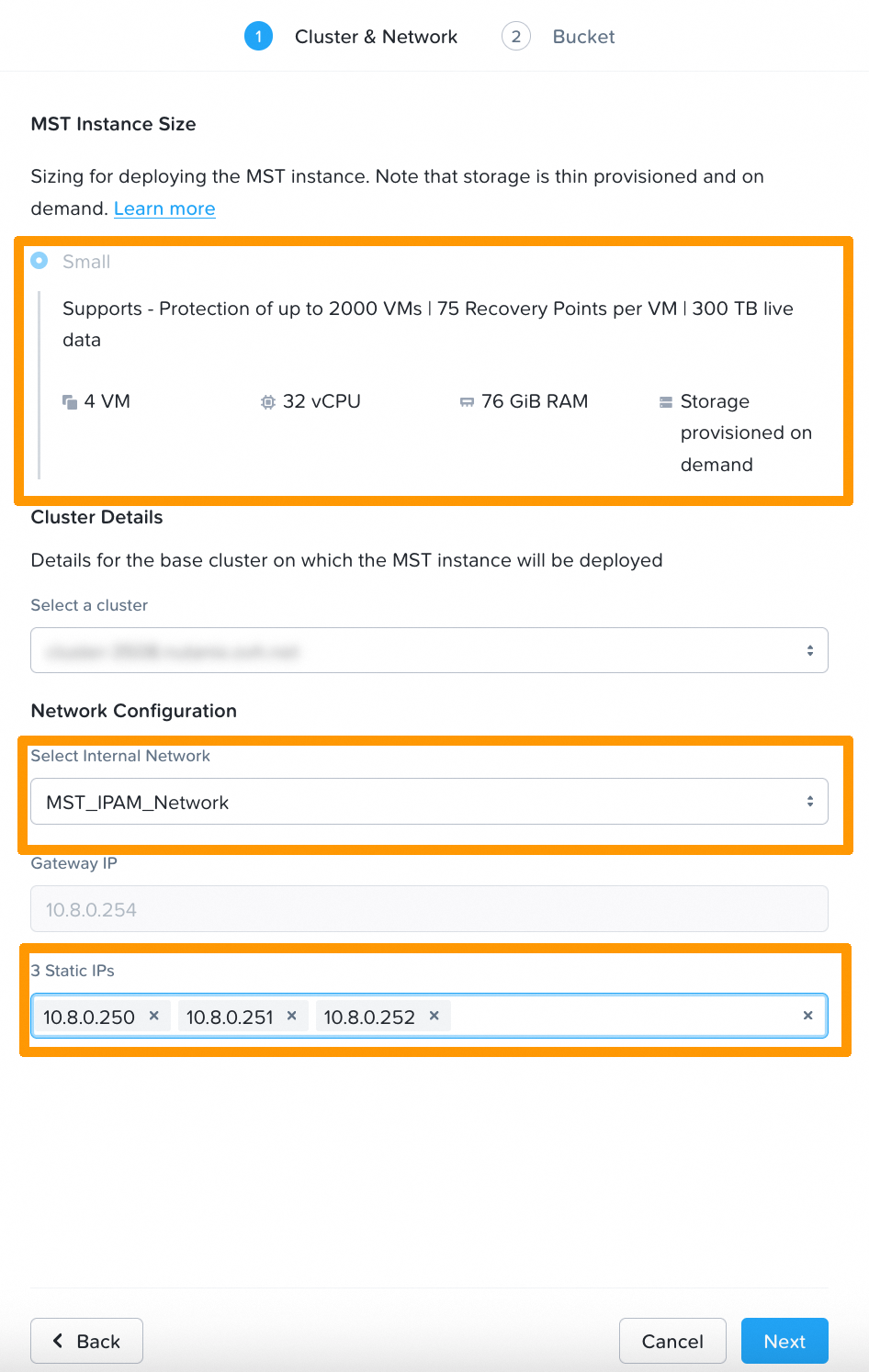
Then configure the MST instance:
- MST Instance Size : Select
Small(or other size if available). - Cluster Details: Choose the target Prism Element cluster.
- Network Configuration: Select the MST subnet created.
- Enter the 3 static IPs reserved in the expected fields.
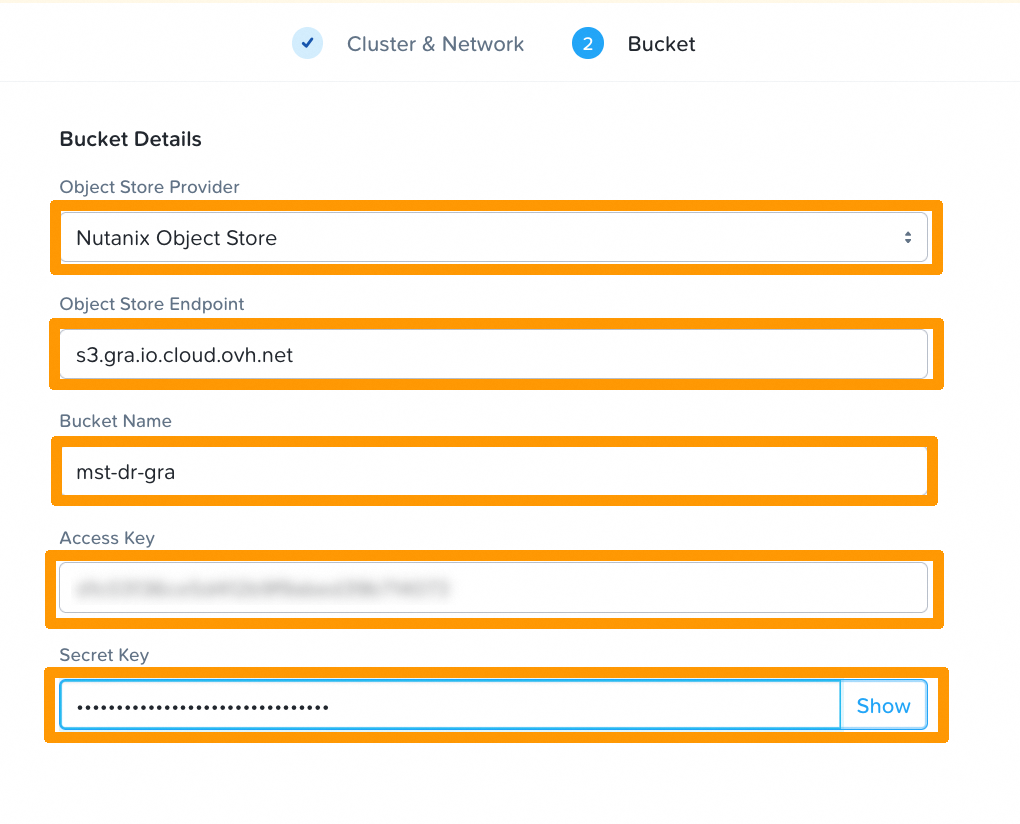
- Object Store Provider: Select
S3 Compatible (Nutanix certified). - Object Store Endpoint: Enter your container's endpoint URL, in our example https://s3.gra.io.cloud.ovh.net/.
- Bucket Name: Enter the name of your container. In our example, mst-dr-gra.
- Access Key: Enter your container’s
Access Key. - Secret Key: Enter the
Secret Keyof your container.
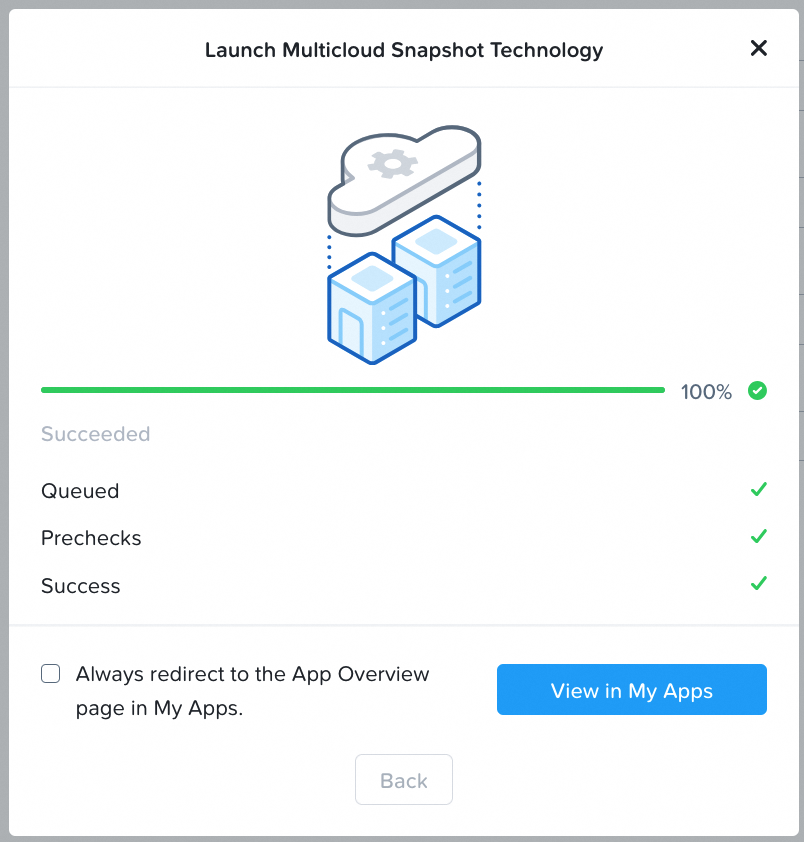
Launch the deployment.
Disaster Recovery: use and configuration
Once you have deployed an MST and connected it to your Object Storage bucket, you can configure how your workloads are protected and restored.
Entity protection
-
Steps:
-
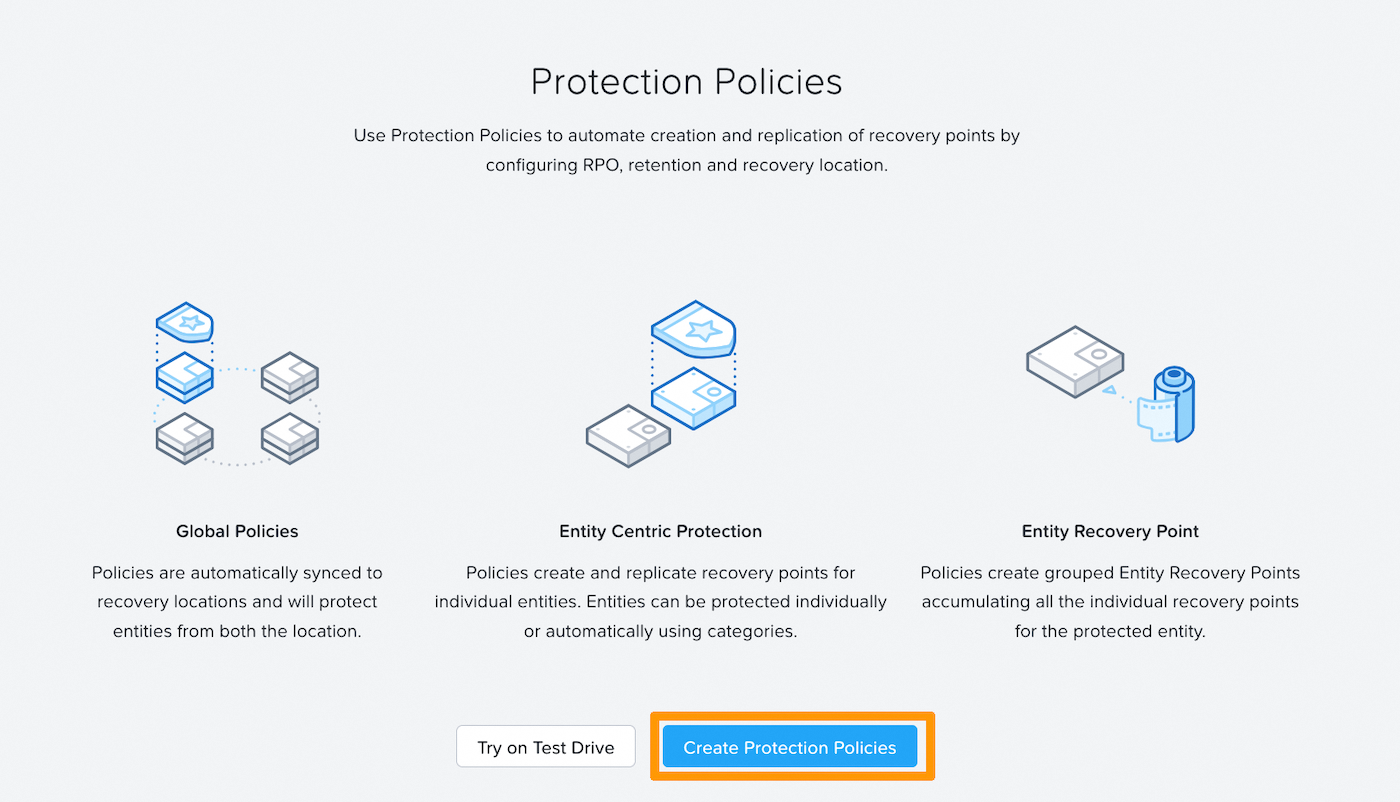
From Prism Central, go to Protection Policies, then create a protection policy.
-
Define the
policy nameand enter your cluster in theprimary locationfield.In the
Recovery Locationbox, keep Local AZ and select the container (Bucket) previously configured.
-
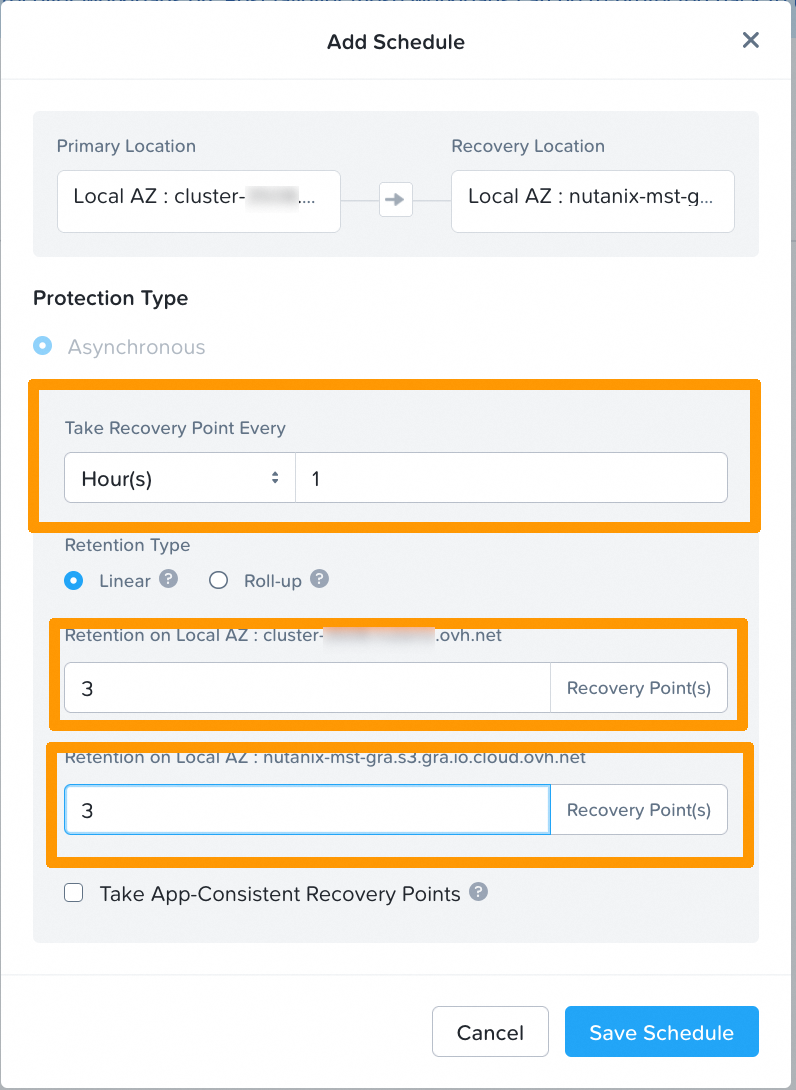
Define an Add Schedule:
- The frequency of snapshots (every hour by default).
- The number of Recovery Points to keep locally.
- The number of Recovery Points to keep on the OVHcloud S3 container.
-
Protect VMs:
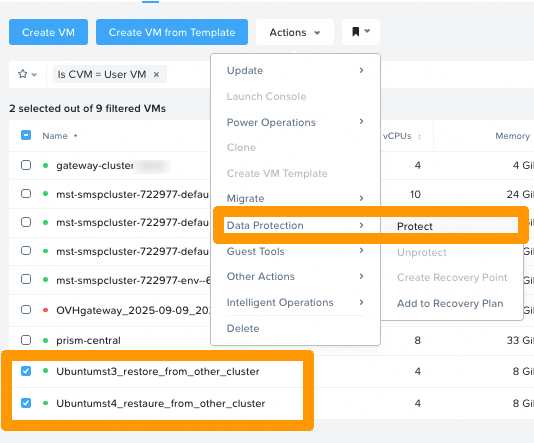
- Select the VMs you want to protect, then in the
actionmenu →data protectionclickProtect.
- Then select the Protection Policy you created earlier:

- Select the VMs you want to protect, then in the
Restoration
- From Prism Central → Data Protection → VM Recovery Points, choose a Recovery Point available in the bucket.

Typical use cases
- Disaster Recovery (DR.): Total loss of the source cluster → deployment of VMs on another Nutanix cluster linked to the same OVHcloud bucket.
- Workloads migration: Move an application to another site (edge or cloud) by importing snapshots from the bucket.
Go further
Nutanix Reimagines Business Continuity for Hybrid Multicloud Users
Cloud Clusters (NC2) Hosted - Deploying Multicloud Snapshot Technology
If you require training or technical support to implement our solutions, please contact your sales representative or click this link to get a quote and request a custom analysis of your project from our Professional Services team experts.
Join our community of users.
1: S3 is a trademark of Amazon Technologies, Inc. OVHcloud’s service is not sponsored by, endorsed by, or otherwise affiliated with Amazon Technologies, Inc.


 Configuring Disaster Recovery with Metro
 76
76