

KB0045316
Authorising IP addresses for vCenter access
714 Views
 25.01.2023
  Cloud / Hosted Private Cloud
Objective
Access to your vCenter is restricted only to authorized IP addresses.
This guide explains how to authorise IP addresses for vCenter access in the OVHcloud Control Panel.
Requirements
OVHcloud Control Panel Access
- Direct link: VMware vSphere
- Navigation path:
Hosted Private Cloud>Managed VMware vSphere> Select your vSphere service
Instructions
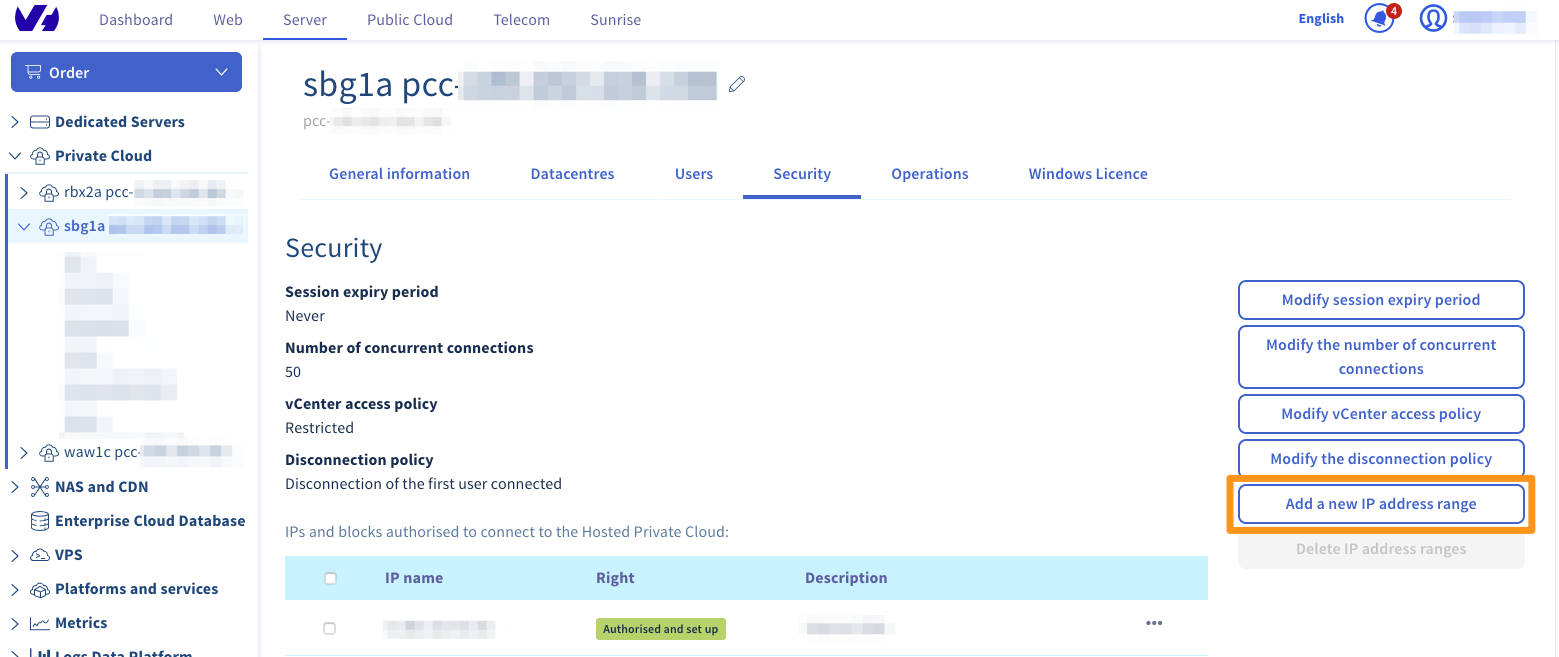
Go to the Security tab and click Add a new IP address range.
In the new Window, enter an IP address (range) that should be allowed access. You can also add a description to make the organisation of the whitelist easier.
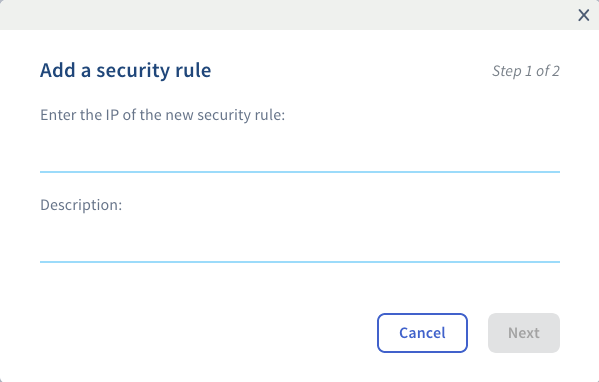
Click on Next when you have filled in the fields, then click on Confirm to apply your changes. Connections from this IP address (range) will now be possible.
Please note that for security reasons, you will only be able to allow a maximum of 2048 IP addresses to connect to your vCenter.
Go further
Join our community of users on https://community.ovh.com/en/.


 Using two-factor authentication (2FA) on your Private Cloud infrastructure
 587
587