

Sending SMS messages via the OVHcloud Control Panel
1235 Views
 07.01.2026
  Telecom / SMS / Time2Chat
Objective
You can send SMS messages directly via the OVHcloud Control Panel. This guide gives step-by-step instructions on how to send your first SMS messages.
Requirements
- an OVHcloud SMS account with SMS credits
OVHcloud Control Panel Access
- Direct link: SMS
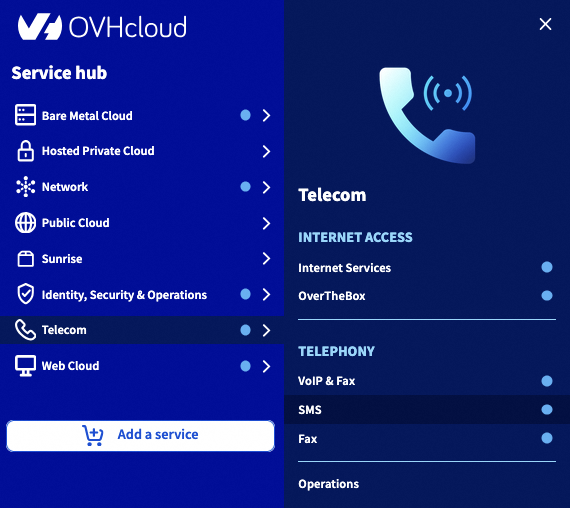
- Navigation path:
Telecom>SMS> Select your SMS account
Instructions
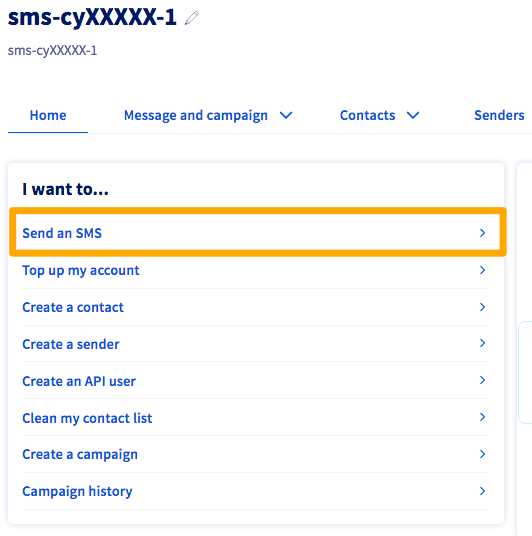
The "Send an SMS" field is the first item available in the list of actions.
Step 1: Configure the sender and recipient.
For more information on creating and using a sender, refer to our guide "Everything you need to know about SMS senders".
Once you have landed on the sending page for SMS messages, you will have different settings to enter, in order to adapt your SMS sending to suit your needs.
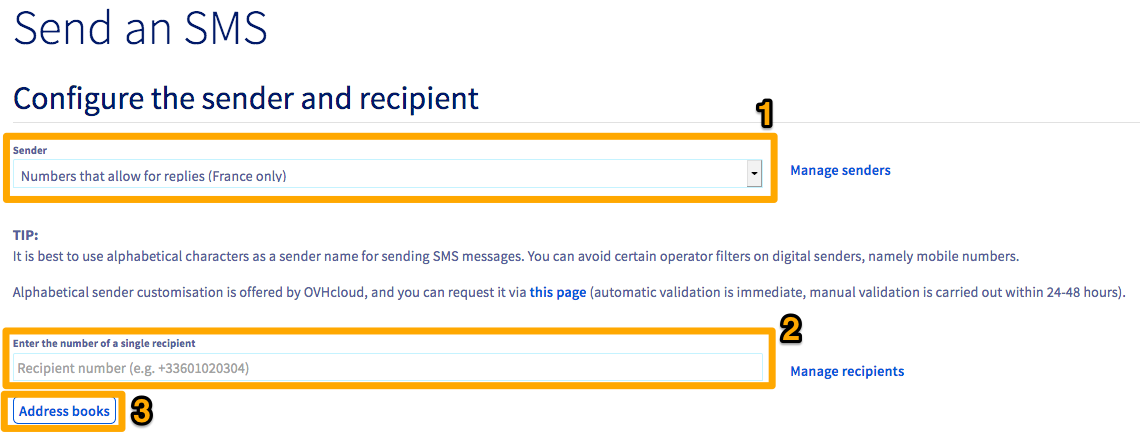
For the SMS sender (1), you can either select a short number that allows recipients to send back replies (available for OVHcloud accounts in France only), or you can set an alpha-numeric sender name. Next, enter the recipient phone number (2) in international format (+44xxxxxxxxxx).
You can also send SMS messages to multiple recipients. There are two methods for doing this:
-
Via a list of recipients in .csv format, via the "Manage recipients" button. For further information on this, you can refer to our guide on SMS recipient lists.
-
By creating an address book (3). You can do this directly via the OVHcloud Control Panel, or import one as a .csv or .txt file. Feel free to refer to our guide on managing SMS address books for further information.
Step 2: Compose your SMS message.
For legal reasons, commercial SMS messages will only be sent between 08:00 and 20:00, from Monday to Friday.
Once you have selected a sender and entered your recipients, you can now start composing your message.
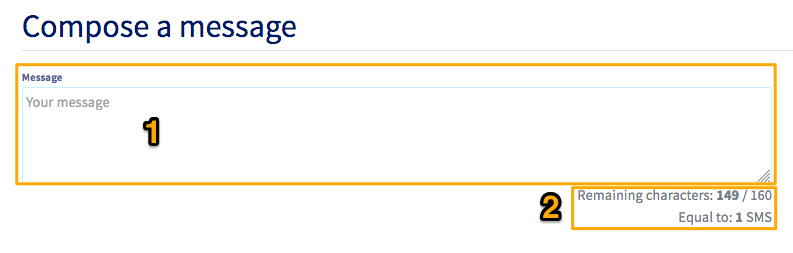
Type your message in the box (1). You will see a counter showing the number of characters used, and the number of corresponding SMS messages (2).
We recommend not exceeding 8 SMS per message. Beyond this limit, operators can no longer guarantee message delivery.
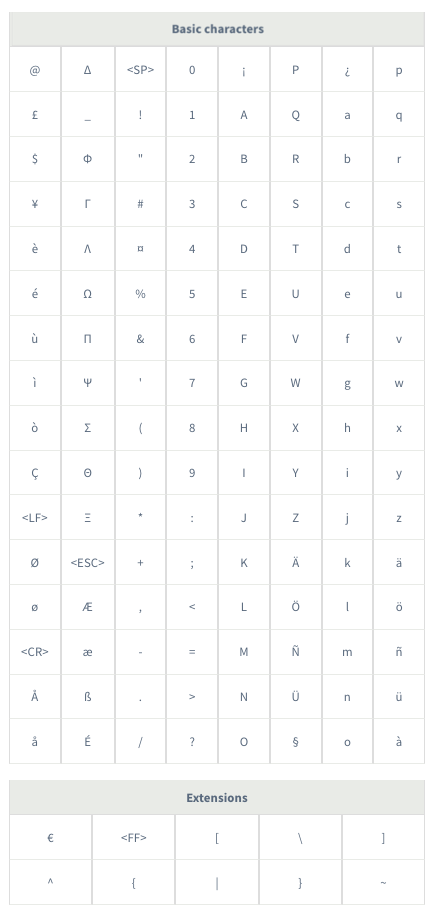
The two tables below list the characters that are authorised in 7bit encoding. The characters in the "Extensions" table count as double.
The maximum size of an SMS message is 160 characters in 7bit encoding (GSM 03.38 standard).
If you use characters that do not appear in these tables, the encoding will switch to Unicode, reducing the maximum size of an SMS message to 70 characters.
Advanced options
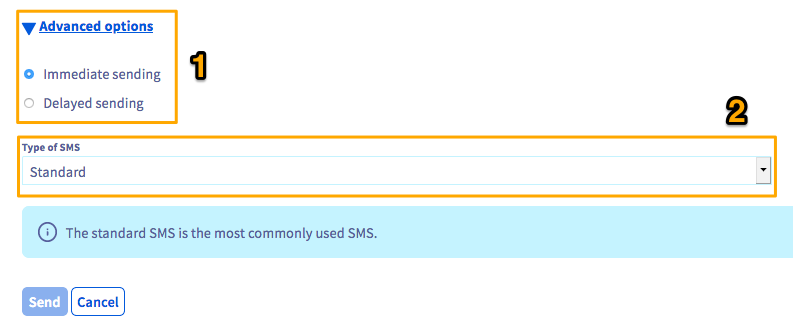
In this section, you can either send messages immediately, or set up delayed sending (1).
Three sending formats (Standard/Flash/Sim) are also visible (2) but this feature is deprecated.
Go further
Join our community of users.


 Sending SMS messages with the OVHcloud API in PHP
 3148
3148