

Deleting a Public Cloud project
593 Views
 14.10.2022
  Cloud / Instances
Objective
When you no longer need your Public Cloud project, you can delete it directly from the OVHcloud Control Panel.
When you delete your Public Cloud project, a final invoice is issued for the outstanding amount.
Please note that deleting a project is not the same as deactivating your Public Cloud instances. When you delete a project, the resources contained in it will be permanently lost. This action can not be undone.
This guide explains how to delete a Public Cloud project.
Requirements
- A Public Cloud project in your OVHcloud account
OVHcloud Control Panel Access
- Direct link: Public Cloud Projects
- Navigation path:
Public Cloud> Select your project
Instructions
Open the Project settings under Settings in the left-hand menu.
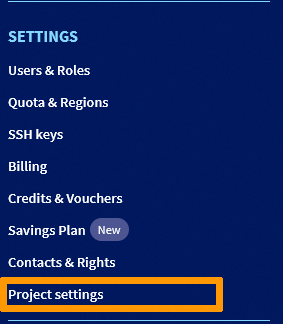
Click on the button Delete project.

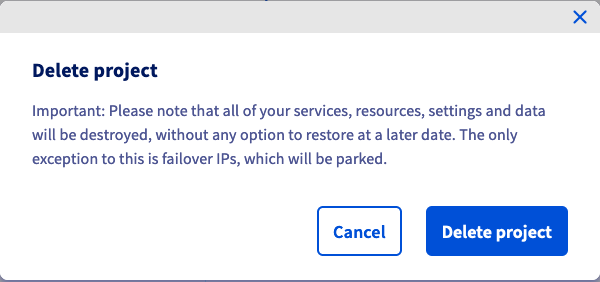
A confirmation message will appear, informing you about the removal of the project's resources, with the exception of any Additional IP addresses attached. Click on Delete project to proceed.
When you click on the button, an email will be sent to your contact email address, asking you to either confirm or cancel the project deletion. After clicking the confirmation link, you will be redirected to a web page where you will need to enter your account password.
After entering and confirming your password, your project will be submitted for deletion.
Please note that when a project is marked for deletion, it remains in suspend status for up to 7 days. The project is not immediately deleted. In situations where this may affect the creation of new projects on accounts with limited project quota, please contact our support team for further assistance.
Go further
Getting started with Public Cloud
Join our community of users.


 Delegating projects
 460
460