

Adding hourly resources
280 Views
 15.12.2020
  Managed Bare Metal
Objective
With our Managed Bare Metal solutions, you can add resources that are billed per hour of usage.
This guide will show you how to add hourly resources via the Managed Bare Metal vSphere interface.
Requirements
- a Managed Bare Metal solution
- the "Add resources" right for the datacentre concerned (this right is granted via the OVHcloud Control Panel)
- access to the vSphere client
Instructions
Select the resource
To access the interface where you can add hourly resources, select the datacenter, then click Configure.
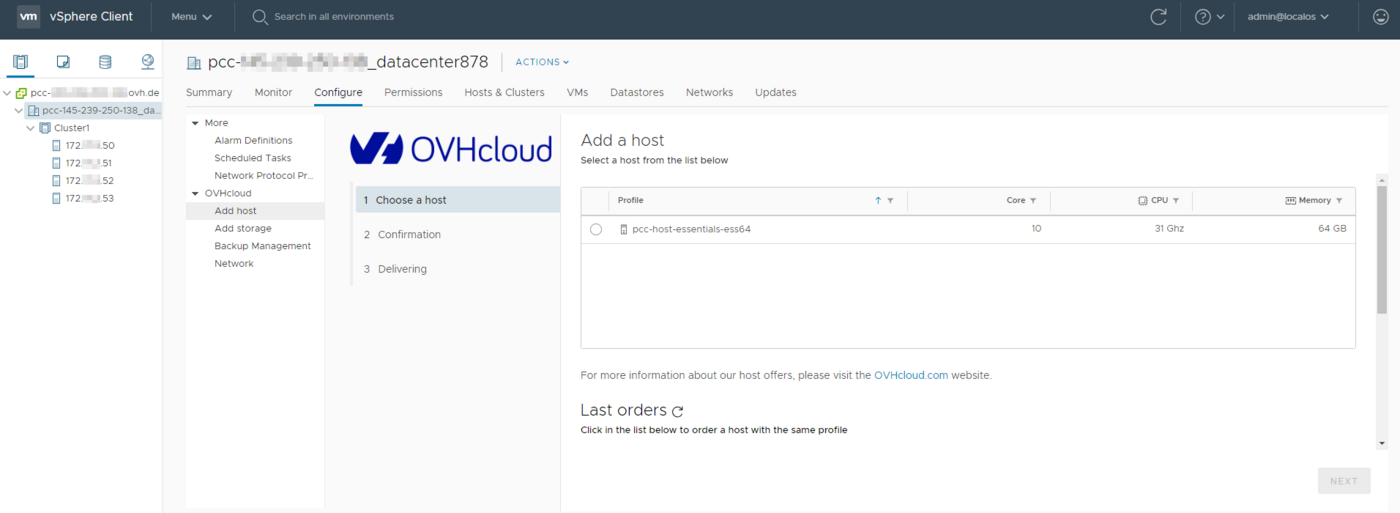
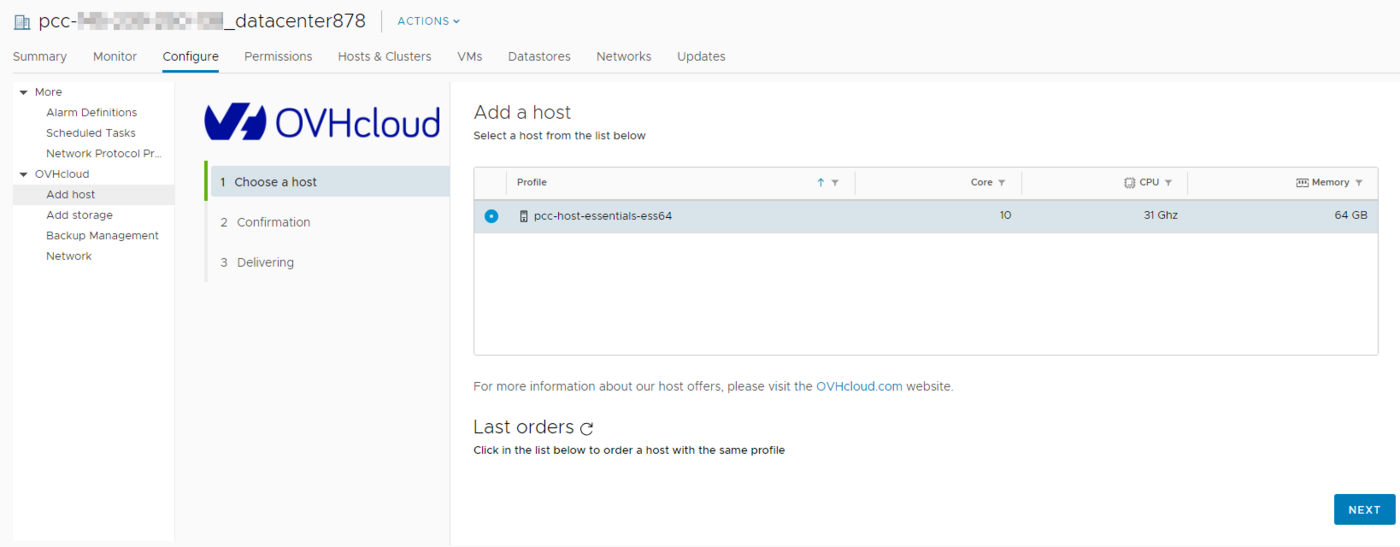
In our example, we will add a host server that will be billed per hour. Once you have chosen a model, click Next. Please note that to add a datastore, you will need to click on the Add storage tab.
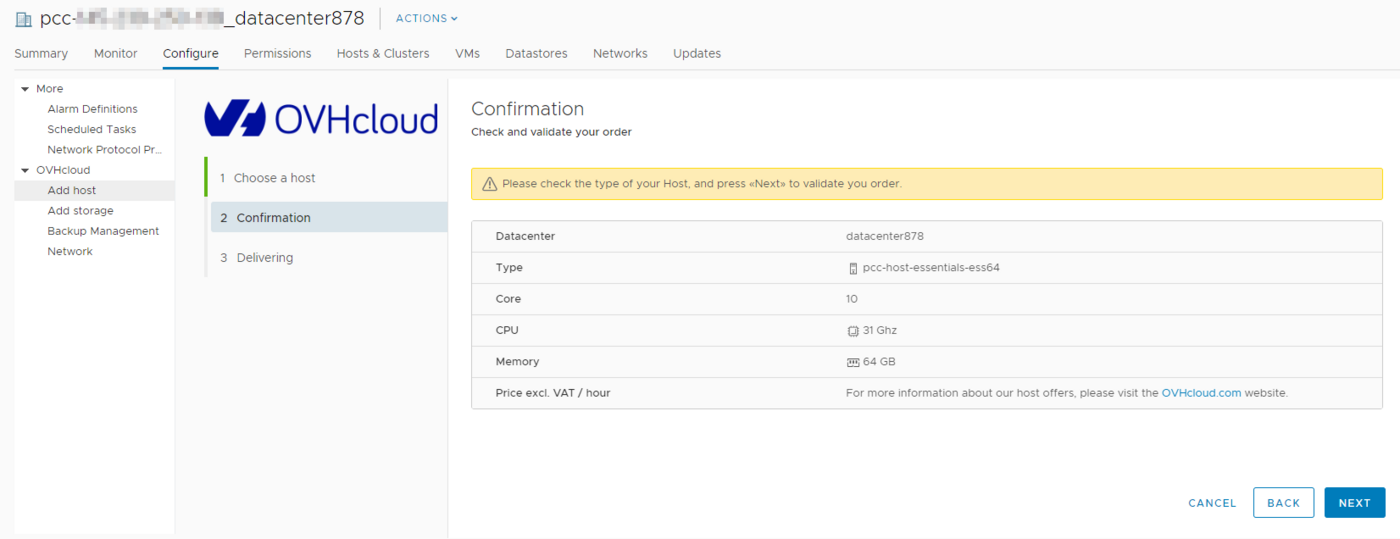
Confirm the order
To confirm and finalise your order, click Next.
Track the setup
Once you have confirmed your order, you can track progress as the resource is being added.
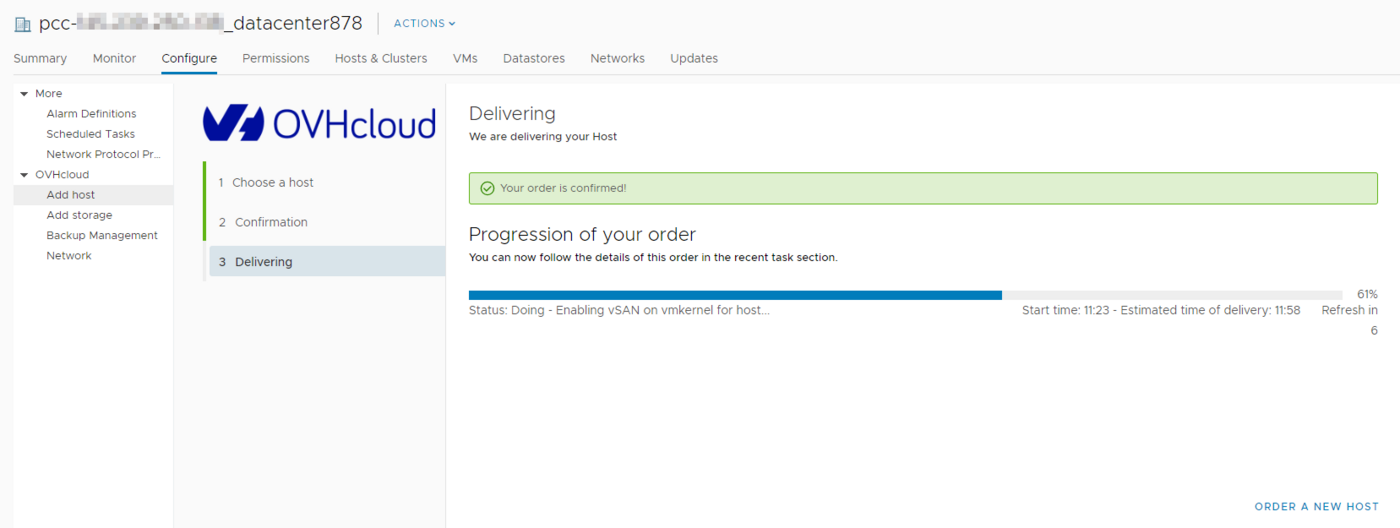
A task will also appear in the 'recent tasks' list on your vSphere interface. You can also use this task to track the resource addition.
Go further
Join our community of users on https://community.ovh.com/en/.


 Changing the User Password
 715
715