

Managing SMS credits and enabling automatic re-crediting
683 Views
 09.02.2023
  Telecom / SMS / Time2Chat
Objective
This guide explains what SMS credits are, how to set up automatic re-crediting, and how to transfer credits between your SMS accounts.
Requirements
- an OVHcloud account
- access to the OVHcloud API (for credit transfers only)
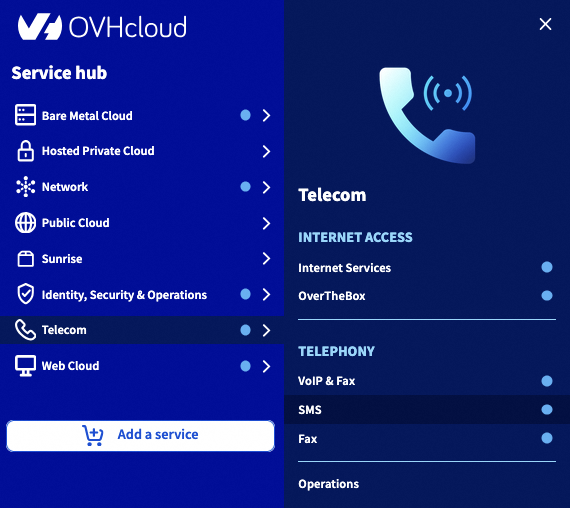
OVHcloud Control Panel Access
- Direct link: SMS
- Navigation path:
Telecom>SMS> Select your SMS account
Instructions
SMS credits
0.5 SMS credit is the cost for sending 1 SMS message in the United Kingdom. The price is degressive depending on the number of SMS credits you buy at once.
You can view the list of SMS packs on the SMS packs page.
E.g. to purchase a pack of 100 SMS credits, each credit costs 0.03 ex. VAT.
Sending 1 SMS message in the United Kingdom costs 0.5 credit. With this pack, you can send 200 SMS messages in the United Kingdom.
Sending 1 SMS message in India costs 0.4 credit. With this pack, you can send 250 SMS messages in India.
On the SMS pricing page, you can view the price in credits for sending SMS messages, depending on their destination.
An SMS message can only contain a limited number of characters, depending on its encoding. The details on encoding and valid characters are available in the following guide:
Automatic re-credit
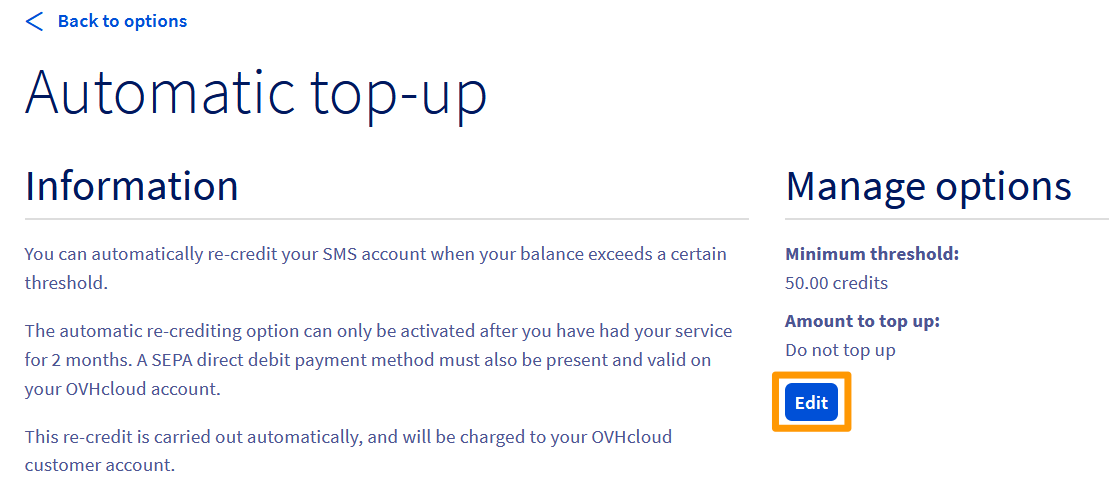
To ensure that you are never short of credit on your account, you can enable automatic re-crediting. Once a minimum threshold of remaining credit has been reached, a new number of credits is automatically added to your SMS account.
You can only enable automatic re-crediting if the following conditions are met:
- a SEPA direct debit payment method is present and validated in your OVHcloud account.
- your SMS service must be at least 2 months old.
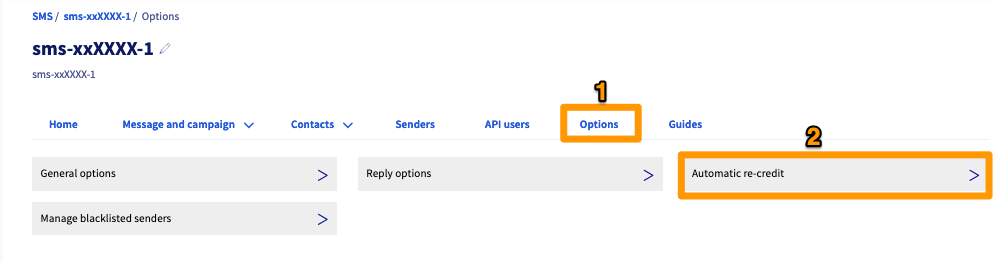
Go to the Options menu (1), then Automatic re-credit (2).
Then click Edit in the “Manage options” section.
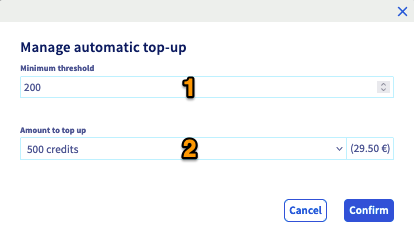
Finally, fill in the required fields.
- Minimum threshold (1): When this threshold is reached, automatic re-crediting is triggered.
- Amount to top-up (2): Defines the number of credits to re-credit onto your SMS account. There are 7 possible choices: 100, 200, 250, 500, 1000, 5000 and 10000.
- Click
Confirmto apply the settings.
Transferring credits
SMS credits can only be transferred between SMS accounts within the same OVHcloud account. Credits cannot be transferred between two different OVHcloud accounts.
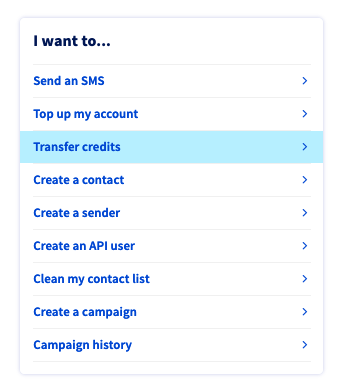
Click Transfer Credits from the Home tab.
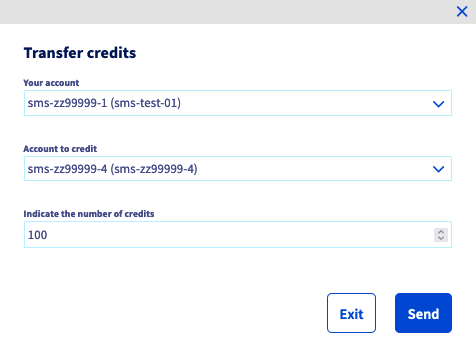
Then choose:
- The SMS account that will transfer the credits.
- The SMS account that will receive the credits.
- The number of credits to be transferred.
Click Send to execute the transfer. This one is immediate.
Go further
Join our community of users.


 Everything you need to know about SMS users
 1910
1910