

Importing an existing Kubernetes cluster in MRS
198 Views
 11.09.2024
  Managed Rancher Service (MRS)
Objective
Managed Rancher Service by OVHcloud provides a powerful platform for orchestrating Kubernetes clusters seamlessly. In this guide we will explore how to import an existing Kubernetes cluster.
Requirements
- A Public Cloud project in your OVHcloud account
- An OVHcloud Managed Rancher Service (see the creating a Managed Rancher Service guide for more information)
- An access to the Rancher UI to operate it (see the connecting to the Rancher UI guide for more information)
Instructions
Importing an existing OVHcloud Managed Kubernetes Service cluster
If you already use our OVHcloud Managed Kubernetes Service, you can easily import an existing cluster.
Log in your Managed Rancher Service UI.
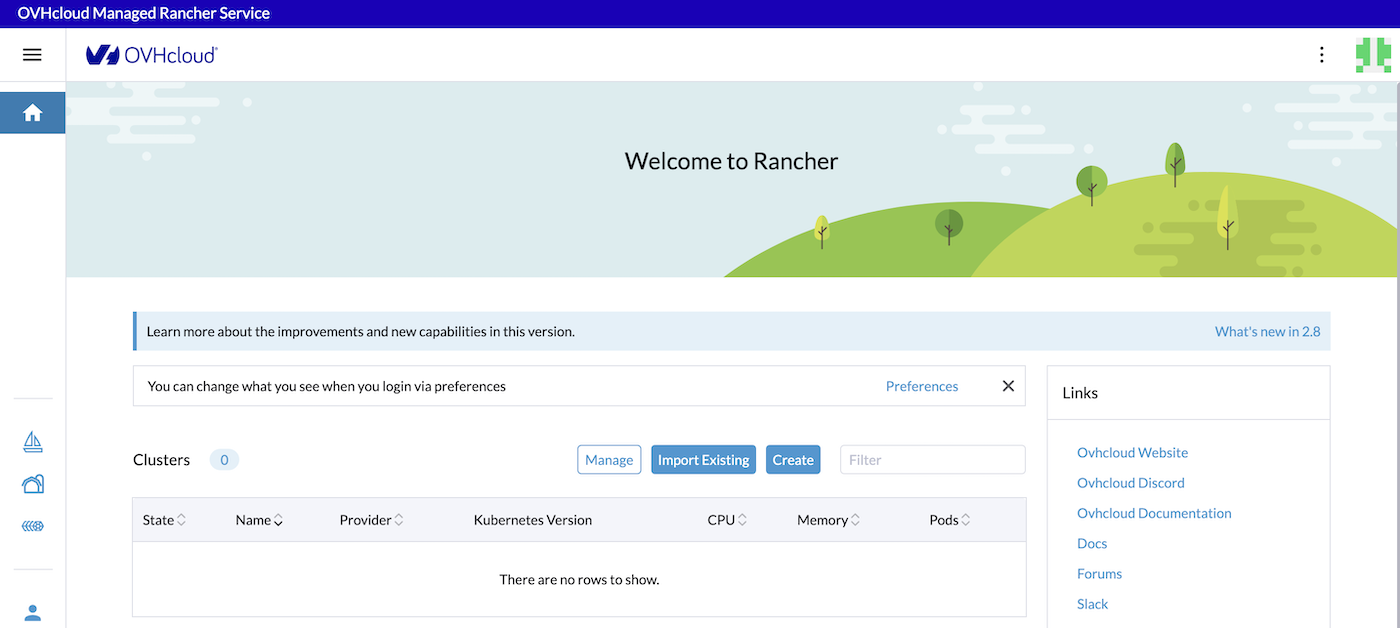
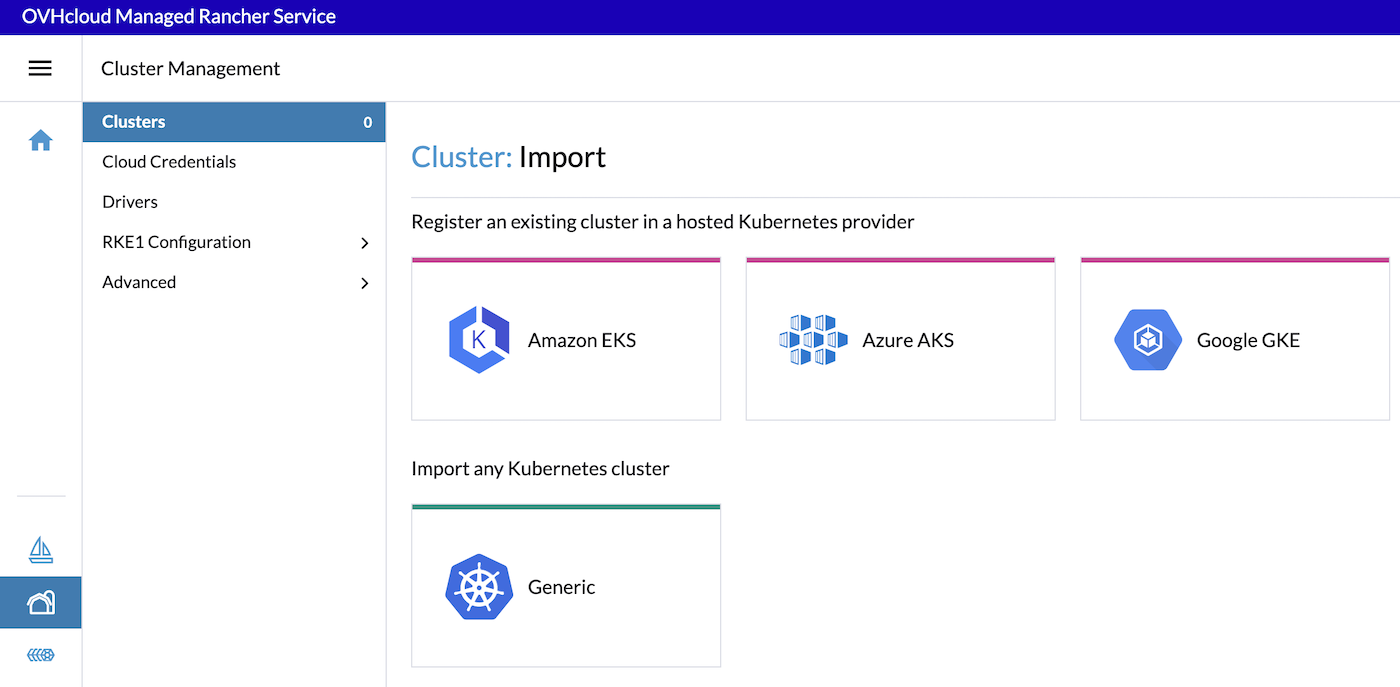
Click on the Import Existing button and select Generic driver to import any Kubernetes cluster.
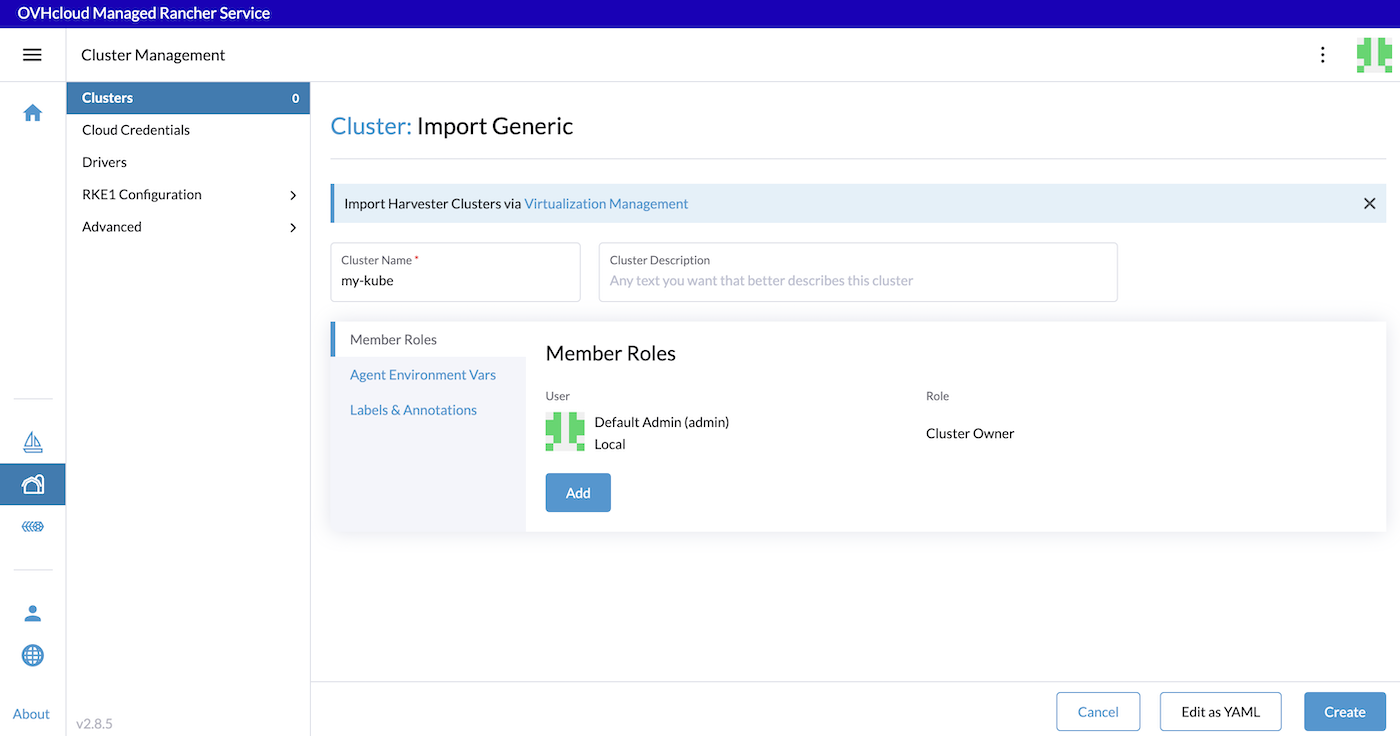
Enter the Cluster Name (it is not mandatory to match the name of your existing MKS cluster), then click on Create (at the bottom right of the screen).
Follow the instructions provided on the Registration tab.
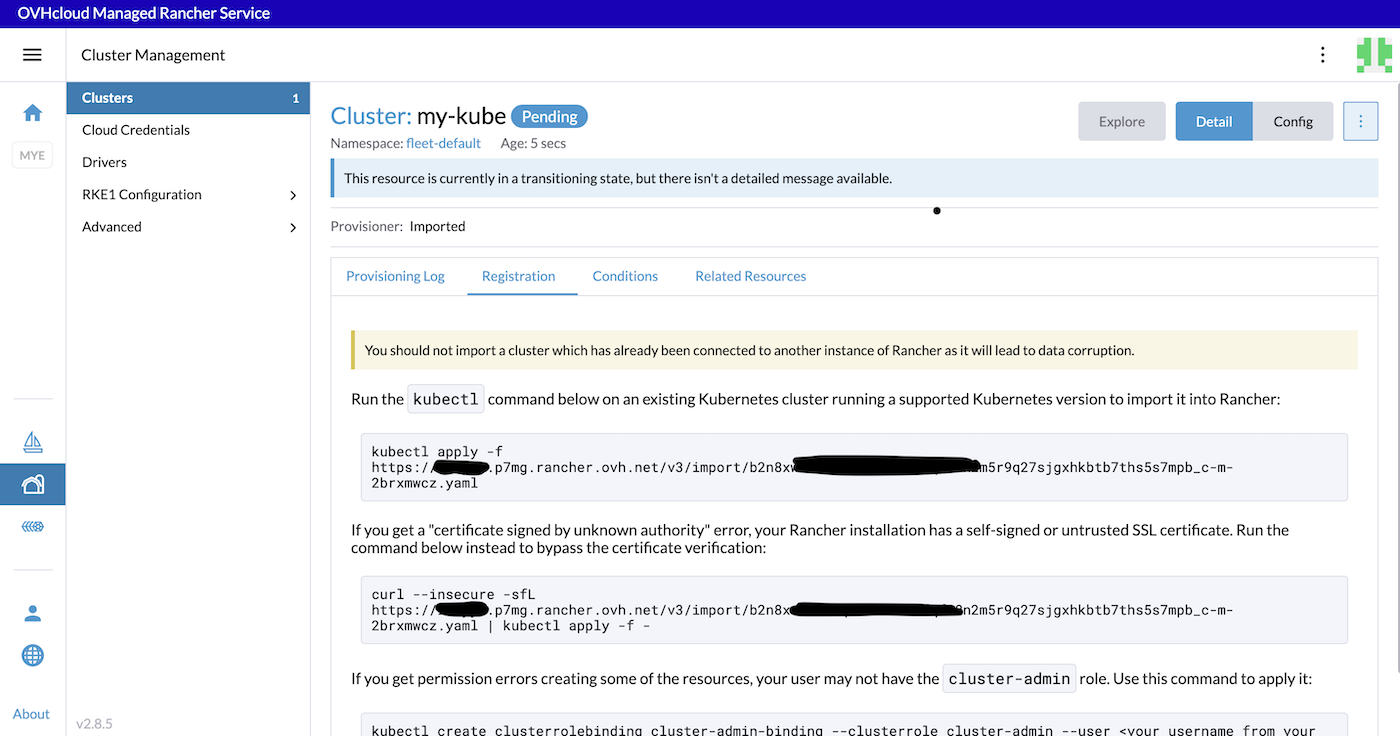
Run the provided kubectl command on your existing Managed Kubernetes Service (MKS) cluster:
Wait until your cluster becomes Active:
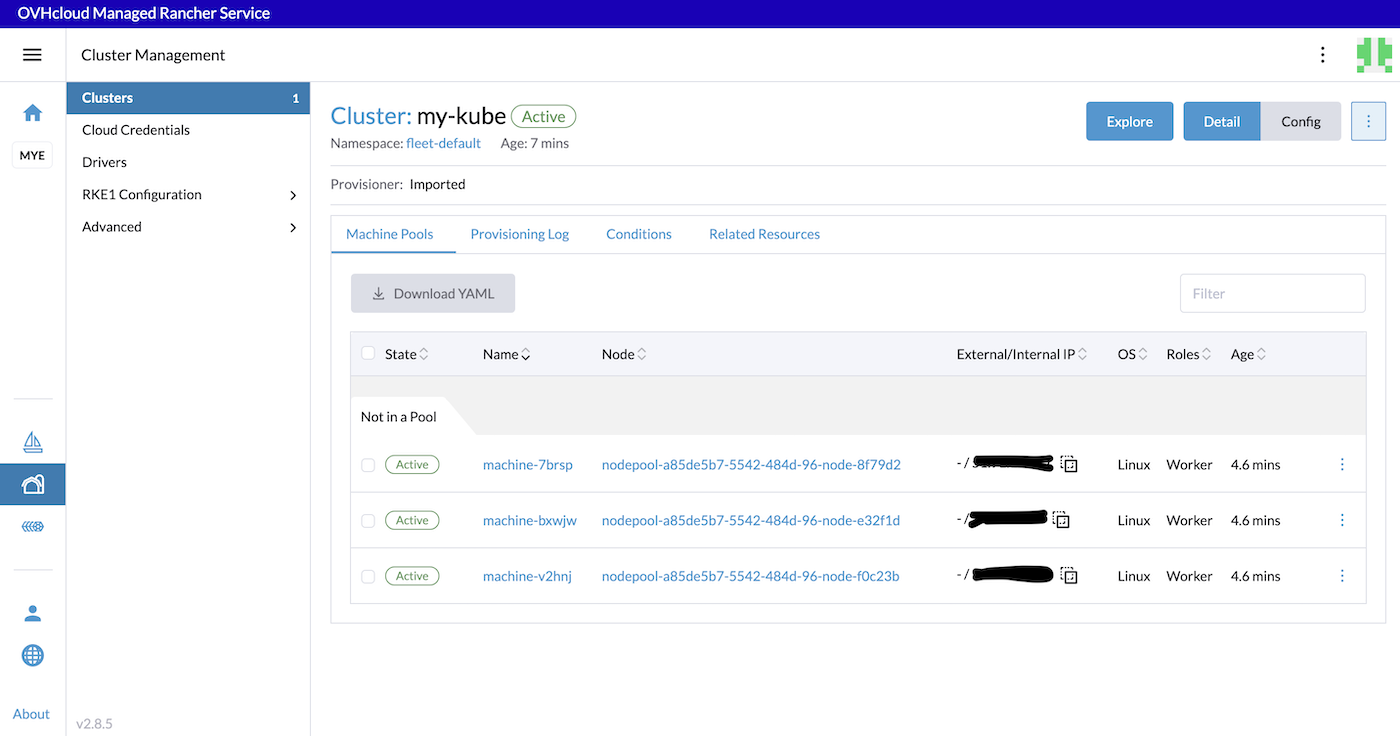
Your existing Kubernetes cluster is now federated on your Rancher.
Now you can click on the Explore button to manage your MKS cluster.
Importing an existing Kubernetes cluster
For organizations with pre-existing Kubernetes clusters, Rancher simplifies integration. Import your clusters seamlessly, wherever they're deployed, and let Rancher take over management responsibilities. This process facilitates the transition to Rancher without disrupting your existing infrastructure.
You can refer to the official Rancher documentation on how to Register Existing Cluster.
Go further
-
To have an overview of OVHcloud Managed Kubernetes service, you can go to the OVHcloud Managed Kubernetes page.
-
If you need training or technical assistance to implement our solutions, contact your sales representative or click on this link to get a quote and ask our Professional Services experts for assisting you on your specific use case of your project.
-
Our team remains available on our dedicated Discord Channel, do not hesitate to join and reach us : https://discord.gg/ovhcloud. Ask questions, provide feedback and interact directly with the team that builds our Container and Orchestration services.
-
Join our community of users.


 Getting Started with Managed Rancher Service
 1327
1327