

Scan for vulnerabilities and misconfigurations of your OVHcloud Managed Kubernetes with Trivy
1137 Views
 12.04.2024
  Cloud / Managed Kubernetes Service
Objective
Trivy is a tool that scans for vulnerabilities, secrets and misconfigurations for containers and other artifacts.

Trivy detects vulnerabilities in:
- container images
- filesystems
- Git repositories (a GitHub action exists)
- Kubernetes clusters
- Terraform and CloudFormation Infrastructure as Code (IaC) files
- ...
Trivy also scans hardcoded secrets like passwords, API keys and tokens.
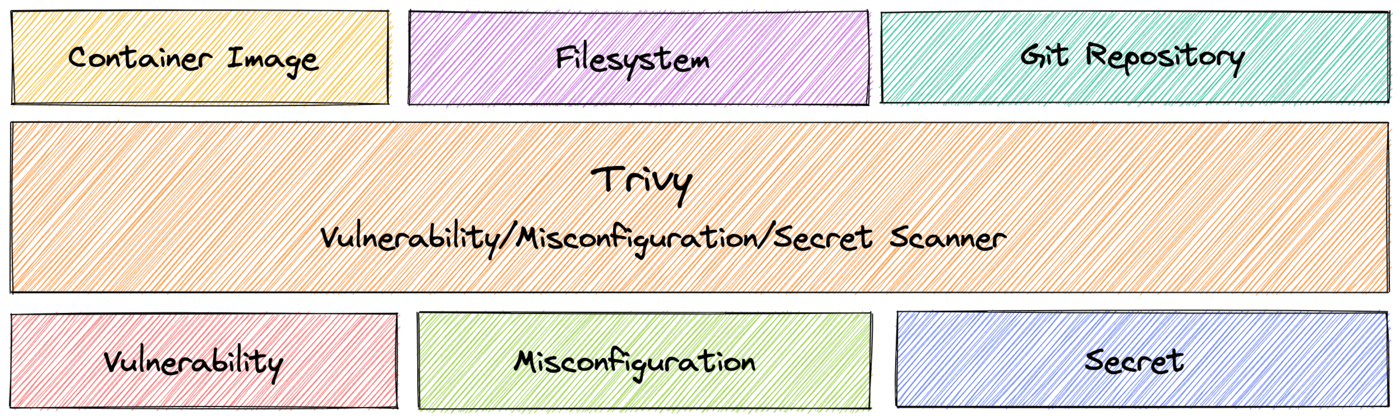
More than a simple Docker container image, Trivy can now scan a wide range of different data like Kubernetes clusters.
For your information, Trivy is a read-only tool, it only retrieves informations in order to help you to secure and sanitize your cluster. It does not modify or delete resources on a Kubernetes cluster.
Read more about Trivy here.
At OVHcloud, we like to provide you with the best products and services. For us, security is important, that's why we want to help you discover Trivy which will help you secure your OVHcloud Managed Kubernetes with helpful reports.
In this guide you will:
- Install Trivy CLI
- Generate and export reports
- Install the Trivy Kubernetes Operator
You can use the Reset cluster function in the Public Cloud section of the OVHcloud Control Panel to reinitialize your cluster before following this tutorial.
Requirements
This tutorial presupposes that you already have a working OVHcloud Managed Kubernetes cluster, and some basic knowledge of how to operate it.
Moreover, follow the deploying a Hello World application documentation in order to have an example application running on your cluster.
At this time you should have a running Kubernetes cluster with hello-world deployment and pod like below:
Instructions
Installing Trivy CLI
You can install Trivy CLI on your computer from the binaries, the source, HomeBrew, Arch Linux, Ubuntu, etc. and even use it directly from a Docker image.
For this tutorial you will install it via HomeBrew:
The output should be like this:
After the installation, check that the trivy CLI is working correctly:
You should have a behavior like this:
Trivy CLI is correctly installed on your computer, you can now use it to scan your Kubernetes cluster and display a report with existing vulnerabilities and misconfigurations.
Generate Trivy reports
The trivy CLI contains several commands and subcommands, here is an extract:
As you can see, the trivy CLI contains a lot of commands and options, as you can scan vulnerabilities in container images, file systemes, Git repositories, configuration issues, etc. For this tutorial we will focus on the k8s command (it's an alias for the kubernetes command).
When you execute trivy k8s, the command works like the kubectl command. So when you execute the CLI, it searches your Kubernetes cluster configuration.
First, you will ask Trivy to generate a summary report only on the default namespace.
To generate this report, simply execute the CLI:
This command runs tests on all nodes in the default namespace and displays a summary report:
As you can see, in our default namespace, our OVHcloud Managed Kubernetes cluster (and with an "hello world" application deployed) has several vulnerabilities and misconfigurations.
We will take a closer look at theses vulnerabilities and misconfigurations. For that, you will ask Trivy to generate a full report, still in the default namespace.
To generate this full report, simply execute the CLI:
You should obtain a report and a list of vulnerabilities and misconfigurations like this:
The report can be very big. So, in order to take a look at our vulnerabilities and misconfigurations in a new report, you can also display only URGENT vulnerabilities:
And, finally, for this part, you can also scan only a specific resource, only a specific deployment for example:
trivy k8s --namespace default --report=summary deployments/hello-world-deploymentYou should obtain a result like this:
Export reports locally
You can generate and save a report, for all your namespaces, with the -o command
This will save the report in your working directory:
Installing Trivy Kubernetes Operator
Trivy can also be run as a native Kubernetes Operator, which is designed to be used in CI/CD pipelines.
This Kubernetes Operator continuously scans your Kubernetes cluster for security issues, and generates security reports as Kubernetes Custom Resources. It watches Kubernetes for state changes and automatically triggers scans in response to changes, for example initiating a vulnerability scan when a new Pod is created.
For this tutorial we are using the Trivy Helm chart.
Add the Trivy Helm repository:
These commands will add the Trivy Helm repository to your local Helm chart repository and update the installed chart repositories:
Install the latest version of Trivy with helm install command:
This command will install the latest version of the Trivy Kubernetes Operator, create a new trivy-system namespace and configure it to scan all namespaces, except kube-system and trivy-system:
You can check if the Trivy pod is correctly running:
Now you can inspect VulnerabilityReports for all your namespaces, with the following command:
You should obtain a result like this:
You can check your deployments for several critical, high, medium and low vulnerabilities.
The Kubernetes operator also generates ConfigAuditReports:
kubectl get configauditreports --all-namespaces -o wideYou should obtain a result like this:
Thanks to the Kubernetes Operator, it's possible to integrate Trivy into your CI/CD pipeline to check cluster vulnerabilities and misconfiguration issues. It thus allows you to automate a way to access reports, export the metrics from the vulnerability reports into Prometheus, add dashboards into Grafana, set up alerting, etc.
Go further
-
If you need training or technical assistance to implement our solutions, contact your sales representative or click on this link to get a quote and ask our Professional Services experts for assisting you on your specific use case of your project.
-
Join our community of users on https://community.ovh.com/en/.


 Installing cert-manager on OVHcloud Managed Kubernetes
 1378
1378