

How to correct the contact details of a domain name owner
735 Ansichten
 19.03.2026
  Web / Domainname
Objective
Have you received an email from OVHcloud stating that action is required for your domain name? Does the same email indicate that the contact details (contact information) relating to your domain name holder must be corrected or completed?
Find out how to correct or complete the contact information of a domain name holder after receiving an alert email from OVHcloud.
Why did I receive a contact verification email from OVHcloud?
ICANN, the organization responsible for governing domain names globally, or registries, organizations responsible for managing extensions, require the validation of holder information when a domain name is created, transferred, or whenever associated contacts are updated.
Verification of holder contact details can occur at any time during a domain name's lifecycle, including for domain names purchased several years ago. Thus, each domain concerned must undergo verification of the holder's contact details within 15 days of receiving the verification email, whether following a purchase, transfer, modification of contact details, or a periodic verification requested by ICANN or the registry.
What happens if the holder's email or contact information is not verified within the timeframe?
If verification is not completed within the specified timeframe, the domain name is automatically suspended and becomes temporarily unavailable until verification is completed, potentially resulting in the deletion of the domain name. In this case, OVHcloud will not be able to provide any refund.
Requirements
- You have a domain name registered with OVHcloud.
- You have received an email from OVHcloud stating that action is required regarding your domain name holder contact details.
- Check the following points to ensure that this is not a fraudulent email:
- The subject of the email contains your NIC handle (e.g.:
aa00000-ovh) and your domain name (e.g.:domain.tld).
- The subject of the email contains your NIC handle (e.g.:
OVHcloud Control Panel Access
- Direct link: Domain names
- Navigation path:
Web Cloud>Domain names> Select your domain name
Instructions
1 - Holder email verification after purchase or modification of the holder's contact email for a domain name
After the order, the domain name holder will receive an email from OVHcloud to validate their email address and confirm it is reachable.
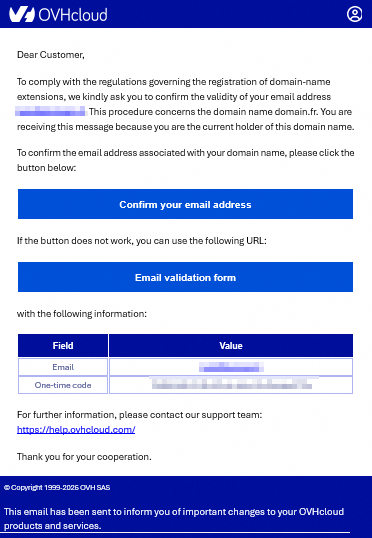
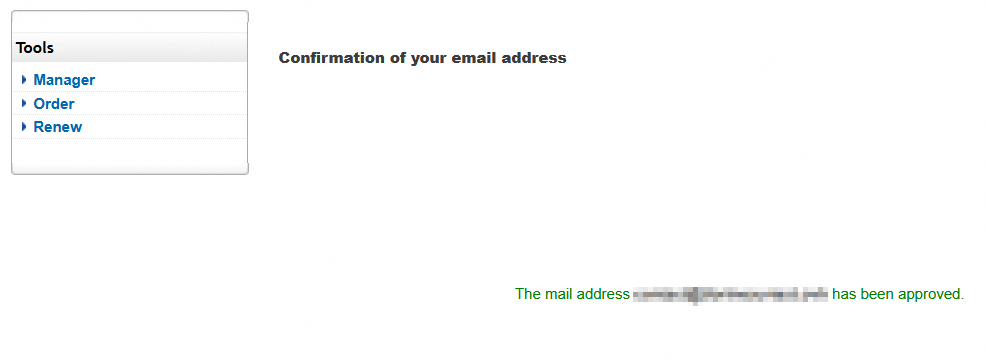
When clicking on Confirm your email address, a new page will open with a link directly validating the holder's email address.
2 - Correct or complete the contact details of the domain name holder as an administrator
Click on the tabs below to view each of the 4 steps.
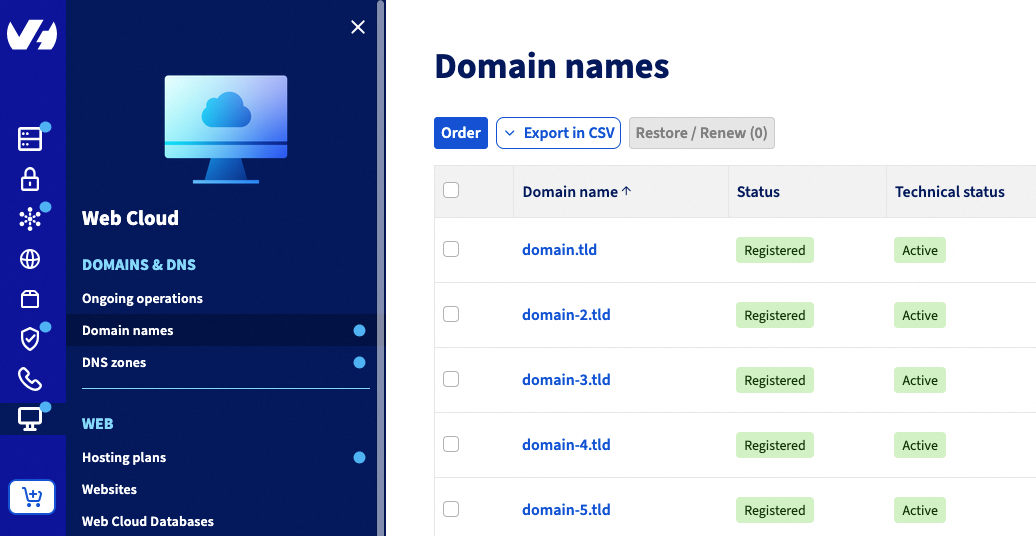
Go to the Domain names page, then choose the domain name concerned.
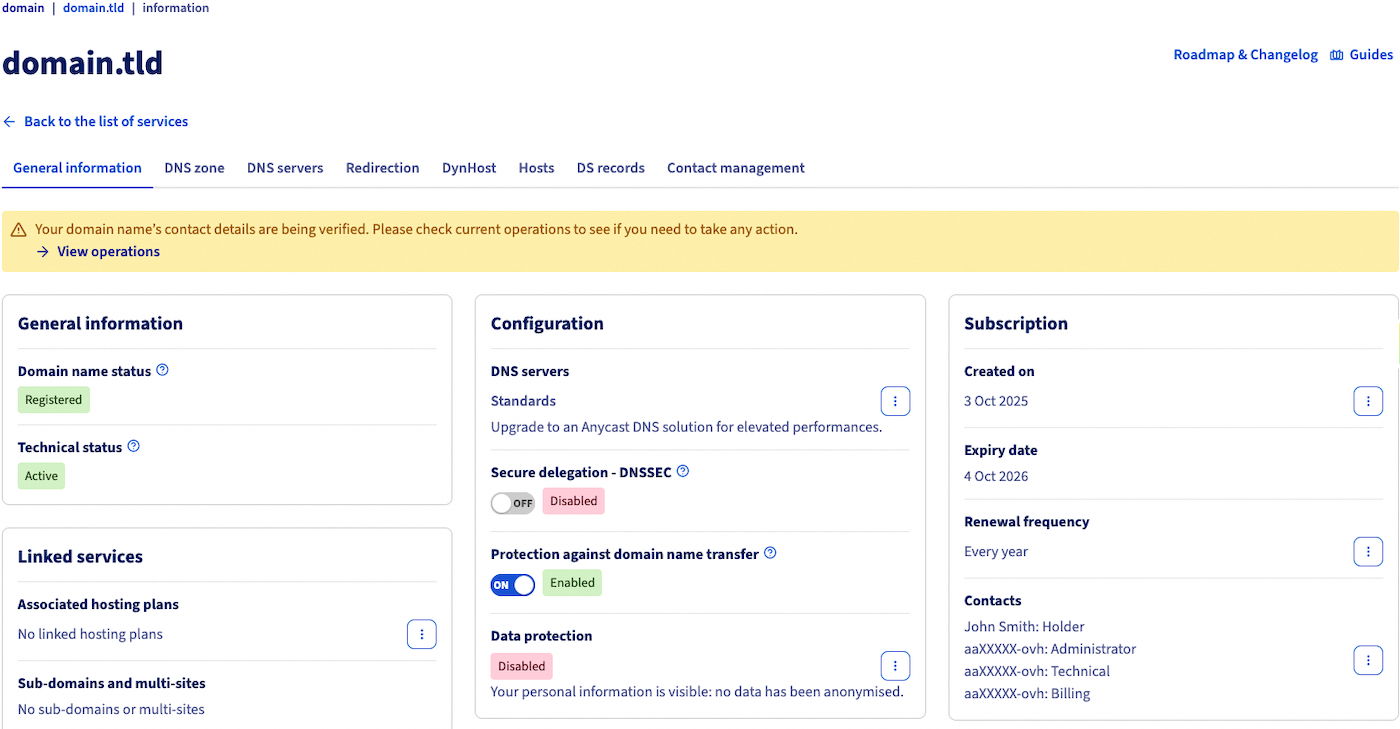
On the page that pops up, check that your domain name is covered by the procedure, as there is a banner (yellow or red) indicating the operation to be carried out.
Then, find the Contacts comment in the Plan box. Click the ... button to the right, then Manage contacts.
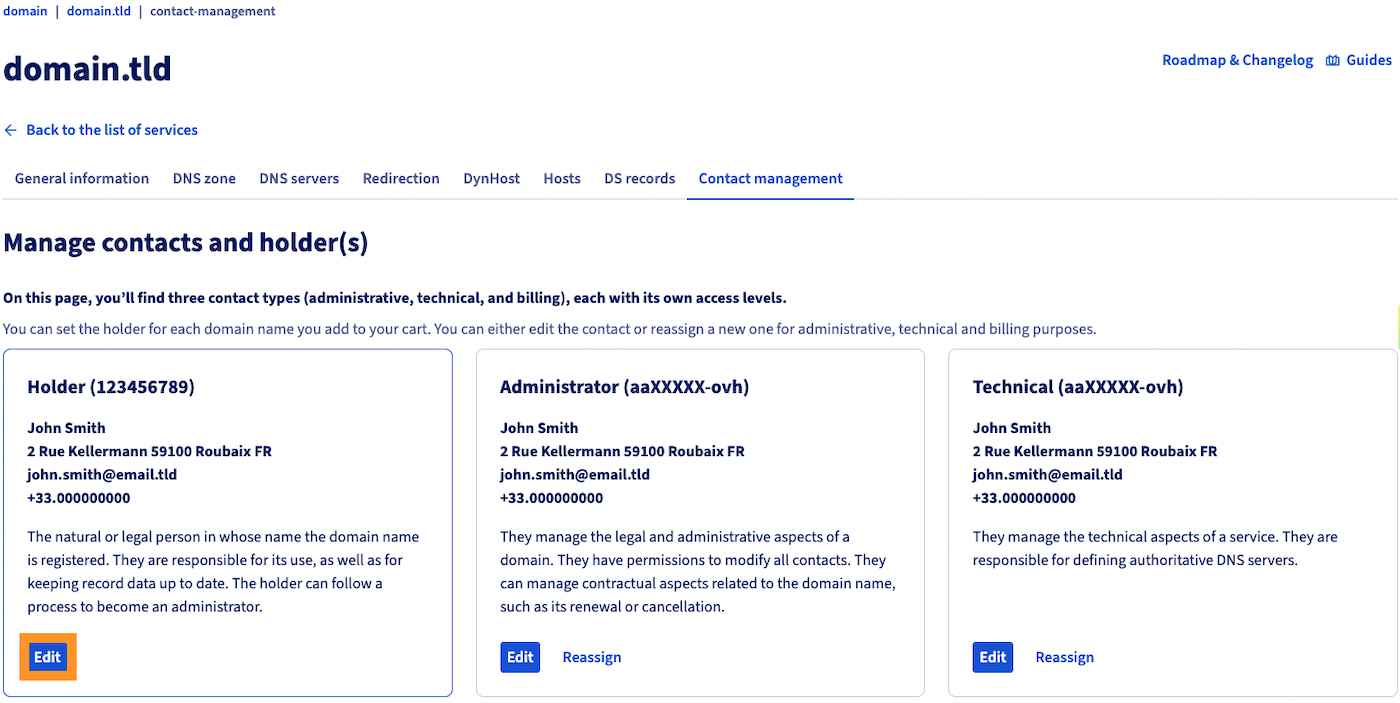
On the new page, go to the Holder box, then click the Edit button.
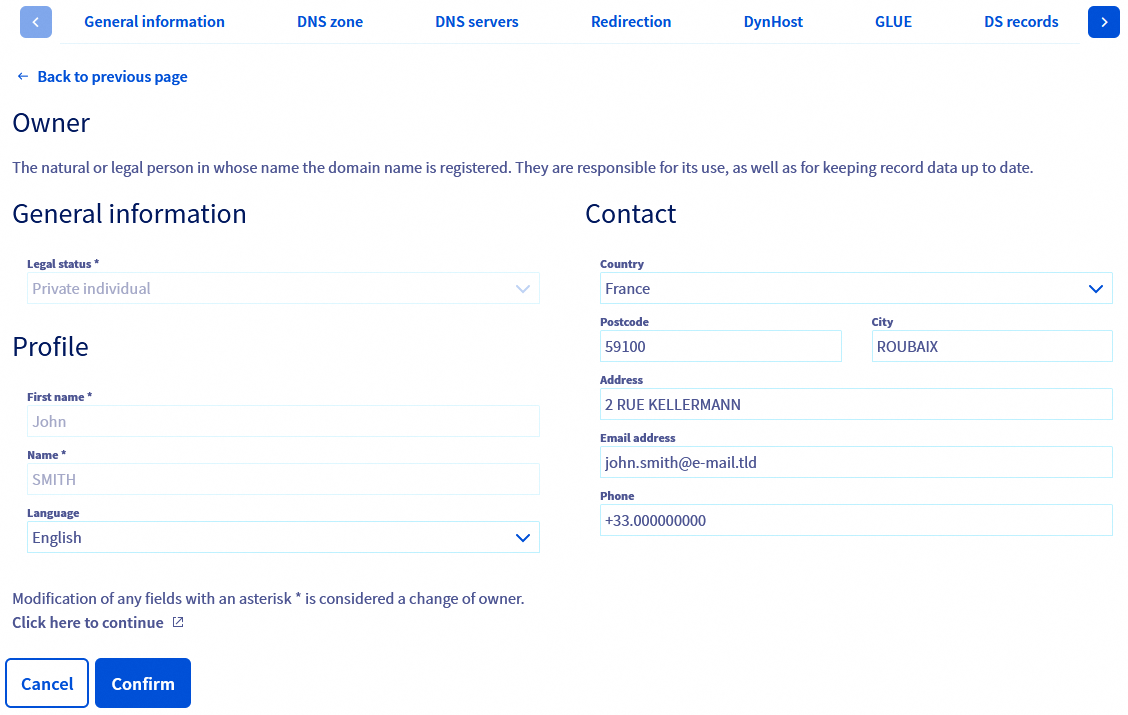
Any change to the holder's first name, surname, organization, legal status or email address is considered a change of holder.
If you modify only the holder's contact details other than those mentioned above, edit the appropriate fields, then click Confirm. In this case it will not be necessary to initiate a request for a change of holder. For this operation, you do not need to confirm the changes by email.
If a change of holder is required, click on the link Click here to continue at the bottom of the page.
Find more details on changing the holder in our guide: "Domain name - How do I change the owner".
3 - What to do if the holder contact's email address is no longer accessible?
General case
If the email address associated with your domain name is incorrect or inaccessible (for example, due to a typo), you should contact OVHcloud support.
Please note that the domain's holder will have to prove their identity again by providing the required documents according to their type (individual, company, association, etc.).
The list of documents below is not exhaustive. Other documents may be requested depending on your situation or the requirements of the relevant registry.
Documents to provide according to the type of holder:
- Individual:
- Valid identity document (front and back): national identity card, passport (pages containing the photograph and personal information as well as the signature page), residence permit or driving licence
- Company
- Proof of entity existence: company registration extract (less than 3 months old), trade register extract, business licence, or any equivalent document.
- Valid identity document (front and back) of the legal representative (business owner, president or managing director): national identity card, passport, residence permit or driving licence.
- Non-profit organisation
- Valid identity document (front and back) of the legal representative (president, manager or director of the association): national identity card, passport, residence permit or driving licence
- Legal proof of existence of the organisation.
- Minutes of the last general meeting.
- Public administration
- Administrative certificate (or equivalent official document).
- Valid identity document (front and back) of the public administration representative: national identity card, passport, residence permit or driving licence.
Our teams will help you in the next steps to verify your domain.
Special case - Modification of the holder contact by the administrator without assistance (example of .fr)
For certain extensions ( e.g.: .fr, .it, .es), the domain administrator can go directly to their OVHcloud Control Panel and modify the holder contact's email address by following the steps described in Step 2 of this page.
4 - Relaunch the operation to verify the contact details of the domain name holder
If the corrections in the first part of this guide required the initialization of a change of holder for the domain name, complete the change of holder before continuing with the actions described in this guide.
Click on the tabs below to view each of the 4 steps.
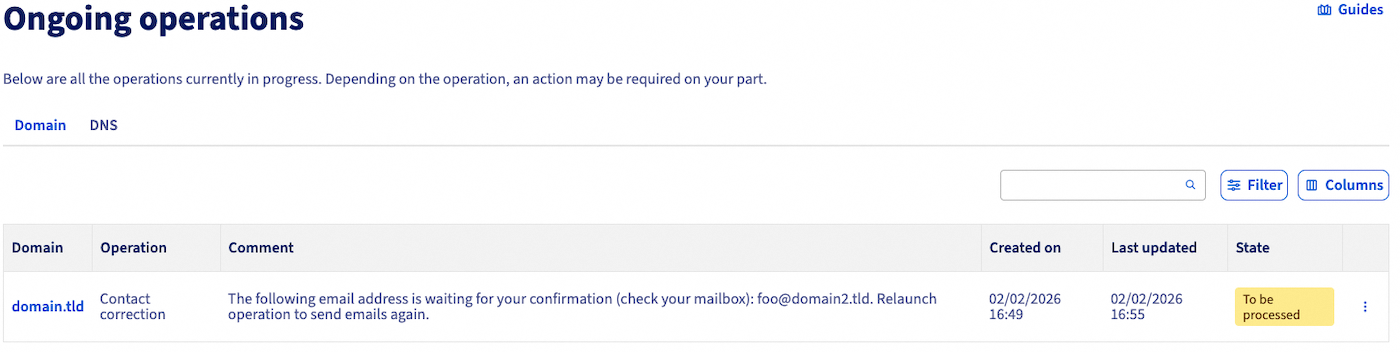
Go to the Ongoing operations page, then find the domain name concerned in the list.
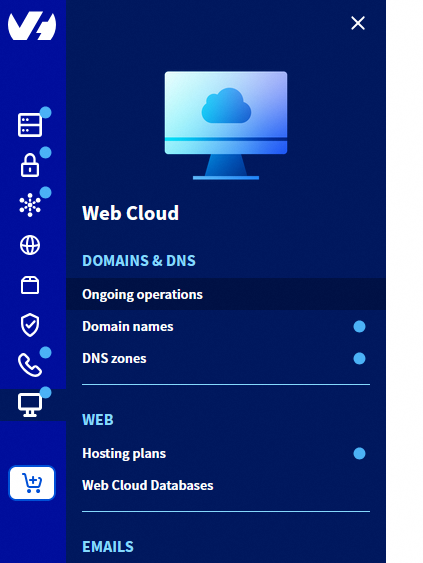
Click the ⁝ button on the right, then Modify operation.
In the window that opens, tick the option Relaunch operation, then click Confirm.
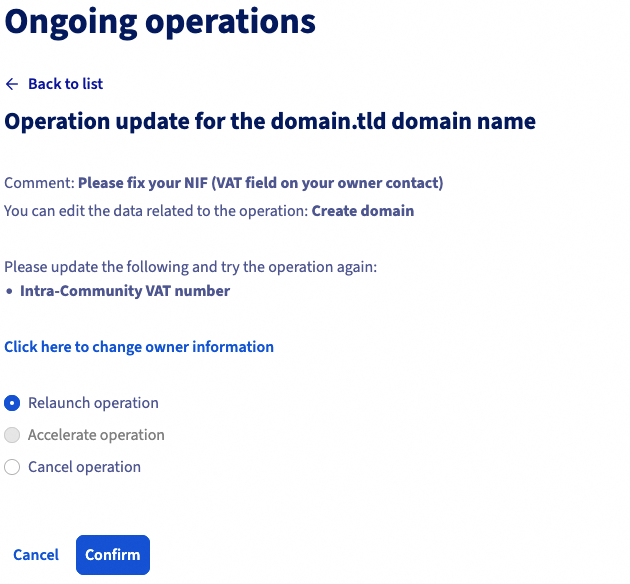
It will take a few minutes to complete the operation. Refresh the Domain name operations page where the operation to correct the contact for your domain name was located.
If the operation has completed successfully, the row for the processed operation no longer appears.
If this is not the case, a correction is necessary in the domain name holder's contact details. In this case, please follow this guide from the beginning to resolve the issue.
Go further
Domain name - How do I change the owner
Managing contacts for your services
For specialised services (SEO, development, etc.), contact OVHcloud partners.
If you would like assistance using and configuring your OVHcloud solutions, please refer to our support offers.
Join our community of users.


 Domainnamen - Inhaber eines Domainnamens ändern
 2381
2381