

Web Hosting - How to change your solution
608 Views
 21.10.2025
  Web / Web Hosting
Objective
In your OVHcloud Control Panel, you can increase the capacity of your web hosting plans. A subscription upgrade provides the following advantages:
- More powerful hosting
- More FTP storage space
- Additional databases
- Additional email accounts
- Additional features such as mailing lists (from the Professional offer) or the Web Cloud Databases service (included in the Performance offers)
This guide explains how to upgrade your OVHcloud hosting plan without any service interruptions.
Requirements
OVHcloud Control Panel Access
- Direct link: Hosting plans
- Navigation path:
Web Cloud>Hosting plans> Select your web hosting plan
Instructions
Before making any changes to your current subscription, please check if you are affected by any of these questions:
Modifying your web hosting plan
Subscription switching to a lower plan is not available to our customers whose services are hosted in a data centre outside of Europe.
If you would like to change your subscription to a lower plan, please follow the steps in our guide on "Migrating your website and emails to OVHcloud".
To modify your subscription, click on the tabs below to view each of the 2 steps.
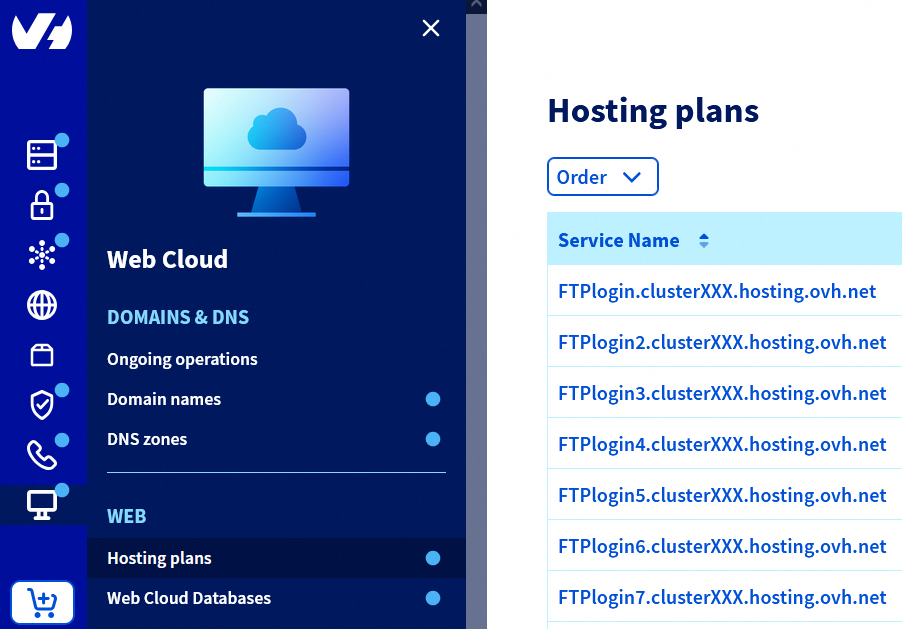
Go to the Hosting plans page, then select the web hosting plan concerned.
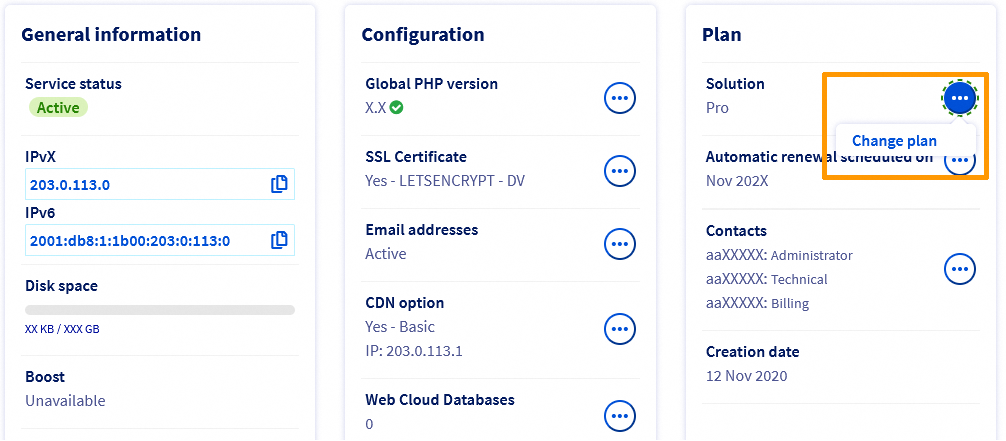
In the Plan box, click the ... button to the right of Solution, then Change plan.
Then select your new subscription and its duration. Confirm the corresponding contracts, then click Send.
Special cases
Temporarily boost your Performance hosting
With the Boost option, available on our Performance plans, you can temporarily increase your web hosting plan’s CPU and RAM resources to absorb a one-off increase in traffic. If this increase continues over time, you can also switch to the higher-level Performance plan so that you have these resources permanently.
When you choose to enable the Boost option, it will remain active and billed until you disable it.
If the Boost option is right for you, please find instructions below on how to enable or disable this option on your web hosting plan.
To enable the Boost option, click on the tabs below to view each of the 2 steps.
Go to the Hosting plans page, then select the web hosting plan concerned.
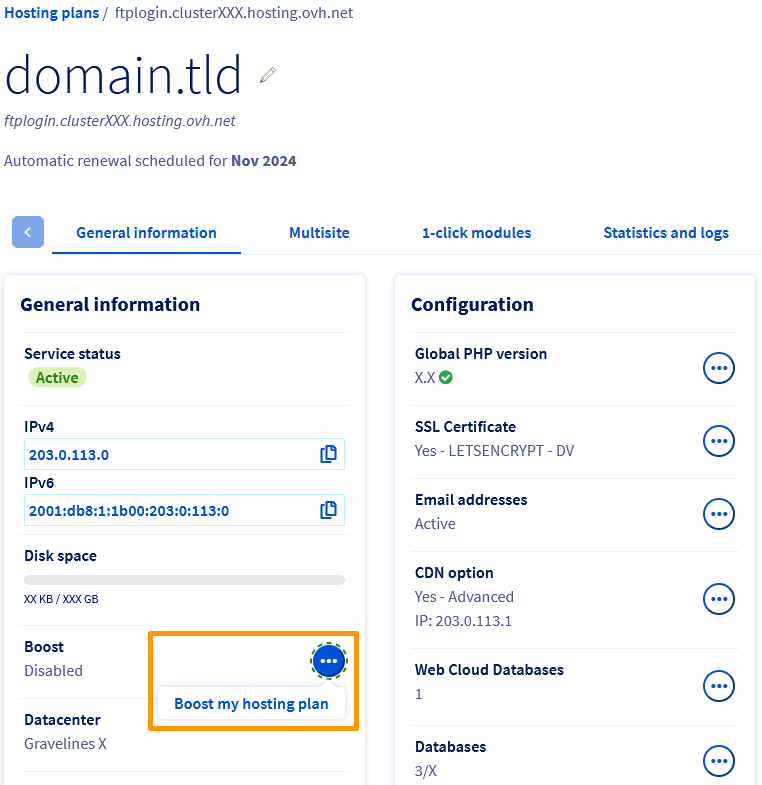
In the General information box on the page that opens, click the ... button to the right of Boost, then Boost my hosting plan.
To disable the Boost option, click on the tabs below to view each of the 3 steps.
Go to the Hosting plans page, then select the web hosting plan concerned.
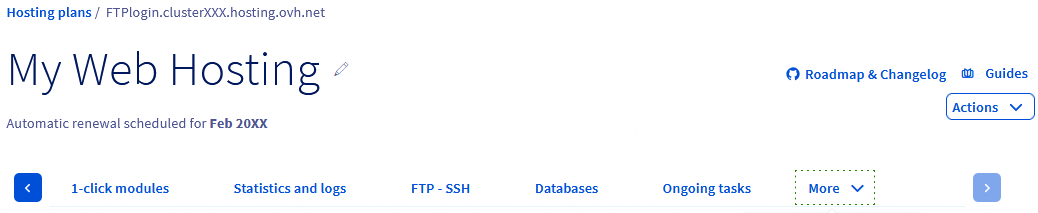
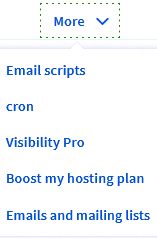
On the page that pops up, click on the More tab, then click Boost my hosting plan.
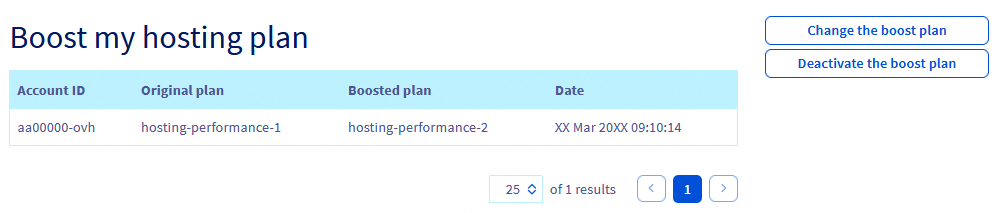
The usage table for the Boost option will appear. Click Disable boost plan.
Billing when you change plans
When you upgrade your plan to a higher plan, a pro rata calculation will be applied until the next renewal date for this initial subscription. This calculation is the price difference between your original plan and your new plan.
Example:
You have subscribed to a Personal subscription on 1 January 2024.
On October 31, 2024, you upgrade this Personal plan to the Pro plan.
Therefore, the amount corresponding to the remaining duration on the Personal subscription (2 months, from 01 November 2024 to 01 January 2025) is automatically deducted from the cost of the new Pro subscription, until 01 January 2025. You will only pay the difference. From 01 January 2025, the Pro subscription will then be billed at its current price.
Follow these instructions to change your solution.
Go further
Accessing a website’s logs and statistics on a web hosting
Optimising your website’s performance
For specialised services (SEO, development, etc.), contact OVHcloud partners.
If you would like assistance using and configuring your OVHcloud solutions, please refer to our support offers.
Join our community of users.


 Hosting multiple websites on your Web Hosting plan
 2320
2320