

How to identify your database server
17 Views
 12.02.2026
  Configuration
Objective
During the use of your services, you may need to know the name of the SQL server on which your database is located (either included or ordered as an additional service via your web hosting).
This guide does not apply to databases hosted on a Web Cloud Databases solution.
Discover how to find the name of the server hosting your shared database, accessible with your web hosting.
Requirements
- An OVHcloud Web Hosting plan
- A database included or ordered as an additional service via your web hosting
OVHcloud Control Panel Access
- Direct link: Hosting plans
- Navigation path:
Web Cloud>Hosting plans> Select your web hosting plan
Instructions
Click on the tabs below to view each of the 3 steps.
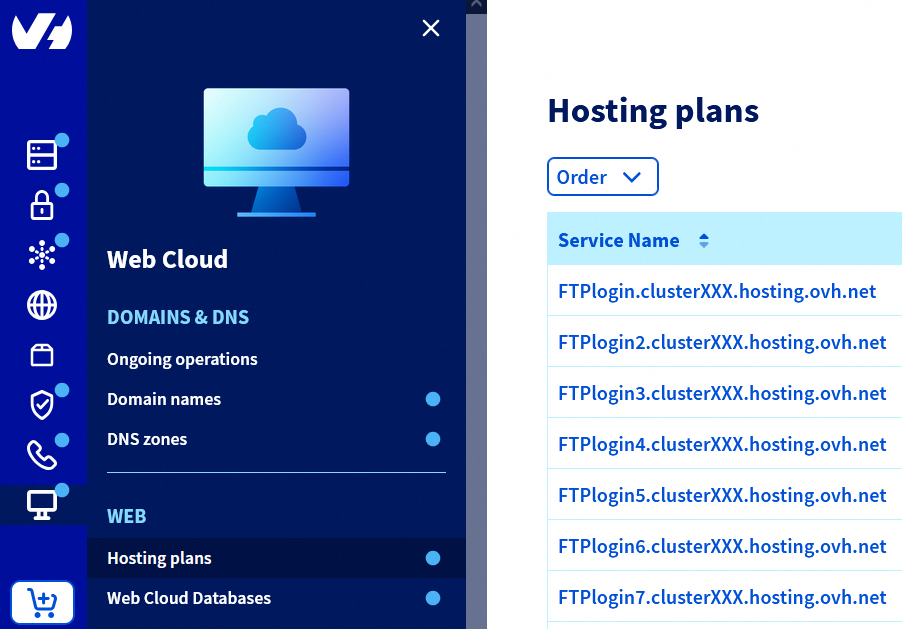
Go to the Hosting plans page, then select the web hosting plan concerned.
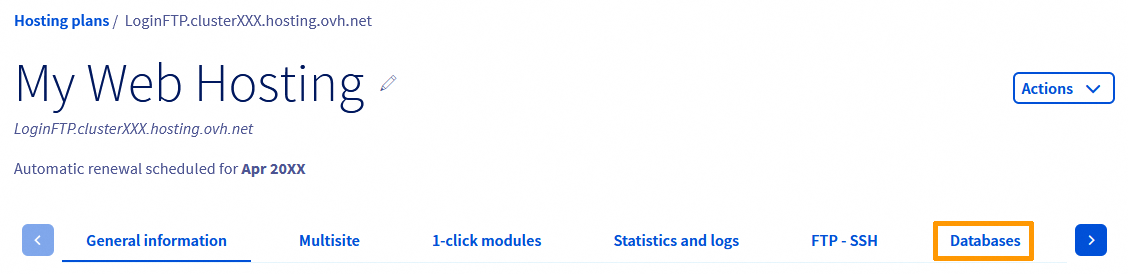
On the page that pops up, click on the Databases tab.
In the table, locate the Server column.
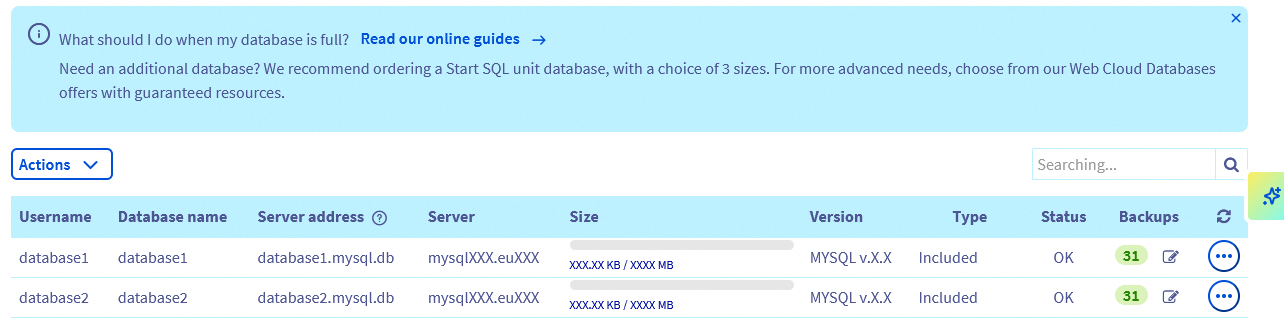
For the relevant database, you will find the name of the SQL server (e.g., mysqlXXX.euXXX) in this column, on which your shared database is hosted.
Do not confuse the Server with the Server address:
- The Server address is part of the login credentials specific to your database and allows your website to connect to it.
- The Server represents the infrastructure hosting your database, as well as other databases. The server name allows you to check whether it is affected by a maintenance operation or an incident reported on our Web Cloud Status page.
Go further
Troubleshooting common database errors
For specialised services (SEO, development, etc.), contact OVHcloud partners.
If you would like assistance using and configuring your OVHcloud solutions, please refer to our support offers.
Join our community of users.


 Creating a database on your web hosting plan
 593
593