

Web hosting - How to enable SFTP access
18 Views
 04.02.2026
  Configuration
Objective
OVHcloud web hosting offers provide access to a storage space where you can upload the files of your websites or applications. Access to this space is possible via an FTP or SSH user with the passwords associated with them.
Just like the File Transfer Protocol (FTP), the Secure File Transfer Protocol (SFTP) allows you to transfer data from your device to the storage space of your web hosting.
The only difference is that SFTP uses a secure channel to exchange data. The data transmitted via this protocol is automatically encrypted.
Find out how to enable SFTP access on your OVHcloud web hosting.
Requirements
OVHcloud Control Panel Access
- Direct link: Hosting plans
- Navigation path:
Web Cloud>Hosting plans> Select your web hosting plan
Instructions
Enable SFTP access for an FTP user on your web hosting
Click on one of the two lines below, depending on your web hosting offer, to display the explanations.
Enable SFTP on a free 100M, Starter, or Perso web hosting offer
Click on the tabs below to view each of the 3 steps.
Go to the Hosting plans page, then select the web hosting plan concerned.
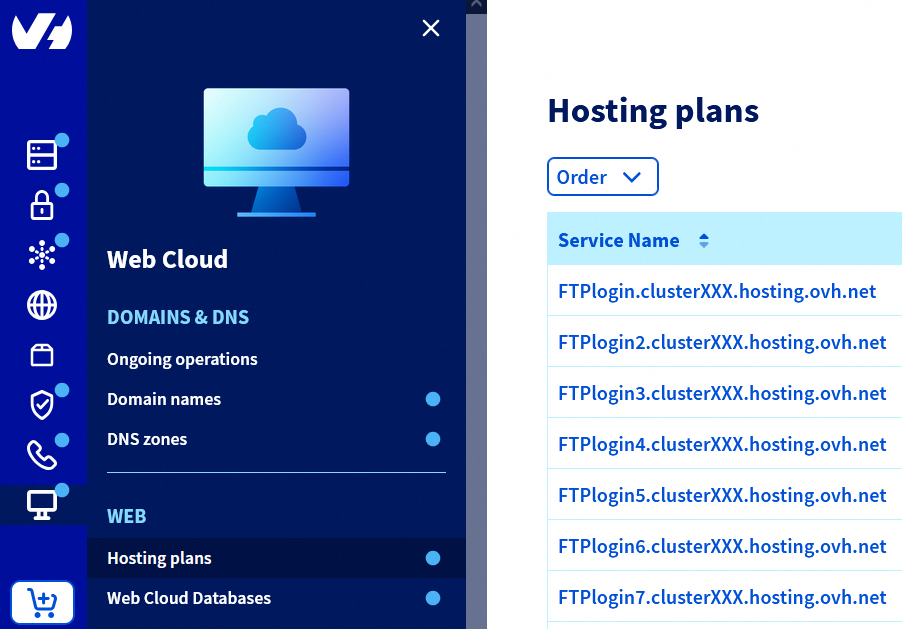
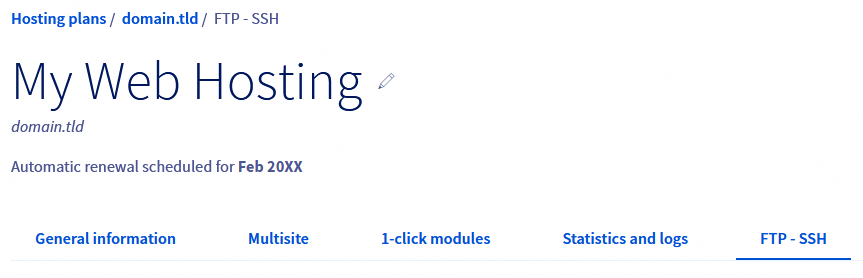
On the page that pops up, click on the FTP - SSH tab.
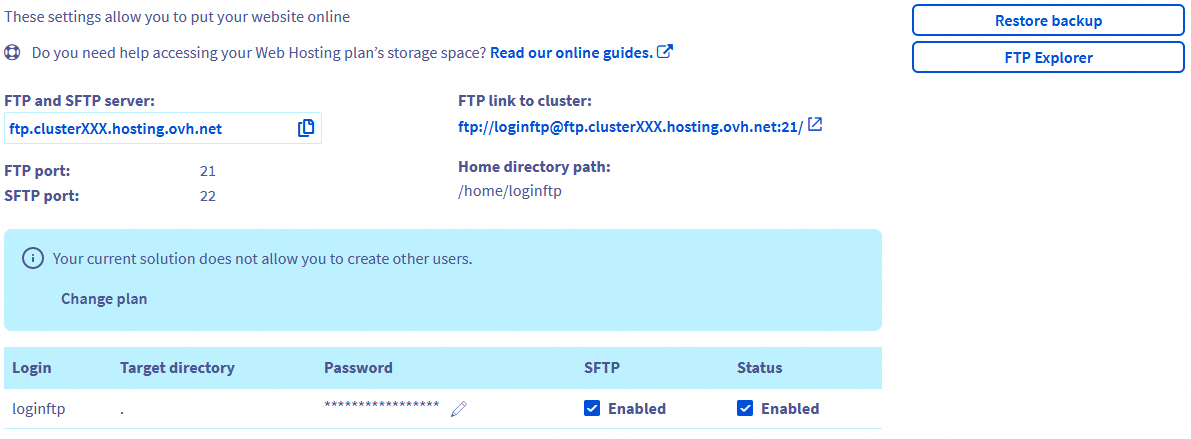
At the bottom of the page, in the table, check the box in the SFTP column for the relevant FTP user. The page will automatically refresh.
Once the SFTP option is enabled, you will be able to use the SFTP protocol on your web hosting with the relevant FTP user.
Enable SFTP on a Pro or Performance web hosting offer
Click on the tabs below to view each of the 4 steps.
Go to the Hosting plans page, then select the web hosting plan concerned.
On the page that pops up, click on the FTP - SSH tab.
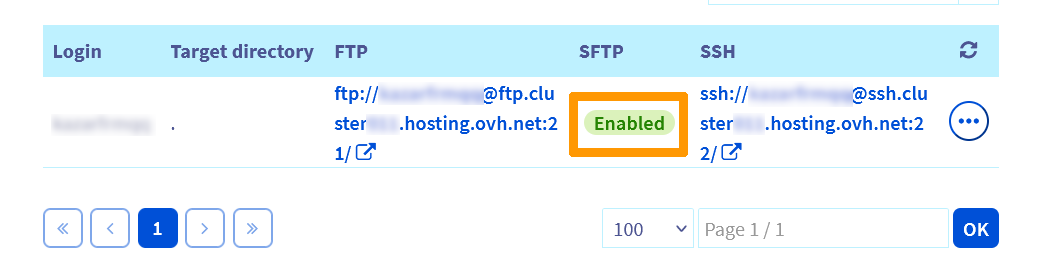
At the bottom of the page, in the table, check the status in the SFTP column for the relevant FTP user:
- Enabled: The SFTP protocol is already active for this user.
- Disabled: Click on the
...button to the right of the relevant line, then onEdit.
In the window that opens, in the Connection protocols section, select FTP and SFTP or FTP, SFTP and SSH if you also need to enable the SSH protocol.
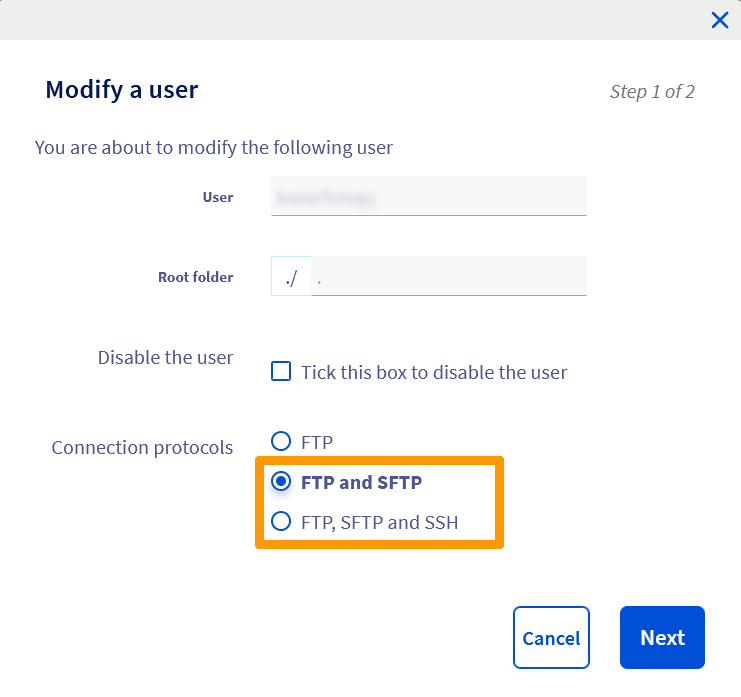
Then click on Next, then on Confirm to complete the activation of SFTP for the relevant user.
Connect to your web hosting via SFTP
For this, refer to our guide « Logging in to your web hosting plan’s FTP storage space ».
Go further
Accessing a web hosting plan via SSH
Tutorial - Using FileZilla with your OVHcloud hosting
Tutorial - Using Cyberduck with your OVHcloud hosting
For specialised services (SEO, development, etc.), contact OVHcloud partners.
If you would like assistance using and configuring your OVHcloud solutions, please refer to our support offers.
Join our community of users.


 Web Hosting - How to use FileZilla
 68634
68634