

Getting started with PostgreSQL
568 Views
 15.02.2023
  Web / Web Cloud Databases
Do you want to use PostgreSQL? Learn how to easily manage your databases!
Overview
Prerequisites
- A Web Cloud Databases instance
- To have viewed the Web Cloud Databases guide
What is a PostgreSQL database?
PostgreSQL is an object-relational database management system (ORDBMS). It's a reliable and extensible system, which can manipulate large volumes of data. It also has a very active community.
Logging in to the database
Please note that this service does not give you access to the Host but to the databases hosted on the Host. Generic SQL commands work with no issues, and HeidiSQL or SQuirreL SQL software is fully compatible.
To log in to your database, make sure that you have:
- The address of your database instance
- Your database port
- Your database username
- Your database password
- Your database name
All this information is available in the OVHcloud Control Panel.
There is also a guide here: Getting started with the Web Cloud Databases service
Connect via the command line
Connect from a PHP script
Connect from software (SQuirreL SQL)
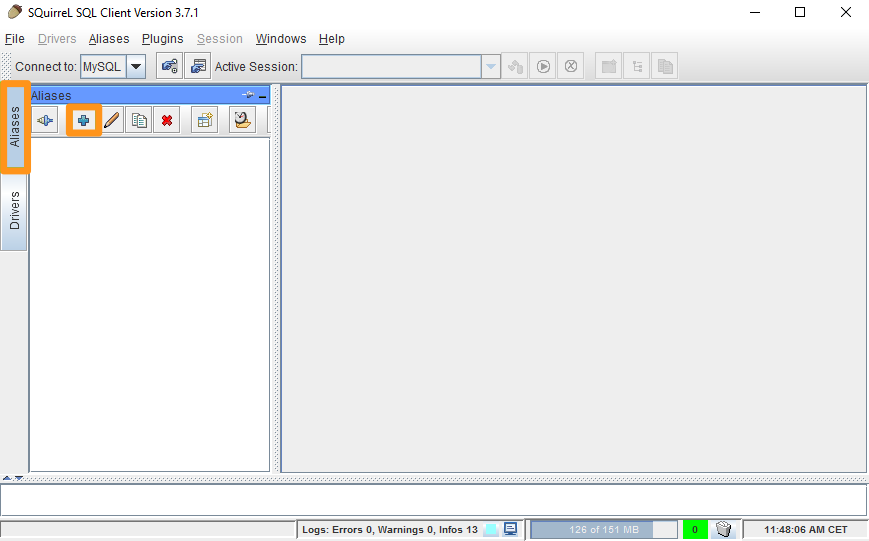
- Launch SQuirreL SQL and click on
Aliases, then on+
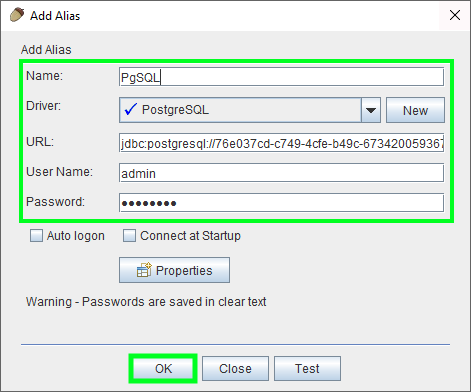
- Fill in the fields below and then confirm by clicking
OK:- Name: Choose a name
- Driver: Choose "PostgreSQL"
- URL: Enter the server address and port in the following form jdbc:postgresql://server:port/database
- User Name: Enter the username
- Password: Enter the password
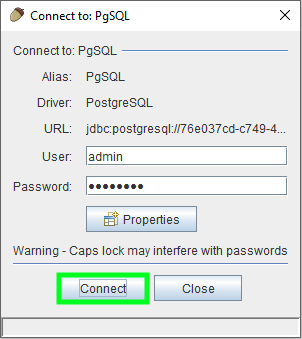
- Confirm again by clicking the button
Connect
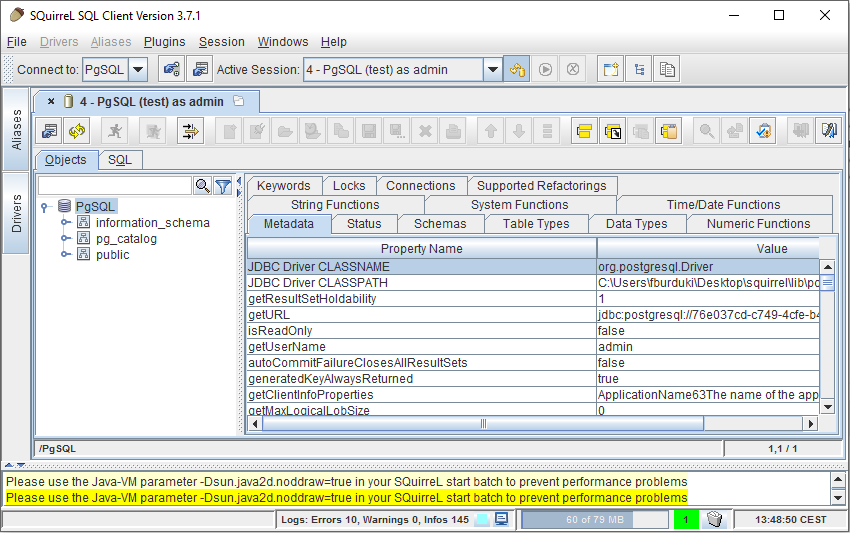
You will now be connected to your database:
Connecting via phppgAdmin
Soon available in another guide.
Export a PostgreSQL database
Export your database via the command line
Import a PostgreSQL database
Import your database via the command line
Go further
For specialised services (SEO, development, etc.), contact OVHcloud partners.
If you would like assistance using and configuring your OVHcloud solutions, please refer to our support offers.
Join our community of users.


 Getting started with the Web Cloud Databases service
 612
612