

Using the OVHcloud plugin in vSphere
235 Views
 15.11.2021
  Cloud / Hosted Private Cloud
Objective
With the OVHcloud plugin, you can add dedicated resources to your infrastructure in just a few minutes.
Find out how to use the OVHcloud plugin in vSphere.
Requirements
- an OVHcloud Hosted Private Cloud solution
- access to the vSphere interface
Instructions
Two dedicated resources can be billed hourly as an option:
- host servers
- datastores
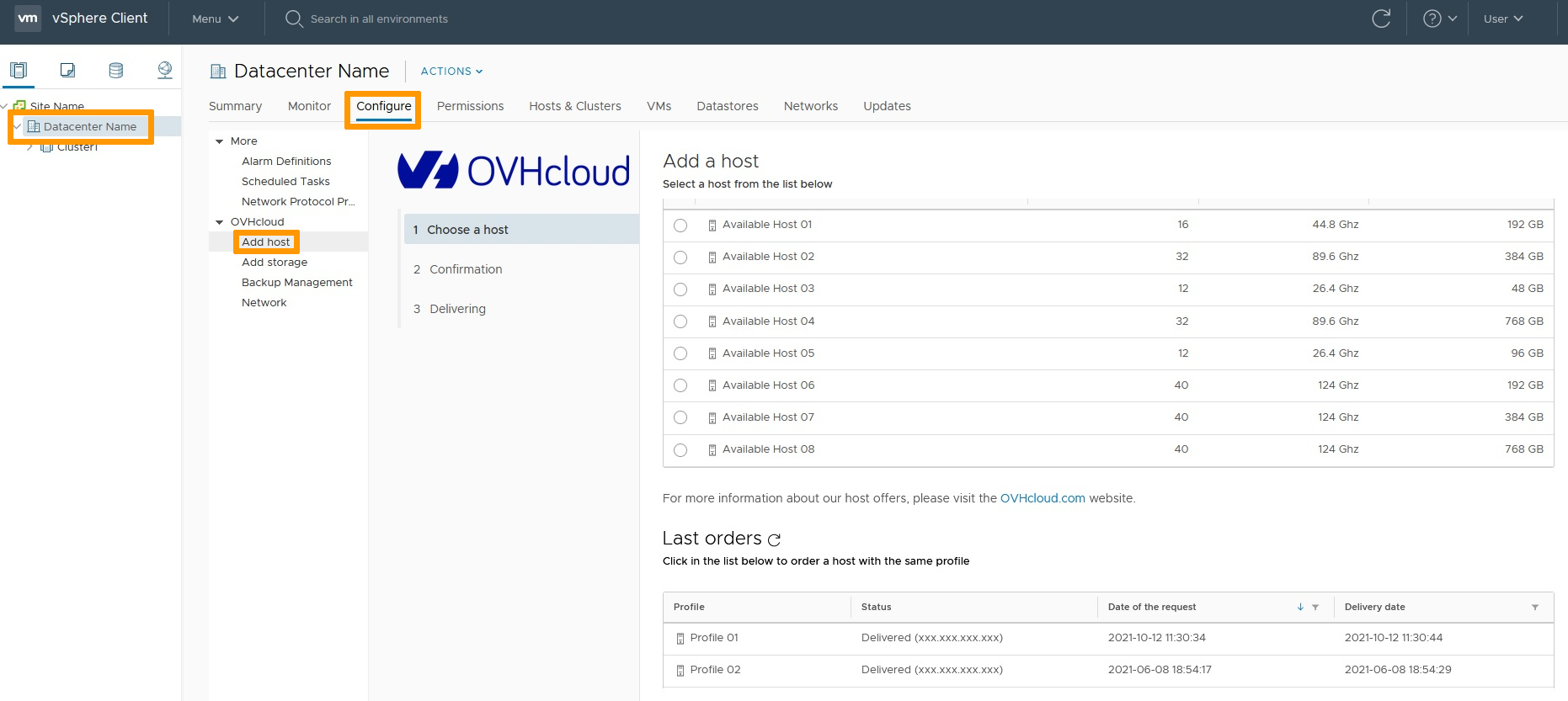
In the vSphere web client, simply go to the "Host and Cluster" section, and open the tree-view on the left-hand side. You can then access the plugin menus via the Configure tab for the datacentre or the cluster.
The Add Host menu is dedicated to host servers. You can view their technical details and order new host servers here.
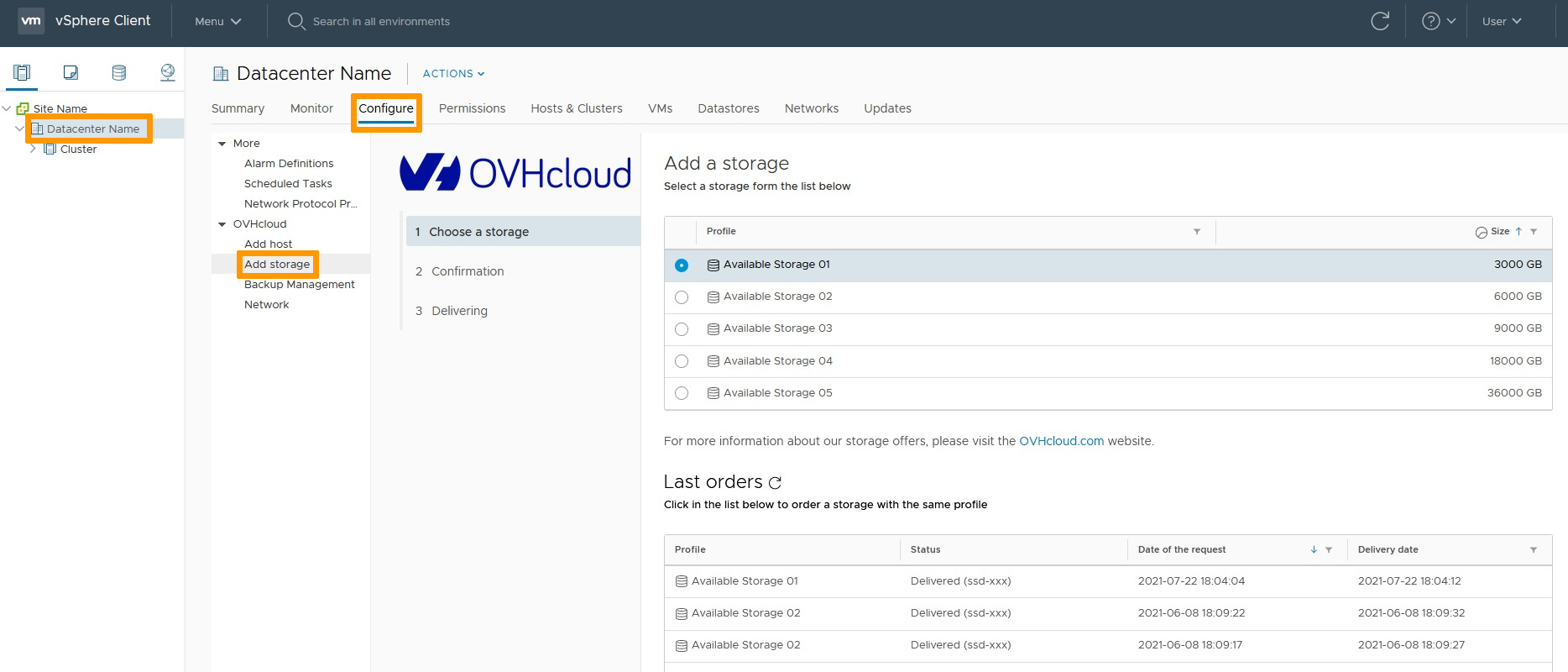
You can also order additional data stores from the Add Storage menu.
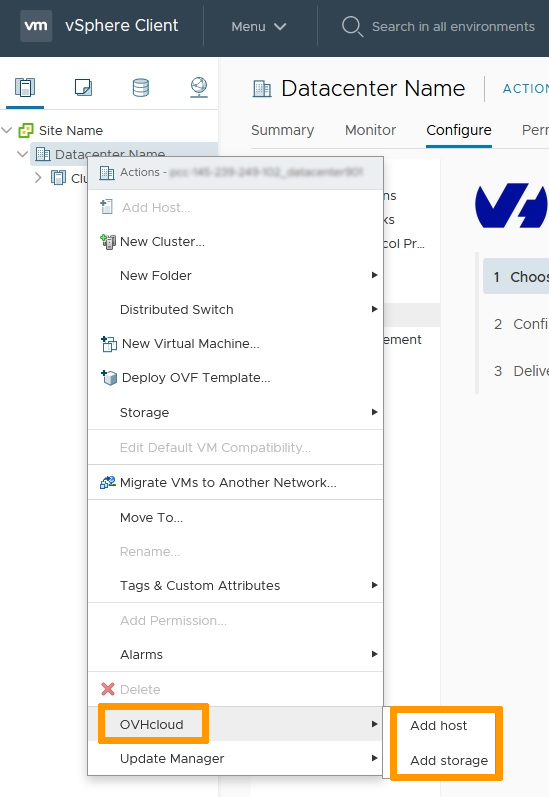
There is also another way to access these menus. You can right-click on the infrastructure’s datacentre or cluster, then choose OVHcloud.
Go further
Join our community of users on https://community.ovh.com/en/.


 Configuring NAT for port redirections with NSX
 491
491