

Public VCF as-a-Service - Setting up your network after vSphere to Public VCF as-a-Service migration
93 Views
 04.03.2025
  Cloud / Hosted Private Cloud
Objective
This guide explains the necessary steps to configure your environment after migrating from your managed VMware vSphere on OVHcloud services to a managed Public VCF as-a-Service solution.
These modifications are essential to ensure the proper functioning of your virtual machines and networks.
Requirements
- A Public VCF as-a-Service on OVHcloud solution.
- Being the technical administrator of the managed VMware vSphere on OVHcloud infrastructure.
- Access to the OVHcloud Control Panel
Instructions
Step 1: Update virtual machine network settings
After migration, you need to update the network configurations of your virtual machines (VMs).
To set the network configuration to DHCP (recommended):
1. Go to the network settings of each VM.
2. Change the IP assignment mode to DHCP.
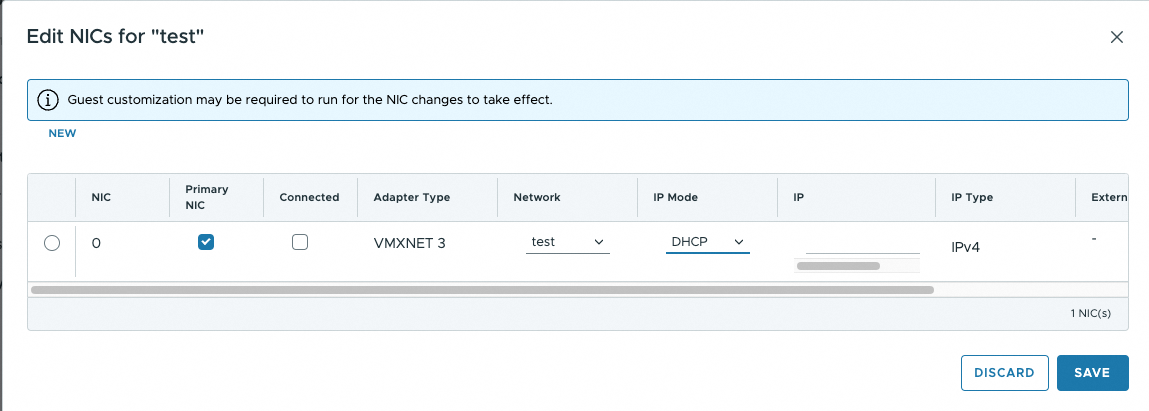
3. Make sure the Guest customization settings are set to Disabled before modifying the NIC settings.
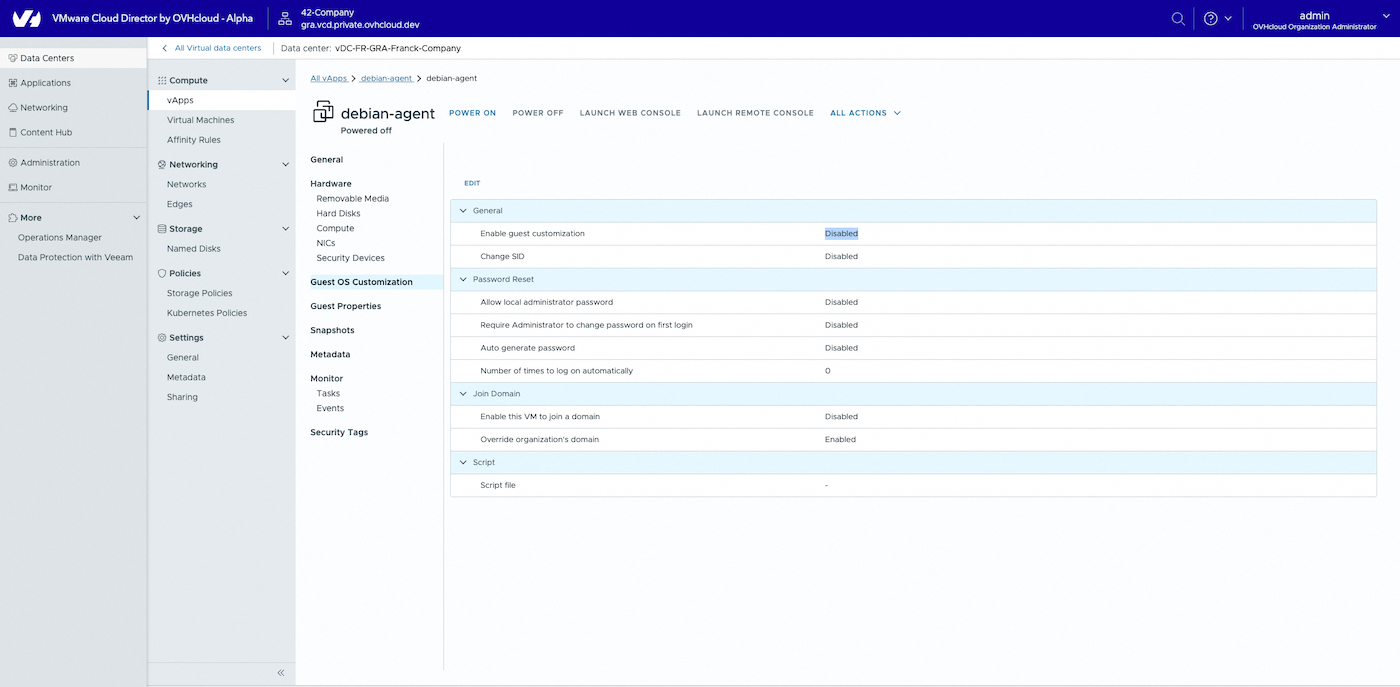
Step 2: Handling the IP addressing bug in Public VCF as-a-Service
Networks are pre-created with placeholder Gateway CIDRs, as the actual VM subnets are unknown beforehand.
This can lead to IP assignment issues if not addressed post-migration.
Identified issue
- If a static IP is manually assigned to a VM and does not match the pre-configured
Gateway CIDR, the assignment will fail. - You will not be able to create or update a VM with manual IP assignment outside the predefined
Gateway CIDR.
Solutions
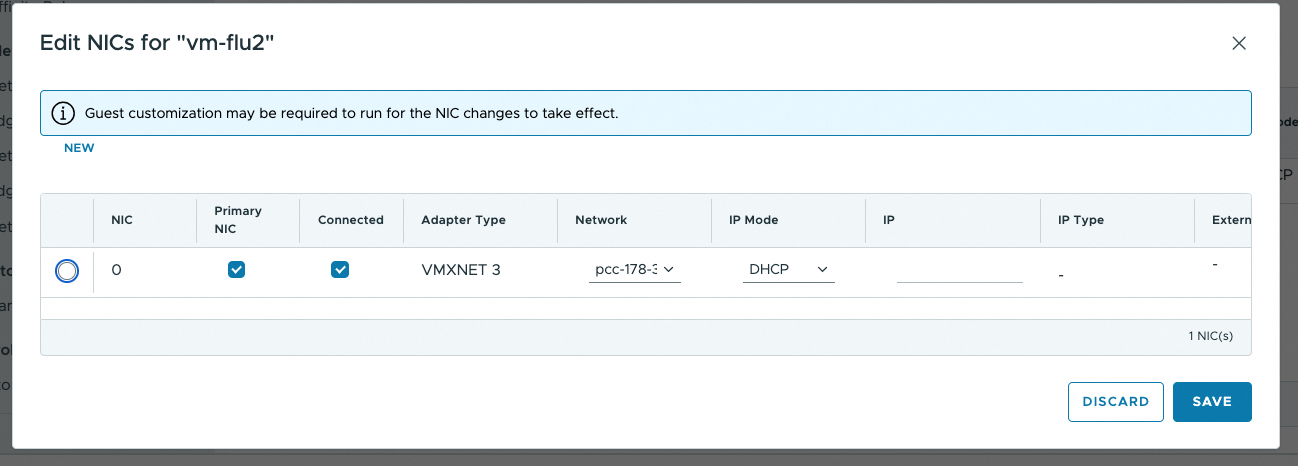
1. Use DHCP mode (recommended)
- Setting all IP modes to
DHCPworks seamlessly, even if the OS is configured with a static IP. - This approach is valid for both isolated networks and
VM Networks*.
2. Create a new network
- Customers can create a new
networkwith the correct subnet. - This solution works only if the customer has a single public IP range.
Go further
If you need training or technical assistance to implement our solutions, please contact your Technical Account Manager or click on this link to get a quote and ask our Professional Services experts for a custom analysis of your project.
Ask questions, give your feedback and interact directly with the team building our Hosted Private Cloud services on the dedicated Discord channel.
Join our community of users.


 Public VCF as-a-Service - Migrate from VMware vSphere on OVHcloud
 302
302