

VMware Fault Tolerance
326 Views
 07.07.2020
  Cloud / Hosted Private Cloud
Objective
The Fault Tolerance (FT) functionality of VMware's vSphere allows to protect a virtual machine from hardware failures by cloning the VM on two separate hosts.
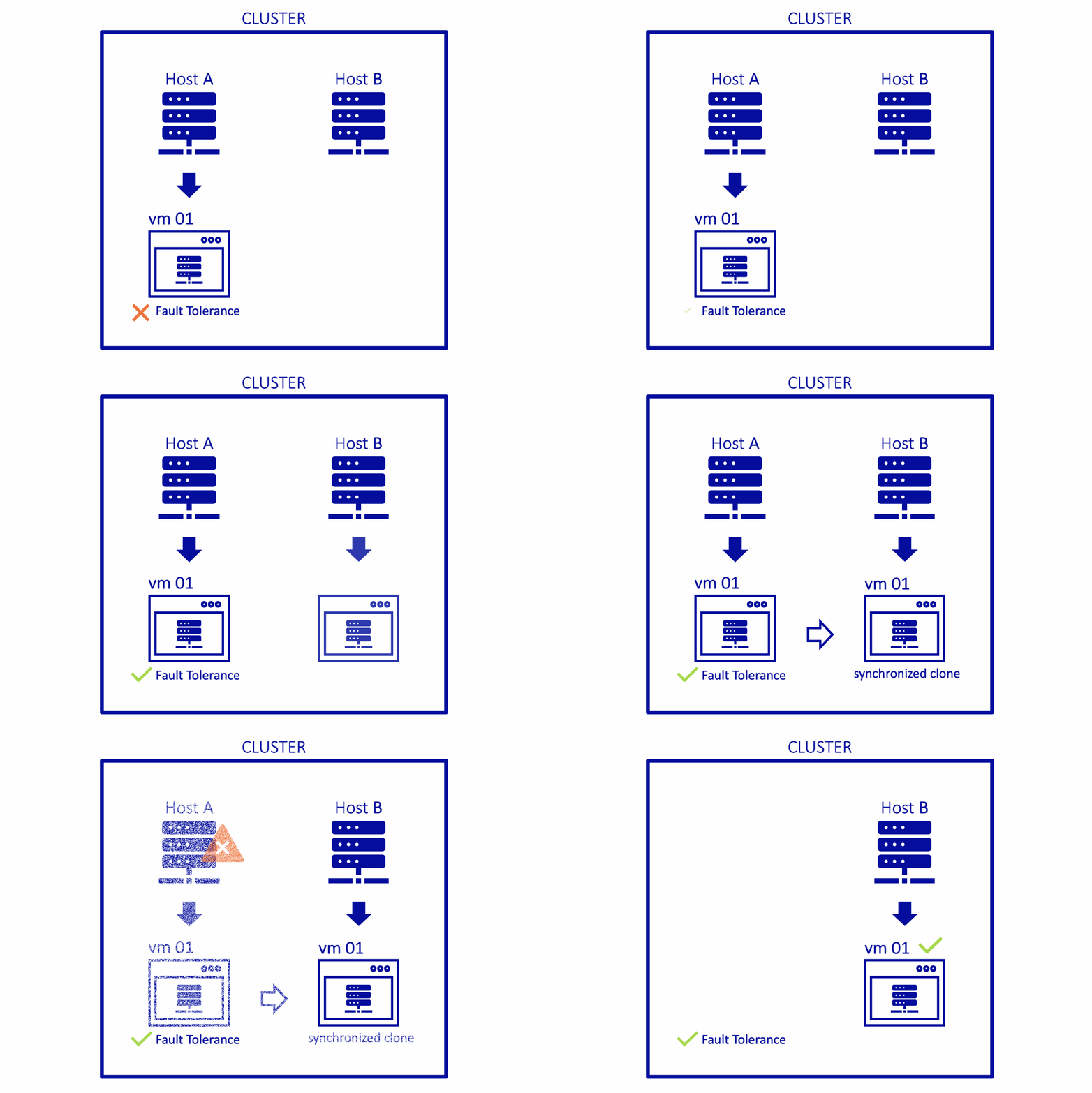
This guide explains the usage of Fault Tolerance on your VMs.
Requirements
- vSphere HA activated
- Resource reservation equal to 100% of memory
- VMware Tools installed
- Same generation processors
- 4 vCPUs maximum
Instructions
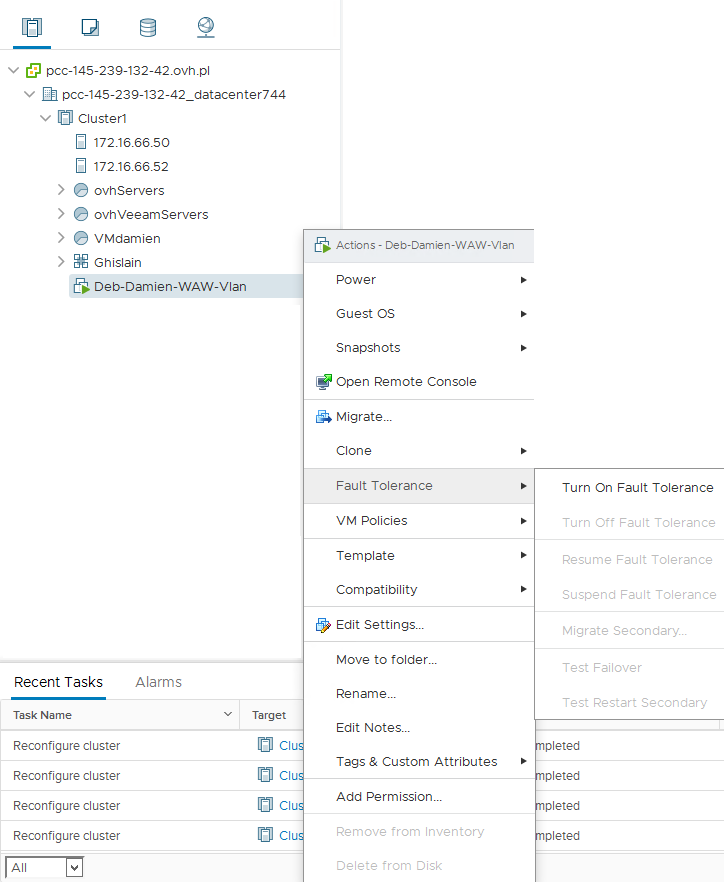
To activate Fault Tolerance, right-click on a VM, then click Fault Tolerance and Turn On Fault Tolerance.
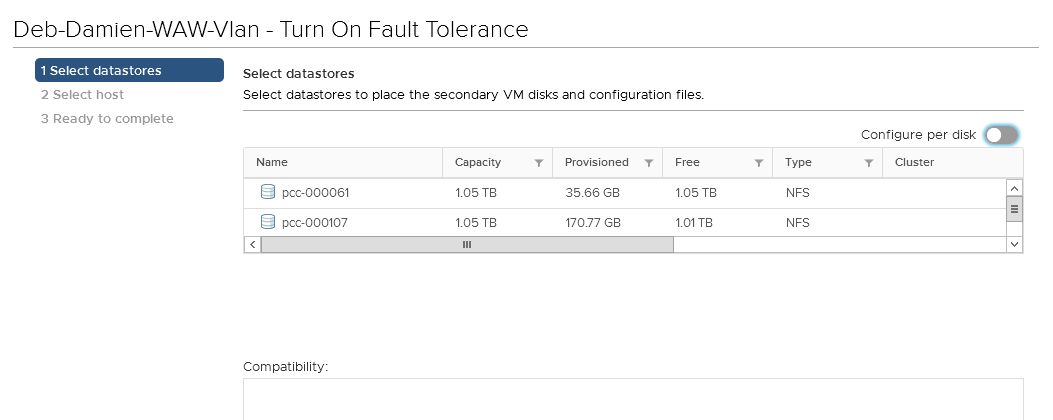
A configuration window will open, prompting you to make choices for the secondary VM.
- Datastores
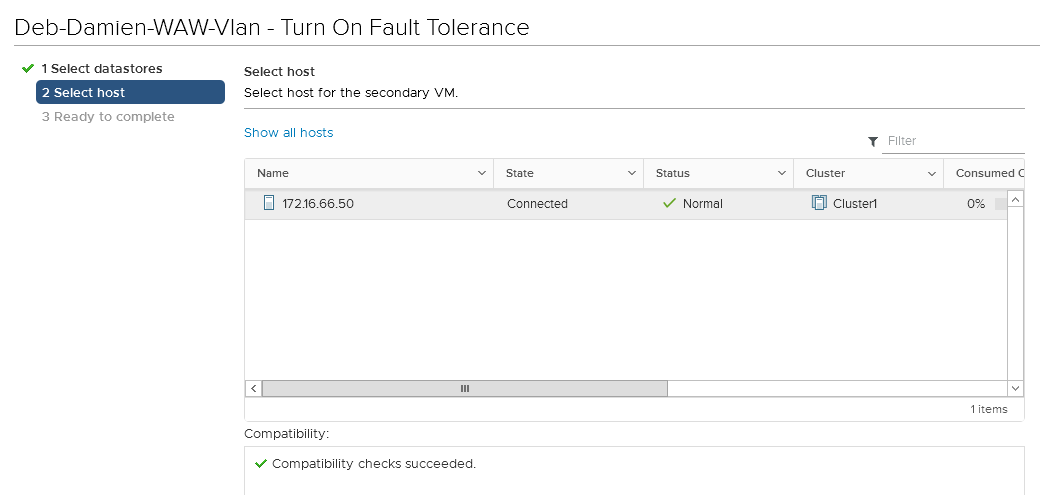
- The host
Finally, a summary of your choices is displayed. Validate to enable FT on your virtual machine.
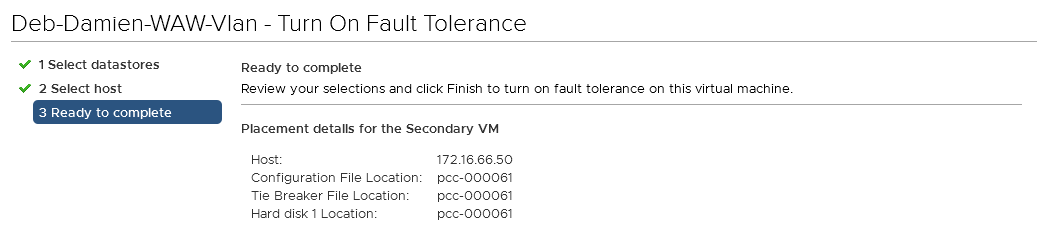
Your virtual machine is now protected by Fault Tolerance, its icon is different and it will show as "primary".

Several operations are now available according to your needs.
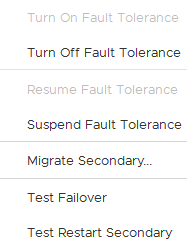
Impossible and incompatible actions
On a virtual machine with Fault Tolerance enabled, it is no longer possible to perform certain actions or to use certain devices.
Please refer to this documentation for more details on the topic. A list of incompatible features and devices is available on this page.
Go further
Join our community of users on https://community.ovh.com/en/.


 VMware HA (High Availability)
 386
386