

Editing the configuration of a Kubernetes cluster in Managed Rancher Service
138 Views
 11.09.2024
  Managed Rancher Service (MRS)
Objective
Managed Rancher Service by OVHcloud provides a powerful platform for orchestrating Kubernetes clusters seamlessly. In this guide we will explore how to edit the configuration of a Kubernetes cluster including the name, labels and annotations, the OVHcloud API credentials and even the update policy.
Requirements
- A Public Cloud project in your OVHcloud account
- An OVHcloud Managed Rancher Service (see the creating a Managed Rancher Service guide for more information)
- An access to the Rancher UI to operate it (see the connecting to the Rancher UI guide for more information)
- An existing Kubernetes cluster you created or imported in Managed Rancher Service (MRS)
Instructions
Through the Rancher UI you can edit several information about a Kubernetes cluster you created or imported.
Log in your Managed Rancher Service UI.
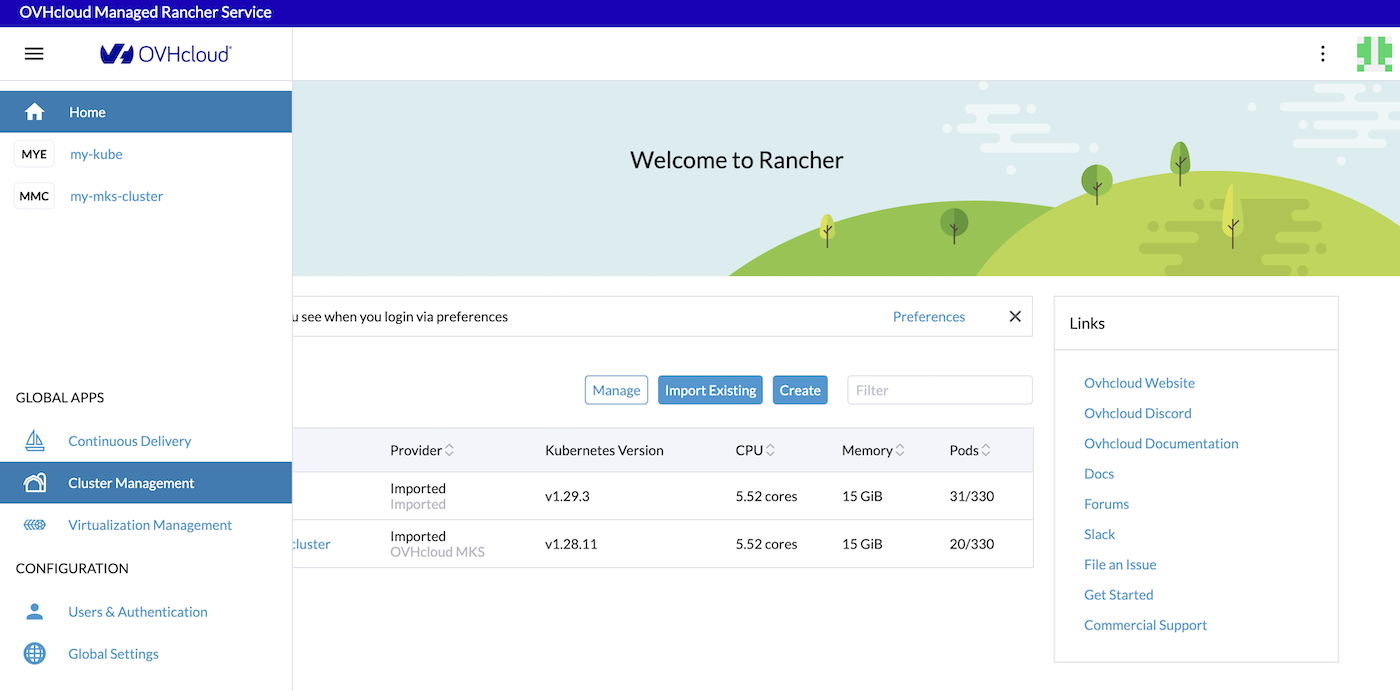
In the menu, click on the Cluster Management button:
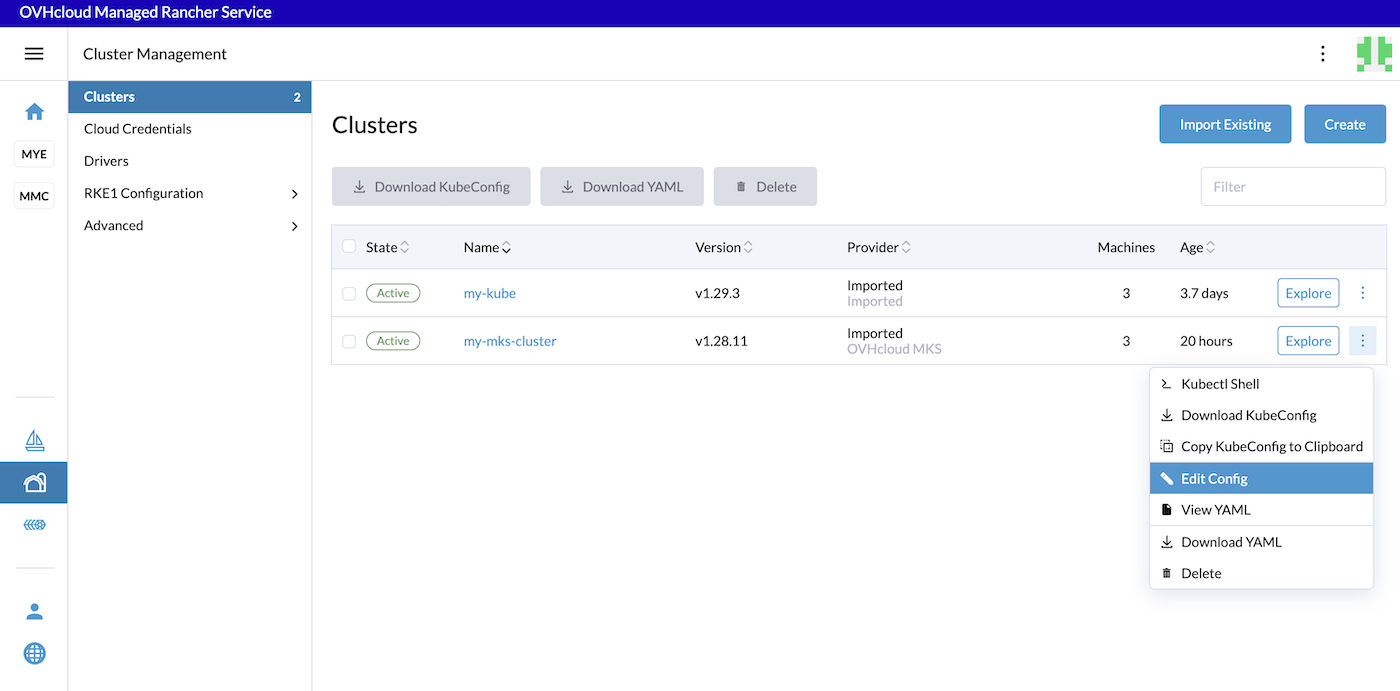
For the chosen Kubernetes cluster, click on the ... button and then on Edit Config.
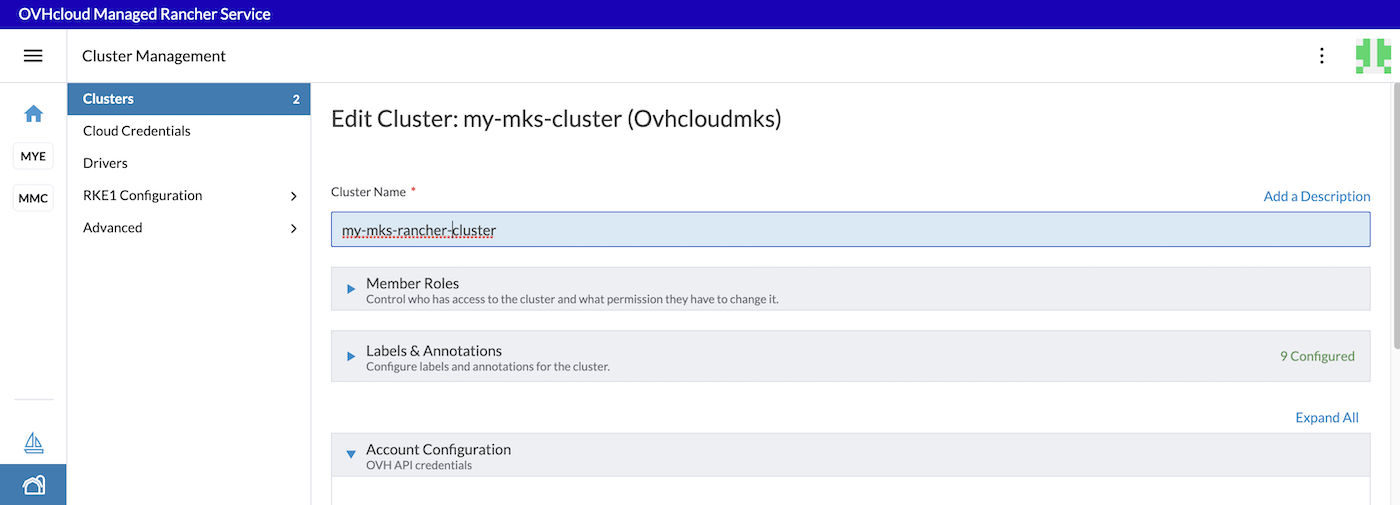
You can now edit the name of the cluster. In this example we changed my-mks-cluster to my-mks-rancher-cluster:
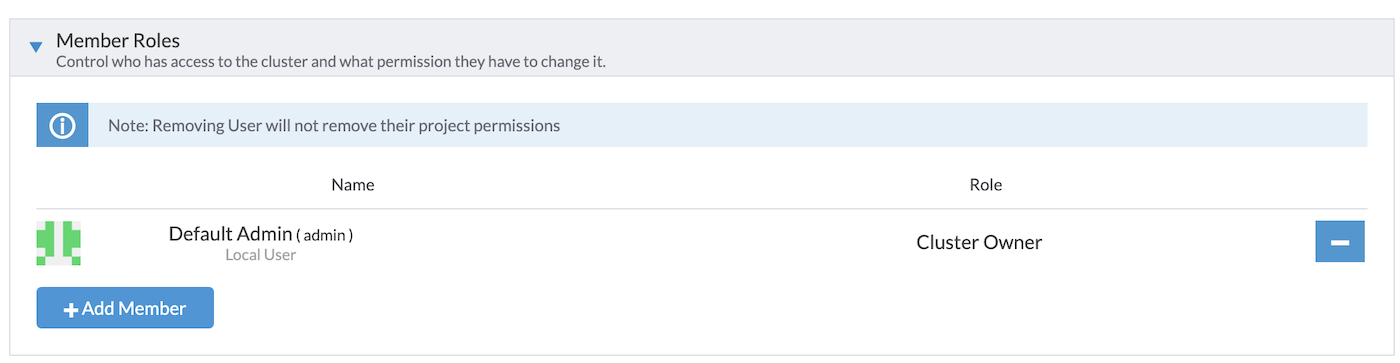
You can also change Member Roles, to control who has access to your cluster and with what permissions, by adding or removing members.
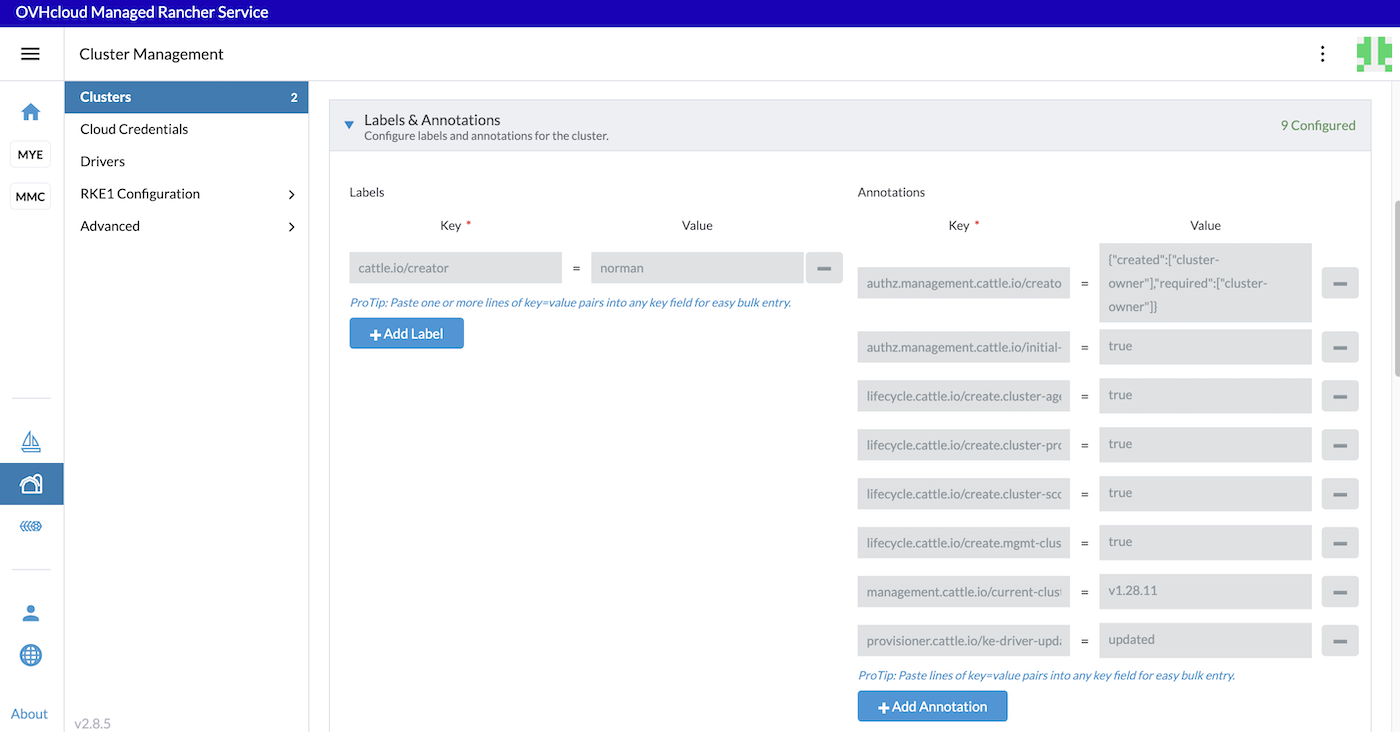
You can view the Labels and Annotations automatically added by Rancher, and add new ones if you wish.
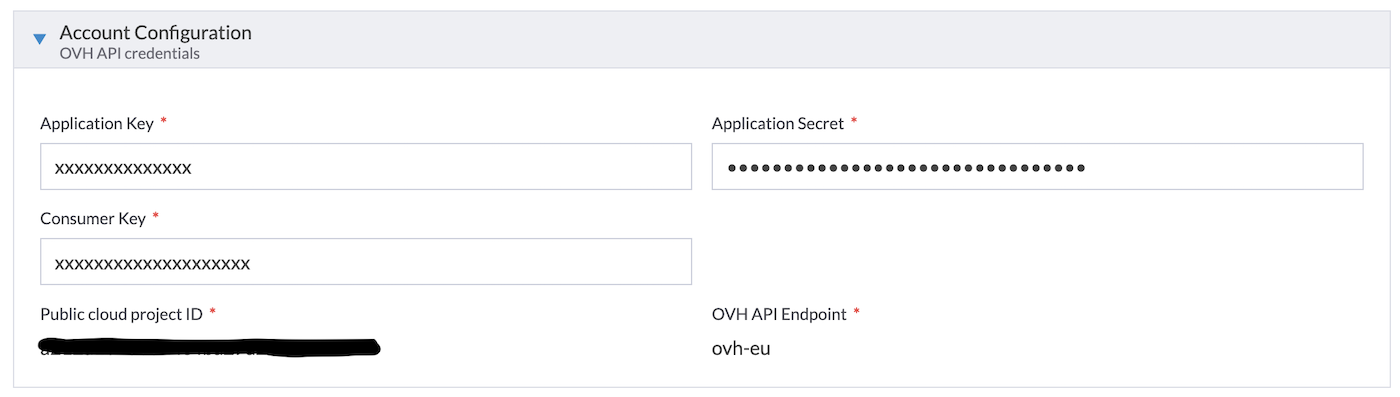
OVH API credentials can also be modified in this page. Edit them if you defined credentials that have expired.
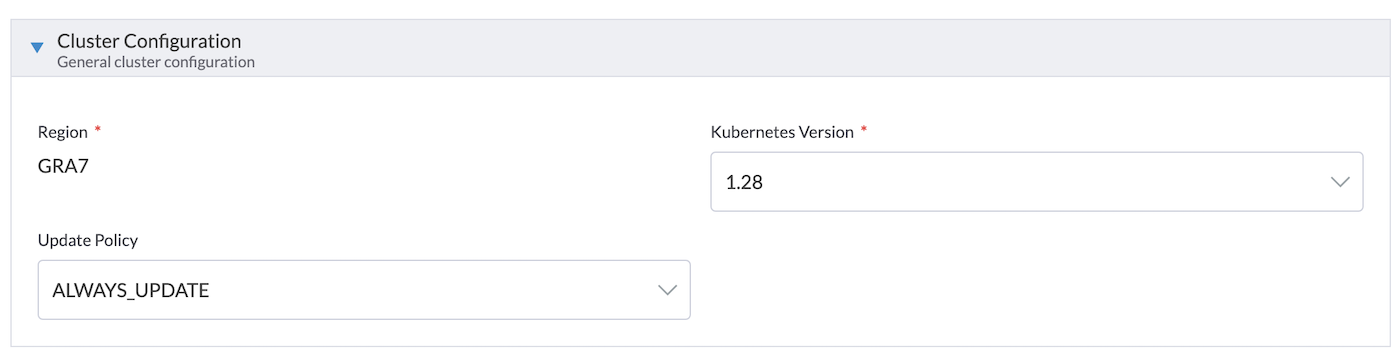
You can change the Kubernetes version and the Update Policy:
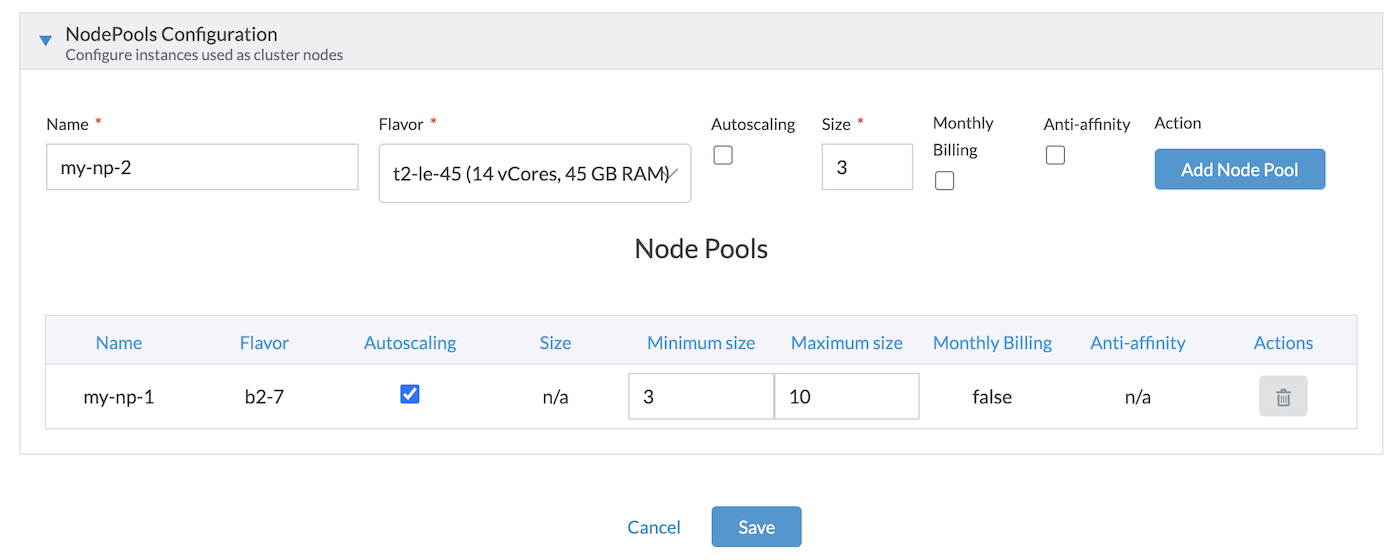
You can also add new Node Pool or edit existing ones:
Finally, click on the Save button to save the changes to your cluster.
The cluster will be in Updating state during the changing period and Active again after the changes.
Go further
-
To have an overview of OVHcloud Managed Rancher Service, you can go to the OVHcloud Managed Rancher Service page.
-
If you need training or technical assistance to implement our solutions, contact your sales representative or click on this link to get a quote and ask our Professional Services experts for assisting you on your specific use case of your project.
-
Our team remains available on our dedicated Discord Channel, do not hesitate to join and reach us : https://discord.gg/ovhcloud. Ask questions, provide feedback and interact directly with the team that builds our Container and Orchestration services.
-
Join our community of users.


 Deploying a monitoring stack (Prometheus & Grafana) in a Kubernetes cluster in MRS
 288
288