

Update the plan of Public Cloud Databases
195 Views
 31.07.2025
  Cloud / MANAGED_SERVICES
Objective
Learn how to upgrade the service plan of your cluster according to your needs.
Once you have upgraded your solution, you will not be able to downgrade to a lower solution.
Requirements
- A Public Cloud project in your OVHcloud account
- Access to the OVHcloud API (optional)
OVHcloud Control Panel Access
- Direct link: Public Cloud Projects
- Navigation path:
Public Cloud> Select your project
Instructions
Using the OVHcloud Control Panel
Click Databases in the left navigation bar, select your engine instance then click the Configuration tab.
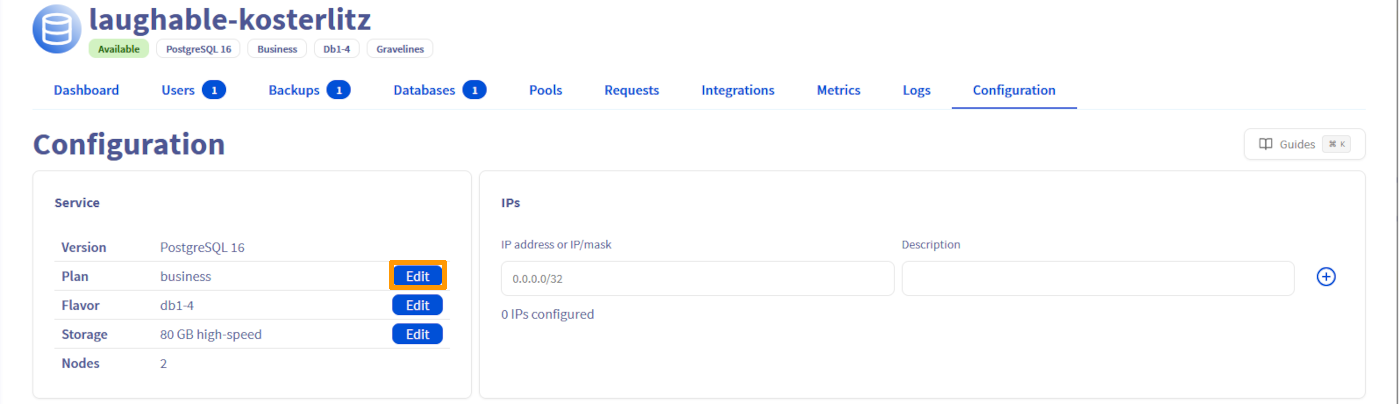
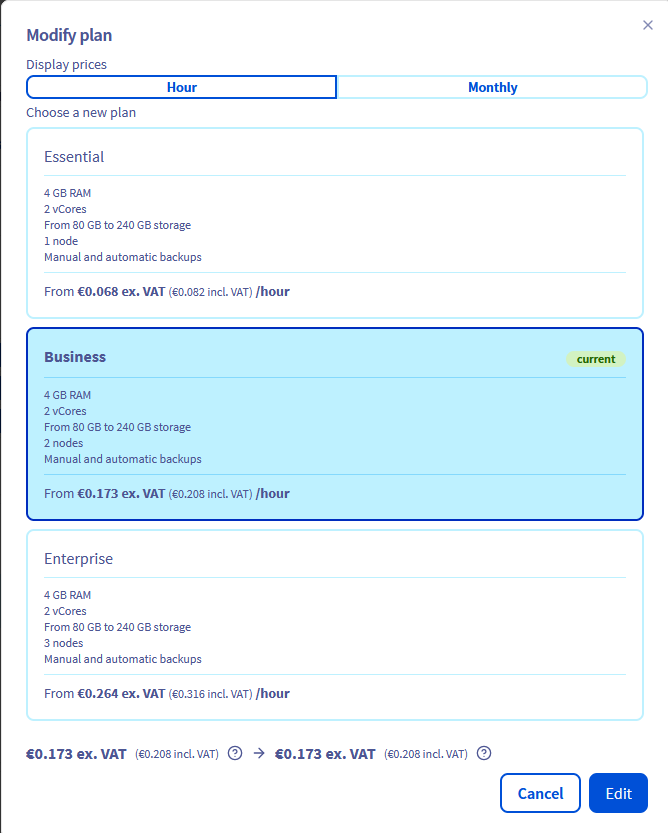
Click Edit on the "Plan" line and adjust the Plan of your cluster.
Using the OVHcloud API
If you are not familiar with using the OVHcloud API, please refer to our guide on Getting started with the OVHcloud API.
To upgrade or downgrade the service plan of your cluster, use the following API call:
If you downgrade to an Essential plan, your current flavor and/or number of nodes will be downgraded automatically if they exceed the limits of the Essential plan.
We want your feedback!
We would love to help answer questions and appreciate any feedback you may have.
If you need training or technical assistance to implement our solutions, contact your sales representative or click on this link to get a quote and ask our Professional Services experts for a custom analysis of your project.
Are you on Discord? Connect to our channel at https://discord.gg/ovhcloud and interact directly with the team that builds our databases service!


 Configure the private network for Public Cloud Databases
 630
630