

Changing project contacts
306 Views
 28.04.2025
  Cloud / Instances
Objective
You can change the contacts for project administration and billing of a Public Cloud project in the OVHcloud Control Panel.
Modifying these contacts enables you to separate the technical management of services within a project from the project's billing.
This guide explains how to change the contacts of a Public Cloud project in the OVHcloud Control Panel.
Requirements
- A Public Cloud project in your OVHcloud account
- Admin and billing contacts in the same OVHcloud subsidiary
OVHcloud Control Panel Access
- Direct link: Public Cloud Projects
- Navigation path:
Public Cloud> Select your project
Instructions
Click on Contacts & Rights in the left-hand menu under Settings.
On this page you can see the administrative and billing contacts associated with your project.
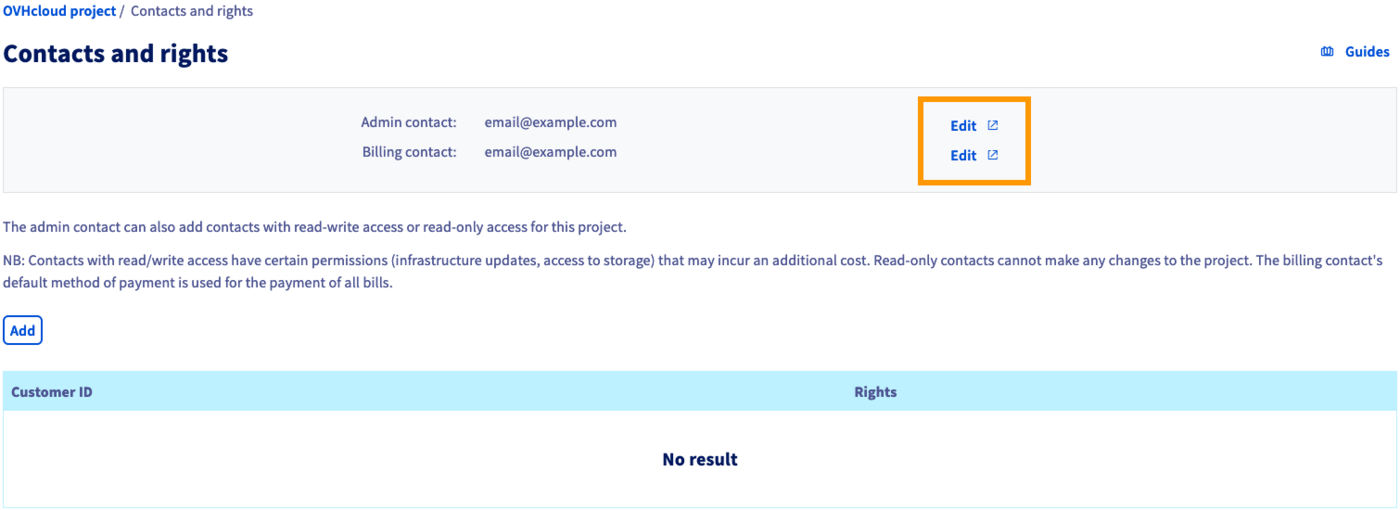
Click on one of the Edit buttons to modify the current contacts. This will open the Contact management section of your Control Panel.
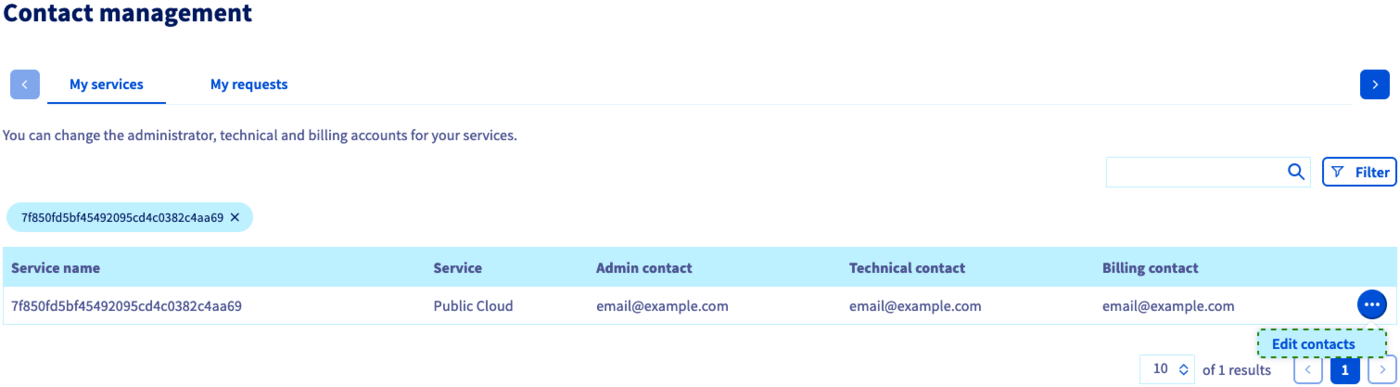
The contacts of your Public Cloud project are displayed in the table. Click on the ... button and then on Edit contacts.
In the new window, enter the desired NIC handle for each contact you wish to change. Bear in mind that the OVHcloud accounts for Admin and Billing contacts have to be registered in the same OVHcloud subsidiary.
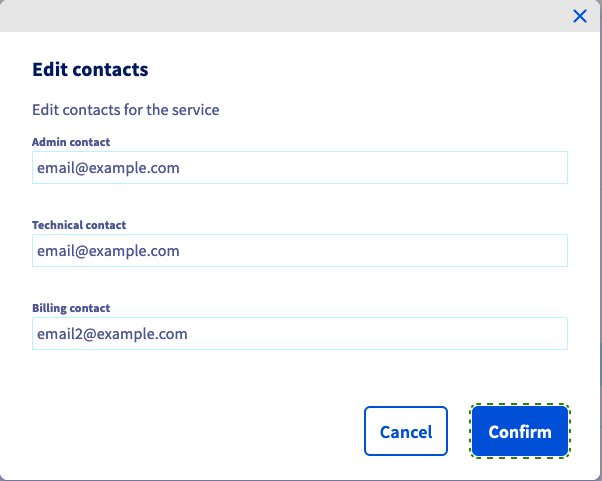
Once you have clicked Confirm, both OVHcloud accounts affected by the change will receive a confirmation email. This email contains a token with which the contact change can be accepted in the tab My requests of the Contact management section.
For a more detailed explanation of this process, please consult our guide Managing contacts for your services.
Go further
Information regarding Public Cloud billing options
Managing contacts for your services
Join our community of users.

