

Layer 2 mode
333 Views
 14.09.2020
  Cloud / OVHcloud Connect
Objective
Learn more about Layer 2 implementation and connection for the OVHcloud Connect solution.
Instructions
Layer 2 implementation
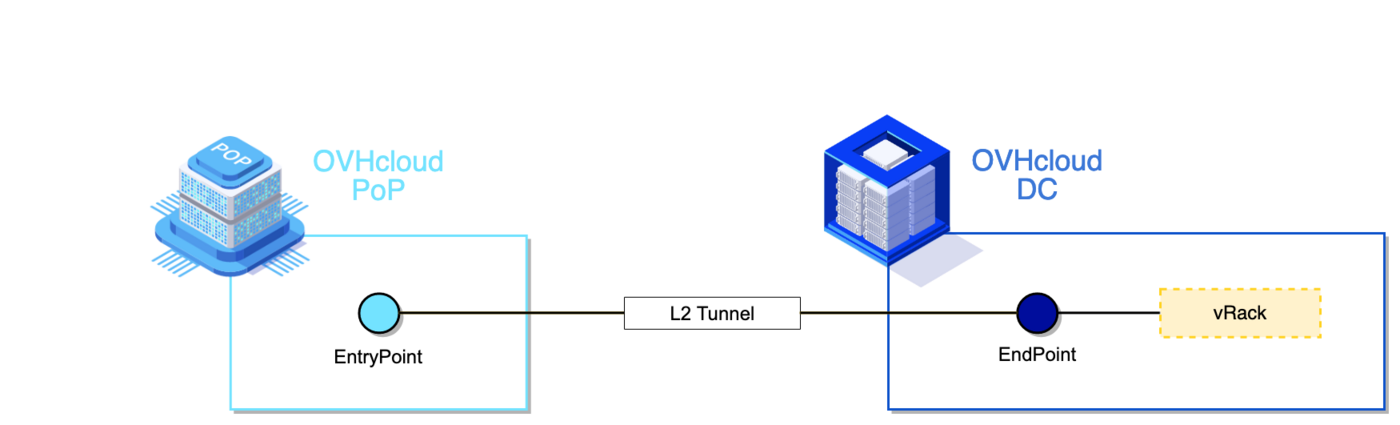
The L2 tunnel is forwarded directly to/from the vRack, so all L2 traffic is forwarded to/from the customer inter-connection.
L2 traffic refers to Ethernet frames, with an 802.1q header, if applicable:
- Ethernet broadcast is forwarded.
- Unknown Ethernet unicast is forwarded.
- Multicast is forwarded (considered broadcast, limited to 20pps).
- Specific point-to-point Ethernet frames (like LLDP or LACP) are not forwarded
Only one OVHcloud Connect L2 is supported per vRack: each PoP/EntryPoint can only be associated with one DC/EndPoint.
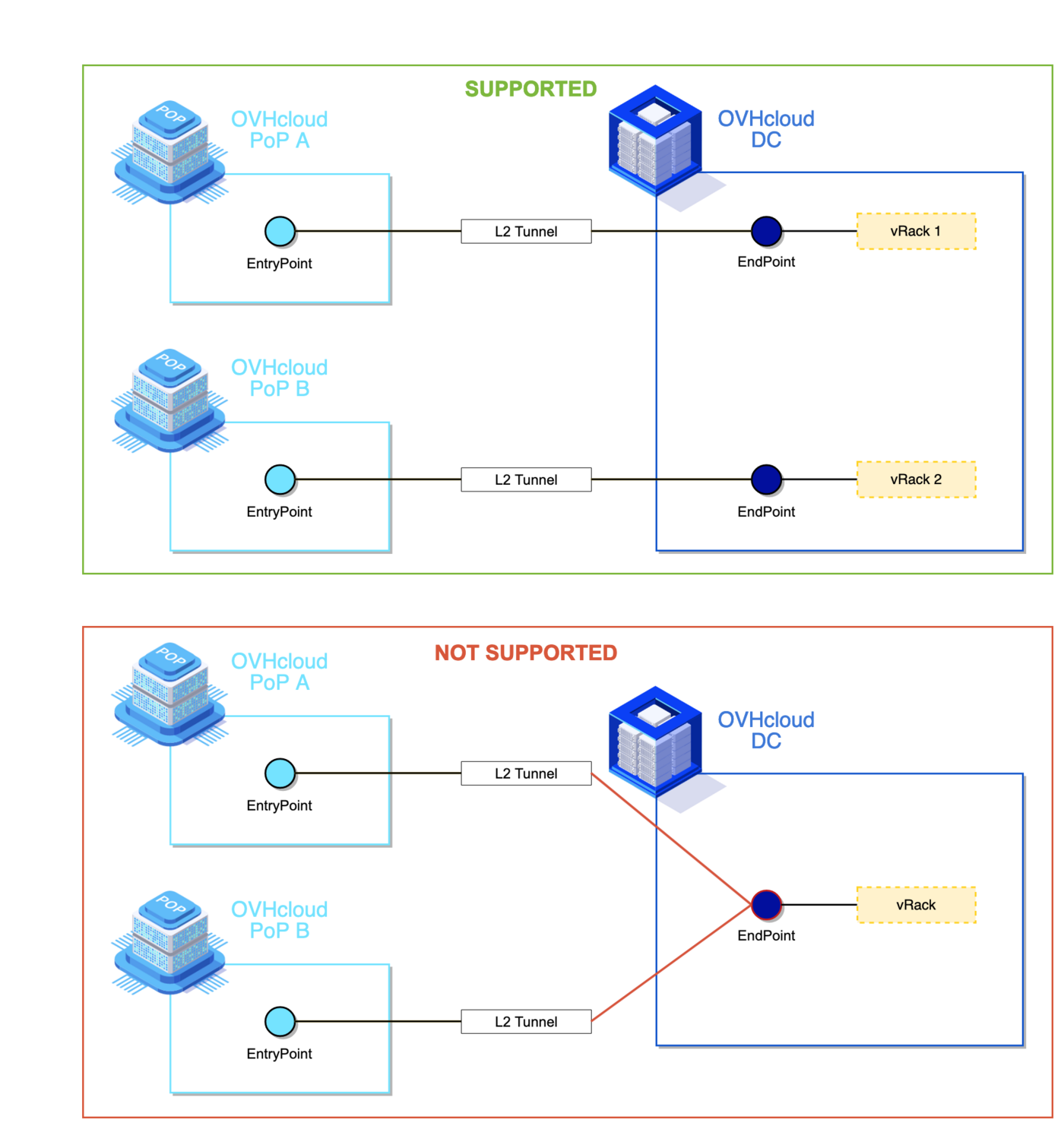
With L2 mode, redundancy cannot be exploited between two PoP/EntryPoint. The only solution is to use a LAG on a PoP/EntryPoint.
Connection mode details
L2 operates at the Ethernet level. The customer's vRack is extended "as-is" from OVHcloud and forwarded to the customer link. Transparent to VLANs, this mode is the best way to inter-connect the customer's legacy network with an OVHcloud vRack.
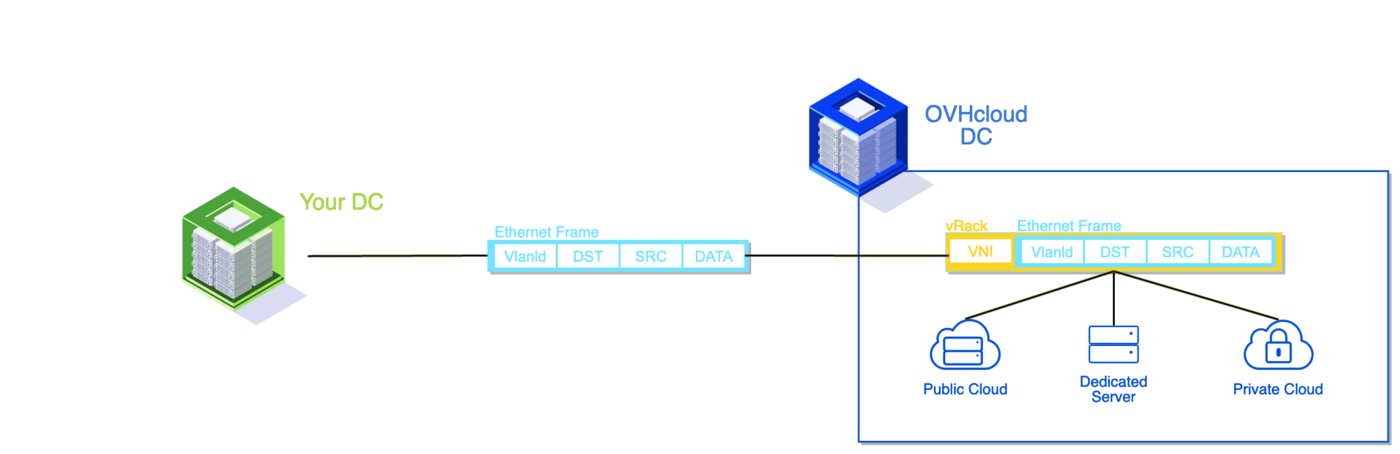
The L2 mode is limited to a point-to-point topology: a backup link through a second PoP is not supported.
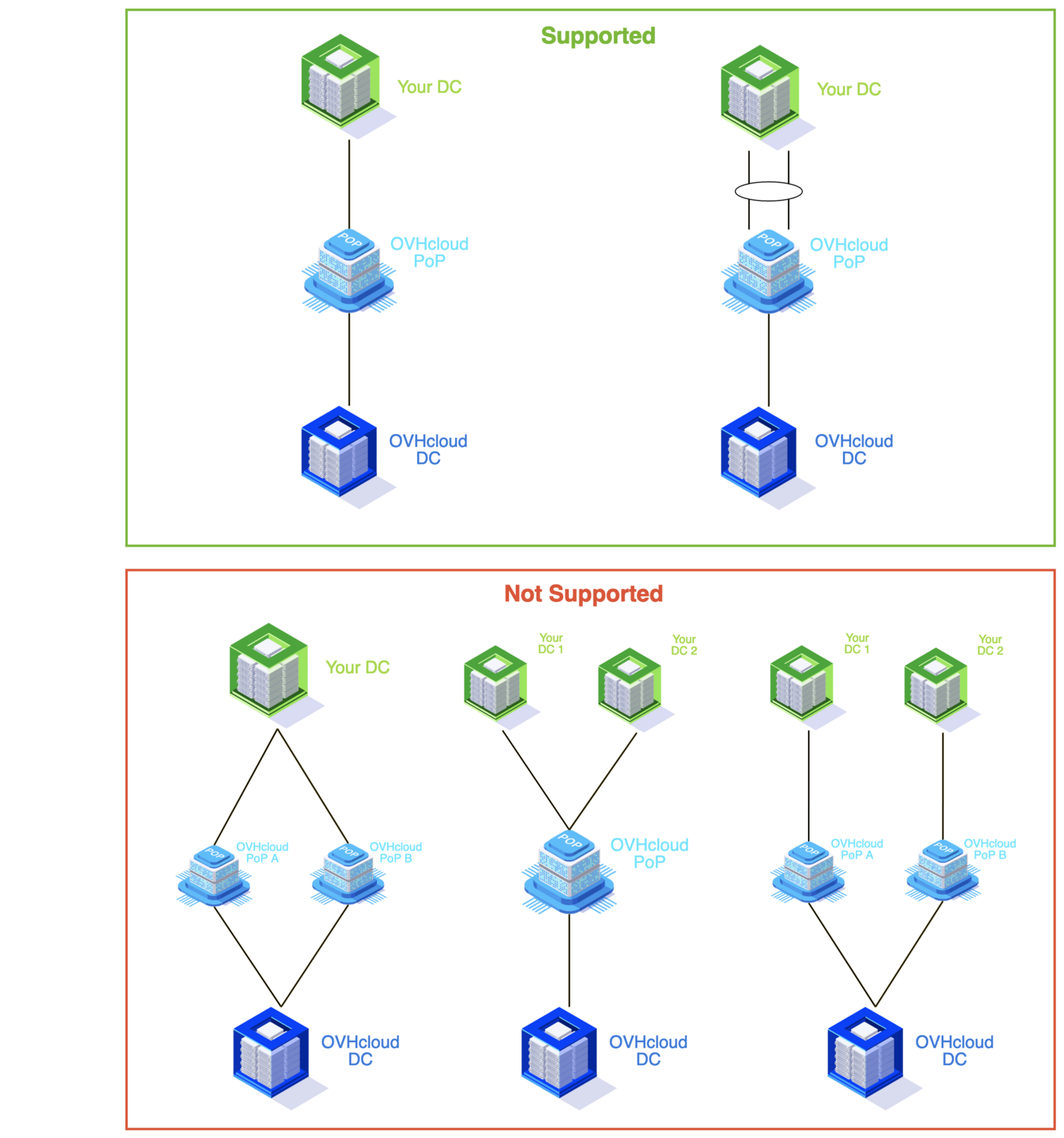
LACP is mandatory for aggregation when 2 links are configured with PoP.
Jumbo frames up to 9000 bytes are supported.
Connections between a PoP and a DC benefit from the OVHcloud backbone. An internal link failure is therefore supported and will not impact customer traffic.
Go further
If you need training or technical assistance to implement our solutions, contact your sales representative or click on this link to get a quote and ask our Professional Services experts for assisting you on your specific use case of your project.
Join our community of users on https://community.ovh.com/en/.


 Concepts overview
 571
571