

Delete VM replica from Zerto recovery site
248 Views
 09.12.2021
  Cloud / Hosted Private Cloud
Objective
Once a VM is purposefully deleted from the source site, the Zerto VPG it is part of pauses and goes into error state.
The VM replica files are still on the target datastore.
This document shows how to get the VPG back to normal and delete the VM replica from the target site.
Use the Zerto UI to delete the VM replica from the target site.
Requirements
- Being an administrative contact of your Hosted Private Cloud infrastructure to receive login credentials
- A user account with access to vSphere as well as Zerto (created in the OVHcloud Control Panel)
- A deployed Zerto Virtual Replication
Instructions
In the Zerto target site interface menu, check the VPGs and VMs dashboards.
In our example, VPG1 holds two VMs, vm1-zerto and vm2-zerto. The site sync status is functional.

In the source site vSphere interface, vm2-zerto is purposefully deleted.
Both the VM and its disks are removed.
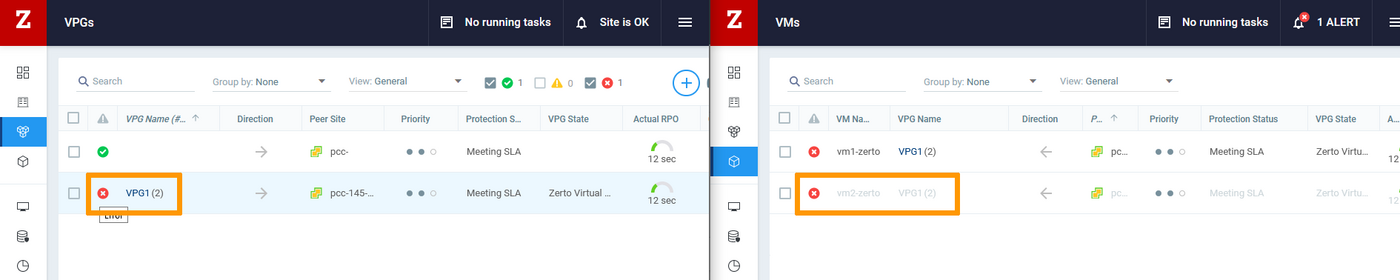
Back in the Zerto target site interface, the VPG pauses and goes into an error state. The vm2-zerto is also greyed out now.
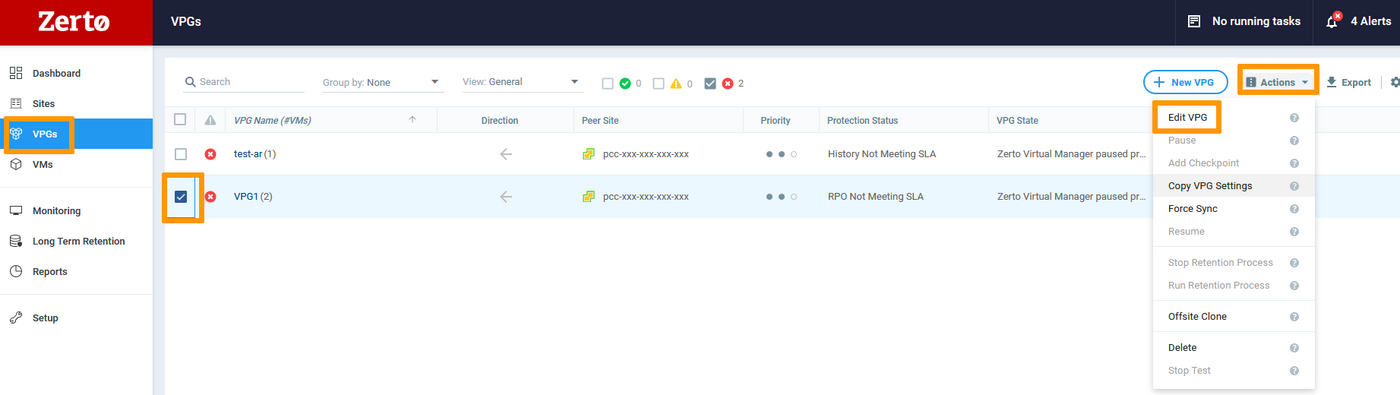
In the VPGs section, check the VPG1 box and in the Actions menu, click Edit VPG.
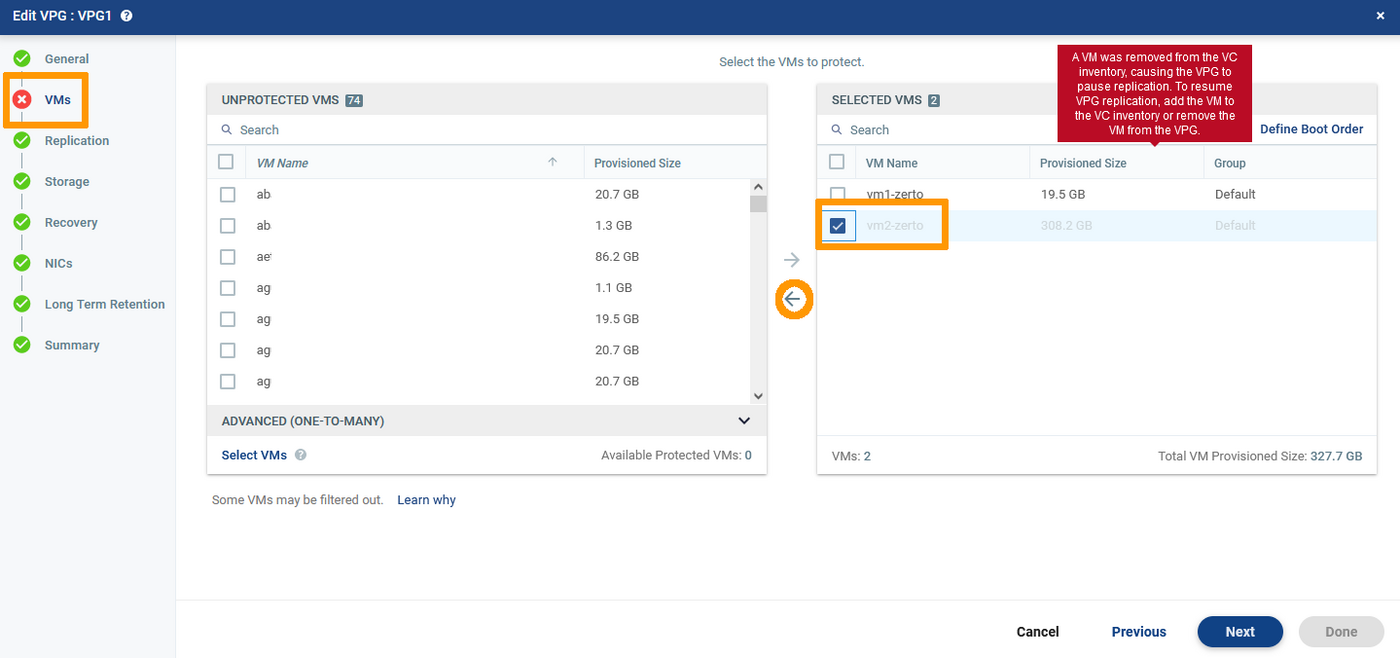
In VMs, remove vm2-zerto from the Selected VMS (check the box then click the arrow back).
Click Done.
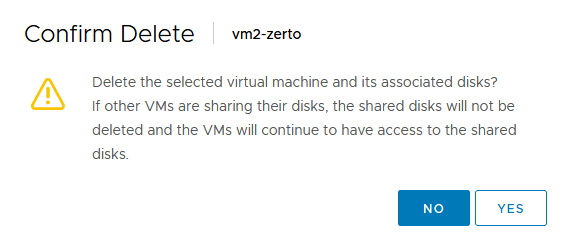
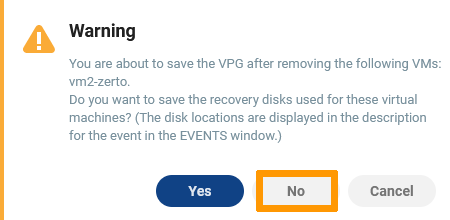
Click No in the warning window as there is no typical need to save the recovery disk.
The VPG will sync and will get back to a functional state with only one VM left.

Go further
Discuss with other Zerto users on https://community.ovh.com/en/.


 OVHcloud hourly snapshots
 257
257