

Cloud Archive Swift - Manage your archives with an SFTP/SCP client
519 Views
 13.05.2022
  Cloud / Object Storage S3
Objective
Object Storage is a storage solution that is managed primarily through the OpenStack API. However, you might not be familiar with managing storage space via command line. Therefore, we have developed a gateway which makes it possible to connect to your PCA container with an SFTP client.
Requirements
- SFTP Client: WinSCP
- OpenStack login & password
- TenantName of the project
Instructions
SFTP Client
In this example, we use WinSCP but you can use any SFTP client. Configurations of SFTP clients are similar as explained here, regardless of the client.
OpenStack ID
You can generate your OpenStack login & password using this guide.
TenantName
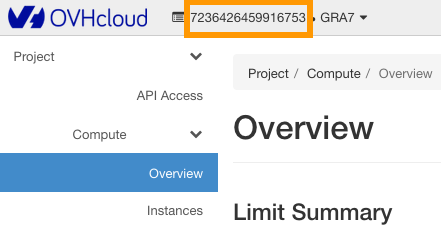
The TenantName corresponds to the name of your Horizon Project. To get the TenantName, you need to connect to the OpenStack web interface: https://horizon.cloud.ovh.net/. Once logged in, the TenantName is visible at the top of page.
Connection
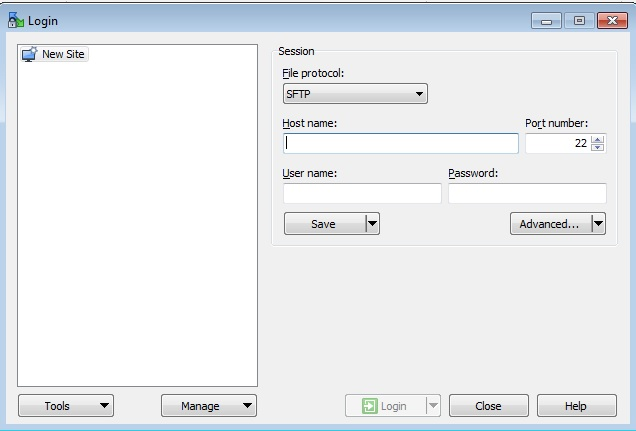
- Host Name: gateways.storage.{region}.cloud.ovh.net
- User Name: pca
- Password: {TenantName}.{Username_Openstack}.{Password_Openstack}
- Port: 22
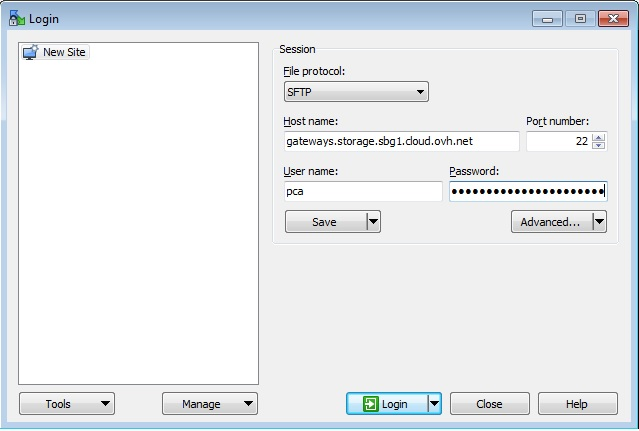
Example
If you have created a PCA container in SBG:
- Host Name: gateways.storage.sbg.cloud.ovh.net
- User Name: pca
- Password: 971891XXXX1214.f6nBXXXXXAmcv.SfPeASYfuWeqBZgXXXXX2XhF3DY12RkD
WinSCP Setting
In this part we will disable two WinSCP options:
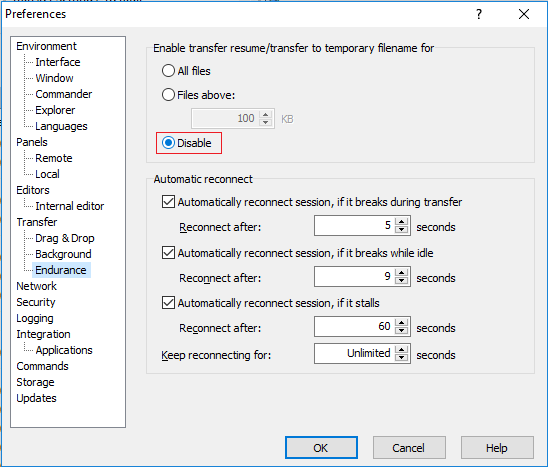
Transfer Resume / Transfer to Temporary Filename: This option will have to be disable because recovery is not possible with PCA and WinSCP can return you an error.
- In the "Endurance" section, select "Disable".
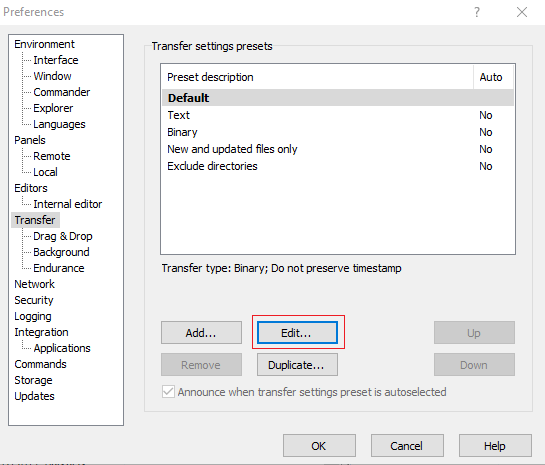
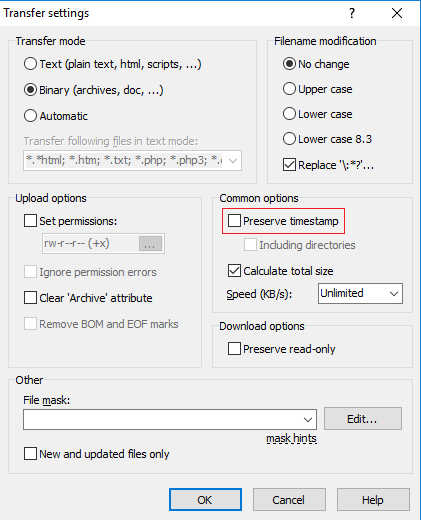
Preserve Timestamp: TimeStamp corresponds to the date of modification of the file. We disable it because on PCA we replace this data with the date of upload of the file.
- In the "Transfer" section, click on "Edit...".
- Uncheck "Preserve timestamp".
Data recovery
Data recovery requires that the object be unlocked first. A GET request must be made on the object in question. If this command is not made beforehand, your SFTP client will return an error message when attempting to download a file. Consult our guide to learn how to unlock your object here.
Go further
If you need training or technical assistance to implement our solutions, contact your sales representative or click on [this link]((https://www.ovhcloud.com/en-au/professional-services/) to get a quote and ask our Professional Services experts for assisting you on your specific use case of your project.
Join our community of users.


 Object Storage Swift - Setting up CORS on Object Storage
 362
362